Video Downloader - Save Video
- 5.00
- 3.8
- Installs
- 500.00K
- Price
- Free

Screenshots




Analysis by Reviewed
In a world where streaming is king, having an app like Video Downloader - Save Video is like having a magic wand in your pocket. This app claims to be the ultimate tool for saving videos from various platforms directly to your device. But does it live up to the hype? Let's dive in and see what it's all about.
Getting Started: First Impressions
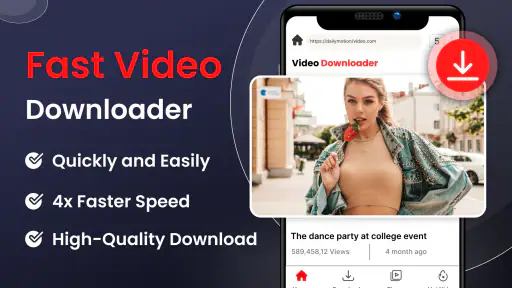
When you first open Video Downloader - Save Video, you're greeted with a clean and intuitive interface. The design is straightforward, making it easy for even the least tech-savvy users to navigate. You won't find unnecessary clutter here; everything is designed to get you downloading videos as quickly as possible.
Setting up the app is a breeze. Just install it, and you're ready to start saving your favorite clips from social media, streaming sites, or any platform that allows video downloads. The app supports a wide range of formats, so compatibility issues are a thing of the past.
Features That Stand Out
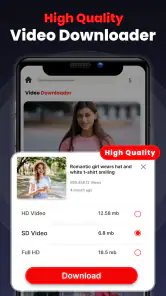
One of the standout features of the app is its ability to download videos in high quality. Whether you're looking to save a funny TikTok or an insightful YouTube tutorial, you'll appreciate the crisp, clear results. Plus, the app allows you to download multiple videos simultaneously, which is a massive time-saver.
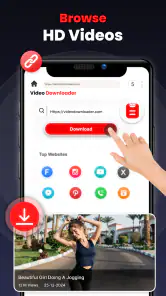
Another cool feature is the built-in browser. This allows you to search for videos directly within the app, making the whole process seamless and convenient. No more hopping between apps or dealing with endless copy-pasting of URLs.
User Experience: Smooth Sailing?
Using the app is generally a smooth experience. Downloads are fast, thanks to the app's optimized performance. However, it's worth noting that your download speed can vary based on your internet connection. So, if you're on a slow network, you might need a bit of patience.
The app also promises secure downloads, ensuring your data is safe and sound. This is particularly important given the risks associated with downloading content from the internet.
More From Our News Desk

Clash of Clans Is Won Between the Battles

Android Auto Makes the Case for Quieter Car Software

MobiOffice: Transforming Mobile Productivity with Seamless Integration

EA SPORTS FC™ Mobile Soccer: Redefining Mobile Sports Gaming

How Microsoft OneDrive Became a Mobile Productivity Giant

How Google Translate Breaks Language Barriers Effortlessly
Final Thoughts
Overall, Video Downloader - Save Video is a handy tool to have on your device. It's perfect for anyone who loves to keep their favorite videos handy, whether for entertainment or offline viewing. While it might not reinvent the wheel, it does exactly what it promises to do, and it does it well.
If you're someone who frequently finds themselves wishing they could save video content for later, give this app a shot. It packs a punch with its easy-to-use interface, high-quality downloads, and efficient performance. Just remember, with great power comes great responsibility—download wisely!
Video Downloader - Save Video Frequently Asked Questions
What is Video Downloader - Save Video used for?
Video Downloader - Save Video is an application that allows users to download videos from various platforms directly to their devices. This app supports multiple formats and resolutions, enabling users to save their favorite content for offline viewing. It is particularly useful for those who want to watch videos without internet connectivity or save them for future use.
Is Video Downloader - Save Video free to use?
Yes, Video Downloader - Save Video is free to download and use. However, it may offer in-app purchases or advertisements to support its development. Users can typically access basic features without any cost, but premium features might require payment. It's advisable to check within the app for any potential costs associated with advanced functionalities.
Which platforms are supported by Video Downloader - Save Video?
Video Downloader - Save Video supports a variety of popular video platforms, allowing users to download content from sites such as YouTube, Facebook, Instagram, and more. It's important to note that the app's ability to download videos may depend on the individual platform's terms of service, so users should ensure they comply with any legal restrictions.
Is it legal to download videos using Video Downloader - Save Video?
The legality of downloading videos using Video Downloader - Save Video depends on the content and platform. While the app facilitates downloading, users should be aware of and comply with copyright laws. Downloading videos for personal use is generally acceptable, but distributing downloaded content or using it for commercial purposes without permission may violate copyright policies.
What are the key features of Video Downloader - Save Video?
Video Downloader - Save Video offers several key features, including the ability to download videos in various resolutions, support for multiple video formats, and a user-friendly interface. It also provides fast download speeds and a built-in video player for immediate playback. Some versions may include additional features like batch downloading or format conversion.
Pros
- Supports multiple video formats.
- Fast download speeds.
- User-friendly interface.
- Allows batch downloads.
- No ads during video playback.
Cons
- Limited editing features.
- In-app purchases required for full access.
- Occasional download errors.
- Requires internet for all features.
- No built-in video player.
- Category
- Video Players & Editors
- Version
- 1.0.7











