

Vibe Reads
- 17.00
- 2.9
- Installs
- 10.00K
- Price
- Free

Screenshots


Analysis by Reviewed
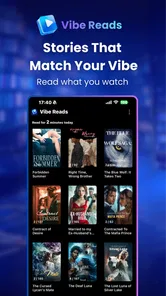
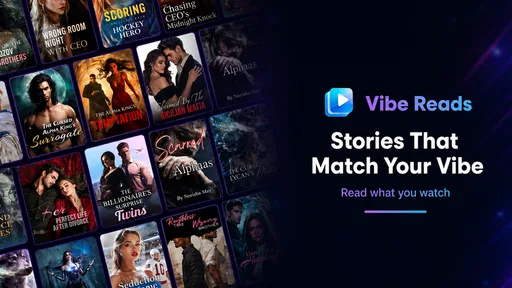
I approached Vibe Reads as a reading app with a twist rather than as a traditional digital bookshelf. Its focus is captured in the store summary, “Vibe Reads: Novels & AI Reels,” and that combination gives it a different rhythm from an ordinary ebook reader. I could move between longer-form fiction and shorter, more visual AI-assisted content instead of treating reading as one fixed activity. That makes it appealing when I want to browse by mood, but it also means the experience is less focused than a dedicated novel app.
Vibe Reads is published by neustar and sits in the Books & Reference category. It is free to install, with optional purchases ranging from $0.99 to $129.99 per item. The app is intended for mature users aged 17 and over, which is important to keep in mind before handing it to a younger reader or recommending it as a general family reading tool. I tested it with the mindset of someone deciding whether it deserves a regular place on a phone, not merely a quick download.
How I used Vibe Reads in a normal reading routine
My most useful starting point was to treat the app as a session-based discovery tool. Instead of opening it expecting the clean, settled library structure I would get from a conventional ebook service, I used it when I had a few minutes and wanted to find something engaging. That distinction matters. Vibe Reads works best when I am willing to explore, sample, and change direction rather than committing immediately to one carefully organized title.
A realistic everyday scenario is a commute or a short break between tasks. I might begin by looking for a novel, read enough to decide whether the tone suits me, and then switch to an AI Reel when I want something quicker. The short-form option is useful when concentration is limited, while a novel offers a more sustained escape. I found that alternating between the two formats can keep the app feeling fresh, although it can also interrupt the sense of immersion that a single-purpose reader creates.
For longer sessions, I recommend choosing one format before you start. If I went in intending to read fiction but kept browsing AI Reels, the app became more of a content stream than a reading environment. When I deliberately selected a novel and resisted unnecessary switching, the experience felt calmer and more rewarding. That is one of the first practical lessons with this app: the best workflow depends on whether you want discovery or concentration.
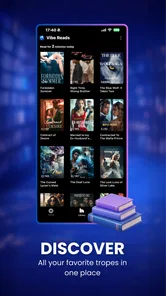
The novel side should appeal to readers who enjoy trying unfamiliar stories without first spending time researching authors or genres elsewhere. It is particularly suitable for someone who reads by feeling: light suspense on one day, romance or speculative fiction on another, and something more dramatic when the mood changes. I would not choose it as my only reading platform if I already maintain a large, carefully catalogued ebook collection and want precise control over every part of that library.
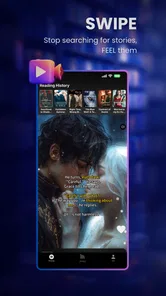
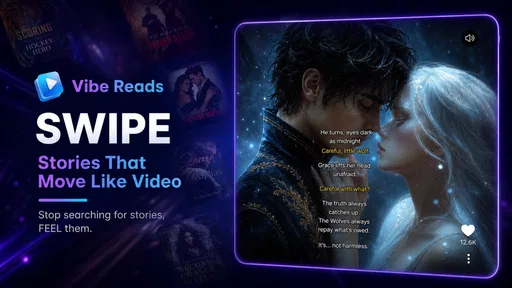
The AI Reel side changes the pace. Short visual pieces can work as a gateway into a story or as entertainment on their own, but I do not approach them with the same expectations as a finished novel. Their appeal is immediacy rather than depth. I found them better for sampling atmosphere and ideas than for replacing a complete reading experience. Readers who prefer polished, uninterrupted prose may find the format distracting, while curious users may appreciate the lower commitment.
More From Our News Desk

 Gmail
GmailGmail in a Busy Inbox: Who Benefits Most?
From first account to crowded workday, Gmail earns its place through dependable search and flexible sorting—but its best fit depends on how much inbox maintenance you can tolerate.

 Prime Video
Switching to Prime Video: What Changes in Your Viewing Routine
Prime Video can make a compelling second home for streaming, but switching means learning a different catalog, rental layer, and route from browsing to playback.

 Universal TV Remote Control
Universal TV Remote Control Works Best as a Reliable Backup
A phone remote earns its place through quick setup and reliable habits. Here is how to get more from Universal TV Remote Control—and where its limits show.

 Weather - By Xiaomi
Weather by Xiaomi Review: Clear at a Glance, Less Clear Up Close
Xiaomi’s weather app makes everyday forecasts quick to scan, but its calm surface can leave useful details and recovery paths harder to find than they should be.

 X
XX Under Pressure: Can It Recover When Posting Goes Wrong?
A resilience-focused review of X, examining setup, mistaken posts, interruptions, weak connections, and the gaps that matter when recovery needs to be dependable.

 Clash of Clans
Clash of Clans Is Won Between the Battles
Its raids are quick; its community is a long-term project of coordination, teaching, rivalry, and shared responsibility—with all the friction that entails.
Latest News



What I would do before settling into a book
I would first browse without making an immediate purchase, then identify whether the app is offering something I genuinely want to read or merely something that looks interesting in the moment. That small pause is useful because the free entry point makes experimentation easy, but the presence of in-app purchases means impulse decisions deserve a little care. I would also check whether I am choosing a full reading session or a short visual break, since mixing those goals can make the interface feel busier than necessary.
For a repeatable habit, I would keep one current novel as the main activity and use AI Reels only when I have limited time. This prevents the short-form material from constantly pulling me away from a story. It also gives the app a practical role in my day: novels for deliberate reading, Reels for brief discovery. That division is more effective than trying to use every part of the app at once.
Settings and account choices worth checking early
My first recommendation is to inspect the account and purchase-related areas before spending much time with the content. Vibe Reads is free, but the optional purchase range is broad, so I would want to understand the purchase flow and any confirmation steps available on my device. I would not assume that free access means every part of the experience follows the same model. A few seconds spent checking how paid items are presented can prevent an unwanted decision later.
The mature age classification is another setting-level consideration, even though it is not a feature to toggle casually. I would treat it as a signal to review the app personally before recommending it to a teenager. The rating does not tell me that every item will be unsuitable, but it does mean Vibe Reads should not be approached as a children’s reading shelf. Parents looking for a controlled family library will likely be better served by a platform built specifically around age-managed content.
Because the app is relatively lightweight in its current form, I would also check that my phone is compatible before planning a regular routine. It requires Android 6.0 or later, which covers many older devices, but compatibility alone does not guarantee that an older phone will feel comfortable with visually rich content. On a smaller or slower handset, I would favor the novel experience and use the visual material selectively rather than judging the whole app from a demanding session.
The current version is 1.0.8, so I approached it as an app that may still be finding its balance between its reading and AI-focused identities. That does not make it unusable; it simply affects my expectations. I looked for a straightforward workflow rather than assuming the polish and organizational depth of a mature ebook ecosystem. Users who enjoy trying newer concepts may see that as part of the appeal, while readers who need a highly settled interface may feel less comfortable.
Small preparation steps that improve the experience
I recommend deciding in advance how you want to use the app’s free access. If the goal is to discover new fiction, I would avoid opening it only when I am tired and impatient, because browsing can then replace reading entirely. If the goal is quick entertainment, I would accept that a Reel session may be brief and stop there instead of forcing it into a long reading habit.
I would also keep purchase decisions separate from the first impression. A compelling excerpt or visual concept can create enthusiasm, but I prefer to finish a meaningful sample before considering an optional item. This is not a criticism of Vibe Reads specifically; it is a sensible discipline for any free app that includes paid content. Here it matters more because the app encourages rapid movement between ideas and formats.
Another useful habit is to note what kind of content actually keeps your attention. After several sessions, I would remember whether I return for novels, AI Reels, or the act of exploring both. That answer helps determine whether the app is serving as a reader, a discovery feed, or a casual source of visual storytelling. Those are different jobs, and Vibe Reads does not need to perform all of them equally well for the download to be worthwhile.
Faster patterns for experienced users
Once I understood the basic rhythm, I stopped treating every opening as a blank search. I used a simple three-step pattern: choose the intended session length, select the format that matches it, and postpone switching until I had given the first choice a fair chance. This sounds obvious, but it made a noticeable difference. The app became less scattered because I was making a decision before the content started competing for my attention.
For a five-minute gap, I would go directly toward AI Reels and avoid beginning a novel I cannot reasonably continue. For a quiet evening, I would do the reverse and use the visual material only after finishing a planned reading segment. This approach is more efficient than browsing everything, and it protects the main reason I opened the app. Vibe Reads rewards intentional switching; constant switching is where its variety becomes friction.
I also found value in using the first few minutes as a filter rather than as a commitment. If a novel’s opening does not fit my mood, I would move on without feeling that I had wasted the session. The same applies to a Reel that attracts attention visually but does not hold it once viewed. The app’s strongest practical advantage is the ability to sample different kinds of storytelling quickly, so I would use that strength instead of forcing myself to finish material that is not working.
A less obvious trade-off is that discovery can be more useful for occasional readers than for people who already know exactly what they want. If I had a specific author, edition, or established reading list in mind, I would probably begin with a dedicated ebook store or library app. Vibe Reads makes more sense when the question is “What feels interesting right now?” rather than “Where is this exact book?”
For readers who like to share recommendations, I would describe the experience by format and mood instead of simply naming the app. Telling a friend that it is useful for sampling atmospheric AI Reels or browsing novels during short breaks is more informative than calling it a general reading app. That distinction helps set expectations and avoids recommending it to someone who wants a quiet, distraction-free reader.
Where it fits beside familiar alternatives
Compared with a standard ebook reader, Vibe Reads feels more exploratory and less library-centered. A traditional reader usually wins when typography, stable navigation, personal collections, and uninterrupted reading are the priority. Vibe Reads wins when I want fiction discovery combined with short visual material. Neither approach is automatically better; they serve different moments.
Compared with a general social video feed, the app is more closely tied to reading and story discovery, which can make the content feel more purposeful. However, a broad video platform may offer a larger variety of short entertainment and more established viewing habits. I would choose Vibe Reads when I want the visual content connected to novels and literary exploration, not when I simply want the widest possible stream of clips.
Compared with a subscription-based reading service, the free installation lowers the barrier to trying it, while optional purchases introduce a different kind of decision-making. A subscription may be preferable for someone who reads heavily and wants predictable access across a large catalogue. Vibe Reads is more attractive to a curious reader who wants to test the concept before building a routine around it.
Advanced limits and the situations where I would skip it
The biggest limitation is the tension between depth and variety. Novels need sustained attention, while AI Reels encourage quick movement. Putting both in one app is interesting, but it does not automatically create a better reading environment. I sometimes felt that the app’s flexibility asked me to provide the discipline that a focused reader would provide on its own.
I would skip Vibe Reads if my main requirement were a distraction-free reading tool for a long daily book habit. I would also look elsewhere if I needed a mature personal library system, a specific known title, or a family-friendly environment for younger readers. The mature classification and the mixed content concept make it a poor fit for those priorities.
I would be cautious about recommending it to someone who dislikes AI-generated or AI-assisted media on principle. The AI Reel identity is not a minor side note; it is part of what makes the app distinct. A reader who wants only traditionally presented novels may find the visual material unnecessary. On the other hand, someone interested in how stories can be presented in shorter, more visual forms may consider that the main reason to try it.
The purchase structure also creates a practical limit for budget-conscious users. The app costs nothing to install, but optional items can range from very small purchases to substantially larger ones. I would therefore keep the free experience separate from any assumption that all desired content will be included. For me, the right approach is to use the free portion for discovery and pay only when a title or experience has proved its value over more than a passing moment.
There is also a difference between an app being available on an older Android device and being pleasant to use there. The minimum operating system is Android 6.0 or newer, which is accommodating, but the visual side may still feel better on a newer screen. If a phone struggles with animated or image-heavy content, I would not dismiss the novel concept immediately; I would test the reading side on its own before deciding.
Who gets the most from it
I think Vibe Reads is best for curious adult readers who enjoy browsing, experimenting with formats, and discovering stories without a rigid plan. It suits people who move between a longer session and a quick break during the day. It can also work for someone who has grown tired of choosing from an enormous conventional catalogue and wants a more mood-led way to encounter fiction.
It is less suitable for a reader who already has a precise system and does not want visual interruptions. Students seeking a dependable reference library may find a focused Books & Reference service more practical. Parents seeking age-filtered reading should choose a platform designed around that need. Heavy readers who want predictable value from a broad subscription may also prefer a more established alternative.
The average rating of 2.9 from around thirty ratings suggests that public reaction is mixed rather than uniformly enthusiastic. I would not use that figure as a complete verdict, especially with a relatively small pool of feedback, but I would take it as a reason to try the free experience personally before making Vibe Reads part of my daily routine. The install base is over ten thousand, so it has attracted real curiosity, yet it still feels like an app I would evaluate according to my own reading habits.
My verdict after building a repeatable habit
After using Vibe Reads as both a novel browser and a source of AI Reels, I see its value in the combination rather than in either side alone. It gives me a way to move from committed reading to quick visual discovery without installing separate apps. That convenience is real, but it comes with a need for self-control: if I do not choose my purpose first, the variety can dilute the experience.
My preferred routine is simple. I use novels when I want to stay with a story, AI Reels when I have only a short break, and the free access as a testing ground before considering optional purchases. I keep the mature age classification in mind, and I would not present the app as a universal family recommendation. These habits make the app more useful because they turn its mixed identity into a deliberate workflow instead of a source of distraction.
My recommendation is conditional but positive for the right reader. If you enjoy experimental storytelling, mood-based discovery, and switching between long and short formats, Vibe Reads is worth trying at no initial cost. If you want a polished, quiet ebook shelf with deep organization and minimal temptation to browse, a traditional reader will probably serve you better. I would keep Vibe Reads installed for discovery and short sessions, but I would not replace a dedicated reading library with it.
In the end, I think the app succeeds when I use it as a flexible companion rather than demanding that it behave like every other reading platform. Its strongest idea is the bridge between novels and AI Reels; its main weakness is that the bridge can lead me away from the sustained attention that novels require. For an adult reader willing to set a purpose before opening it, that balance is manageable and sometimes genuinely enjoyable.
Vibe Reads Frequently Asked Questions
What age group is Vibe Reads intended for?
Vibe Reads is rated Mature 17+, so it is intended for adults rather than younger readers. Individual books may also have themes or material that call for careful consideration, so check a title’s description before reading. If you are choosing the app for someone else, especially a teenager, review the age rating and available content with them first.
Which devices can run Vibe Reads?
Vibe Reads is an app for Android devices running Android 6.0 or later. Check your device’s operating system before downloading, since an older version may not support installation. The app is developed by neustar and its current version is 1.0.8. Keeping your device and app updated can help you use the available features as intended.
What is Vibe Reads, and what can I do with it?
Vibe Reads is a reading-focused app designed to help users discover and enjoy books based on their interests, mood, and preferred reading style. After exploring the available content, you can browse recommendations, find titles that match your current vibe, and organize books you want to read. The experience is intended to make discovering your next read easier and more personalized.
Is Vibe Reads free to download and use?
Vibe Reads is free to download, but in-app purchases range from $0.99 to $129.99 per item. Some features, books, recommendations, or premium content may require a purchase, so check the price shown in the app before confirming a transaction. The free download does not necessarily mean every available item or feature is included at no cost.
Does Vibe Reads require an internet connection?
An internet connection is generally needed to download the app, browse its catalog, load recommendations, synchronize account information, and access online content. If Vibe Reads supports offline reading, books or other materials usually need to be downloaded in advance while connected to Wi-Fi or mobile data. Offline availability may depend on the title, account type, and app version.
Pros
- Clean
- distraction-free reading interface
- Personalized recommendations help discover new books
- Syncs reading progress across supported devices
- Useful tools for tracking reading goals and habits
- Supports quick access to saved books and reading lists
Cons
- Some features may require a premium subscription
- Book availability can vary by region
- Recommendations may feel repetitive over time
- Limited options for customizing the reading display
- Account registration may be needed to use key features











