

Vetcalculators
- 44.00
- 3.9
- Installs
- 10.00K
- Price
- Free

Screenshots
Analysis by Reviewed
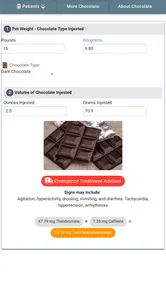
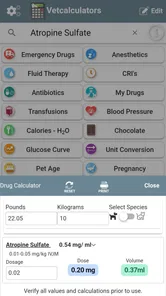
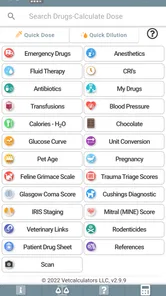
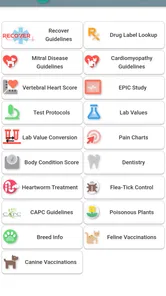
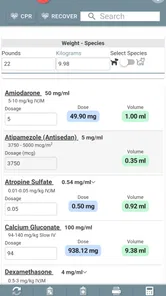
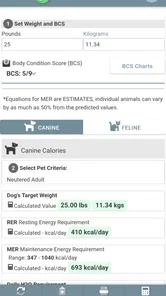
Veterinary calculation tools are most useful when they reduce mental arithmetic without encouraging rushed decisions. That is the space where Vetcalculators tries to help. I found it best understood as a compact medical reference app for veterinary work, aimed at emergency drug calculations, anesthetic calculations, continuous-rate infusions, fluids, and related tasks. It is free to install, with optional in-app purchases priced at $3.99 per item, and it is suitable for Everyone from an age-rating perspective.
The app is developed by VetCalculators and has been available since October 22, 2017. Its current version is 3.1.13, and it runs on Android 6.0 or later. Those details matter because this is not a brand-new experiment: it has had time to become a practical tool for people who regularly work around veterinary dosing and fluid calculations. At the same time, I would not treat its age or its presence on a phone as a substitute for clinical training, a current protocol, or a second check from a qualified professional.
Where the real friction begins
The first challenge is not usually opening the app. It is knowing exactly which calculation you need and preparing the inputs correctly. Veterinary calculations often depend on several connected values: the patient’s weight, the selected drug concentration, the intended dose, the route, the frequency, and sometimes the fluid rate or duration. A calculator can process the numbers quickly, but it cannot rescue an incorrect concentration or a unit entered in the wrong form.
That is why I would avoid opening the app in a hurry and immediately typing numbers. I get better results by first writing down the patient weight and checking the label on the vial or bottle. If the medication has been diluted, I confirm the final concentration rather than relying on memory. This small pause is more valuable than any shortcut because a perfectly calculated volume is still wrong when the starting concentration is wrong.
Users may also get stuck when they expect one universal calculator to cover every clinical situation in the same way. Emergency drugs, anesthetics, CRIs, and fluids are related areas, but they do not all use identical inputs. A fluid calculation may focus on weight and rate, while an infusion calculation may require a drug amount, a carrier volume, and a time period. I found it helpful to think of each calculator as a separate worksheet rather than assuming that a number from one screen can be transferred directly to another.
The app’s average rating is 3.9 from around 275 ratings, with 44 written reviews, and it has passed 10K+ installs. I read that as a sign of useful but not universally effortless software. It has a real audience, yet the rating also suggests that convenience depends on the user’s workflow, device, and expectations. This is not the kind of app I would recommend using casually just because it is available.
Why a correct-looking result still needs checking
My biggest practical caution is that a calculator result can look reassuring even when the setup is clinically unsuitable. Before acting on any output, I would compare the result with the prescription, treatment plan, or local protocol. I would also check whether the displayed answer is a dose, a volume, a rate, or a total amount. Those labels are easy to skim when someone is working under pressure.
More From Our News Desk

 Gmail
GmailGmail in a Busy Inbox: Who Benefits Most?
From first account to crowded workday, Gmail earns its place through dependable search and flexible sorting—but its best fit depends on how much inbox maintenance you can tolerate.

 Prime Video
Switching to Prime Video: What Changes in Your Viewing Routine
Prime Video can make a compelling second home for streaming, but switching means learning a different catalog, rental layer, and route from browsing to playback.

 Universal TV Remote Control
Universal TV Remote Control Works Best as a Reliable Backup
A phone remote earns its place through quick setup and reliable habits. Here is how to get more from Universal TV Remote Control—and where its limits show.

 Weather - By Xiaomi
Weather by Xiaomi Review: Clear at a Glance, Less Clear Up Close
Xiaomi’s weather app makes everyday forecasts quick to scan, but its calm surface can leave useful details and recovery paths harder to find than they should be.

 X
XX Under Pressure: Can It Recover When Posting Goes Wrong?
A resilience-focused review of X, examining setup, mistaken posts, interruptions, weak connections, and the gaps that matter when recovery needs to be dependable.

 Clash of Clans
Clash of Clans Is Won Between the Battles
Its raids are quick; its community is a long-term project of coordination, teaching, rivalry, and shared responsibility—with all the friction that entails.
Latest News



A useful habit is to perform a rough mental estimate before accepting the answer. If a small patient and a low dose suddenly produce a surprisingly large volume, I stop and inspect the units and concentration. This is not a criticism of the app specifically; it is a sensible safeguard for every digital calculator. Vetcalculators can shorten arithmetic, but it should remain one part of a verification process.
Setup checks that prevent avoidable problems
Because the app supports Android 6.0 and newer, compatibility should be straightforward on many devices. Still, I would check the operating system before troubleshooting anything more complicated. If the app will not install or behaves oddly, the first practical steps are confirming that the phone meets the minimum version, ensuring there is enough storage, and restarting the device. These are simple checks, but they often separate an installation problem from a calculation problem.
I would also install it before an emergency shift rather than waiting until the moment it is needed. That gives me time to open the relevant calculators, understand the layout, and see whether the device displays the fields comfortably. A phone with a small screen or an aggressive keyboard setting can make number entry more awkward than expected. Testing the interface in a calm setting is safer than learning it beside a patient.
When setting up a personal workflow, I keep the app alongside—not instead of—my normal references. The app is useful for arithmetic, while a clinic’s drug formulary, prescribing guidance, and patient record provide the context. I would not assume that a calculator automatically knows which formulation is stocked in a particular practice. The user still has to select or enter the correct real-world product information.
The free price makes that initial trial easy. However, the optional purchases mean that not every part of the experience should be assumed to be included without checking what is available on the device. If I were equipping a whole team, I would test the specific calculators needed by that team before relying on the app as a shared standard. A solo user can make that decision quickly; a clinic should make it deliberately.
A safer way to prepare common inputs
For emergency drug work, I prepare the patient’s weight and the exact product concentration first. For anesthetic calculations, I separately confirm the intended dose and the concentration of the anesthetic in hand. For CRIs, I write down the target dose, the time period, and the carrier fluid or final volume being used. For fluids, I distinguish between a rate, a volume, and a duration before entering anything.
This preparation has a hidden advantage: it exposes missing information before the screen does. If I cannot clearly state what the result should represent, I am not ready to calculate. That rule prevents the common mistake of filling every visible field simply because the app presents them. The best workflow is not “enter everything quickly”; it is “enter only verified values with a clear purpose.”
I also recommend keeping units consistent on paper while working. Switching between kilograms and grams, milliliters and liters, or minutes and hours creates opportunities for a tenfold or thousandfold mistake. Even when the app handles conversions, I want to understand the units going in and coming out. A quick written unit check is especially important when preparing an infusion that will run for a long period.
Recovering when a calculation does not look right
When a result seems unusual, I do not immediately uninstall the app or repeat the same calculation. I go back through the chain in order: patient weight, prescribed dose, concentration, units, route, and time. I then ask what the result is supposed to mean. This recovery method is more useful than randomly changing values because it identifies whether the problem is input, interpretation, or software behavior.
A practical second check is to calculate the same problem using a basic formula on paper or with a general calculator. That comparison should use the same units and the same concentration. If both results agree, the next question is clinical appropriateness rather than arithmetic. If they differ, I inspect the entries carefully before deciding that the app is at fault.
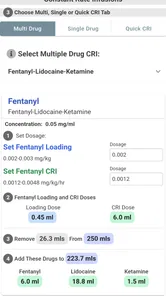
For a CRI, I find it particularly helpful to separate the calculation into stages. First determine the required drug amount for the intended period. Then consider how that amount relates to the chosen final volume and delivery rate. Entering a combined idea as a single rushed step makes it harder to spot whether the error came from the dose, the duration, or the dilution. Treating the app as a sequence of checks makes the output easier to audit.
With fluids, I avoid confusing a maintenance-style calculation with a resuscitation or replacement decision. The app can assist with arithmetic, but it cannot decide whether a particular fluid plan is appropriate for a patient’s diagnosis, cardiovascular status, hydration state, or monitoring results. If the clinical plan changes, I recalculate from the new plan rather than adjusting an old answer mentally.
When restarting helps and when it does not
If the interface freezes, closes unexpectedly, or fails to respond, I would first close and reopen it, then restart the phone if needed. I would also check whether the issue affects only one calculator or the entire app. A single problematic screen points toward a narrower issue, while broad instability may relate to the device or operating system.
Clearing app data or reinstalling can be more disruptive, so I would not make those the first response during clinical work. I would record the inputs separately before attempting any reset. The important point is to preserve the calculation context; troubleshooting should never erase the only record of what was entered.
If a result is displayed but seems inconsistent, restarting is unlikely to fix a wrong input. I would treat the value as a prompt to review the setup, not as evidence that the software is malfunctioning. This distinction saves time and avoids repeating an unsafe calculation with the same mistaken assumptions.
When the app is not the cause
Many apparent calculator failures are actually workflow failures around the calculator. A mislabeled syringe, an outdated concentration written on a treatment sheet, a weight copied from an old record, or a dose expressed in unfamiliar units can all produce a result that appears wrong. Vetcalculators cannot know which physical product is on the work surface or whether the patient’s weight has changed.
Another common issue is treating a calculated volume as the final instruction without checking practicality. A result may be mathematically correct but awkward to measure accurately, unsuitable for the available syringe, or inconsistent with the intended dilution. That is a clinical and operational decision for the veterinary team. The app can support the arithmetic, but it does not replace judgment about preparation and administration.
The same applies to rounding. I would not automatically round a result simply because a shorter number looks cleaner. The appropriate rounding method depends on the medication, syringe markings, patient size, and local procedure. If the result needs interpretation, I would ask the responsible clinician or follow the relevant protocol rather than letting the app’s displayed precision make the decision.
Connectivity expectations can also create confusion. I would not build a workflow that depends on searching for information at the exact moment a patient needs treatment. Before relying on any mobile tool, I test the calculators I need in the environment where I expect to use them. I also keep the essential formula or protocol accessible through the clinic’s normal reference system, so a phone problem does not become a clinical bottleneck.
Who gets the most value from it
Vetcalculators makes the most sense for veterinary students, veterinary nurses, technicians, assistants working under supervision, and clinicians who want a focused calculation aid on an Android phone. It is particularly useful for people who regularly move between emergency drug arithmetic, anesthetic preparation, CRIs, and fluid calculations and would rather not rebuild each formula from memory.
It can also be helpful in training. A learner can enter a problem, estimate the expected answer, and then compare the two. That turns the app into a checking tool rather than a black box. I would still want an instructor, textbook, or current clinical protocol involved, because the app’s role is calculation support, not education in pharmacology or patient assessment.
I would be more cautious about recommending it to someone who wants medication advice, diagnosis, or automatic treatment selection. That is outside the sensible role of a calculator. I would also hesitate for a user who needs a polished record-keeping system, team collaboration, or deep integration with a hospital workflow. A dedicated clinical platform may be better for those needs, even if it is less convenient for quick arithmetic.
How it compares with ordinary alternatives
The usual alternative is a paper formula, a general calculator, or a spreadsheet. Paper is transparent and dependable when the formula is known, but it is slower under pressure and easier to misread when several conversions are involved. A general calculator is flexible, yet it requires the user to remember the formula and organize the units. Vetcalculators’ advantage is the veterinary focus: it brings several relevant calculation areas into one place instead of making the user reconstruct each one.
A spreadsheet can be more customizable, especially for a clinic with fixed protocols and repeated patient workflows. It may also be easier to document assumptions and review previous calculations. On the other hand, a spreadsheet can hide a formula error or become outdated. I prefer the app for quick individual checks and a controlled spreadsheet only when the practice has someone responsible for maintaining and validating it.
Compared with a full veterinary reference platform, this app is narrower and potentially faster for arithmetic. A reference platform may offer broader drug information, interaction guidance, monitoring advice, and clinical context. If I need those things, I would choose the broader resource. If I already have that context elsewhere and need help with the numbers, the focused approach is more practical.
The optional purchase model is another trade-off. Free access lowers the barrier to trying it, while the $3.99-per-item purchases may matter if a user expects every calculator or advanced area to be available without further cost. I would judge the value by the specific calculations I use, not by the headline price alone. Someone who needs only occasional arithmetic may be satisfied with the free portion; a frequent user should examine the available tools before making it part of a daily routine.
My practical verdict after using the workflow
I see Vetcalculators as a useful pocket aid rather than a complete veterinary decision system. Its focus on emergency drugs, anesthetics, CRIs, fluids, and related calculations gives it a clear purpose, and the free entry point makes it easy to test on a compatible Android device. The developer, VetCalculators, has kept the concept focused enough that it can fit into a busy clinical routine without demanding a large learning project.
My recommendation comes with one firm condition: use it as a second pair of hands for arithmetic, not as the person making the treatment decision. Check the patient data, product concentration, units, and clinical plan before entering values. Then review the output, perform a rough sanity check, and confirm that the answer means what you think it means. Those steps matter more than speed.
If you are a veterinary professional or student who frequently needs organized calculation support, I think it is worth trying. If you need comprehensive drug references, patient records, collaboration, or treatment guidance, I would look beyond it or use it alongside those resources. The strongest use case is careful, repeatable arithmetic inside an already supervised clinical workflow.
In short, I would keep it available for the moments when mental math becomes a distraction, while maintaining paper or institutional references for verification and backup. That balance reflects the app’s real strength: it can make familiar calculations more convenient, but it should never make the surrounding clinical checks feel optional.
Vetcalculators Frequently Asked Questions
What devices and operating systems can run Vetcalculators?
Vetcalculators is an Android app that requires Android 6.0 or later. Before downloading, check that your device meets that minimum requirement and has enough available storage for installation. The app is free to install, and its Everyone content rating indicates that it is suitable for a general audience, though its veterinary calculations are intended primarily for trained users.
What is Vetcalculators used for?
Vetcalculators is a veterinary reference and calculation app designed to help veterinary professionals, students, and trained animal-care staff perform common clinical calculations more efficiently. The app’s focus includes emergency drugs, anesthetics, continuous rate infusions, fluids, and other veterinary calculations. It should support clinical decision-making, not replace professional judgment or a complete patient assessment.
Is Vetcalculators suitable for pet owners without veterinary training?
Although some calculators may appear straightforward, Vetcalculators is primarily intended for veterinarians, veterinary technicians, students, and other qualified professionals. Incorrectly entering an animal’s weight, concentration, units, or medical information can produce an unsafe result. Pet owners should not use the app to calculate or administer medication independently and should always confirm any dosage or treatment plan with a licensed veterinarian.
How accurate are the calculations in Vetcalculators?
The app can be useful for reducing arithmetic errors, but its results are only as reliable as the information entered and the formula used. Users should carefully check species, body weight, units, drug concentration, route, and frequency before relying on an answer. Veterinary professionals should also compare results with current formularies, product labels, institutional protocols, and their own clinical assessment.
Does Vetcalculators work offline, and is an internet connection required?
Offline availability can depend on the specific version, calculator, and mobile platform. Some tools may function after installation without a continuous connection, while updates, external references, advertisements, or certain online features may require internet access. Before using the app in a clinic, farm, shelter, or emergency setting, test the calculators in airplane mode and keep an approved backup reference available.
Pros
- Covers many veterinary calculations in one convenient mobile tool.
- Helps reduce manual math errors during routine clinical work.
- Useful for students
- veterinary nurses
- and practicing professionals.
- Calculators are generally quick to access and straightforward to use.
- Can serve as a handy reference when working away from a computer.
Cons
- Results depend entirely on entering accurate patient and drug information.
- It should support
- not replace
- professional veterinary judgment.
- Some calculations may require clinical context not provided by the app.
- Interface or calculator coverage may feel limited for specialized cases.
- Users should verify formulas and updates before relying on critical results.











