Vagaro Pro
- 4.60K
- 3.8
- Installs
- 1.00M
- Price
- Free

Screenshots


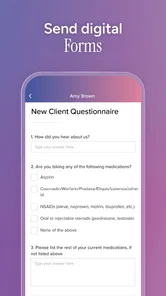
Analysis by Reviewed
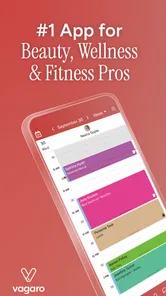
If you’re in the beauty or wellness business, you’ve probably heard of Vagaro Pro. This nifty app is quite the buzz in the industry, and having spent some time fiddling with it, I can see why. It’s like having a personal assistant right in your pocket, minus the coffee runs. Let’s dive into what makes this app a must-have for professionals in the field.
The Ultimate Business Sidekick
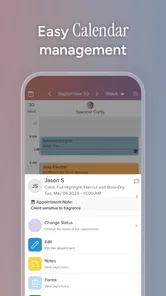
First off, Vagaro Pro is essentially a Swiss Army knife for managing your beauty or wellness business. I mean, who doesn’t love a good multi-tool? From scheduling appointments to processing payments and even marketing your services, this app covers all bases. You can manage your calendar with ease, ensuring you never double-book or miss a client. Plus, the ability to send automated reminders is a lifesaver, reducing no-shows significantly.
Where the workflow can snag
That range is useful, but it also means Vagaro Pro works best when you give it a clear job in your routine. I would start by deciding which tasks belong in the app: appointments, payments, client communication, or a combination. Trying to change every business habit at once can make even a capable tool feel like extra work. Begin with the booking calendar, then add other parts of the workflow once the daily basics feel familiar.
A common point of friction with any booking system is keeping the information clients see aligned with the way you actually work. Before inviting people to book, check that your services, availability, and appointment timing reflect your real schedule. A small mismatch can create confusing bookings and force you to sort out details manually. I’d also leave a little time to review the calendar after changes, rather than assuming a new setting automatically fixes every existing appointment.
Features That Stand Out
One of the standout features of this app is its user-friendly interface. Trust me, even if you’re not the most tech-savvy person in the room, you’ll find it a breeze to navigate. The booking system is intuitive, allowing clients to book their appointments online at their convenience. This means more time for you to focus on what you do best—making people look and feel amazing.
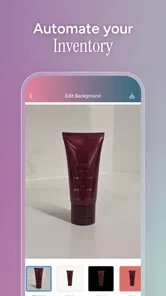
Another feature worth mentioning is the inventory management system. Keeping track of your products can be a headache, but with Vagaro Pro, it’s as easy as pie. The app helps you keep tabs on stock levels, so you never run out of your client’s favorite products.
A practical day behind the chair or treatment table
Imagine starting the day by checking your upcoming appointments, then using quieter gaps between clients to handle a payment or review stock. That is where an all-in-one business app can earn its place: you can deal with practical admin in the same general workflow instead of keeping separate notes for every task. For a solo stylist, massage therapist, or fitness professional, this can reduce the mental clutter of switching between a calendar, payment tool, and marketing service.
More From Our News Desk

Weather by Xiaomi Review: Clear at a Glance, Less Clear Up Close

X Under Pressure: Can It Recover When Posting Goes Wrong?

Clash of Clans Is Won Between the Battles

Android Auto Makes the Case for Quieter Car Software

MobiOffice: Transforming Mobile Productivity with Seamless Integration

EA SPORTS FC™ Mobile Soccer: Redefining Mobile Sports Gaming
Inventory tracking is most useful when you treat it as a routine, not a rescue button. I’d update product use or sales consistently and check supplies before placing an order; otherwise, the records can drift away from what is actually on the shelf. That is a real trade-off: keeping the system current takes attention, but it can make reordering less guesswork-driven. Businesses that rarely sell retail products may not get as much value from that part.
Marketing Made Easy
Now, let’s talk marketing. If you’re like me and find marketing a bit daunting, Vagaro Pro has your back. The app offers an array of marketing tools to help your business shine. From creating email campaigns to offering promotions and discounts, you can do it all within the app. It’s like having a marketing team at your fingertips.
One feature I particularly love is the ability to collect and display client reviews. We all know how powerful word-of-mouth can be, and having positive reviews prominently displayed can really boost your reputation. Plus, the app allows you to respond to reviews, adding a personal touch to your client interactions.
When a setup issue may be somewhere else
If something seems off, I would first check the underlying details before assuming the app is broken. A booking that does not fit your expectations may come from availability or service information that needs attention; a payment question may need checking against the transaction details. For marketing, make sure the offer or message is clear before sending it to clients. These simple checks help separate a setup problem from a broader technical issue, and they are easier to do before a busy day than while someone is waiting.
Vagaro Pro is a business app from Vagaro Inc, and it is free to download. It has an average rating of 3.8 from around 9,400 ratings, with more than a million installs. It is rated for Everyone, was released in 2010, and version 8.4.9 is listed for devices running Android 7.0 or later. Those details make it accessible to many Android users, though the rating also suggests that experiences are not universally smooth. I’d keep the app updated and make sure the device’s operating system meets the listed minimum before troubleshooting further.
Who will get the most from it?
I’d recommend trying it if you run a beauty, wellness, or fitness service and want bookings, payments, and day-to-day business tasks closer together. It is especially appealing for a small operation where one person handles both client work and admin. Compared with piecing together a calendar, a separate payment app, and a basic email tool, Vagaro Pro offers a more joined-up approach. The trade-off is that a broad platform can take more setup and ongoing attention than a simple calendar.
If you already have a reliable booking system and only need to take payments, adding a full business platform may be unnecessary. The same goes for someone who prefers a basic paper diary, has very few appointments, or does not want to manage marketing and stock digitally. Before moving an established business over, I’d test the workflow with a small part of the schedule and make sure it suits both how you book clients and how you handle changes.
Final Thoughts
All in all, I’d say Vagaro Pro is a gem for anyone in the beauty or wellness industry. It’s packed with features that streamline your operations, boost your marketing efforts, and enhance your client’s experience. Sure, no app is perfect, but this one comes pretty close for business owners who want to keep everything organized and running smoothly. So, if you’re looking to elevate your business, give Vagaro Pro a try. You might just wonder how you ever managed without it!
Vagaro Pro Frequently Asked Questions
Is Vagaro Pro free to download, and who develops it?
Vagaro Pro is free to download and is developed by Vagaro Inc. It is a business app aimed at beauty, wellness, and fitness professionals who want tools for handling bookings and payments. The app is rated for Everyone, making its stated age category broad, though the professional features are primarily intended for people managing a business or providing services.
What is Vagaro Pro and who is it for?
Vagaro Pro is a comprehensive business management app designed primarily for beauty and wellness professionals, such as salons, spas, and fitness centers. It offers features like appointment booking, customer management, payment processing, and marketing tools. The app aims to streamline operations and enhance client engagement, making it ideal for businesses looking to improve their efficiency and customer experience.
How does the appointment booking feature work in Vagaro Pro?
Vagaro Pro's appointment booking feature allows businesses to easily manage their schedules by setting up services, availability, and staff members. Clients can book appointments online through a personalized booking page, and the app automatically sends reminders to both staff and clients. This feature helps reduce no-shows and ensures a smooth scheduling process, enhancing customer satisfaction and business operations.
Can Vagaro Pro process payments, and what are the associated fees?
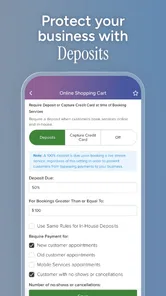
Yes, Vagaro Pro includes a built-in payment processing system that supports credit card transactions directly within the app. Businesses can accept payments securely and efficiently, whether in-person or online. While there are fees associated with processing payments, they are competitive and transparently outlined within the app's pricing structure. This integration helps businesses manage finances seamlessly.
What marketing tools are available in Vagaro Pro?
Vagaro Pro offers a suite of marketing tools designed to help businesses attract and retain clients. These include email marketing campaigns, promotional discounts, customer loyalty programs, and social media integration. By leveraging these tools, businesses can effectively communicate with their clients, promote special offers, and encourage repeat visits, thereby increasing overall revenue and customer loyalty.
Pros
- User-friendly interface for easy navigation.
- Comprehensive scheduling and booking tools.
- Integration with multiple payment processors.
- Customizable notifications for clients.
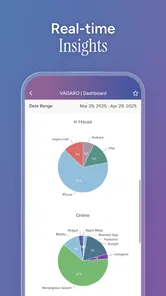
- Robust reporting and analytics features.
Cons
- Limited offline functionality.
- Can be pricey for small businesses.
- Occasional syncing issues reported.
- Learning curve for new users.
- Customer support could be more responsive.












