TV Cast for Chromecast - TVCST
- 86.00
- 4.5
- Installs
- 1.00M
- Price
- Free

Screenshots
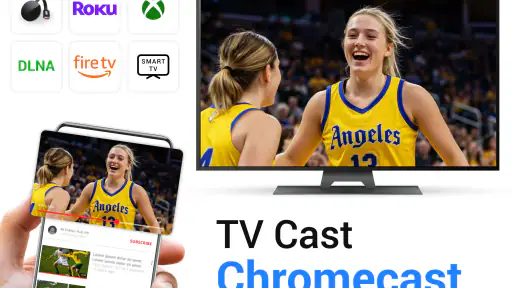
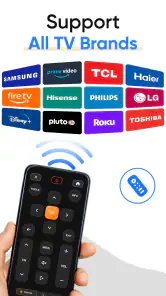
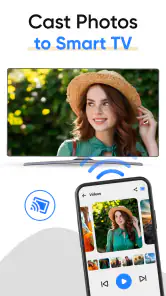

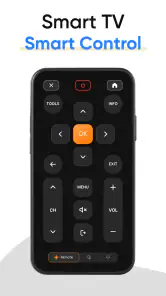
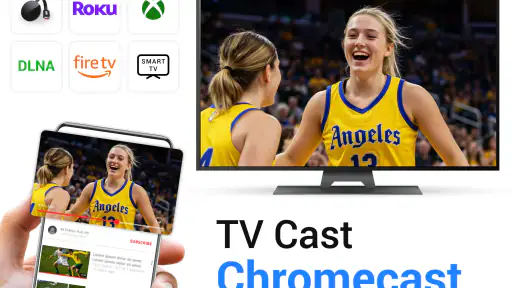
Analysis by Reviewed
When I judge a casting app, I look beyond whether a video reaches the television. I also want to know whether the controls are easy to follow, whether the phone remains manageable while something is playing, and how much effort the setup asks of someone who is not comfortable troubleshooting a network. TV Cast for Chromecast - TVCST is a free video-player and editing-category app from App Craze, and its appeal is straightforward: it gives you a phone-based route for sending media to a Chromecast-equipped TV. In my view, that can be useful for casual viewing, though it is not automatically the best choice for every room or every viewer.
The key question I would ask before installing it is where your viewing usually begins. If you often find clips in a phone browser or want to share media from the handset, casting can bridge the gap between a small screen and a television. If you normally open the same streaming service directly on your TV, adding a phone to that routine may not make things easier. This distinction matters more than a long feature list: the app is most appealing when it solves a specific handoff problem.
Reading the controls and getting started
First things first, the installation of TV Cast for Chromecast - TVCST was a breeze. I was up and running in no time, and the interface was surprisingly intuitive. For someone who's not particularly tech-savvy, I found it quite user-friendly. You simply connect your phone and Chromecast to the same Wi-Fi network, and you're good to go.
That shared-network step is worth keeping in mind if you are helping a family member set things up: being on the same internet connection is not always enough if the devices are separated across different Wi-Fi networks. I would check the phone’s network before assuming the app is failing. The app’s average rating is 4.5 from around 38,000 ratings, and it has more than 1 million installs, so it is clearly a familiar option for many people, but those figures do not guarantee that every home network will behave the same way.
For a smoother first session, I would prepare the TV and phone before opening the video you want to watch. Confirm that the Chromecast is available, then try a short clip rather than beginning with a long film or a time-sensitive event. This makes it easier to tell whether the issue is the connection, the page, or the media itself. It is a simple habit, but it can save the awkward pause of troubleshooting while everyone is waiting.
Finding and sharing video
One of the features I particularly enjoyed was the ability to browse the web and cast any video to my TV. Whether it’s movies, TV shows, or even live streams, the app handles it all. Plus, it supports a wide range of video formats, so you’re not limited to just a few.
For a practical workflow, I would use the phone to find the clip first, then cast it and leave the television as the main viewing screen. That keeps the small display from becoming the center of attention and makes the app useful for showing a short video to people gathered in a room. Web video casting can also be a fallback when a particular clip is not readily available through a familiar streaming app, although the experience may depend on the page and the connection.
More From Our News Desk

Clash of Clans Is Won Between the Battles

Android Auto Makes the Case for Quieter Car Software

MobiOffice: Transforming Mobile Productivity with Seamless Integration

EA SPORTS FC™ Mobile Soccer: Redefining Mobile Sports Gaming

How Microsoft OneDrive Became a Mobile Productivity Giant

How Google Translate Breaks Language Barriers Effortlessly
One useful trade-off is that browser-based viewing gives you a way to reach material you have already found on the web, but it is not identical to opening a dedicated TV app. A page may behave differently from one video to another, and a live stream is a less forgiving test than a short recorded clip: any delay or interruption is more noticeable when people are watching together. I would use this route for casual sharing and check an important stream ahead of time rather than assume every page will cast equally well.
It can also help to decide who is managing the phone before the video starts. If you are showing a clip to guests, pick it out first, start playback, and then keep the handset with the person who will handle pauses or interruptions. That avoids passing a lit phone around during viewing and gives everyone a clearer idea of where the controls are. For a child or an older relative, a brief demonstration before the group settles in can make the handoff less confusing.
Phone controls, comfort, and control
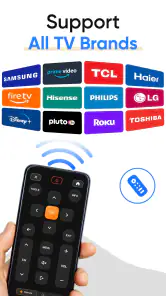
Another cool feature is the remote control functionality. Forget about juggling multiple remotes; this app turns your smartphone into a convenient remote, allowing you to pause, play, rewind, or fast forward with just a simple tap.
A phone remote may be easier to keep close than a television remote, especially when the latter is hard to find or its small buttons are awkward to use. It also means the person controlling playback can sit with everyone else rather than getting up each time. On the other hand, a touchscreen has no tactile button edges, so someone who relies on touch alone may prefer a physical remote. I would keep the TV’s usual controls nearby until I knew which method felt more comfortable.
There is a practical difference between having controls on a screen and being able to operate them comfortably. A touchscreen can be enlarged through the phone’s own display settings, which may help some people read labels, but magnification can also make it harder to see the whole interface at once. I would test the controls before starting a video and avoid assuming that a familiar phone setup will suit everyone. This is especially relevant if the user has limited dexterity, hand tremors, or difficulty making precise taps.
For viewers who are sensitive to bright screens, the phone can be turned down or put aside once playback is stable, while the television carries the main image. That reduces the phone’s visual presence, though someone still needs it for control. If frequent adjustments are expected, the TV’s physical remote may be less distracting and easier to locate by touch. So the most comfortable arrangement depends on whether the person values a larger shared picture or direct, tactile control more.
Performance and reliability
My experience with streaming quality was impressive. The videos played smoothly with minimal buffering, which is always a win in my book. However, I did notice a slight lag when casting larger files, but it wasn’t a deal-breaker. Just make sure you have a stable Wi-Fi connection to get the most out of it.
In an everyday situation, imagine wanting to show relatives a video saved or found on your phone after dinner. Casting lets the group watch together without passing the handset around, but I would test the connection with a short clip before settling in for a longer one. If playback stutters, moving the phone closer to the router or trying a smaller video is a sensible first check; a weak connection or a demanding file can make phone-to-TV casting less dependable than playing through a service already built into the television.
When a video is important, I would also keep a fallback in mind. If casting becomes unreliable, use the television’s own service or another familiar way to play the content rather than spending the whole evening diagnosing the connection. This is not a knock against phone casting; it is simply a sensible distinction between a convenient option for everyday clips and a setup you need to trust for a particular occasion. For a casual family video, a brief retry may be fine. For a live event people have gathered to watch, testing early is kinder to everyone.
That is the main trade-off compared with the usual alternatives. A TV’s own streaming apps are often the simpler route when you already know where the content is, while a physical remote may be more comfortable for viewers who dislike touch controls. This app is most useful when the video starts on your phone or in a web browser and you want to move it to the larger screen. I would skip it if you need a hands-free interface, depend on tactile controls, or want to avoid relying on a shared Wi-Fi connection.
Another alternative is to show the video directly on the phone, which avoids setup but is a poor fit when several people want to watch together or the screen is hard for someone to see. Casting offers a middle ground: the phone remains the source and control point, while the television becomes the shared display. It is not a replacement for every TV feature, but it can be a more direct option than searching for the same clip again with a television remote.
Readability and access in different situations
Readability and navigation matter most when someone is trying to start a video quickly, perhaps while others are waiting. I found the interface approachable, but a phone display can still be cramped for anyone who has difficulty reading small text or distinguishing controls. If you are setting it up for someone else, take a moment to show where playback controls appear and let them try a pause or seek action before handing over the phone. That small practice run can prevent confusion once the video is on the TV.
The app can be useful in a shared room because people do not need to crowd around the phone to see the video. That does not automatically make the whole process accessible: the person starting playback still has to navigate the handset, and another viewer may not be able to see or operate its controls. If someone else is comfortable managing the phone, they can take that role without changing what the group watches. I would agree on who is in charge of playback rather than expect everyone to interact with the app themselves.
There is also a sensory and motor trade-off: a television makes the video easier for a group to watch, but the phone remains the control surface. Someone who finds repeated tapping uncomfortable may prefer a dedicated remote or the TV’s own app. Conversely, a person who can comfortably use a touchscreen but struggles to see a phone-sized video may benefit from casting, because the content moves to the larger display while the phone stays in hand.
Context matters as much as ability. In a quiet home, there is usually time to reconnect or try another clip. In a busy room, a shared network, a phone notification, or an interruption can pull attention away from the video and make the controller’s job more demanding. I would put the phone within reach of the person managing playback, silence distractions using the phone’s usual settings if appropriate, and choose a clip before everyone sits down. Those small choices make the session calmer without depending on any special feature.
Cost, fit, and my verdict
The app is free to install, is rated for Everyone, and its current version is 2.2.70; it was released on July 29, 2023. Optional in-app purchases range from $7.99 to $36.99 per item, so I would check what is included before paying rather than assume every feature is free. It runs on Android 7.0 or later. For someone who only wants occasional casting, I would try the free experience first and decide whether the phone-based workflow is genuinely more convenient than the TV’s built-in options.
That makes it a reasonable app to try if your need is specific: sending a phone-found video to a Chromecast-equipped television, sharing a clip with a room, or using the handset for basic playback control. I would be less enthusiastic about recommending it as the default way to watch everything. Someone who already uses television apps, prefers a physical remote, or wants a setup that does not depend on the phone will probably be happier with those existing options.
Before making any purchase, I would first work out whether the free experience solves the particular task that brought me to the app. Occasional casting and regular daily viewing are different needs, and a paid option is only worthwhile if it makes a difference to the way you actually watch. The app’s Everyone age rating makes it suitable for a broad audience, but that says nothing about whether its phone controls are comfortable for a particular person; a quick test with the intended viewer is more useful than assuming one interface fits all.
Who I would recommend it to
I would suggest trying it if you already own a Chromecast, often discover video on your phone, and want a straightforward way to move that viewing to a television. It is also a plausible choice for households where one person is happy to act as the controller while other people watch. For these situations, the phone-to-TV handoff can feel more natural than searching for the clip again using the TV’s menus.
I would point someone elsewhere if their priority is hands-free control, tactile buttons, or a reliable routine that does not require a phone and shared Wi-Fi. The built-in apps on a television are usually the better starting point for services you watch regularly. A physical remote is also a better fit for anyone who finds on-screen controls hard to see, tiring to tap, or difficult to operate without looking.
Ending Thoughts
In conclusion, if you're looking for an app that enhances your Chromecast experience, TV Cast for Chromecast - TVCST is definitely worth a try. Its ease of use and variety of features make it a handy tool for anyone who loves streaming content on a big screen. While it’s not without its minor hiccups, the overall functionality and performance make it a solid choice for both tech enthusiasts and casual users alike. So, give it a shot and enjoy your favorite shows and movies like never before!
My recommendation comes with one practical condition: treat it as a flexible way to get phone-based video onto the TV, not as a universal replacement for the TV’s own apps or remote. Start with a short test, keep the usual controls close, and see whether the person who will use it finds the phone manageable. If that arrangement works in your home, the app can make sharing video feel simple; if it adds steps or discomfort, choosing a more familiar TV-based option is the better call.
TV Cast for Chromecast - TVCST Frequently Asked Questions
Can I cast from TV Cast for Chromecast - TVCST without using Wi-Fi?
Casting generally depends on your phone or tablet and Chromecast being connected to the same Wi-Fi network, so this app is not designed as a way to send media to a TV without a network connection. Before downloading, make sure your home or other available network reaches both devices. A stable connection can also make browsing and playback feel more reliable.
Does TV Cast for Chromecast - TVCST work with a television that does not have Chromecast?
The app is intended for casting to a Chromecast-enabled TV or a TV connected to a Chromecast device. If your television does not support Chromecast and does not have a compatible Chromecast device attached, the app may not provide the connection you need. Check how your TV handles Chromecast before installing, especially if you expect to cast directly to the television.
Can I use TV Cast for Chromecast - TVCST on my phone or tablet?
TV Cast for Chromecast - TVCST is available for devices running Android 7.0 or later. Its purpose is to help you share media from a mobile device with a Chromecast-enabled TV, so it is worth checking your device’s operating system before downloading. The app is free to install, and the content rating is Everyone.
Is TV Cast for Chromecast - TVCST free, and what are the in-app purchases?
The app is free to download, but it also offers in-app purchases priced from $7.99 to $36.99 per item. The basic version may contain advertisements, while purchases may provide additional features or an ad-free experience. Check the purchase details in the app before paying so you understand what an option includes and whether it suits the way you plan to use TV Cast.
What is TV Cast for Chromecast - TVCST and how does it work?
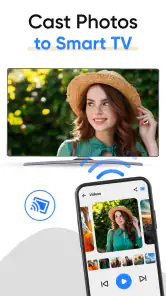
TV Cast for Chromecast - TVCST is an app that allows users to stream and cast videos, photos, and music from their mobile devices to a Chromecast-enabled TV. It works by connecting your smartphone or tablet to the same Wi-Fi network as your Chromecast device, enabling you to browse media content on your phone and play it on your TV screen seamlessly.
Pros
- Easy setup and user-friendly interface.
- Supports multiple video formats.
- High-quality streaming without lag.
- Compatible with all Chromecast devices.
- Frequent updates with new features.
Cons
- Requires a stable Wi-Fi connection.
- Ads in the free version can be intrusive.
- Limited features without premium upgrade.
- Occasional connectivity issues reported.
- Not all apps support casting.
- Category
- Video Players & Editors
- Version
- 2.2.70











