

This Old House
- 107.00
- 3.8
- Installs
- 10.00K
- Price
- Free

Screenshots

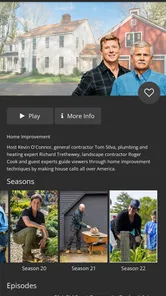
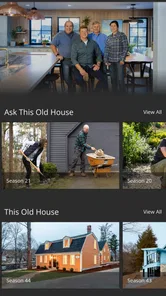
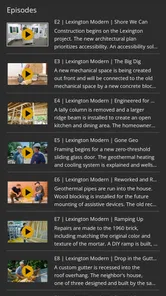
Analysis by Reviewed
I approached This Old House as a practical home-improvement companion rather than a full project-management tool. Developed by This Old House, this free House & Home app brings the brand’s renovation knowledge into a format that is easier to browse while standing in a kitchen, comparing repair ideas, or trying to understand what a contractor has just explained. My overall impression is that it works best as a source of guidance and inspiration, not as a replacement for measurements, professional advice, or a carefully organized renovation plan.
The app is aimed at everyday homeowners, renters who like learning how things work, and do-it-yourself users who want a trusted starting point before buying materials or making a change. It is available to everyone by age rating, supports devices running Android 6.0 or later, and is listed as free, although optional in-app purchases range from $9.99 to $95.99 per item. That combination makes it easy to try, but I would still check what is included before treating every part of the experience as cost-free.
How I used it for ordinary home projects
My baseline workflow was simple: open the app when I had a specific question, browse related home-improvement material, and save the useful ideas mentally or in my own notes before starting work. That distinction matters. This is not the kind of app I would use as a detailed checklist for a bathroom renovation, because the central experience is built around learning and exploring rather than entering room dimensions, assigning tasks, or tracking a shopping budget.
For example, imagine discovering a slow drain on a weekend. I would use the app to understand the likely causes, compare the general approaches, and decide whether the problem looks suitable for a basic attempt or deserves a plumber. I would then write down the tools and materials I actually need, take a picture of the existing setup, and verify local requirements separately. The app can help shape the first decision, but it should not be the only reference for work involving electrical wiring, gas, structural changes, roofing, or hidden water damage.
That is where the app feels most comfortable: the early stage when you are moving from “something is wrong” to “I understand the possible solutions.” It is also useful when you are collecting ideas before speaking with a professional. Instead of arriving with a vague request such as “make the room nicer,” you can use the material to form more precise questions about ventilation, surfaces, storage, lighting, or maintenance.
I found that the best results came from browsing with a purpose. Opening the app without a project in mind can lead to pleasant inspiration, but it is easy to drift between topics and forget what you intended to do. Before launching it, I would define one small goal: learn how a repair works, compare design directions, prepare questions for a contractor, or identify the next safe step. That habit makes the content feel much more useful than casual scrolling.
The app’s audience reach is modest but meaningful: it has passed 10K installs, with a 3.8 average from 222 ratings and 107 reviews. I read that as a sign of a useful but not universally smooth experience. It has enough adoption to be more than an obscure experiment, yet the rating also suggests that expectations should stay realistic. People looking for a polished, all-in-one renovation dashboard may find the experience less satisfying than someone who mainly wants accessible guidance from an established home-improvement brand.
More From Our News Desk

 Gmail
GmailGmail in a Busy Inbox: Who Benefits Most?
From first account to crowded workday, Gmail earns its place through dependable search and flexible sorting—but its best fit depends on how much inbox maintenance you can tolerate.

 Prime Video
Switching to Prime Video: What Changes in Your Viewing Routine
Prime Video can make a compelling second home for streaming, but switching means learning a different catalog, rental layer, and route from browsing to playback.

 Universal TV Remote Control
Universal TV Remote Control Works Best as a Reliable Backup
A phone remote earns its place through quick setup and reliable habits. Here is how to get more from Universal TV Remote Control—and where its limits show.

 Weather - By Xiaomi
Weather by Xiaomi Review: Clear at a Glance, Less Clear Up Close
Xiaomi’s weather app makes everyday forecasts quick to scan, but its calm surface can leave useful details and recovery paths harder to find than they should be.

 X
XX Under Pressure: Can It Recover When Posting Goes Wrong?
A resilience-focused review of X, examining setup, mistaken posts, interruptions, weak connections, and the gaps that matter when recovery needs to be dependable.

 Clash of Clans
Clash of Clans Is Won Between the Battles
Its raids are quick; its community is a long-term project of coordination, teaching, rivalry, and shared responsibility—with all the friction that entails.
Latest News



What to check before trusting a recommendation
Home advice is unusually dependent on context. A repair that is sensible for one house can be wrong for another because of age, construction method, climate, previous work, or local rules. I therefore treat the app as a starting point and ask three questions after reading anything: does this apply to my type of home, do I have the right tools and experience, and what could go wrong if I make a mistake?
This approach is especially important with older properties. A loose fitting, damaged surface, or outdated installation can hide a larger problem. If an apparently small task reveals mold, active leaks, scorched wiring, structural movement, or materials I cannot identify, I would stop rather than use the app as encouragement to keep experimenting. One of the app’s strengths is that it can improve your vocabulary; one of its limitations is that no general-purpose mobile guide can inspect the actual condition behind a wall or under a floor.
I also recommend separating inspiration from purchasing. A visual idea may suggest a color, layout, or finish, but it does not automatically tell you whether that choice fits your budget, maintenance habits, available space, or existing systems. I would measure twice, photograph the area from several angles, and make a small materials list outside the app. This creates a repeatable workflow: explore in the app, verify in the room, price the project independently, and only then commit.
Settings and habits that make the experience easier
There are no complicated configuration routines that I would call essential here. The more valuable “settings” are the choices I make around using the app: keeping the current version installed, controlling when I browse, and deciding how I record useful information. The current version is 2.0.500017 - P.d5a1cea3d, so I would keep an eye on updates through the normal app store rather than assuming an older installation behaves exactly the same way.
My preferred habit is to use the app in short sessions. I read enough to understand a method, then pause to inspect my own situation. This prevents a common mistake with instructional content: consuming several related pieces and confusing general background with a direct diagnosis. A short note with the project name, the question I still have, and the action I plan to take is more valuable than a long, unorganized browsing session.
For larger work, I would create a separate project note on the phone and use the app as one research source. I would record measurements, product names, photographs, questions for a professional, and decisions already made. This is a small but important workaround because the app should not be expected to become your complete renovation archive. Keeping those details elsewhere also makes it easier to compare advice from another source without losing track of the original plan.
Because optional purchases are present, I would pay attention to the point at which the app asks for payment and decide whether the additional material genuinely supports my project. A free installation is convenient, but “free to download” and “everything included” are not the same thing. I would not buy access simply because I had already spent time browsing. I would first identify the exact problem the purchase solves and whether a professional consultation or a more specialized reference would be better value for that situation.
Faster patterns for repeat users
Experienced users can make the app faster by building a small research loop. I start with the narrowest question I can phrase, look for the relevant guidance, and then broaden only when I discover a dependency. For instance, a question about replacing a surface may lead to preparation, moisture, ventilation, or tool-safety concerns. Following those connections is more efficient than searching randomly for “home ideas” and hoping the right answer appears.
Another useful pattern is to separate the project into decisions rather than tasks. The first decision might be whether the issue is cosmetic or functional. The second might be whether it is safe for a beginner. The third might concern materials, and the fourth might concern timing or professional help. The app is particularly helpful during those early decisions because it gives me concepts to investigate before I spend money or start removing anything.
I would also use a before-and-after check. Before reading, I write down what I think is happening. After reading, I note what changed: perhaps I learned that preparation matters more than the visible repair, or that a seemingly simple improvement depends on moisture control. This method exposes false confidence. If the explanation leaves me with more uncertainty but better questions, I consider that a successful session rather than a failure.
For a recurring maintenance routine, I would pair the app with a calendar and a household note. The app can refresh my understanding of a task, while the calendar reminds me to inspect filters, seals, finishes, or other areas on a sensible schedule. That division of labor is better than expecting a content-focused app to remember every maintenance detail for the whole home.
There is also a useful communication benefit. When discussing a project with a partner or contractor, I can use what I learned to explain the goal in plain language and ask more focused questions. I would still avoid presenting an app article as proof that a specific method is suitable for the property. The real advantage is improved conversation, not automatic authority.
Where the app reaches its limits
The biggest limitation is scope. This Old House is not the right choice if you want detailed estimating, a room-by-room inventory, contractor scheduling, permit tracking, or a visual measurement system. A dedicated renovation planner, spreadsheet, notes app, or project-management service will handle those jobs more directly. I would use this app beside those tools, not instead of them.
It is also less suitable for users who already know exactly what they need and want a highly technical reference. A trade-specific manual, manufacturer document, or local professional may provide more precise information for a specialized repair. The app’s broad home-improvement perspective is approachable, but broad guidance naturally cannot cover every installation variation or regional requirement.
Another trade-off is the difference between inspiration and execution. Inspiration is valuable when you are choosing a direction, but it can encourage scope creep. A small refresh can quietly become a full redesign once you begin collecting ideas. I would set a budget and a stopping point before browsing design-focused material. If an attractive idea requires moving plumbing, changing electrical service, or altering structure, I would treat it as a new project rather than a minor extension of the original one.
Users should also be comfortable doing some work outside the app. I would verify product compatibility, read manufacturer instructions, check local regulations, and seek professional help for high-risk jobs. That is not a criticism unique to this application; it is a basic condition of responsible home improvement. Still, it affects the buying decision. Someone wanting a single authoritative system from diagnosis through completion may be disappointed.
Performance and presentation expectations should be moderate as well. The rating of 3.8 indicates that the app has a mixed reception, and my recommendation reflects that balance. I like having the brand’s material in a mobile format, but I would not choose it solely for a perfectly streamlined interface or a comprehensive set of project controls. Its value is in the quality and accessibility of the starting point, provided I remain organized and selective.
Who should install it, and who should skip it?
I would recommend it to a first-time homeowner who wants to understand common projects before calling someone, a renter who enjoys learning but will ask permission before making changes, or a DIY user who needs approachable background information. It is also a good companion for someone planning a renovation gradually and wanting to develop a list of questions rather than rush into purchases.
I would be more cautious recommending it to a professional tradesperson seeking job-site documentation, or to a homeowner who needs exact calculations and code-specific instructions. Those users will probably be better served by specialized references and tools. Likewise, if you dislike browsing and want a direct sequence of checkboxes, this may feel too loose. The app rewards curiosity and judgment more than strict task completion.
Families can also use it as a learning aid because its content rating is Everyone, but I would supervise practical work closely. An age rating does not turn tools, ladders, chemicals, wiring, or power equipment into safe activities for unsupervised children. The app can support a conversation about how a home works; it should not replace adult responsibility around physical projects.
My verdict after building a repeatable workflow
I see This Old House as a useful first-stop reference with a clear personality: approachable home-improvement guidance from the developer behind the brand, delivered in a format that suits quick research and idea gathering. Its free entry point makes it easy to test, and the Everyone rating broadens its audience. The optional purchases mean I would review each paid choice carefully rather than assume the entire experience is included.
The app becomes more effective when I combine it with habits: define one question, read with my own house in mind, record the practical takeaway, verify the details elsewhere, and stop when a project moves beyond my ability. That workflow turns a general content app into a sensible decision-making aid. The less disciplined approach—scrolling for inspiration, buying materials immediately, and treating broad advice as a diagnosis—is where disappointment and unnecessary expense are most likely.
My final recommendation is therefore positive but specific. Install it if you want to learn, compare possibilities, and prepare for conversations about repairs or improvements. Skip it as your main tool if you need estimates, scheduling, measurements, or specialist-level instructions. With realistic expectations, This Old House is strongest before the hammer comes out: it helps me ask better questions and choose a safer next step.
This Old House Frequently Asked Questions
Is This Old House available for my phone or tablet?
This Old House is an app in the House & Home category, and it supports Android devices running Android 6.0 or later. Its current version is 2.0.500017 - P.d5a1cea3d. If you are using an iPhone or iPad, check the relevant app store for compatibility before downloading, since support can vary by platform and device.
What is This Old House?
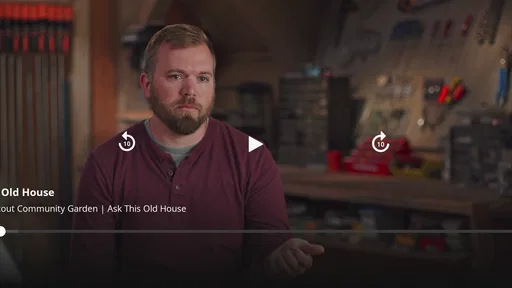
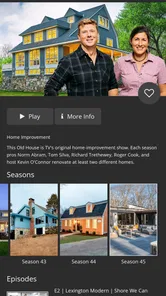
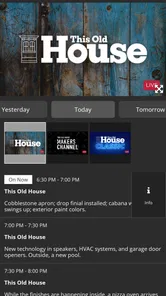
This Old House is a home improvement and renovation app connected with the well-known This Old House brand. It provides access to renovation ideas, repair guidance, project inspiration, expert advice, videos, and practical articles for homeowners. Whether you are planning a major remodel or trying to solve a small maintenance problem, the app is designed to help you understand projects before getting started.
What kind of content can I find in the This Old House app?
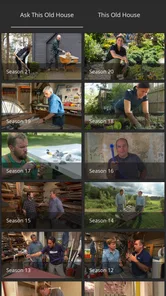
The app typically includes home improvement articles, step-by-step project guidance, renovation inspiration, maintenance recommendations, tool and material information, expert tips, and video content. Topics may cover kitchens, bathrooms, landscaping, plumbing, electrical work, painting, carpentry, and general repairs. Content availability can vary depending on the app version, region, and links to the brand’s online services.
Is This Old House suitable for beginners?
Yes, the app can be useful for beginners because many topics are explained in an accessible way and projects are often organized around practical goals. It can help users learn basic terminology, compare possible approaches, and understand which tools or materials may be required. However, complicated electrical, structural, roofing, gas, or plumbing work may still require a qualified professional.
Does This Old House provide exact project costs and professional guarantees?
The app may offer general cost information, product suggestions, planning advice, or estimates for certain types of projects, but these figures should not be treated as guaranteed prices. Labor rates, material availability, local regulations, property conditions, and location can significantly change the final cost. Users should obtain local quotes and verify measurements, permits, and safety requirements before beginning work.
Pros
- Practical renovation advice from trusted home-improvement experts.
- Clear
- step-by-step guidance suits beginners and experienced DIYers.
- Useful project ideas for repairs
- upgrades
- and home maintenance.
- Videos and visual instructions make complex tasks easier to understand.
- Helpful inspiration for improving older homes and preserving character.
Cons
- Some projects require tools or skills that beginners may not have.
- Content can focus heavily on U.S. homes
- materials
- and building practices.
- Certain advice may feel dated as products and standards change.
- Large video content may use significant mobile data and storage.
- App usefulness depends on how frequently new articles or projects are added.







