The Frog: Weather app
- 642.00
- 4.6
- Installs
- 1.00M
- Price
- Free

Screenshots
Analysis by Reviewed
I tend to trust a weather app through its everyday usefulness rather than its cheerful look: can I get a quick sense of the day, and does the information help me make a sensible plan? The Frog: Weather is a free weather app from giovesoft, with a playful presentation that makes checking conditions feel less like reading a wall of numbers. Its approachable style is a real draw, though I’d treat any forecast as a planning aid rather than a promise, especially when the weather is changeable.
What to check before relying on a forecast
For ordinary decisions—whether to bring a jacket, move a walk earlier, or leave extra time for a wet commute—the useful question is not whether an app looks friendly but whether its forecast matches what you need to decide. I’d check the current conditions and the timing of any expected change before heading out, then use my own judgment if the plan is weather-sensitive. That habit matters with any forecast app, not just this one.
The app has an average rating of 4.6 from around 28,000 ratings, and it has passed over a million installs. Those figures suggest that plenty of people have tried it, but popularity alone does not tell me whether a forecast suits my neighborhood or routine. For context, it was released in 2020, and version 9.5.3 requires Android 8.0 or later. The age rating is Everyone, which fits an app intended for everyday weather checks.
Choices, cost, and practical limits
The Frog is free to install, with optional in-app purchases priced from $0.99 to $5.49 per item. I’d start with the free experience and decide whether anything extra is worth paying for only after using the app for the kinds of checks I actually make. That keeps the decision practical: a light, friendly forecast may be all a casual user needs, while someone who wants extensive specialist tools should compare it with more data-heavy weather apps before settling in.
Weather apps can involve location and notification choices, so I’d review the permissions and settings shown on my own device before enabling them. I wouldn’t assume a particular privacy practice or control is present without checking what the app and operating system actually display. If I prefer not to share location, I’d look for a way to enter a place manually before depending on the app; if alerts are distracting, I’d keep notifications off and open the forecast when I choose.
Jump Right Into the Features
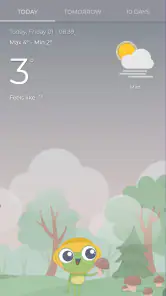
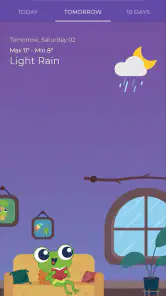
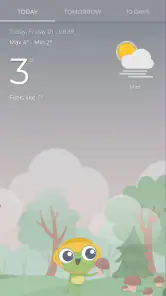
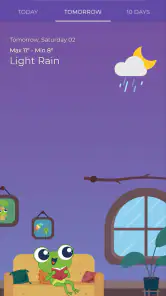
When you first open The Frog: Weather, you're greeted by a bright, colorful interface that is not only easy on the eyes but also super intuitive. The main dashboard shows the current weather conditions with cute frog animations that change depending on the weather. If it's raining, you'll see a little frog with an umbrella; if it's sunny, the frog might be lounging on a leaf. It's these small details that make using the app a bit more fun and engaging.
Weather Forecast at a Glance
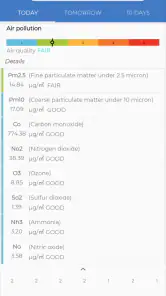
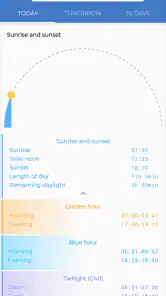
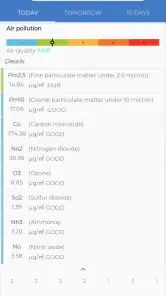
The app provides a detailed weather forecast for the next 7 days, giving you the highs and lows, wind speed, humidity, and even the UV index. All this information is presented in a way that's easy to digest, without overwhelming you with data. I found the hourly forecast particularly handy for planning my day, especially when I have outdoor plans.
More From Our News Desk

Clash of Clans Is Won Between the Battles

Android Auto Makes the Case for Quieter Car Software

MobiOffice: Transforming Mobile Productivity with Seamless Integration

EA SPORTS FC™ Mobile Soccer: Redefining Mobile Sports Gaming

How Microsoft OneDrive Became a Mobile Productivity Giant

How Google Translate Breaks Language Barriers Effortlessly
Widgets and Notifications
One of my favorite features has to be the customizable widgets. You can place these on your home screen to get quick updates without even opening the app. Plus, you can set up notifications for sudden weather changes, so you're never caught off guard. This has been a lifesaver when planning weekend hikes and outdoor activities.
Global Reach
No matter where you are in the world, The Frog: Weather has got you covered. The app provides accurate weather data for almost every location imaginable. Whether you're in bustling New York City or a remote village in the Swiss Alps, you can rely on this app to give you the latest weather updates.
Who will enjoy its approach?
I can see this working especially well for people who check the forecast several times a day but don’t want a technical-looking screen. The frog illustrations give the app a recognizable personality, while the forecast details can help with a real decision: whether to take an outdoor lunch break before showers arrive, for instance. A useful habit is to check the hourly view close to the time you plan to leave, rather than making a morning decision based only on the broad outlook.
Where another weather app may fit better
Compared with a standard phone weather app, this one puts more emphasis on a distinctive, lighthearted presentation. That can make a routine check more pleasant, but it is not automatically an advantage if you want dense charts, specialist forecasting tools, or a highly technical view. I’d keep a second source in mind for activities where changing conditions carry bigger consequences. For a casual commute or deciding what to wear, the simpler approach is likely enough; for a remote hike, I would not let a cute interface replace careful preparation.
Small choices that improve the routine
Widgets are most useful when they show information I can act on at a glance, so I’d place one where I naturally look before leaving home and avoid filling the screen with weather panels I rarely use. Notifications can help with a sudden change, but too many alerts become background noise; I’d enable only the ones that genuinely affect my plans and revisit that choice if they interrupt more than they help. These are simple ways to keep the app useful without turning weather checks into another stream of distractions.
Making a forecast useful in a real day
For example, if I have a school run, a grocery stop, and an evening walk ahead, I would use the app in stages rather than trying to settle the whole day at breakfast. I’d glance at the conditions before leaving, check the hourly forecast before the walk, and pay attention to whether the expected shift affects the time I’ll be outside. This turns the forecast into a sequence of small decisions instead of treating a single morning snapshot as fixed all day.
That workflow also helps me interpret uncertainty. A daily high and low are useful for choosing layers, while an hourly view is more relevant to the timing of errands. Neither tells me exactly what will happen on my particular street, so I’d leave a margin when rain or heat would make a plan uncomfortable. The app’s approachable presentation makes quick checks inviting, but the sensible choice is still to match each forecast detail to the decision at hand.
Who may want a different kind of weather tool?
I would skip this as my only weather reference if I routinely make decisions that depend on specialist information or need a more analytical presentation. Someone planning a long route through exposed terrain, for instance, may prefer a service built around detailed maps and technical layers, then use a simpler app for everyday checks. Likewise, if you dislike animated visuals or want the most compact, text-first interface, the frog-centered design may feel like decoration between you and the facts.
It is also worth considering how often you genuinely need a forecast. If you only check the weather occasionally, a phone’s built-in option may already cover the basics and avoid adding another app to your routine. The Frog makes more sense when its visual personality encourages you to check conditions and its forecast views answer the practical questions you ask. I’d judge it by that fit, not by whether it replaces every weather source on a device.
Permissions and the point of checking
Before granting location access, I’d consider whether automatic local updates are important to me or whether I would rather select a place myself, if that option is available in the app. The choice should be based on the controls actually shown during setup and in the device settings, not on assumptions about what a weather app must collect. I’d also revisit permissions if my needs change—for example, keeping access limited when I only want to check a saved location.
Notifications deserve the same deliberate approach. I’d start with them off if I’m unsure how often I want interruptions, then enable only the alerts that help me act in time. A weather warning that changes a commute can be useful; a stream of low-value prompts can make me ignore the phone altogether. The practical test is whether an alert changes what I do, not whether the setting is available.
Using the widgets without overcommitting
A widget can be a shortcut, but it is not a substitute for opening the forecast when the details matter. I’d use it to answer a quick question—whether conditions look different from earlier—then open the app to compare timing and the day’s outlook before committing to a longer outdoor plan. This division keeps the home screen glance fast while avoiding the trap of treating a small panel as the complete forecast.
There is a trade-off between convenience and clutter, too. One well-placed widget can make the app part of a useful leaving-home routine; several can occupy screen space without adding much. I’d try the smallest setup that answers my regular question, then adjust only if I find myself repeatedly opening the full app for information the widget could have shown more clearly.
Cost and expectations over time
The optional purchases are another reason to use the free version for real tasks before deciding whether to spend anything. I’d note which information I actually return to and whether the app already meets that need, rather than buying an extra simply because it is offered. With a price range from under a dollar to a little over five dollars per item, the sensible question is whether an add-on improves a routine I already have, not whether paid options automatically make a forecast more dependable.
The developer is giovesoft, and the app has received 642 written reviews alongside its broader rating total. I treat user feedback as a source of perspective rather than proof that the app will behave identically on every phone or suit every location. If I’m considering it, I’d pay attention to recent comments that relate to my own use—such as ease of reading or the way alerts fit a daily routine—without assuming that another person’s experience settles the question for me.
Final Thoughts
In a world where weather can be unpredictable, having a reliable weather app is essential. The Frog: Weather combines functionality with a touch of whimsy, making it not just another tool on your phone, but a delightful part of your daily routine. Whether you're a weather aficionado or just looking for a reliable way to avoid getting drenched, this app is definitely worth checking out. Give it a try, and you might just find yourself hopping along with the weather updates!
A cautious recommendation
I’d recommend giving it a try if you want an easygoing way to check conditions and enjoy a bit of character alongside the forecast. I’d be more cautious if you need advanced analysis, have strict preferences around location access, or rely on minute-by-minute certainty for safety-critical plans. The best test is to use it for a week of ordinary decisions—clothing, errands, and outdoor timing—and see whether its forecasts and controls suit your habits. If they do, the friendly presentation is a welcome bonus; if not, a more technical alternative may be a better fit.
The Frog: Weather app Frequently Asked Questions
Is The Frog: Weather suitable for children and family use?
The Frog: Weather is rated Everyone, making its content suitable for a broad audience. Its simple, funny presentation may also make checking forecasts feel approachable for different family members. It is a weather app rather than a game, so its main purpose is to help users follow weather conditions and forecasts.
How much storage space does The Frog: Weather need, and will it work on an older phone?
The app supports Android devices running Android 8.0 or later, so an older phone can run it if it meets that operating-system requirement. Before downloading, check the available storage on your device and the app’s installation details in your app store. Keeping enough free space can also help your phone install updates and continue running smoothly.
Can I use The Frog: Weather to check conditions in more than one place?
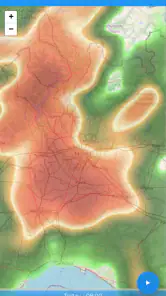
The Frog: Weather includes the ability to track weather conditions in multiple locations, which can be useful if you want to keep an eye on home, work, or somewhere you plan to visit. Its forecasts and interactive maps are designed to make weather information easier to follow. You can also personalize the experience with available themes and settings.
What devices can run The Frog: Weather app?
The Frog: Weather is a weather app for Android devices running Android 8.0 or later. Check your device’s operating system before downloading to make sure it meets that requirement. The app is rated for Everyone, so its content is intended for a broad audience. If you use an iPhone or iPad, check the relevant app store for availability and compatibility before installing.
Who makes The Frog: Weather, and what is it like to use?
The app is developed by giovesoft and presents itself as a simple, funny weather forecast app. Its lighthearted identity may appeal if you want weather information in a less formal package, while its weather-focused purpose keeps the experience centered on forecasts. The Frog has an average rating of 4.6 from around 28 thousand ratings, giving prospective users a broad sense of its reception.
Pros
- Accurate and real-time weather updates.
- User-friendly interface and design.
- Customizable weather alerts.
- Supports multiple locations tracking.
- Detailed hourly and weekly forecasts.
Cons
- Ads can be intrusive at times.
- Limited free version features.
- Occasional slow loading times.
- Requires internet for updates.
- Some features need subscription.
- Category
- Weather
- Version
- 9.5.3











