

Super Story Downloader
- 66.00
- 3.5
- Installs
- 100.00K
- Price
- Free

Screenshots
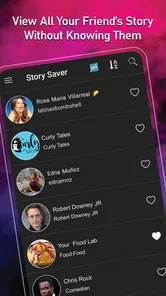
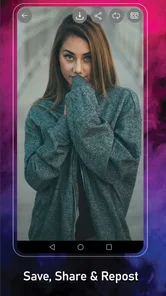
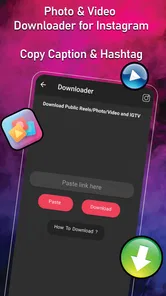

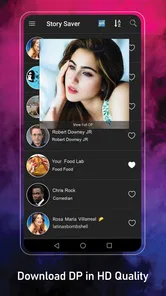
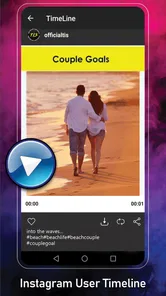
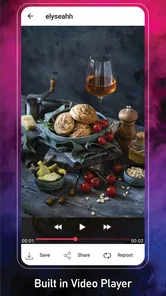
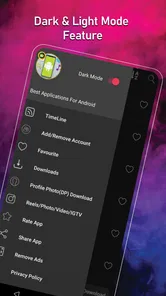
Analysis by Reviewed
I approached Super Story Downloader as a practical tool rather than a flashy editor. Its purpose is straightforward: help save stories, reels, videos, photos, and display pictures from supported social-media content. That makes it appealing when I want to keep something for offline viewing, organize a reference image, or share a downloaded clip through another app. It is a free Android app in the video players and editors category, developed by Instant Reels Story Downloader Team, and it runs on devices using Android 7.0 or later.
My overall impression is mixed but useful. The app can be convenient for quick saving, especially if I already know where the content comes from and only need a simple download workflow. At the same time, this kind of tool depends heavily on the source service, account access, connection quality, and the way content is currently exposed there. When something fails, the downloader is not always the real problem. Understanding that distinction is the key to using it without wasting time.
Where the download process usually gets stuck
The first point of friction is choosing the right content before opening the downloader. A story, reel, ordinary video, photo, and display picture may not follow the same path inside the source social app. If I copy the wrong item, use an incomplete share action, or try to work with content that is no longer available, Super Story Downloader has little useful information to process. I get better results when I open the original post first and confirm that it still plays normally.
A common mistake is expecting the app to behave like a full video editor. It is listed among video players and editors, but its central role is saving media rather than producing a finished montage. I would not install it expecting trimming, transitions, captions, color correction, or a complete publishing workflow. For those jobs, a dedicated editor is the better choice. This app makes more sense as a capture-and-save step before editing somewhere else.
Another source of confusion is the difference between a visible item and an accessible item. Something may appear in a feed while still being restricted by the original account, limited to certain viewers, removed moments later, or unavailable through the sharing route I used. A downloader cannot reliably turn every visible post into a local file. In my experience, checking access in the original app before troubleshooting saves more time than repeatedly pressing the download control.
The mature age classification is also worth taking seriously. It is not a recommendation that every user should download any content they encounter. I would use it only for media I am allowed to save and keep, and I would be careful with private material, personal images, and copyrighted videos. Saving a file for personal reference is not the same as having permission to repost it.
What I check before blaming the app
My first check is simple: can the source content play completely in its original app? If it pauses, shows an error, or disappears there, I do not treat the downloader as the cause. I also check whether I am signed into the correct account and whether the item belongs to a profile or audience I can legitimately access. These small checks matter because the downloader works with content that the source service makes available, not with a separate copy of everything online.
More From Our News Desk

 Instagram
Instagram’s Power Comes From Its Place in Your Phone
A close look at how Instagram turns Meta’s reach, recommendation systems and everyday camera habits into durable platform power—and what that costs users.

 Gmail
GmailGmail in a Busy Inbox: Who Benefits Most?
From first account to crowded workday, Gmail earns its place through dependable search and flexible sorting—but its best fit depends on how much inbox maintenance you can tolerate.

 Prime Video
Switching to Prime Video: What Changes in Your Viewing Routine
Prime Video can make a compelling second home for streaming, but switching means learning a different catalog, rental layer, and route from browsing to playback.

 Universal TV Remote Control
Universal TV Remote Control Works Best as a Reliable Backup
A phone remote earns its place through quick setup and reliable habits. Here is how to get more from Universal TV Remote Control—and where its limits show.

 Weather - By Xiaomi
Weather by Xiaomi Review: Clear at a Glance, Less Clear Up Close
Xiaomi’s weather app makes everyday forecasts quick to scan, but its calm surface can leave useful details and recovery paths harder to find than they should be.

 X
XX Under Pressure: Can It Recover When Posting Goes Wrong?
A resilience-focused review of X, examining setup, mistaken posts, interruptions, weak connections, and the gaps that matter when recovery needs to be dependable.
Latest News



I then repeat the share or copy step carefully. Instead of copying text from a caption or comment, I use the source app’s own option for sharing or copying the content reference. If the app offers several actions, I choose the one attached to the actual story, reel, photo, or video. A link that points to a profile page is not necessarily the same as a link that identifies the media I want.
Network conditions can create misleading failures. A source clip may start playing while its full file is still unavailable, especially on a weak mobile connection. I prefer trying again on a stable connection and avoiding repeated taps while the first request is still being handled. Repeated attempts can make it harder to tell whether the problem is a bad source reference or a temporary connection interruption.
Setup checks that prevent avoidable frustration
Installation is relatively uncomplicated because the app supports Android 7.0 and newer. After installing, I would confirm that the device has enough free storage for the type of media I plan to save. A short photo and a high-resolution video place very different demands on available space, and a nearly full phone can make a successful download look like a failure when the real issue is storage.
I also recommend identifying the app’s save location through its own interface or the phone’s file manager before downloading several items. This is one of the most useful habits with a simple downloader: save one test file, locate it, open it, and only then begin a larger batch. If I cannot find the first file, downloading ten more only creates confusion.
Keeping the source app and Android system in a stable state helps as well. I avoid changing accounts halfway through a download and make sure the source item remains available while the request is being made. If the app has been open for a long time, closing and reopening it can clear a stuck session. I treat this as a basic recovery step, not as proof that the app is broken.
The current release is version 1.87, and the app has been available since April 11, 2020. Those details tell me that it is not a brand-new experiment, but they do not guarantee that every social platform or media format will behave identically forever. Services change their interfaces and access methods, so I judge the app by the specific workflow I need rather than assuming that a method that worked previously will always remain unchanged.
A safer, cleaner first-use routine
My preferred setup routine is deliberately small. I install the app, open the source service separately, choose one accessible item, and use the source app’s sharing or copying control. I then return to Super Story Downloader, provide that reference through the available workflow, and wait for the result instead of starting several requests at once. This gives me a clear test case and makes any error easier to understand.
Once the first file is saved, I open it from the device’s gallery or file manager. I check whether the image or video plays properly, whether the sound is present when appropriate, and whether the file is stored somewhere I can reach later. This step is more valuable than it sounds. A download that appears complete inside an app is not useful if I cannot locate it when I need to attach it to a message or import it into an editor.
I would also review the app’s pricing screen carefully before confirming anything optional. Super Story Downloader is free to install, while in-app purchases range from $1.99 to $19.99 per item. I would not assume that every part of the experience is included in the free installation, and I would avoid approving a purchase simply because a download has failed. A payment cannot fix an inaccessible source post, an invalid reference, or a full storage drive.
Because the app has a mature rating and deals with user-selected social content, I would keep personal boundaries in mind during setup. I would not use it to collect someone else’s private story or to bypass restrictions. For my own workflow, the best use is saving material that is public or shared with me and that I have a reasonable right to retain.
Recovering a failed workflow without starting over
When a download does not work, I use a short recovery sequence. First, I return to the original content and confirm that it still opens. Second, I create a fresh share or copy reference rather than reusing one that may be stale. Third, I reopen the downloader and try only that single item. Finally, I check storage and the destination folder. This sequence separates source problems, reference problems, app-state problems, and device problems.
If a story has expired or been deleted, trying the same reference repeatedly is pointless. The practical solution is to ask the owner to share the file directly or to use a copy that is still legitimately available. The same applies to restricted profiles and audience-limited posts. I would rather obtain the media through an authorized share than spend time looking for a workaround that may violate someone’s privacy.
For a reel or longer video, I pay attention to whether the source itself can load all the way through. If playback stops partway, I retry from the source app on a stronger connection before attempting another download. If the source plays correctly but the saved file does not appear, I focus on the device side: free space, the selected folder, and whether the gallery has refreshed. Restarting the phone can help with a delayed media index, but I use that only after checking the obvious locations.
One useful habit is to change only one variable at a time. I do not switch accounts, networks, source posts, and app settings simultaneously. If the next attempt succeeds, I then know which change mattered. This is especially helpful with simple utilities because they often provide fewer diagnostic details than a full desktop download manager.
I also avoid treating every repeated tap as progress. If the interface seems unresponsive, I wait, leave the screen, and reopen the app rather than creating several duplicate requests. Duplicate files can clutter the device and make it difficult to identify the successful copy. A single controlled retry is usually more informative than a series of impatient attempts.
When the app is not the cause
Social platforms regularly alter how media is delivered, shared, or protected. If a workflow suddenly stops working after previously being reliable, the change may be on the source side rather than in Super Story Downloader. That is particularly likely when only one type of content fails while another still saves normally. I would test a different accessible photo or video before deciding that the entire app has stopped working.
Account status can matter too. A logged-out session, a temporary restriction, a changed privacy setting, or a content owner removing the post can all produce similar symptoms. The downloader may simply be receiving no usable media from the source. Checking the original account and post is therefore more useful than clearing everything immediately.
Device behavior is another overlooked factor. Battery-saving modes, limited background activity, unstable Wi-Fi, and low storage can interrupt media handling. I would first keep the app open during a test, use a reliable connection, and make room for the file. If a small photo saves but a larger video fails, that difference points toward storage, connection stability, or file handling rather than a universal app failure.
There is also a quality trade-off. A saved file may not match the quality I saw during streaming, because the source may provide a compressed or differently encoded version to the downloader. If the file is intended for casual offline viewing, that may be acceptable. If I need pristine footage for editing, archiving, or professional publication, I would ask the owner for the original file instead of relying on a third-party saving tool.
Compared with the usual alternatives, this app is more focused than a general file manager and less capable than a full editor. A browser-based downloader may avoid installation, but it can be less convenient on a phone and may expose me to distracting pages. A screen recorder can capture almost anything visible, yet it often produces lower-quality results and includes interface elements. A dedicated editing app offers much more control after saving, but it does not necessarily simplify the initial capture. Super Story Downloader sits between these options: quicker than recording the screen, simpler than editing software, and dependent on the source workflow.
Who will get the most from it
I can see the app working well for someone who occasionally saves a public reel for offline reference, keeps a photo shared by a friend, or collects short clips before moving them into another editor. It is also useful when I want a lightweight utility instead of a large creative suite. The free entry point makes it easy to test with one or two legitimate examples before deciding whether it fits my routine.
A realistic everyday case would be planning a short video project. I might find a public reference reel, save it through the app, open the result from the device storage, and then import it into a separate editor to study pacing or use material I have permission to include. The downloader handles the transfer; the editor handles the creative work. Keeping those roles separate makes the workflow clearer and avoids expecting one small utility to do everything.
I would skip it if my main goal is advanced editing, automatic organization, dependable access to private posts, or guaranteed compatibility with every changing social-media format. I would also choose another option if I need original-quality files, because the most reliable route is for the owner to send the original media directly. People who rarely save social content may find the extra step unnecessary compared with using the source app’s built-in sharing tools.
The app has reached over one hundred thousand installs and holds a 3.5 average from around one thousand two hundred ratings, with sixty-six written reviews. Those figures suggest a real user base but also a fairly ordinary level of satisfaction rather than universal approval. I read that as a reason to test the exact content type I care about, not as a reason to assume that every advertised workflow will be equally smooth.
My practical verdict after weighing the trade-offs
Super Story Downloader is worth trying when you need a simple save step and understand its limits. I like the basic idea because it fills a specific gap: moving accessible stories, reels, videos, photos, or display pictures from a social-media workflow into local device storage. Its strongest quality is convenience when the source content is available, the reference is correct, and the phone has room for the file.
Its weak point is that success depends on several things outside the app itself. A missing post, restricted audience, stale share reference, unstable connection, or crowded storage can all look like the same failure. The app is therefore best for patient users who are willing to perform a few setup checks and who do not confuse a downloader with an access-bypass tool or a full editor.
For occasional personal saving, the free installation gives me a reasonable way to test the workflow. I would keep purchases in mind because optional items can cost between $1.99 and $19.99, and I would make any decision only after confirming that the free experience handles the content I actually use. I would also respect ownership and privacy at every step, especially because the mature rating does not remove the need for responsible choices.
My recommendation is conditional but positive: install it if your need is narrow, legitimate, and centered on quick media saving. Test one accessible item, locate the saved file, and then decide whether the convenience justifies keeping it. If you need dependable originals, sophisticated editing, or access to restricted material, choose direct file sharing or a specialized editor instead. In that role, Super Story Downloader is a practical helper, not a universal solution.
Super Story Downloader Frequently Asked Questions
What devices and operating systems support Super Story Downloader?
Super Story Downloader is listed as an app in the Video Players & Editors category, with a minimum Android requirement of version 7.0. Before downloading, check that your device meets that requirement and that the app is available for your platform. The listed version is 1.87, and keeping an installed app up to date can help you access its current features and compatibility improvements.
What is Super Story Downloader used for?
Super Story Downloader is designed to help users save story content from supported social media platforms to their Android or iOS device. Its store summary describes saving stories, reels, videos, photos, and profile pictures. After entering the required profile, post, or story link, the app may allow you to download available photos or videos for offline viewing. Its exact features can vary by platform, account privacy settings, and the version installed, so users should review compatibility before downloading.
Can Super Story Downloader download stories from private accounts?
Generally, story downloader apps work most reliably with public content that is accessible without signing in. Content from private accounts may not be available, even if you follow the account, because platform privacy restrictions can prevent third-party tools from retrieving it. Users should never try to bypass privacy settings, access protected accounts without permission, or download someone else’s private content without their consent.
Is Super Story Downloader free to use?
Super Story Downloader is free to download, but some functions can be limited by advertising, usage restrictions, in-app purchases, or premium features. Optional in-app purchases range from $1.99 to $19.99 per item. Before using it regularly, review the purchase details and any available usage terms so you understand which features may require payment. Prices and feature availability can change over time.
Is it safe to download and use Super Story Downloader?
Safety depends on where the application is obtained and what permissions it requests. Downloading it from the official Google Play Store or Apple App Store is preferable to installing files from unknown websites. During setup, review permissions carefully and avoid entering social media passwords into unofficial tools. You should also check the developer information, privacy policy, recent reviews, and update history before using the app. It is published by Instant Reels Story Downloader Team.
Pros
- Downloads stories quickly in several supported formats.
- Simple interface makes saving content easy for beginners.
- Can help keep favorite stories available for offline viewing.
- Supports batch downloads
- reducing repetitive manual work.
- Lightweight design generally uses little device storage.
Cons
- May not support stories from every social media platform.
- Downloaded content can disappear if the original story expires.
- Some features may require intrusive ads or in-app purchases.
- Privacy permissions should be reviewed before granting access.
- Downloaded files may be difficult to organize in large collections.











