

Super Loud Volume Booster
- 3.13K
- 4.5
- Installs
- 1.00M
- Price
- Free

Screenshots




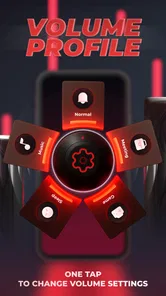
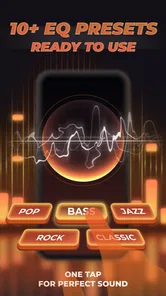
Analysis by Reviewed
I installed Super Loud Volume Booster to see whether it could make a phone easier to hear in ordinary situations, rather than judging it only by its bold “Super Loud” promise. It is a free Music & Audio app from TAMob, built around volume boosting, bass adjustment, sound assistance, and an equalizer. My overall impression is that it can be useful when a phone sounds a little too quiet, but it works best as a careful adjustment tool rather than a magic replacement for better speakers or headphones.
The app is aimed at Android users who want more control over playback volume without immediately buying another accessory. It has reached over a million installs and holds a 4.5 average from around nineteen thousand ratings, which suggests that the basic idea is appealing to a wide audience. It is rated for Everyone, and the app is free to start, although in-app purchases are listed at $12.99 per item.
How Super Loud Volume Booster feels in everyday use
My first useful test was not music at maximum volume. I used the app for the kinds of moments when a phone speaker feels slightly underpowered: a spoken video in a room with background noise, a podcast while moving around the kitchen, and a track played from a device placed several feet away. In those situations, the appeal is immediate. A modest boost can make speech easier to follow, especially when the original recording is quiet.
That distinction matters. Increasing loudness does not automatically improve the quality of the source. If a recording is poorly mixed, the app cannot recreate missing detail. It may make voices more noticeable, but it can also make harsh high frequencies or distorted passages stand out. I found the best results came from raising the level gradually and then using the equalizer or bass control to correct the character of the sound, rather than pushing every control to its limit.
The interface is easier to understand if you think of it as a small control panel for playback. The volume booster handles the main change, while bass and equalizer adjustments let you shape the result. That combination is more useful than a simple “louder” switch because different content needs different treatment. Spoken audio often benefits from restraint in the bass, while music may sound fuller with a small low-end lift.
The most important practical rule is to increase volume in small steps and listen for distortion before going further. A phone speaker has physical limits. Once the speaker is already struggling, extra amplification can produce a louder but less pleasant result. This is not a flaw unique to this app; it is the trade-off of trying to get more output from compact hardware.
Speed expectations and the first adjustment
Super Loud Volume Booster is the kind of utility I expect to respond quickly, and its main purpose does not require a complicated setup. The useful workflow is short: open the app, choose the desired boost, adjust bass or equalizer settings when necessary, and return to listening. That makes it more convenient than repeatedly opening a full music player just to change the sound profile.
More From Our News Desk

 Gmail
GmailGmail in a Busy Inbox: Who Benefits Most?
From first account to crowded workday, Gmail earns its place through dependable search and flexible sorting—but its best fit depends on how much inbox maintenance you can tolerate.

 Prime Video
Switching to Prime Video: What Changes in Your Viewing Routine
Prime Video can make a compelling second home for streaming, but switching means learning a different catalog, rental layer, and route from browsing to playback.

 Universal TV Remote Control
Universal TV Remote Control Works Best as a Reliable Backup
A phone remote earns its place through quick setup and reliable habits. Here is how to get more from Universal TV Remote Control—and where its limits show.

 Weather - By Xiaomi
Weather by Xiaomi Review: Clear at a Glance, Less Clear Up Close
Xiaomi’s weather app makes everyday forecasts quick to scan, but its calm surface can leave useful details and recovery paths harder to find than they should be.

 X
XX Under Pressure: Can It Recover When Posting Goes Wrong?
A resilience-focused review of X, examining setup, mistaken posts, interruptions, weak connections, and the gaps that matter when recovery needs to be dependable.

 Clash of Clans
Clash of Clans Is Won Between the Battles
Its raids are quick; its community is a long-term project of coordination, teaching, rivalry, and shared responsibility—with all the friction that entails.
Latest News



I would not choose it because I expect dramatic performance gains from the phone itself. A volume tool does not make an older device process audio like a newer one, and it does not turn a small speaker into a large one. Its value is in changing perceived loudness and tonal balance. If your phone already handles audio smoothly, the app should be judged by whether its controls give you a more comfortable listening level, not by whether it makes other apps run faster.
There is also a useful difference between making audio more audible and making it more enjoyable. For a quiet lecture or a voice message, extra loudness may be enough. For music, the equalizer becomes more important because an aggressive boost can flatten the listening experience. I recommend starting with the default sound, changing one control at a time, and stopping as soon as the content becomes clear.
What happens during heavier listening sessions
The app becomes more valuable during long, mixed-use sessions. Imagine cleaning the house while moving between rooms, using a phone for a podcast, then switching to music and finally watching a short video. The ideal setting for speech may sound thin for music, while a bass-heavy music setting can make spoken audio muddy. Super Loud Volume Booster is most helpful when you treat those as separate listening situations instead of searching for one perfect setting.
A practical routine is to keep the boost conservative for podcasts and spoken clips, then use a slightly different equalizer balance for music. If you connect headphones, I would be even more cautious. Headphones can deliver considerably more direct sound to your ears than a phone speaker, so a setting that feels merely strong through the speaker may become uncomfortable through headphones.
One non-obvious trade-off is that the app can encourage you to solve every audio problem with volume. That is not always the right answer. If you are struggling to hear speech because of background noise, moving closer to the phone, using headphones, or choosing a clearer recording may work better than adding amplification. The app is a useful last adjustment, not a substitute for a good listening environment.
Another practical issue is consistency between apps. Audio behavior can vary depending on the player, the content, the phone’s own sound controls, and whether an accessory is connected. I would test the app with the exact service or player you use most often instead of assuming that one setting will behave identically everywhere. This is especially important if you switch between streaming music, video, games, and calls.
Stability, recovery, and the moments that matter
For a utility like this, reliability is less about flashy features and more about what happens after interruptions. Phones pause audio when notifications arrive, when another app takes control of sound, or when headphones are connected and disconnected. I would consider the app successful if it lets me return to a sensible listening level without forcing a long setup every time.
My advice is to make a small adjustment, leave the app, and check whether the result remains comfortable when you resume playback. If the sound is suddenly too strong after returning from another app, reduce the boost immediately rather than trying to compensate with more equalizer changes. Recovery is easier when you remember the last safe setting instead of treating maximum output as the default.
The app’s current version is 32, and it supports Android 7.0 or later. That broad system requirement makes it relevant to many older phones as well as newer ones. Still, compatibility with the operating system does not guarantee identical behavior on every model. Manufacturers can apply their own audio processing, speaker limits, and system volume rules. Two phones running the same Android release may therefore produce noticeably different results.
That device dependence is one of the main limits I would explain to a friend before recommending it. If a phone has a weak, damaged, or rattling speaker, boosting the signal may expose the hardware problem rather than fix it. If the system already applies its own loudness enhancement, the app may offer less noticeable improvement than it does on a simpler audio setup.
Battery, resources, and device constraints
Volume control is not the same kind of workload as video editing, gaming, or navigation. I would not install this app expecting it to transform battery life or general system speed. Its role is narrow, and the sensible way to use it is to open it when you need a sound adjustment, make the change, and avoid leaving unnecessary processing active when you are finished listening.
That approach is also better for troubleshooting. If playback becomes unpleasant, lower the booster first. If the problem remains, return the bass or equalizer to a neutral position. Then compare the same track with the app inactive. This three-step check tells you whether the issue comes from excessive amplification, tone shaping, or the original recording.
Do not judge the app by a single maximum-volume experiment. Extreme settings are the least useful way to evaluate a sound tool because they emphasize distortion and speaker strain. A better test uses three kinds of content: a spoken recording, a normal music track, and a quiet video. If the app improves clarity at a moderate setting across those examples, it is doing something worthwhile for your device.
There is a safety reason to be conservative too. Louder sound can become uncomfortable before it seems obviously dangerous, especially with headphones or earbuds. I would never hand the phone to a child with the booster set high, even though the content rating is Everyone. That rating describes suitability of the app’s content; it is not a recommendation to use maximum volume.
Who will benefit, and who should skip it
I can recommend Super Loud Volume Booster to someone whose main complaint is that quiet videos, podcasts, or music are difficult to hear through a phone speaker. It is also a reasonable choice for people who want quick access to bass and equalizer controls without replacing their usual player. The free entry point makes it easy to try before deciding whether the extra controls are useful in daily listening.
I would be more cautious recommending it to an audiophile who wants accurate, neutral reproduction. A booster can increase output, but it cannot improve the quality of a low-bitrate recording, repair clipping, or create detail that is absent from the source. Someone who already owns good headphones with their own carefully tuned controls may get more consistent results from the manufacturer’s app or the player’s built-in equalizer.
It is also not the right solution for a failing speaker. Crackling, buzzing, or physical damage should be treated as a hardware issue. More amplification may make those symptoms louder. Likewise, if your real problem is that audio is blocked by a noisy environment, better isolation or a suitable headset may offer a clearer improvement than increasing the phone’s output.
How it compares with ordinary alternatives
Many music players include their own equalizer, and Android devices often provide basic volume controls already. Those built-in options have one major advantage: they are closely tied to the system or the player you already use. If you only need a small tonal adjustment for one music service, using that service’s own controls may be simpler.
Super Loud Volume Booster makes more sense when you want a dedicated place for louder playback and sound shaping. Its combination of volume boost, bass control, and equalizer is more flexible than a standard volume slider. The trade-off is that a separate utility may not behave exactly the same across every player or device. I would choose it for convenience and experimentation, not because it can guarantee one universal sound profile.
External speakers and headphones remain the stronger alternative when the hardware is the bottleneck. They can improve projection, comfort, and separation in ways software cannot fully reproduce. The app is attractive when you want a quick, free adjustment and do not want to carry another device. It is less compelling if you are already prepared to solve the problem with better audio hardware.
What the purchase model means in practice
The app is free, which lowers the barrier to testing it with your own phone and favorite audio sources. In-app purchases are listed at $12.99 per item, so I would explore the freely available experience carefully before paying for anything. The important question is not whether a higher setting sounds impressive for a few seconds; it is whether the controls remain useful during normal listening at a comfortable level.
I would also avoid making a purchase simply because a track sounds quiet. First check the player’s own volume, the phone’s media volume, the recording itself, and any connected headphones. A paid option is easier to justify when you regularly need the app’s sound controls across several listening situations, rather than only once for a single video.
My performance verdict after living with it
Super Loud Volume Booster is a focused Android audio utility with a clear everyday purpose. The developer, TAMob, has kept the concept centered on louder playback and sound adjustment rather than turning it into a full music library. That focus is a strength when you need a quick change, although it also means the app cannot overcome the physical and acoustic limits of your phone.
I like it most as a moderate volume aid paired with thoughtful equalizer use. The strongest workflow is not “turn everything up”; it is “raise the level enough to hear, then shape the sound for the content.” That approach reduces distortion, makes speech easier to follow, and gives music a better chance of staying pleasant.
With over a million installs, a 4.5 average, and an Everyone rating, it is an approachable option for a broad Android audience. Just keep expectations realistic: results depend heavily on the phone, the player, the recording, and the listening device. If you need a little more presence from quiet audio, I think it is worth trying. If you need audiophile accuracy, a damaged-speaker repair, or a dramatic upgrade in sound quality, I would spend the effort elsewhere.
My final recommendation is simple: install it if your phone is often almost loud enough, test it at moderate settings with speech and music, and keep the control that genuinely improves clarity. Skip it if your current player already gives you the sound shaping you need or if the real limitation is your hardware. Used with restraint, Super Loud Volume Booster is a practical convenience rather than an exaggerated promise.
Super Loud Volume Booster Frequently Asked Questions
Does Super Loud Volume Booster require an internet connection?
For a volume booster, the main benefit is adjusting playback on your device, so you can try it while listening to audio already available on your phone. Streaming services still need their usual internet connection to play online content. If you plan to use the app while traveling or offline, download or save your audio in the relevant music or video app beforehand.
Can I use Super Loud Volume Booster with Bluetooth speakers or headphones?
It may work with Bluetooth audio devices, but the result can depend on the phone, the connected speaker or headphones, and how Android handles their audio levels. Try a modest boost first and compare the sound with the device’s own volume controls. If playback becomes distorted or uncomfortable, lower the boost rather than continuing to raise the volume.
Is Super Loud Volume Booster compatible with my Android phone?
Super Loud Volume Booster is an Android app, and its minimum operating system requirement is Android 7.0. Before downloading, check your phone’s Android version and make sure it meets that requirement. The app is categorized under Music & Audio and is free to install, though optional in-app purchases are available. Compatibility with particular audio hardware can vary from one device to another.
Who makes Super Loud Volume Booster, and is it popular?
The app is developed by TAMob and is intended for Android users looking for a simple way to make media playback louder. It has a 4.5 average rating from around 19,000 ratings and has been installed over one million times. Those figures can offer a sense of its reach, but your experience may still depend on your phone, audio equipment, and preferred listening level.
What is Super Loud Volume Booster and what does it do?
Super Loud Volume Booster is an Android audio-enhancement app designed to increase the perceived volume of music, videos, games, notifications, and other media. After testing it, the main function was easy to understand: open the app, adjust the boost level, and let it work while audio is playing. Results can vary considerably depending on the phone, headphones, speaker quality, and the original volume level.
Pros
- Quickly boosts audio beyond the phone’s standard volume limit.
- Simple controls make it easy to adjust volume with one tap.
- Works with music
- videos
- podcasts
- and many streaming apps.
- Compact design uses little storage space and loads quickly.
- Useful for improving clarity through small phone speakers.]
- contras:[
- Excessive amplification may distort sound or cause crackling.
- High volume can damage hearing or connected headphones.
- Results vary depending on the phone model and audio source.
- Some features may require ads or in-app purchases.
- May not work consistently with calls
- alarms
- or protected content.
Cons
- Excessive amplification may distort sound or cause crackling.
- High volume can damage hearing or connected headphones.
- Results vary depending on the phone model and audio source.
- Some features may require ads or in-app purchases.
- May not work consistently with calls
- alarms
- or protected content.












