Sun Sentinel
- 268.00
- 2.8
- Installs
- 50.00K
- Price
- Free

Screenshots

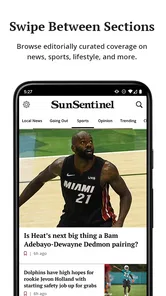

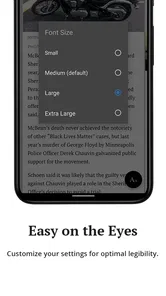
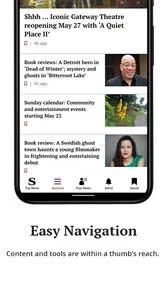
Analysis by Reviewed
I spent time with Sun Sentinel as a household news app rather than treating it like just another headline feed. That distinction matters because its value depends on how people in the same home divide their attention. One person may want local reporting with more depth, another may only want a quick morning scan, and someone else may be deciding whether a subscription is worthwhile. My experience was that Sun Sentinel works best when you already care about its journalism and want a more focused reading space, but it is less convincing as a universal replacement for every news source.
This is a free News & Magazines app from Tribune Publishing Inc., aimed at presenting Sun Sentinel coverage in a clean, customizable format. The app is suitable for Everyone, and it runs on Android devices using version 8.0 or later. It has been available since Jan 20, 2011, and the current release is 10.0.60. Those details make it accessible to many older phones and tablets, which is useful in a home where not everyone has the newest device.
How Sun Sentinel fits into a shared household
A realistic use case is a family tablet kept in the kitchen. In the morning, I can open the app for a quick look at local developments, leave it available for another household member during breakfast, and return later for a longer story. That kind of shared-device routine suits a publication-focused app better than a noisy social feed, because the purpose is reading rather than endlessly switching between unrelated posts.
The important trade-off is that a shared tablet does not automatically mean a shared reading experience. Sun Sentinel can be useful for household awareness, but each reader may have different interests. A commuter might care about regional updates, while a parent may look for community reporting and a retiree may prefer longer features. The app’s customizable approach is helpful here, since it gives readers a way to shape what they see instead of accepting one identical stream.
I would not treat that customization as a substitute for separate accounts or carefully separated preferences. If several people use the same device, it is sensible to decide whose reading habits the app should reflect before changing settings. Someone who mainly wants sports or local updates could unintentionally alter the experience for everyone else. On a personal phone, that is a minor inconvenience; on a shared tablet, it becomes a coordination issue.
Starting without making the household routine complicated
The basic setup is straightforward: install the app, open the publication’s coverage, and explore the available sections before deciding how much personalization you actually need. I recommend spending a few minutes observing the default layout first. That gives you a better sense of whether the app already puts the stories you want within easy reach, rather than immediately changing every option and then forgetting what the original arrangement looked like.
Because Sun Sentinel is free to install but includes in-app purchases ranging from $4.99 to $199.99 per item, I would be especially careful when setting it up on a device used by several people. The free download is not the same thing as unlimited access to every possible offering. Before anyone in the household commits to a purchase, the person responsible for the device should understand what is being selected and whether it is intended for one reader or several.
More From Our News Desk

Weather by Xiaomi Review: Clear at a Glance, Less Clear Up Close

X Under Pressure: Can It Recover When Posting Goes Wrong?

Clash of Clans Is Won Between the Battles

Android Auto Makes the Case for Quieter Car Software

MobiOffice: Transforming Mobile Productivity with Seamless Integration

EA SPORTS FC™ Mobile Soccer: Redefining Mobile Sports Gaming
That boundary is more important than it may seem. A shared device can blur the difference between “I want to read this now” and “I am agreeing to pay for ongoing access.” I would keep purchasing decisions with one clearly identified adult and discuss them before confirming anything. This is not a complaint about Sun Sentinel specifically; it is simply good practice whenever a news app combines free access with optional paid content.
Another useful setup habit is to decide where the app belongs in the household’s reading routine. If it is placed among the apps used for quick checking, it may become a short daily stop. If it is reserved for a larger tablet, it may encourage longer reading. The same software can feel very different depending on whether the goal is a two-minute update or a quiet session with a substantial article.
Coordinating reading without mixing up expectations
Sun Sentinel is strongest when the household agrees on what it is being used for. I see three sensible roles: a source for local awareness, a focused reading app for publication content, or a supplement to broader national news. It is not necessarily the best choice for someone who wants every topic from every outlet in one place. A general news aggregator is usually more convenient for that purpose, while Sun Sentinel makes more sense when the publication’s own reporting is the reason you opened the app.
For a shared routine, I would avoid constantly rearranging the app around one person’s temporary interest. A better approach is to keep the main experience broad enough for the household, then let each reader choose individual stories when they open it. This reduces the chance that a setting change made for one person will make the app less useful for the next person.
There is also a practical coordination benefit in having one publication-focused destination. If someone sees an important local story, they can point another household member to the same article rather than trying to explain which version appeared in a rapidly changing feed. That does not create a built-in family discussion space, and I would not pretend it does, but it can make shared awareness easier when everyone is looking at the same source.
My more advanced tip is to separate “discovery” from “reading.” Use the app to identify stories worth attention, but do not feel obliged to read everything immediately. On a busy morning, I would scan the available sections, choose one or two items, and return later when I have time. This prevents a publication app from becoming another source of notification-like pressure, even when the actual reading experience is calmer than social media.
Age suitability and the question of trust
The Everyone content rating makes Sun Sentinel broadly suitable for a household with mixed ages. That does not mean every article will be equally appropriate for every child or that every subject will be comfortable for every reader. News naturally covers serious events, difficult circumstances, and topics that require context. I would let younger readers use it with normal adult guidance, especially if they are reading independently for the first time.
The app’s age rating should therefore be treated as an access signal, not a promise that every story is designed for children. An adult can help by explaining why a headline may sound alarming, checking whether a younger reader understands the article, and deciding when a different source is better suited to the child’s reading level. For teenagers, the app may be useful as part of a wider news habit, provided they learn to distinguish reporting from opinion and do not assume one publication covers every perspective.
Trust is also about source boundaries. Sun Sentinel gives a household a publication-centered experience, which can be reassuring when you want a consistent editorial home. At the same time, I would not use it as the only source for major decisions or fast-moving events. Comparing important claims with other reputable outlets is still sensible. A focused app can improve depth and reduce distraction, but focus is not the same as complete coverage.
For adults sharing a device, account boundaries deserve the same attention as age boundaries. I would make sure everyone knows whether the app is being used casually, whether a paid option is being considered, and whose preferences should guide customization. That small conversation prevents the most common household frustration: one person assumes the app belongs to everyone, while another assumes it is a personal reading space.
What the app does well in everyday use
The strongest part of Sun Sentinel is its sense of purpose. Rather than presenting itself as an all-purpose internet doorway, it concentrates on premium storytelling from the publication. I found that more comfortable when I wanted to read with intention. The interface feels better suited to choosing a story and staying with it than to rapidly jumping between dozens of unrelated headlines.
That focus is particularly valuable for readers who are tired of algorithm-heavy feeds. A general aggregator can be excellent for breadth, but it often mixes serious reporting with lightweight items, repeated coverage, and stories selected mainly to keep attention moving. Sun Sentinel offers a different rhythm: open the publication, look through its presentation, and decide what deserves your time.
Customization is another meaningful strength, although it should be handled carefully on shared devices. On a personal phone, shaping the app around your interests can reduce unnecessary scrolling and make the front of the app more useful. On a household tablet, I would favor a neutral arrangement and let each reader browse from there. The feature is most helpful when it reflects a stable reader, not a rotating group with conflicting priorities.
The app is also approachable for people who do not want a complicated news tool. Its purpose is clear, the content category is familiar, and the minimum operating-system requirement is not especially demanding. That makes it a reasonable option for an older spare phone or tablet used by a family member who wants local reading without learning an elaborate platform.
Where the experience becomes less convincing
The average rating of 2.8 from around 500 ratings suggests that the experience has not satisfied everyone, and I would take that as a reason to test the app personally before building a household routine around it. A rating is not a diagnosis, but it does indicate that convenience, performance, access, or expectations may vary between users and devices.
The paid-access structure is the biggest practical question. Someone downloading a free news app may expect the entire reading experience to be free, while Sun Sentinel clearly has optional purchases. That difference can create friction if several people use the same device and do not understand which stories or features may involve payment. I would not recommend handing the device to a child or guest without first explaining that paid choices require adult approval.
It may also feel limited to readers who want a broad national or international briefing. In that situation, a major aggregator, a public broadcaster’s app, or a collection of several trusted sources may be more efficient. Sun Sentinel is a better fit for people who value this publication’s storytelling and want a focused destination. It is not the obvious choice for someone who measures a news app by the sheer number of outlets it combines.
Another limitation is the tension between personalization and shared use. Customization sounds ideal when one person controls the app, but it can become a source of disagreement when everyone shares one screen. I would install it on a personal device for the most tailored experience. For a communal tablet, I would keep changes minimal and use the app as a common publication window rather than trying to make it represent every household member perfectly.
The app’s long history can be reassuring because it is not a brand-new experiment, but the current version still matters more to day-to-day use than the original release date. I would update it when the device offers an update and check the experience again after major changes, especially on older hardware. That is a practical step for any household app, where one person may tolerate small annoyances that another immediately notices.
Who should install it, and who should pass
I would recommend Sun Sentinel to readers who want publication-focused news, appreciate more substantial storytelling, and are comfortable deciding whether optional paid access fits their needs. It is also a sensible candidate for a household tablet when the main goal is shared awareness of local and regional reporting, provided one adult manages purchases and the family agrees on how personalization will be used.
I would be more cautious if your priority is a completely free, all-in-one news dashboard. In that case, the in-app purchase range may make the experience feel less predictable than expected. I would also point frequent headline skimmers toward a broader aggregator if they want many sources in a single glance. The focused nature that helps Sun Sentinel stand out can feel restrictive when breadth is your main requirement.
For younger readers, I would treat it as a supervised news source rather than a children’s reading app. The Everyone rating makes household access reasonable, but adult context still matters. For older relatives using a shared tablet, the straightforward publication focus may be easier than a busy social feed, though I would still show them how to recognize optional purchases and how to return to the sections they use most.
My household verdict
After using Sun Sentinel with shared-device habits in mind, I see it as a focused reading app with a clear audience rather than a universal news solution. Its free installation, broad age rating, customizable presentation, and emphasis on premium storytelling make it appealing for readers who want a calmer route into the publication’s coverage. Tribune Publishing Inc. has given it a recognizable purpose, and that purpose is easy to understand once you stop expecting it to behave like a giant news aggregator.
My recommendation comes with one condition: establish boundaries before several people start using it. Decide who controls purchases, whether the app is personal or communal, and how much guidance younger readers need. Those choices have more impact on household satisfaction than simply installing the app. The best shared-device experience comes from clear expectations, not from pretending every reader wants the same news routine.
Sun Sentinel is worth trying if its publication-centered approach matches what you want to read. I would keep it on a personal device for the most useful customization, or on a family tablet when everyone understands that it is a shared window into one news source. If you need a wider range of outlets, stronger separation between family profiles, or a clearly all-free reading experience, another option may suit you better. For readers who value focused local storytelling and can manage the paid-access boundaries sensibly, Sun Sentinel remains a practical, approachable choice.
Sun Sentinel Frequently Asked Questions
Who publishes the Sun Sentinel app, and who might find it useful?
Sun Sentinel is published by Tribune Publishing Inc. and is designed for readers who want news and magazine-style storytelling on a mobile device. Its focus on South Florida reporting makes it especially relevant to people interested in the region, while its customizable presentation can help readers shape how they explore the app. It is a news app rather than a general-purpose social or messaging platform.
What is Sun Sentinel, and what kind of content does it provide?
Sun Sentinel is a news app focused primarily on South Florida, covering local communities, breaking news, politics, crime, weather, sports, business, entertainment, and lifestyle topics. During testing, the app was most useful for readers who want regional reporting in one place, with articles, updates, and alerts designed to keep users informed about events affecting Broward County, Palm Beach County, and nearby areas.
Is the Sun Sentinel app free to download and use?
The Sun Sentinel app can generally be downloaded without paying an installation fee, and some articles or features may be available to all users. However, access to the complete article library and certain premium features may require a subscription or account, depending on the current publishing policy. Before downloading, users should review the app-store description and subscription terms, including renewal conditions and pricing.
Does Sun Sentinel require a subscription to read all articles?
A subscription may be required to access unlimited content, premium journalism, archives, or other restricted features. Free users can typically browse selected stories, headlines, and updates, but the exact limits can change over time. If you plan to use the app regularly, check whether your existing Sun Sentinel or newspaper account works with the app and read the subscription details before confirming payment.
Can I receive breaking-news, weather, and local alerts from Sun Sentinel?
Yes, the app is designed to provide timely notifications for important local developments, breaking news, severe weather, sports, and other selected topics. Notification categories may vary by device and app version, so users can usually manage permissions through the app or their Android or iOS settings. If you prefer fewer interruptions, it is worth reviewing alert preferences immediately after installation.
Pros
- Clear coverage of South Florida news and local events
- Useful alerts help users stay updated on breaking stories
- Includes sports
- weather
- politics
- and community reporting
- Articles are generally easy to browse on mobile devices
- Provides access to trusted reporting from a regional newsroom
Cons
- Some content may require a paid subscription
- Advertising can make parts of the app feel crowded
- Breaking-news alerts may become frequent for some users
- Coverage is focused mainly on South Florida
- App performance may vary with slower internet connections













