Hartford Courant
- 146.00
- 2.6
- Installs
- 50.00K
- Price
- Free

Screenshots
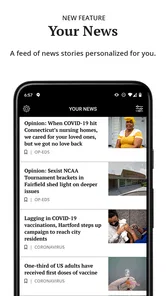
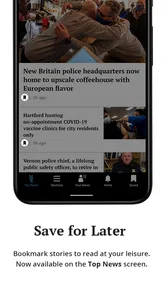
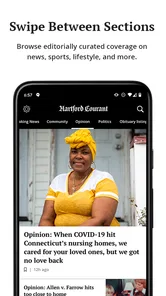
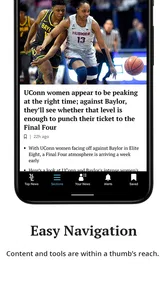
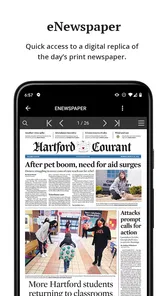
Analysis by Reviewed
I approached Hartford Courant as a mobile news reader rather than as a full replacement for every way of following the news. It comes from Tribune Publishing Inc. and is aimed at readers who want the newspaper’s reporting and premium storytelling in a more focused format on an Android device. The app is free to install, but the presence of in-app purchases means that access to some content may depend on the reader’s account or subscription situation.
That distinction matters from the first minute. A newspaper app can look simple while still creating confusion around sign-in, article access, loading, and the difference between a technical problem and content that is limited to subscribers. My experience with Hartford Courant is that the basic idea is straightforward, but the smoothness of the experience depends heavily on how you set it up and how you react when a page does not behave as expected.
Getting past the first points of friction
The most common place to get stuck is usually not reading an article; it is understanding what the app expects from you before reading becomes comfortable. If you install it casually, open a story, and meet an access prompt, it can be unclear whether the app failed, the connection is unstable, or the story belongs to a paid part of the newspaper. I recommend treating those as separate questions instead of repeatedly tapping the same button.
First, check whether the app itself opens normally. If the front page or article list appears, the installation is probably doing its basic job. A single unavailable story should then be investigated as an access or account issue rather than immediately treated as a broken application. This small distinction saves time, especially when you are trying to read something quickly during a commute or before work.
The second point of friction is account continuity. If you already have a relationship with the Hartford Courant through another channel, use the same account details you normally use rather than creating a new identity without thinking. A new account can make it harder to understand why your expected access is not appearing. I also suggest writing down which sign-in method you used, because switching between email addresses or device accounts is an easy way to mistake an account mismatch for a subscription problem.
There is another practical issue: the app is free to download, but it is not the same thing as promising unrestricted access to every piece of journalism. The listed purchase range runs from $4.99 to $199.99 per item, so I would not approve a purchase impulsively just because an article is blocked. Read the wording on the access screen, confirm which account is active, and decide whether the content is worth the commitment before continuing.
On the positive side, Hartford Courant is designed for a broad audience. Its content rating is Everyone, which makes it a reasonable choice for a household where different people may use the same type of device. That does not mean every news topic will be light or suitable for every personal preference; it simply makes the app less restrictive from an age-rating perspective.
More From Our News Desk

Weather by Xiaomi Review: Clear at a Glance, Less Clear Up Close

X Under Pressure: Can It Recover When Posting Goes Wrong?

Clash of Clans Is Won Between the Battles

Android Auto Makes the Case for Quieter Car Software

MobiOffice: Transforming Mobile Productivity with Seamless Integration

EA SPORTS FC™ Mobile Soccer: Redefining Mobile Sports Gaming
Small checks that make setup easier
I would begin setup on a stable connection and allow the opening screen time to finish before judging performance. News applications often need to retrieve changing content, and an incomplete first load can leave a reader looking at an empty or outdated screen. If the display is only partly populated, closing the app immediately may interrupt the process rather than fix it.
Next, open more than one section or story. A single article can fail because of its own access state or because its content is temporarily unavailable, while another story may open normally. Testing two or three different pieces gives you a better diagnosis than repeatedly reopening the same page.
If the app asks you to sign in, complete that step before spending time customizing your reading routine. Customization is useful only after the app knows which reader account it should associate with your choices. Otherwise, you may spend time arranging a reading experience that does not match the account you eventually use.
I also recommend checking the device’s operating-system compatibility before troubleshooting anything complicated. Hartford Courant requires Android 8.0 or later, so an older phone is not a suitable environment for it. On a compatible phone, keeping enough free storage and closing unusually demanding background tasks are sensible general checks, especially if several apps are competing for the device’s attention.
The current version is 10.0.60. When an app behaves strangely, I would first confirm that the installed version is current through the normal app-update screen. An update can resolve compatibility problems, but I would not assume that every issue requires one. If the problem began immediately after an update, the better approach is to note exactly what changed and test the simplest workflow again instead of deleting the app at once.
A reading routine that avoids unnecessary confusion
For everyday use, I found it more practical to open Hartford Courant with a clear purpose. If I wanted a quick local news check, I would scan the available sections first and then choose one or two stories. If I wanted a longer reading session, I would sign in before browsing deeply and keep track of which articles opened successfully. This avoids building a long list of stories before discovering that access is not configured.
A useful habit is to distinguish the three states you see on screen: a list that has not loaded, a story that has loaded but is restricted, and a story that opens but displays incorrectly. Each calls for a different response. Refreshing may help the first. Account or purchase review may help the second. Closing and reopening the article may help the third. Treating every state as “the app is broken” leads to needless reinstalling.
Another non-obvious trade-off is convenience versus control. A dedicated newspaper app can feel calmer than jumping between browser tabs, because the reading activity stays in one place. At the same time, a browser may be easier when you need to compare several publications, copy a page address, or move quickly between unrelated websites. I would use Hartford Courant when the newspaper itself is the focus, not when I am conducting a broad web search.
Recovering when a story or screen stops cooperating
When an article refuses to open, I would follow a short recovery sequence rather than trying random fixes. Return to the main article list, wait briefly, and open a different story. If the second story works, return to the original one. This tests whether the failure is isolated to one piece of content. If nothing loads, check the connection and try again later before changing account settings.
If the app opens but appears stale, completely leave it and relaunch it. On Android, the exact menu names can differ by device, but the general idea is to stop the app rather than merely swipe away a screen that may still be retained. I would use this as a normal recovery step, not as a sign that the phone is damaged.
Clearing temporary app data can sometimes help when a reader is trapped in a repeated loading state, although I would treat it as a later step. Before doing that, make sure I know my sign-in details, because a reset may require me to authenticate again. I would not erase app storage casually if I am unsure which account is connected or whether I have an active purchase.
Reinstalling is also a last resort, not the first recommendation. It can refresh a damaged local installation, but it does not automatically solve a wrong account, a restricted article, or a network outage. After reinstalling, I would repeat the setup checks in a deliberate order: open the app, confirm the connection, sign in with the intended account, and test more than one story.
If a purchase is involved, patience is especially important. A payment-related access issue is different from a page-rendering issue. I would avoid buying again simply because the first attempt did not appear immediately. Instead, I would confirm the active account and look for the app’s normal restore or account-access path if one is presented. The key point is to prevent a technical delay from becoming a duplicate purchase.
For readers who depend on news at a particular time every day, I suggest keeping an alternative route available, such as the publication’s ordinary web experience or another trusted news source. That is not a criticism unique to Hartford Courant; mobile apps can encounter connection, update, or account problems. Having a backup prevents one stalled screen from interrupting an important morning briefing.
Recognizing problems that are outside the app
Sometimes the application receives blame for a problem caused by the phone, the network, or the account. If other apps are also slow, a weak connection is the more likely explanation. If only one story fails while other Hartford Courant content opens, the issue may be specific to that story or its access requirements. If the app opens normally on one connection but not another, the network environment deserves attention before the installation does.
Device age can matter as well. Although Android 8.0 is the minimum operating system, meeting that requirement does not guarantee that every older phone will feel equally responsive. Limited free space, aggressive battery management, or heavy background activity can make loading appear unreliable. I would test with the phone charged, unnecessary apps closed, and a little storage available before concluding that the reader itself is at fault.
Account confusion is another frequent false alarm. A reader may have access through one email address but sign in with another, or may expect a purchase to appear under a different device account. In that situation, reinstalling will not repair the mismatch. I would first identify the account connected to the intended access and only then investigate the app’s behavior.
The store figures also provide useful context for expectations. Hartford Courant has passed 50K installs, while its average rating is 2.6 from around 334 ratings and 146 written reviews. Those figures suggest that the experience has not been universally smooth, so I would approach it as a useful newspaper-specific tool rather than assuming it will be flawless on every phone. A low average does not tell me which complaint applies to my device, but it is a reason to pay attention during setup and avoid making an immediate purchase before testing the basics.
Compared with a general news aggregator, the advantage here is focus: the app is built around Hartford Courant’s own reporting rather than a mixed stream assembled from many publishers. That can be valuable if this is the publication I already trust or regularly read. An aggregator is usually better for discovering stories from several sources in one place. A browser is often better for open-ended research and sharing across sites. I would choose this app when the newspaper’s editorial offering is the main reason I am opening it.
Who will get the most from it
Hartford Courant makes the most sense for an existing reader who wants a dedicated mobile route to the newspaper’s premium storytelling. It is also a reasonable option for someone who prefers a focused publication app over a noisy feed of unrelated headlines. The free installation lowers the barrier to testing the interface before deciding how deeply to use it.
I would be more cautious if I only want completely open news with no account decisions or purchase prompts. In that case, a general news source may feel simpler. I would also look elsewhere if my main goal is comparing national coverage from many publishers, because this app’s value comes from its connection to one newspaper rather than breadth across the entire news ecosystem.
For a realistic daily scenario, imagine checking local developments over breakfast, opening a few headlines, and saving the longer reading for a quieter moment. The app can fit that routine if the account is already settled and the connection is dependable. If a story is restricted, the best response is to decide calmly whether the newspaper’s paid access is worthwhile, not to keep refreshing it. That workflow makes the app feel like a publication reader instead of a general-purpose emergency news tool.
My practical verdict
I see Hartford Courant as a focused, free-to-install news app with a clear audience: readers who specifically want the Hartford Courant experience on mobile. Tribune Publishing Inc. has put the newspaper into a dedicated format that can be more convenient than repeatedly searching for stories in a browser. The app’s Everyone rating and support for Android 8.0 or later also make it approachable for many everyday devices.
Still, I would not recommend installing it without understanding the access model. In-app purchases range from $4.99 to $199.99 per item, and the average rating of 2.6 indicates that some users have encountered friction. My advice is simple: test the opening screen, verify the account, read several different stories, and only then decide whether it belongs in your regular routine.
My bottom line: choose Hartford Courant for focused access to this newspaper, not as a universal alternative to every news app. It is a good fit when the publication itself is what you want, especially if you already follow its reporting. It is a weaker fit for readers who demand a broad multi-source feed, entirely frictionless access, or a reading experience detached from subscriptions and account management.
Hartford Courant Frequently Asked Questions
Is the Hartford Courant app available for both Android and iOS?
The Hartford Courant app is offered for Android and iOS devices, making it possible to follow the newspaper on a phone or tablet. Before downloading, check that your device meets the minimum operating-system requirement: the app requires Android or iOS version 8.0 or later. The app is listed for everyone, so its content rating is not restricted to a particular age group.
Who develops the Hartford Courant app, and what is its main purpose?
Tribune Publishing Inc. develops the Hartford Courant app, a news and magazine app built around the newspaper’s reporting and premium storytelling. Its store description presents it as a simple, elegant, customizable way to access that content. It is intended for readers who want Hartford-area and Connecticut news in a mobile format, with an app experience rather than relying only on the newspaper’s website.
What is the Hartford Courant app?
The Hartford Courant app is the mobile edition of Connecticut’s long-running newspaper. It gives readers access to local and regional reporting, breaking news, politics, sports, business, entertainment, opinion, and other features. The app is designed for people who want to follow Hartford-area news conveniently from an Android or iOS phone or tablet, rather than relying only on the newspaper’s website.
Is the Hartford Courant app free to download and use?
Downloading the Hartford Courant app is free, but access to all articles and features may depend on the type of subscription attached to your account. Some content can be available without payment, while frequent readers may encounter a digital paywall or subscription prompts. The app includes in-app purchases, so review the current subscription options and terms before signing up, particularly renewal conditions and any benefits associated with a plan.
What content can I read in the Hartford Courant app?
The app focuses primarily on news connected to Hartford and the wider Connecticut community. Depending on the current edition and available features, readers may find local reporting, state politics, crime and public safety updates, high school and professional sports, business news, culture, opinion articles, obituaries, and breaking-news alerts. Coverage and sections may vary as the publisher updates the app.
Pros
- Local Connecticut news coverage with strong regional focus.
- Breaking-news alerts help readers stay informed quickly.
- Includes sports
- politics
- business
- and community reporting.
- Digital edition offers convenient access to the newspaper.
- Subscription options may include premium investigative journalism.
Cons
- Many articles may require a paid subscription to read fully.
- Some content can feel repetitive during slower news cycles.
- Advertising may affect the reading experience in the app.
- App performance and loading times may vary by device.
- Coverage is less useful for readers outside Connecticut.













