New York Daily News
- 1.54K
- 3.3
- Installs
- 100.00K
- Price
- Free

Screenshots
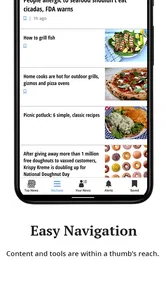
Analysis by Reviewed
I spent time with New York Daily News as a mobile news reader, and my overall impression is that it works best when I want a quick connection to New York-focused reporting, sports, entertainment, and the kind of headlines designed for short reading sessions. It is a free app from Tribune Publishing Inc. in the News & Magazines category, aimed at readers who prefer a newspaper-style destination instead of assembling every story through a general news feed.
The app is available to users aged Everyone 10+ and supports Android 8.0 or later. Its current version is 10.0.60, which matters because this is not simply an untouched newspaper archive carried forward from its original release. It has been available since January 9, 2012, and the current build shows that the product has continued through multiple stages of mobile development. I would not treat that long history as proof that every part of the experience feels modern, but it does make the app feel like an established publication product rather than a temporary headline experiment.
How the current app fits into everyday news reading
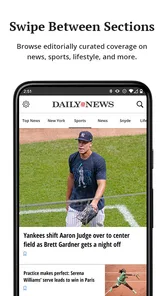
My preferred way to use it is in short bursts. I might open it while having coffee, scan the leading stories, move into sports if there is a game or team story I care about, and then check entertainment before putting the phone away. That routine suits the app better than trying to turn it into a full research workspace. The experience is centered on discovering and reading the publication’s coverage, not on building a complex personal information system.
The strongest reason to install it is focus. A broad news aggregator can give me a huge mixture of national, international, local, financial, and opinion content, but that variety can also make the reading experience feel noisy. This app gives New York Daily News coverage a dedicated home. For readers who follow New York stories closely, that focus can save time because the publication’s priorities are visible as soon as the app is opened.
That same focus is also the main limitation. If I want one app to balance local news with detailed international reporting, specialist technology coverage, business analysis, and several viewpoints from different publishers, I would choose an aggregator or a collection of individual news apps instead. This is a publication-specific reader, so its value depends heavily on whether its editorial mix matches my interests.
The store summary presents the app as a place for news, sports, and entertainment, and that combination is useful in practice because it reflects how many people actually browse a newspaper. I do not always open a news app with a single serious topic in mind. Sometimes I want a local update, then a sports story, then something lighter. The app makes that kind of mixed reading feel more natural than a narrowly specialized service.
What the version history tells existing users
The current version, 10.0.60, is the clearest verified sign of the app’s present state. I read that as evidence of an ongoing product line rather than a one-time release. The app’s release history stretches back to January 9, 2012, so long-time readers have seen it exist across very different mobile habits, from simple phone newspaper browsing to today’s expectation of fast, flexible digital reading.
More From Our News Desk

Weather by Xiaomi Review: Clear at a Glance, Less Clear Up Close

X Under Pressure: Can It Recover When Posting Goes Wrong?

Clash of Clans Is Won Between the Battles

Android Auto Makes the Case for Quieter Car Software

MobiOffice: Transforming Mobile Productivity with Seamless Integration

EA SPORTS FC™ Mobile Soccer: Redefining Mobile Sports Gaming
Still, version numbers should be interpreted carefully. A newer build can improve compatibility, repair faults, or adjust the interface without changing the basic editorial experience. I would not assume that version 10.0.60 automatically means a complete redesign or a new set of major reading tools. What it does tell me is that the app remains maintained as a current product and is not frozen at its original launch state.
That distinction matters to someone who already reads the publication elsewhere. The app is most useful when it reduces the steps between opening the phone and reaching the stories I want. If I already have a comfortable browser shortcut, email routine, or general news feed, the dedicated app needs to feel more convenient to justify another installation. Its advantage is the direct, publication-centered path; its weakness is that it adds another place to check.
I also paid attention to the difference between the app’s age and its current software identity. A product that has existed since 2012 may carry familiar newspaper habits, while a current build needs to work for readers who expect mobile content to be immediate and easy to scan. That combination can be positive: the publication keeps its identity while the software evolves. It can also create friction if older design assumptions remain visible in navigation or presentation.
Who will get the most from it
I would recommend this app first to people who want New York Daily News coverage in a dedicated place. It is particularly suitable for readers who check local developments regularly, follow New York sports, or enjoy moving between serious headlines and entertainment coverage without switching publications. It can also work well for someone who wants a simple starting point each morning rather than an endless stream of unrelated recommendations.
Another good fit is the occasional reader who does not want to create a detailed news setup. Installing one publication app is easier than configuring multiple topic feeds, newsletters, and alerts. I can open it when I have a few minutes, read what catches my attention, and leave without managing a large collection of sources. That simplicity is valuable for people who prefer editorial selection to algorithmic overload.
The app may also suit readers who use a phone as a companion to the printed or web edition. A mobile reader is useful when I am away from a desk, waiting somewhere, or checking whether a developing story has changed. The dedicated format keeps that habit separate from social media, where headlines are often surrounded by distractions and reactions that can make it harder to concentrate on the article itself.
I would be more cautious about recommending it to someone who wants a neutral, all-in-one news dashboard. One publication cannot provide the breadth, source comparison, and topic controls that a strong aggregator can offer. I would also hesitate for readers who rarely follow New York-related coverage. In that case, the app may become another unused icon, while a broader service would provide more relevant variety.
A realistic morning and evening workflow
Imagine I am commuting and have ten minutes before work. I open the app and begin with the main news selection, looking for a story that affects the city or the people I know. If a headline connects to a sports result or entertainment item, I continue there rather than opening another app. I do not need to decide which publisher to trust for every individual click because I have already chosen this publication as my starting point.
Later, I might return in the evening when I have more time. Instead of rereading the same lead items, I would use the app as a lightweight catch-up tool: scan the sections I skipped, open one or two stories, and then stop. The important habit is not trying to consume everything. The app works better when I use it as a curated doorway into the publication rather than as a complete record of every subject I might care about.
A useful tip is to separate quick scanning from deliberate reading. During a short break, I would only look at headlines and section choices. When I have enough time, I would open the stories that deserve attention and avoid judging the app solely by how many headlines appear on the first screen. That approach helps me decide whether the publication’s selection is genuinely useful instead of confusing a busy screen with better coverage.
Another practical trade-off is keeping the app for direct access while using a separate source for broader context. If a story is important, I may want to compare how another publication frames it. That does not make this app redundant; it gives it a clear role. The dedicated reader is my first stop for this publication’s reporting, while a broader service is my second stop when I need more perspectives or a wider subject range.
Costs, expectations, and the reading experience
The app itself is free to download, which makes trying it low risk. There are in-app purchases ranging from $4.99 to $199.99 per item, so I would pay attention to any purchase screen and understand what an offered item provides before confirming it. The presence of optional purchases means “free” should not be interpreted as a promise that every possible part of the newspaper experience is included without charge.
For me, the right question is not simply whether the download costs anything. It is whether the free experience provides enough regular value for my reading habits, and whether any optional purchase matches what I actually want. Someone who only checks occasional headlines may be satisfied without spending. A frequent reader should examine the in-app choices carefully rather than assuming the same access model as a completely free news feed.
The average rating is 3.3 from around 3K ratings, with roughly 1.5K written reviews. I see that as a mixed signal rather than a reason to dismiss the app. It suggests that readers’ experiences vary, which is common for news apps because satisfaction depends on interface preferences, expectations about access, and how closely the publication’s coverage matches a person’s interests. I would try it personally instead of treating the rating as a final verdict.
The app has more than 100K installs, so it has reached a meaningful audience without being one of the enormous general-purpose platforms. That scale fits its identity: it is a focused publication app, not a universal news utility. I would judge it by the quality and convenience of its New York Daily News reading experience, not by whether it offers the same breadth as services built around hundreds of sources.
Where the app still leaves room for improvement
The first gap is breadth outside its core publication identity. When I want a quick answer about a distant international event, a specialist subject, or a long-form explanation from several outlets, I need another source. That is not necessarily a flaw in a newspaper app, but it becomes a real weakness if I expect one installation to replace my entire news routine.
The second gap is the potential tension between newspaper structure and modern mobile behavior. A section-based experience is easy to understand, but it may feel less flexible than a feed that learns exactly what I want. I prefer editorial organization when I am browsing broadly, yet I also appreciate strong controls when I am trying to avoid topics or reach a specific subject quickly. Readers who want deep personalization should compare this app with a service built around customizable feeds.
Purchase choices can create another point of hesitation. Because optional items can reach a substantial price, I would not tap through a subscription or access offer casually. The safest workflow is to read the description of the purchase, check whether it is a one-time item or recurring access, and decide whether it supports my actual reading frequency. This is especially important for someone who installs the app just to sample the coverage.
I also would not install it solely because it has been around for a long time. Longevity is reassuring, but it does not guarantee that the current interface will match my preferences. The current software version shows continued evolution, yet the real test remains practical: how quickly I can find the sections I care about, how comfortable the articles are to read, and whether returning to the app feels easier than using my existing alternative.
What I would watch before making it a daily reader
If I were deciding whether to keep the app installed, I would watch three things during the first week. First, I would see whether the news selection consistently matches my interests instead of only attracting me when a major local story appears. Second, I would notice whether the sports and entertainment sections add useful variety or simply make the app feel busier. Third, I would check whether the route from opening the app to reading a full article feels smooth enough to become a habit.
I would also watch how the current version develops over time. The move from a product launched in 2012 to version 10.0.60 shows a long process of software change, but future updates should ideally preserve the publication’s clear identity while reducing any unnecessary steps in reading. For existing users, the best evolution would be practical rather than flashy: dependable access, readable articles, sensible organization, and purchase choices that are easy to understand.
My final recommendation is conditional but positive. If you specifically want New York Daily News reporting, sports, and entertainment in a dedicated mobile app, this is a sensible free starting point. I like its focused role and its ability to support quick newspaper-style browsing without forcing me into a giant multi-source feed. Its real strength is focused access, not unlimited coverage.
I would skip it if I want one app to replace every other news source, if New York coverage is not important to me, or if I dislike checking purchase terms carefully. For everyone else, I would install it, use it through a normal morning and evening routine, and judge it by whether it becomes a dependable first stop. In my experience, that is the fairest way to assess this established but specialized news app: not as a universal answer, but as a direct mobile home for one publication’s view of the day.
New York Daily News Frequently Asked Questions
What devices and operating systems can run the New York Daily News app?
New York Daily News is a mobile news app for readers who want to follow local reporting and broader news on a phone or tablet. Its current version is 10.0.60, and it requires Android 8.0 or later. Before downloading, check that your device meets the minimum operating-system requirement; this can help avoid installation problems and ensure you can use the app’s current release.
Who publishes the New York Daily News app, and what is its age rating?
The app is published by Tribune Publishing Inc. and is listed for a general audience with an Everyone 10+ content rating. That rating can help families decide whether it suits younger readers, though the app covers real-world news, including subjects such as crime and politics. It is a news and magazines app intended for people interested in the publication’s reporting and updates.
What is the New York Daily News app?
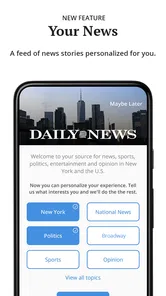
The New York Daily News app is a mobile news platform focused on New York City, the surrounding metropolitan area, and major national and international stories. After exploring it, I found sections covering breaking news, politics, crime, sports, entertainment, business, opinion, and lifestyle. Its content is designed for readers who want quick updates alongside longer articles and local reporting from a recognizable New York publication.
Is the New York Daily News app free to download and use?
The app is free to download, and users can access at least some articles and features without paying. However, availability of content may depend on the publication’s current subscription or membership policy. Some stories, premium articles, or additional features may require registration or a paid plan. In-app purchases are available, with listed prices ranging from $4.99 to $199.99 per item. Before downloading, check the current in-app terms because access rules and pricing can change.
Does the app require a subscription to read all articles?
Not necessarily for every article, but readers should expect that certain content may be limited by a subscription or digital access plan. The app can still be useful for headlines, breaking updates, and selected stories without immediately subscribing. If you read New York Daily News regularly, a paid option may provide broader access. Review the subscription details carefully, including renewal terms, before confirming payment.
Pros
- Covers New York neighborhoods with strong local reporting.
- Offers breaking news updates throughout the day.
- Includes useful sections for sports
- entertainment
- and opinion.
- Articles are easy to browse on a phone or tablet.
- Provides access to a recognizable regional news brand.
Cons
- Some content may require a subscription or paid access.
- Frequent ads can interrupt reading and navigation.
- Coverage is mainly New York-focused
- limiting global news depth.
- Breaking-news alerts may feel excessive for some users.
- App performance and layout can vary after updates.













