StandBy PRO: Always On Display
- 29.00
- 4.1
- Installs
- 1.00K
- Price
- $1.49
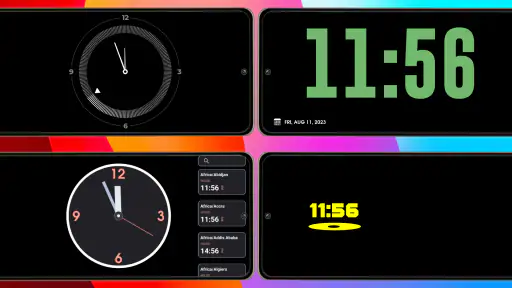
Screenshots
Analysis by Reviewed
Have you ever found yourself constantly picking up your phone just to check the time or see if you have any notifications? Well, worry no more because StandBy PRO: Always On Display has got your back! This nifty little app is designed to keep your phone's screen awake with essential information whenever you need it, and it does so in style.
Features that Shine
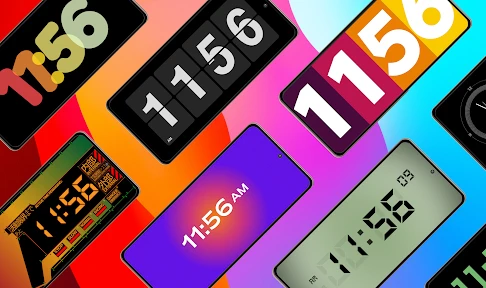
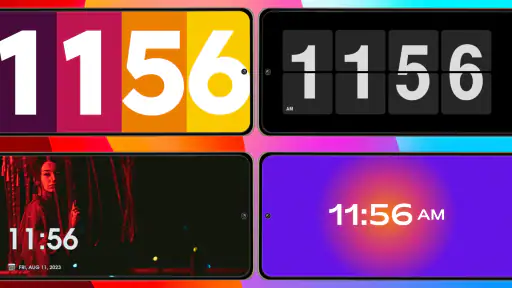
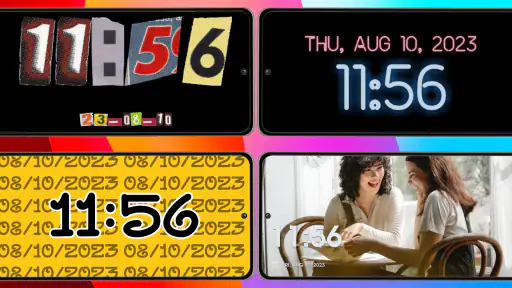
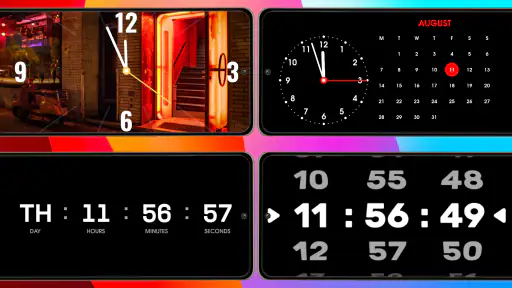
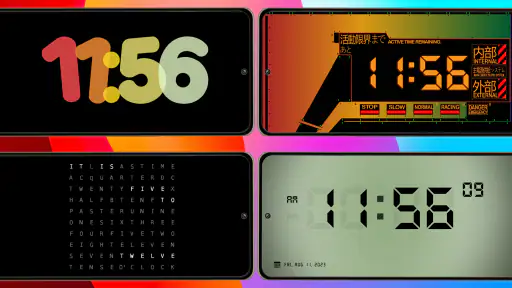
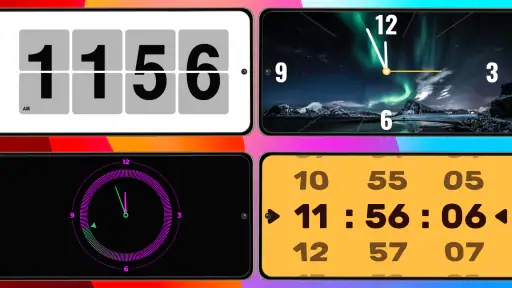
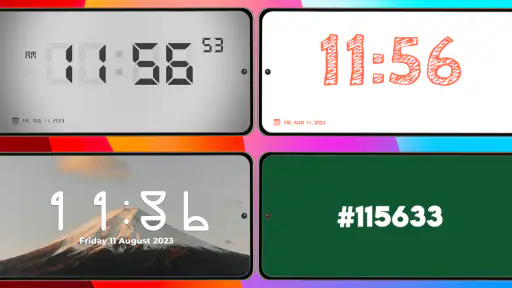
The first thing you'll notice about StandBy PRO: Always On Display is its sleek and customizable interface. You can choose from a variety of clock styles, fonts, and colors to match your personal taste or mood. Whether you prefer a minimalist look or something a bit more flashy, this app has options that will cater to your every whim.
Beyond just aesthetics, the app offers a range of functional features that can make life a little easier. For starters, it displays notifications from all your favorite apps right on the lock screen. Imagine having your messages, emails, and social media alerts all in one place without having to unlock your phone constantly. It’s a time-saver and a game-changer!
Battery Efficiency
Now, I know what you might be thinking: "Won't this drain my battery?" Surprisingly, the app is designed to be battery-friendly. It uses a dark theme that consumes less power, especially on OLED screens, and it has an automatic brightness adjustment feature. This means your phone's battery life won't take a significant hit, which is always a concern with such apps.
Moreover, the app is smart enough to turn off when your phone is in your pocket or bag, thanks to its proximity sensor feature. This little touch ensures that the display is only on when you need it, saving even more juice.
Ease of Use
Setting up StandBy PRO: Always On Display is a breeze. The user-friendly interface guides you through the customization process, and within minutes, your phone is all set up with your new personalized display. Plus, the app runs smoothly without any noticeable lag or crashes, providing a seamless experience.
Another great aspect is that it doesn’t clutter your phone with unnecessary ads or bloatware. It's just you, your phone, and the information you need at a glance. What more could you ask for?
More From Our News Desk

Clash of Clans Is Won Between the Battles

Android Auto Makes the Case for Quieter Car Software

MobiOffice: Transforming Mobile Productivity with Seamless Integration

EA SPORTS FC™ Mobile Soccer: Redefining Mobile Sports Gaming

How Microsoft OneDrive Became a Mobile Productivity Giant

How Google Translate Breaks Language Barriers Effortlessly
In conclusion, if you're looking for an app that keeps your information at your fingertips without sacrificing style or battery life, then StandBy PRO: Always On Display is worth checking out. With its array of customization options and efficient performance, it's a handy tool for anyone who likes to stay informed without constantly unlocking their device. Give it a try, and you might find it becomes one of your favorite apps too!
StandBy PRO: Always On Display Frequently Asked Questions
What is StandBy PRO: Always On Display, and how does it work?
StandBy PRO: Always On Display is a mobile application designed to keep your device's screen active with important information even when it's in standby mode. It works by utilizing minimal battery power to display time, notifications, and other customizable widgets on your screen. This app is particularly useful for users who want quick access to information without unlocking their phones.
Does StandBy PRO: Always On Display significantly affect battery life?
StandBy PRO: Always On Display is optimized to use minimal battery power by only lighting up necessary pixels on your screen. While any app that keeps your screen on will use some battery, StandBy PRO is designed to have minimal impact. Users can also customize settings to further manage battery consumption effectively.
What customization options are available in StandBy PRO: Always On Display?
StandBy PRO offers a variety of customization options, allowing users to personalize their display with different clock styles, colors, and widgets. You can choose what information to display, such as time, date, notifications, and battery status. The app also supports custom backgrounds and fonts, giving users full control over their display's appearance.
Is StandBy PRO: Always On Display compatible with all devices?
StandBy PRO: Always On Display is compatible with most modern Android devices. However, some features might vary based on your device's hardware and software capabilities. It’s always recommended to check the app's compatibility with your specific device model in the Google Play Store before downloading.
Are there any security concerns with using StandBy PRO: Always On Display?
StandBy PRO: Always On Display is designed with user security in mind. It does not access sensitive data or store personal information. The app only displays information that you choose to show, ensuring your privacy is protected. Regular updates also ensure that any potential security vulnerabilities are addressed promptly.
Pros
- Customizable display settings
- Battery-friendly operation
- Widgets for quick access
- Improves phone aesthetics
- Supports various clock styles
Cons
- Limited free features
- May drain battery on older phones
- Ads in free version
- Occasional bugs in updates
- Requires Android 8.0 or higher
- Category
- House & Home
- Version
- 1.8.5Pro











