

Smarters Pro - Mobile
- 310.00
- 4.1
- Installs
- 1.00M
- Price
- Free

Screenshots
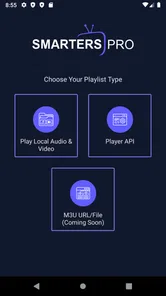
Analysis by Reviewed
When I want to watch media on my phone, I care less about a long feature list than about whether I can find what I want without fighting the interface. Smarters Pro - Mobile is a player for bringing supported media sources together in one place, rather than a streaming service that supplies its own shows. That distinction matters: it is most useful if you already have access to content you’re entitled to watch and want a single mobile player for it.
Where it fits in a streaming routine
A practical use is moving between live channels, on-demand titles, and series without opening a different player for each. For instance, if I’m settling in for a short break, I can use the app as a common starting point instead of trying to remember which separate app holds each source. It won’t replace subscriptions or provide a library by itself, so people expecting a ready-made catalogue may be better served by a conventional streaming service.
That player-first role also changes how I’d compare it with the usual alternatives. A platform-specific service is simpler when all I want is its own catalogue; a basic phone video player is often a better fit for a few locally stored files. Smarters Pro makes more sense when the goal is organizing several kinds of compatible media access in one interface. Before choosing it, I’d check that the source and access details I plan to use are available to me.
What is Smarters Pro - Mobile?
At first glance, Smarters Pro - Mobile might seem like just another media streaming app, but there's more than meets the eye. It is designed to be your one-stop-shop for all your IPTV, VOD, and series content. Essentially, it acts as a player that allows you to access your media content from a single interface. This means you can wave goodbye to the hassle of switching between different apps for different types of media.
User Interface and Experience
The first thing that struck me about Smarters Pro was its intuitive user interface. You know that feeling when you open an app, and everything just seems to be where it should be? That’s exactly the vibe I got here. The navigation is super smooth, and trust me, even if tech isn’t your thing, you’ll find it pretty easy to get the hang of it.
One feature that I found super cool is the ability to customize the layout. Whether you prefer a list view or a grid view, Smarters Pro has got you covered. It’s like having a personal media organizer right in your pocket.
A more deliberate way to browse
For a large collection, I’d choose the layout that makes scanning titles easiest on my phone, then stick with it rather than switching views every time I open the app. A grid can make visual browsing feel quicker, while a list can be easier to scan when I already know what I’m looking for. That small choice can make repeated browsing less fiddly, especially when I’m using the app one-handed.
More From Our News Desk

 Instagram
Instagram’s Power Comes From Its Place in Your Phone
A close look at how Instagram turns Meta’s reach, recommendation systems and everyday camera habits into durable platform power—and what that costs users.

 Gmail
GmailGmail in a Busy Inbox: Who Benefits Most?
From first account to crowded workday, Gmail earns its place through dependable search and flexible sorting—but its best fit depends on how much inbox maintenance you can tolerate.

 Prime Video
Switching to Prime Video: What Changes in Your Viewing Routine
Prime Video can make a compelling second home for streaming, but switching means learning a different catalog, rental layer, and route from browsing to playback.

 Universal TV Remote Control
Universal TV Remote Control Works Best as a Reliable Backup
A phone remote earns its place through quick setup and reliable habits. Here is how to get more from Universal TV Remote Control—and where its limits show.

 Weather - By Xiaomi
Weather by Xiaomi Review: Clear at a Glance, Less Clear Up Close
Xiaomi’s weather app makes everyday forecasts quick to scan, but its calm surface can leave useful details and recovery paths harder to find than they should be.

 X
XX Under Pressure: Can It Recover When Posting Goes Wrong?
A resilience-focused review of X, examining setup, mistaken posts, interruptions, weak connections, and the gaps that matter when recovery needs to be dependable.
Latest News



The electronic program guide can also change how I use the player: instead of opening live content at random, I can check what is scheduled and decide whether it is worth watching now. If I’m helping a family member get set up, I’d first test the navigation and parental controls together, then keep the arrangement simple enough that they can find familiar content without needing help each time.
Performance and Reliability
Okay, let’s talk performance. There’s nothing worse than a laggy streaming app, right? Fortunately, Smarters Pro delivers a smooth performance without those annoying buffering issues that make you want to toss your phone out the window. It supports a wide range of formats, so chances are, it’ll play whatever you throw at it.
However, it’s worth noting that the app’s performance can be heavily dependent on the stability of your internet connection. So, if you’re on a shaky connection, you might still experience occasional hiccups. But hey, that’s just the nature of streaming apps.
What to do when playback falters
If a stream pauses or looks unstable, I’d check the connection before assuming the player itself is at fault. A useful everyday test is to try the same source on a steadier network, or briefly use another source in the app. If only one stream struggles, the issue may be specific to that source; if several do, checking the phone’s connection is the sensible first step. This simple comparison helps avoid changing settings blindly.
Heavy use is a different test from opening the app for a quick watch. Keeping a live stream running while browsing other sections may put more pressure on a phone than selecting a title and watching it normally. I’d close tasks I don’t need and avoid judging reliability from one difficult network session. The app’s role is playback and organization, but it cannot make a weak connection dependable.
Compatibility and Functionality
Smarters Pro is compatible with both Android and iOS, which is a big plus in my book. After all, who wants to switch platforms just to use an app? It also supports external players and offers parental controls, which is a nice touch for those with little ones around.
I also appreciated the app’s support for electronic program guides (EPG). It’s like having a TV guide in your pocket, so you’re always in the know about what's on. Whether it’s live TV or on-demand content, you’ve got all your bases covered.
Making the most of a mixed collection
The strongest everyday workflow is to treat the guide and the library as different ways into your content. If I know a program is on now, the guide helps me decide whether to tune in; if I have a particular title in mind, browsing the collection is more direct. That distinction is useful when I’m sharing a living-room screen with someone else: I can check what is currently available before handing over the phone or connecting to a larger display.
I’d also keep expectations grounded when combining sources. A unified interface can save time switching between separate players, but it does not make every source behave alike. If one item opens differently or is less convenient, trying the supported external-player option may be a sensible workaround. I would test that with a source I use often rather than changing my whole setup based on a one-off problem.
Who should choose it—and who should pass
The app is a stronger match for someone who already has compatible access to live or on-demand media and wants a mobile hub for browsing it. External-player support is useful if a particular source works better with another player, so I’d treat that as an option to test rather than assume every viewing setup will behave identically. For a household, parental controls may also make it easier to keep a shared device more appropriate for younger viewers.
I would skip it if I mainly watch a single subscription service, want an app that supplies its own shows, or only need to play a handful of downloaded videos. A dedicated service usually offers a more direct path to its catalogue, while a simple local player avoids the setup involved in organizing multiple media sources. Smarters Pro’s flexibility is worthwhile only when that flexibility solves a real problem for you.
A realistic evening test
Imagine I have a few minutes before dinner and want to see what is on, then return later to a series. With a compatible source already arranged, I can use the guide to check live programming and browse on-demand content from the same player. The benefit is less about adding more entertainment and more about avoiding the small interruptions of opening separate apps and remembering where I left off.
That convenience depends on doing a little setup and knowing what access I’m bringing to the app. It is not the right tool if I expect to install it and immediately browse a complete catalogue. For someone helping a relative, I’d set up only the sources they actually use, choose the clearer browsing layout, and show them how to reach the guide. Keeping the starting choices limited can make a flexible player feel much less confusing.
Device fit, cost, and version
On Android, it supports devices running version 5.0 or later. That broad minimum makes it an option for some older phones, but a compatible operating system alone doesn’t guarantee that every device will feel equally responsive during extended playback. I’d try it first on the phone I actually plan to use, particularly if that device is older or already feels strained by other apps.
It is free to install, with in-app purchases listed at $5.99 per item, and the app is rated for Everyone. Tech Smarters is the developer. The current version is 1.1.5; the app has a 3.9 average from around 8,300 ratings, with 1 million-plus installs. Those figures suggest it has found a sizable audience, but they don’t tell me how it will perform with a particular source, network, or phone. I’d treat the free entry point as a chance to see whether the workflow suits me before spending anything.
What I would check before settling in
For a first session, I’d use a familiar source and watch long enough to tell whether playback stays comfortable on my connection. Then I’d try the guide, a different content type, and the layout that feels easiest to scan. This is a more useful test than judging the app from its opening screen alone, because the real question is whether my normal route from browsing to watching feels straightforward.
I’d also make the purchase decision only after that basic routine works for me. The app’s free installation gives me a chance to see whether its player-first approach fits, while the listed in-app purchases mean I should pay attention to any optional purchase prompts rather than assume every part of the experience is included. If I only need a local-file player, there is little reason to pay for capabilities I will not use.
Final Thoughts
All in all, Smarters Pro - Mobile is a must-try for anyone looking to consolidate their media streaming experience. It’s like the Swiss Army knife of streaming apps—packed with features, yet user-friendly enough for everyone. So if you’re tired of app-hopping and want everything in one place, give it a whirl. You might just find it’s exactly what you've been missing in your streaming life.
My performance verdict is more measured: the app’s appeal is its combination of media organization, playback options, and a guide, while the viewing experience still depends on the content source, connection, and device. For a regular viewer with several compatible sources, that trade-off can be worthwhile. For someone seeking a guaranteed catalogue or effortless playback on a weak network, a dedicated service is likely the better choice.
Smarters Pro - Mobile Frequently Asked Questions
Does Smarters Pro - Mobile need an internet connection, and what should I have ready before using it?
Smarters Pro - Mobile is a media player intended for viewing streaming content, so you’ll need an internet connection to watch online channels or on-demand video. Before using it, have access to a compatible content service and any playlist or account details that service requires. The app is free to download, but streaming access depends on the service you choose.
What is Smarters Pro - Mobile and what are its main features?
Smarters Pro - Mobile is an advanced application designed for streaming live TV, movies, series, and on-demand content. It offers a user-friendly interface, supports multiple playlists, and allows users to record live TV. The app is compatible with various devices and provides features like EPG (Electronic Program Guide) integration, parental controls, and multi-screen support, making it a comprehensive solution for entertainment on the go.
Is Smarters Pro - Mobile compatible with all Android and iOS devices?
Smarters Pro - Mobile is designed to be compatible with a wide range of Android and iOS devices, ensuring users can enjoy their content on smartphones, tablets, and more. However, it is important to check the specific system requirements before downloading to ensure optimal performance. Generally, it requires Android 5.0 or later and iOS 10.0 or later to function smoothly. The current Android version is 1.1.5, and the app is rated for Everyone.
Does Smarters Pro - Mobile require a subscription or any additional purchases?
While Smarters Pro - Mobile itself is free to download, accessing content may require a subscription from a service provider. The app acts as a platform for streaming, so users need to have an active subscription with a compatible IPTV provider to access channels and on-demand content. Some features may also be available through in-app purchases, which are priced at $5.99 per item.
How secure is Smarters Pro - Mobile in terms of user data and privacy?
Smarters Pro - Mobile is committed to ensuring user data and privacy protection. The app employs encryption and secure protocols to safeguard user information during streaming and interactions. However, users should ensure they download the app from official stores to avoid compromised versions and should regularly update the app to benefit from the latest security features.
Pros
- User-friendly interface
- Supports multiple devices
- High-quality streaming
- Customizable settings
- Fast loading times
Cons
- Requires premium subscription
- Limited free features
- Occasional buffering issues
- Ads in free version
- Complex setup for beginners











