Smart Data Transfer-File Share
- 8.00
- 4.1
- Installs
- 100.00K
- Price
- Free

Screenshots

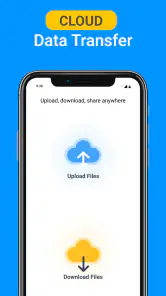
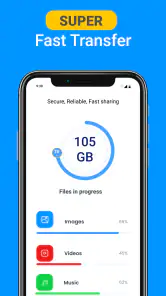
Analysis by Reviewed
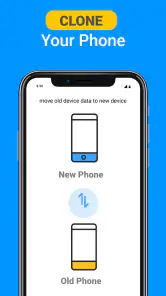
Imagine a world where transferring files between devices is as easy as pie! That's exactly what Smart Data Transfer-File Share aims to provide. If you've ever struggled with cumbersome cables or slow Bluetooth transfers, this app is here to rescue you from your data-sharing woes. Let me take you through my experience of using this nifty tool, and why I think it's a game-changer for anyone dealing with multiple devices.
Quick and Easy File Transfers
First off, the beauty of Smart Data Transfer-File Share lies in its simplicity. Setting it up was a breeze. I just downloaded the app, and within minutes, I was sharing files between my phone and laptop without breaking a sweat. The interface is intuitive, making it accessible even for those who aren’t tech-savvy.
Seamless Cross-Platform Sharing
One of the standout features for me was the seamless cross-platform sharing. Whether you're on Android or iOS, this app ensures that your files move swiftly and securely. Gone are the days when you had to worry about compatibility issues. I transferred photos, videos, and even hefty documents with zero hiccups.
And if you're concerned about security, fret not! The app employs a robust encryption protocol that keeps your data safe from prying eyes. It’s like having a digital fortress around your files, which is super reassuring in today’s cyber age.
Speed That Impresses
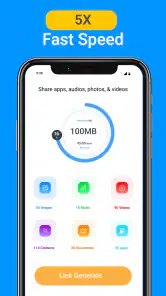
Speed is another area where this app shines. The file transfer speed left me genuinely impressed. It uses a Wi-Fi Direct connection that makes sharing files much faster than traditional methods. I transferred a full-length movie in under a minute, which is nothing short of spectacular!
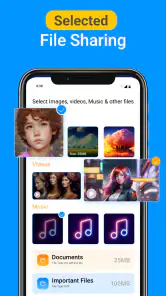
Moreover, the app doesn't limit you to one type of file. Whether it’s a crisp photo, a catchy tune, or even an important PDF, this app handles them all without breaking a sweat. The versatility is truly commendable.
Why You Should Try It
So, why should you give Smart Data Transfer-File Share a try? For starters, it saves you time. With its rapid transfer speeds and straightforward setup, you can focus more on what matters, rather than waiting for files to crawl their way across devices. Secondly, it bridges the gap between different operating systems, making it a must-have for households or workplaces with a mix of gadgets.
More From Our News Desk

Clash of Clans Is Won Between the Battles

Android Auto Makes the Case for Quieter Car Software

MobiOffice: Transforming Mobile Productivity with Seamless Integration

EA SPORTS FC™ Mobile Soccer: Redefining Mobile Sports Gaming

How Microsoft OneDrive Became a Mobile Productivity Giant

How Google Translate Breaks Language Barriers Effortlessly
In summary, if you're looking for a reliable, fast, and secure way to transfer files between devices, this app is definitely worth checking out. It has transformed the way I manage my digital files, and I’m sure it will do the same for you. So go ahead, give it a whirl, and say goodbye to file transfer headaches once and for all!
Smart Data Transfer-File Share Frequently Asked Questions
What is Smart Data Transfer-File Share and how does it work?
Smart Data Transfer-File Share is an application designed to facilitate the easy transfer of files between devices. It works by creating a wireless connection between devices, allowing users to send files such as photos, videos, documents, and more without the need for cables or internet connectivity. This app leverages technologies like Bluetooth or Wi-Fi Direct to ensure fast and secure file sharing.
Is Smart Data Transfer-File Share secure for transferring sensitive files?
Yes, Smart Data Transfer-File Share prioritizes security by using encrypted connections to protect your data during transfer. It ensures that only the intended recipient can access the files sent, minimizing the risk of unauthorized access. However, users should always ensure that they are sharing files with trusted devices and individuals to maintain data integrity.
Which devices and operating systems are compatible with Smart Data Transfer-File Share?
Smart Data Transfer-File Share is compatible with both Android and iOS devices, making it versatile for users across different platforms. It supports a wide range of devices, including smartphones, tablets, and even some computers, as long as they have the capability to connect via Bluetooth or Wi-Fi Direct. This cross-platform compatibility enhances its utility for users who own multiple types of devices.
Does Smart Data Transfer-File Share require an internet connection to function?
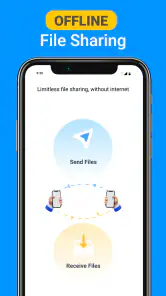
No, one of the key features of Smart Data Transfer-File Share is that it does not require an internet connection to transfer files. It uses direct device-to-device connections through Bluetooth or Wi-Fi Direct, allowing users to share files even in areas with poor or no internet connectivity. This makes it a convenient option for on-the-go file sharing.
Are there any limitations on the type or size of files that can be transferred using Smart Data Transfer-File Share?
Smart Data Transfer-File Share supports a wide variety of file types, including photos, videos, documents, and more. While there is generally no strict limit on the size of files that can be transferred, the speed and efficiency of the transfer may vary depending on the file size and the connection method used. Larger files might take longer to transfer, especially over Bluetooth connections.
Pros
- Fast transfer speeds for large files
- User-friendly interface
- Cross-platform compatibility
- No internet required for transfers
- Secure data encryption
Cons
- Ads can be intrusive
- Limited free storage
- Occasional connection drops
- Lacks advanced features
- In-app purchases required for premium features
- Category
- Libraries & Demo
- Version
- 1.3.3










