SkyCenter Control
- 20.00
- 4.0
- Installs
- 5.00M
- Price
- Free
Screenshots

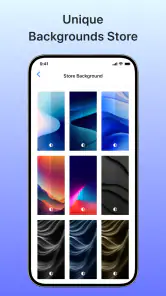
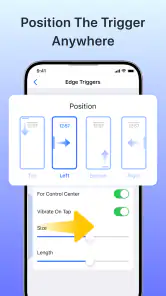

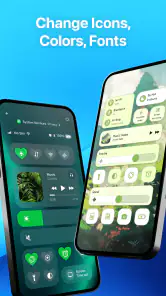
Analysis by Reviewed
I find the most useful way to judge SkyCenter Control is by the small actions it puts within reach: opening quick controls, getting to widgets, handling notifications, and controlling music. That makes it a personalization app with a practical focus, rather than a full productivity hub. If you want your phone’s everyday controls to feel more accessible, it’s worth considering; if you’re looking for calendars, email, or task tracking, I’d look elsewhere.
Quick access, with realistic speed expectations
In a control-focused app, speed is less about a dramatic launch and more about whether the controls you need are easy to reach when you need them. SkyCenter Control is built around quick control, widgets, music, and notifications, so its appeal depends on how naturally those fit into your routine. I’d judge it by trying a few repeated actions—checking a notification, changing music, or opening a widget—and seeing whether the extra layer feels convenient rather than like another stop.
A useful setup tip is to keep only the controls you reach for often in your main view. A crowded collection can make a quick-access tool feel slower even if the app itself responds promptly. I’d start with one or two daily needs, use them for a few days, and add more only when there’s a clear benefit.
Where it helps during a busy day
The best everyday case is a moment when you don’t want to dig through several screens: for example, while getting ready to leave, you might want to check a notification and adjust music without switching between unrelated parts of your phone. That convenience is modest but real. It is especially appealing if you enjoy tuning your home-screen experience and want a dedicated place for quick interactions.
There is a trade-off, though. Android already provides built-in quick settings, notifications, widgets, and media controls, and those native tools may be enough if your current setup feels comfortable. SkyCenter Control makes more sense when you want an alternative arrangement or a more personalized control surface, not when you expect it to replace every system tool or organize your whole digital life.
The User Interface and Experience
Upon launching SkyCenter Control, the first thing you'll notice is its sleek and user-friendly interface. The design is clean, and the navigation is intuitive, allowing users to easily access various features without a steep learning curve. The app's layout feels like a breath of fresh air, especially for those who have struggled with cluttered dashboards in other applications. The developers have clearly put a lot of thought into making the UI as accessible as possible.
Features that Stand Out
One of the standout features of SkyCenter Control is its ability to integrate with multiple platforms. Whether you’re syncing your calendar from Google or accessing your emails from Outlook, SkyCenter Control makes it seamless. This multi-platform integration is a game-changer for people who juggle between different services daily.
More From Our News Desk

Weather by Xiaomi Review: Clear at a Glance, Less Clear Up Close

X Under Pressure: Can It Recover When Posting Goes Wrong?

Clash of Clans Is Won Between the Battles

Android Auto Makes the Case for Quieter Car Software

MobiOffice: Transforming Mobile Productivity with Seamless Integration

EA SPORTS FC™ Mobile Soccer: Redefining Mobile Sports Gaming
Moreover, the task management feature is robust, allowing you to create, edit, and track tasks with ease. You can set deadlines, reminders, and even prioritize tasks, which is incredibly handy for keeping on top of your workload. I found the notification system particularly useful since it ensures you never miss a beat.
Heavy use and reliability
For heavier use, I’d keep expectations tied to the kind of work this app is meant to support. Repeatedly using music controls, notifications, widgets, and quick actions can make any extra interface feel worthwhile, but it also gives you more places to check when something doesn’t behave as expected. If a control seems out of date, I’d first check the relevant system control or the app providing the media or notification, then return to SkyCenter Control; that simple cross-check helps identify where the snag is without assuming the app is the cause.
SkyCenter Control is from developer 3D Viet Ha, and its current version is 1.0.18. It has a 4.0 average from around 8,500 ratings, with over 5 million installs. Those figures suggest a substantial audience, though they can’t tell me whether a particular phone setup will feel smooth. I’d treat the first few sessions as a practical test: try the controls you genuinely need, then decide whether the added access is reliable enough for your habits.
Privacy, platform fit, and trade-offs
Because the app brings notifications and controls into its experience, I’d think about what I want visible at a glance before making it part of my routine. Keep your display focused on information you’re comfortable seeing in that context, and use the phone’s own privacy and notification settings for sensitive items. This is a sensible habit with any control or widget app, rather than a reason to assume a particular privacy problem.
The app is free to install, is rated for Everyone, and offers in-app purchases ranging from $1.99 to $20.99 per item. I’d try the basic experience first and only consider a purchase if it solves a specific annoyance or adds something I’ll use regularly. It runs on Android 5.0 and later, but an older compatible operating system doesn’t guarantee the same feel on every device; available space, the phone’s overall responsiveness, and how you use its controls can all affect the experience.
Compared with adding individual widgets or sticking with Android’s built-in panel, this app offers a more consolidated personalization route. Individual widgets can be better if you only need one function and prefer fewer layers; the native panel is the simplest choice if it already does everything you want. SkyCenter Control is most appealing when you enjoy shaping how quick interactions are presented. I’d skip it if you don’t want another interface to maintain, or if your main goal is managing work, calendars, or email.
Security and Privacy
In today’s digital age, security and privacy are paramount, and SkyCenter Control doesn’t disappoint. The app uses advanced encryption to protect your data, ensuring that your personal and professional information remains secure. This commitment to privacy is reassuring, especially for users who handle sensitive data regularly.
Integration and Customization
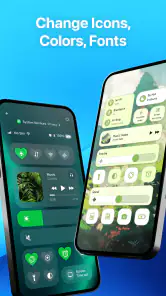
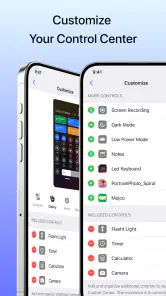
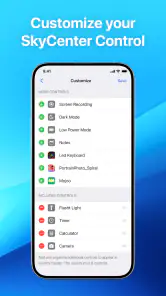
Customization is another area where this app shines. SkyCenter Control allows users to tailor their dashboard to suit personal preferences, from choosing widget layouts to customizing themes. This level of personalization helps make the app feel like it’s truly yours, enhancing the overall user experience.
Additionally, the app supports a variety of third-party integrations, making it a versatile tool that can adapt to your specific needs. Whether you want to integrate with Slack for team communications or Trello for project management, the possibilities are extensive.
Final Thoughts
As someone who constantly seeks ways to optimize my daily routine, I found SkyCenter Control to be an invaluable tool. Its combination of functionality, security, and customization options makes it a standout choice for anyone looking to consolidate their digital tasks. While no app is without its learning curve, SkyCenter Control manages to minimize this with its intuitive design.
Overall, if you’re on the hunt for an app that not only simplifies your digital life but also enhances your productivity, SkyCenter Control is definitely worth a try. It’s a small investment of time for a significant return in efficiency and peace of mind.
Who should give it a try
I’d recommend it most to someone who likes adjusting their Android setup and wants quick controls, widgets, music, and notifications to feel more coordinated. It’s less compelling for a person who rarely changes phone settings or already reaches their favorite controls without thinking. In that case, adding another layer may create upkeep rather than save time.
One practical way to decide is to use it during a typical day instead of judging it after a quick look. Notice whether it helps when you’re carrying groceries, walking out the door, or listening to something while doing chores. If it consistently saves a few taps in those ordinary moments, the personalization has a purpose; if you keep returning to the standard Android controls, that’s a clear sign to simplify your setup.
Making the setup work for you
I’d test the app in short, repeatable situations rather than trying to rebuild the whole phone around it at once. Choose a moment when you already reach for a control—such as pausing audio while cooking—and compare the steps with your usual method. If the new route is genuinely easier, keep it; if you have to remember where you placed the control, the added choice may be costing more attention than it saves.
That approach also helps answer a common practical question: does it need to become your only control surface? I wouldn’t treat it that way. Keep Android’s native panel familiar as a fallback, especially for actions you need quickly or when you’re still learning the app’s layout. A personalized layer is most useful when it complements habits you already have, not when it forces you to relearn the basics.
When another option makes more sense
If your goal is simply to place one frequently used function on the home screen, an individual widget may be the cleaner choice. It can keep that action visible without asking you to maintain a broader collection of controls. Conversely, if you want to reach several kinds of everyday actions in a more coordinated way, SkyCenter Control is the more relevant experiment. The right choice depends less on how many options sound useful and more on how often you actually use them.
I’d also skip it if you value a completely unchanged Android setup or find extra panels distracting. Personalization has a small ongoing cost: deciding what belongs there, keeping the arrangement understandable, and remembering to use it. That cost is easy to overlook when browsing features, but it matters if your current routine is already quick.
What I would check before relying on it
For notifications or music controls that seem inconsistent, I’d isolate the problem before changing the whole setup. Check whether the same notification or media action behaves as expected through Android’s standard interface, then try the corresponding route in the app. If the issue appears in both places, the source may be elsewhere; if it happens only through the added layer, simplify that part of the setup and see whether the pattern changes. This is a practical troubleshooting habit, not a guarantee about what caused a particular problem.
I’d also keep the first arrangement easy to scan. A control surface that looks tidy in a quiet moment can feel confusing when you’re moving, carrying something, or trying to respond quickly. Grouping your most frequent actions conceptually—rather than adding every possible option—makes it easier to build muscle memory and notice whether the app is earning its place.
My performance verdict
SkyCenter Control’s strongest case is convenience through a more tailored control experience, not a promise of faster hardware or fewer demands on your phone. I wouldn’t install it expecting a measurable speed boost, and I’d avoid loading the interface with options just because they’re available. Start lean, keep the tools you actually use, and remove anything that makes the view harder to scan.
For Android users who enjoy customizing how they reach everyday controls, it’s a reasonable free starting point, with purchases to weigh only if they match a clear need. If native quick settings already suit you, there’s no need to switch. My recommendation is simple: test it against your real routine and keep it only if it makes those repeated interactions feel easier.
SkyCenter Control Frequently Asked Questions
Which devices can run SkyCenter Control, and what should I check before downloading?
SkyCenter Control is a personalization app for Android, with a minimum operating-system requirement of version 5.0. Before downloading, check your device’s Android version and make sure it meets that requirement. The app is rated for Everyone, so its stated age classification is suitable for a broad audience. Its quick-control, widget, music, and notification focus makes it most relevant to people who want easier access to everyday controls.
What is SkyCenter Control and how does it enhance my device's functionality?
SkyCenter Control is an innovative app designed to optimize and streamline the user interface on your Android or iOS device. It enhances functionality by providing customizable control panels and quick access to essential settings and apps. Users can personalize their experience, improving both efficiency and convenience in day-to-day device usage. Its store description also highlights quick controls, widgets, music control, and notifications, which gives a clearer sense of its personalization focus.
Is SkyCenter Control safe to use on my device?
Yes, SkyCenter Control is designed with user safety in mind. The app is rigorously tested to ensure it does not compromise device security. It does not access personal data without permission, and adheres to strict privacy policies. Regular updates also help maintain security and address any potential vulnerabilities promptly.
How user-friendly is SkyCenter Control for new users?
SkyCenter Control is designed to be highly user-friendly, catering to both tech-savvy users and newcomers. The app features an intuitive interface with easy-to-navigate menus and clear instructions. Additionally, it offers helpful tutorials and customer support to assist users in maximizing the app's features without any hassle.
Are there any costs associated with using SkyCenter Control?
SkyCenter Control is free to download, so you can try its core experience without an upfront purchase. In-app purchases are available, with individual items priced from $1.99 to $20.99. This means optional spending may apply if you choose to purchase extras, so review the purchase details in the app before confirming any transaction.
Pros
- User-friendly interface enhances accessibility.
- Real-time data updates improve decision-making.
- Comprehensive flight tracking for better management.
- Customizable alerts for critical incidents.
- Supports multiple languages for global users.
Cons
- Requires stable internet for optimal performance.
- Limited offline features for remote locations.
- Can be resource-intensive on older devices.
- Subscription needed for premium features.
- Occasional bugs may affect user experience.
- Category
- Personalization
- Version
- 1.0.18











