

ShiftLock
- 70.00
- 4.3
- Installs
- 10.00K
- Price
- $6.99

Screenshots
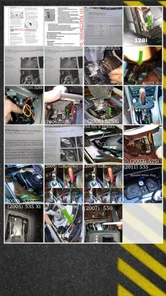
Analysis by Reviewed
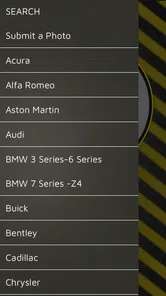
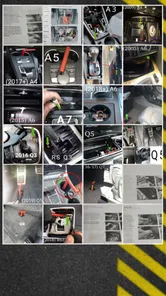
I would start with one important clarification: despite what the older review below describes, ShiftLock is not a keyboard app. It is a Books & Reference app for finding location information about vehicle shift-interlock releases. That distinction matters, because anyone looking for themes, swipe typing, or predictive text would be downloading the wrong kind of tool. I’d think of ShiftLock as a focused reference aid for people who work with vehicles and need to identify where an interlock release is located.
What the app is for today
A shift interlock can prevent a vehicle from shifting out of Park until a required condition is met. When a release is needed, knowing where to look can save time; guessing can mean wasted effort or unnecessary disturbance around the vehicle. ShiftLock’s purpose is to provide location information for those releases, rather than to diagnose a fault or perform the release itself. I would use it as a lookup companion, not as a substitute for careful inspection, service documentation, or sound safety practice.
That narrow purpose is also its clearest strength. A general web search may return broad explanations, unrelated vehicle discussions, or instructions written for a different model. A dedicated reference app can make more sense when the immediate question is simply where the release is located. Still, location information should be treated as a starting point: vehicles vary, and the exact arrangement can depend on the vehicle in front of you. Before acting, I’d check that the information matches the specific vehicle and follow the appropriate service procedure.
Who is most likely to find it useful
I can see the strongest fit for people who regularly encounter vehicles in situations where a shift-interlock release might need to be located: automotive technicians, roadside-assistance workers, vehicle recovery staff, and others who handle a range of cars. For them, the value is practical rather than entertaining. An organized reference can be handy when a vehicle cannot be shifted normally and the operator needs to find the relevant release point without spending time searching from scratch.
It may also help someone who occasionally works on vehicles and wants a reference nearby, but I would not buy it on the assumption that it covers every model or replaces formal training. A driver dealing with a single unfamiliar car might be better served by the vehicle’s owner documentation or by contacting roadside assistance, especially if they are not comfortable working around the console or transmission controls. The app’s usefulness depends on the user having enough automotive context to interpret location guidance sensibly.
A realistic roadside use
Imagine a vehicle is parked safely, but its shift mechanism will not move out of Park, and the situation calls for locating the shift-interlock release. A person who handles vehicles often could open the reference, look for the relevant location information, and use it to guide a careful visual check. That is a more deliberate workflow than poking around trim or searching online while standing beside the vehicle. The important point is that the app can inform the search; it cannot establish why the interlock is engaged or confirm that operating the release is appropriate in every circumstance.
My practical tip would be to identify the vehicle as precisely as possible before relying on any location reference. If the app’s information does not clearly fit what you see, stop rather than treating a near match as proof. Keep the vehicle secured, avoid forcing parts, and consult a suitable manual or qualified professional when the layout or procedure is uncertain. This kind of restraint is not a drawback of the app so much as a sensible boundary for any reference tool dealing with vehicle controls.
More From Our News Desk

 Gmail
GmailGmail in a Busy Inbox: Who Benefits Most?
From first account to crowded workday, Gmail earns its place through dependable search and flexible sorting—but its best fit depends on how much inbox maintenance you can tolerate.

 Prime Video
Switching to Prime Video: What Changes in Your Viewing Routine
Prime Video can make a compelling second home for streaming, but switching means learning a different catalog, rental layer, and route from browsing to playback.

 Universal TV Remote Control
Universal TV Remote Control Works Best as a Reliable Backup
A phone remote earns its place through quick setup and reliable habits. Here is how to get more from Universal TV Remote Control—and where its limits show.

 Weather - By Xiaomi
Weather by Xiaomi Review: Clear at a Glance, Less Clear Up Close
Xiaomi’s weather app makes everyday forecasts quick to scan, but its calm surface can leave useful details and recovery paths harder to find than they should be.

 X
XX Under Pressure: Can It Recover When Posting Goes Wrong?
A resilience-focused review of X, examining setup, mistaken posts, interruptions, weak connections, and the gaps that matter when recovery needs to be dependable.

 Clash of Clans
Clash of Clans Is Won Between the Battles
Its raids are quick; its community is a long-term project of coordination, teaching, rivalry, and shared responsibility—with all the friction that entails.
Latest News



How it differs from other references
Compared with a general search engine, a purpose-built lookup tool can reduce the work of sorting through irrelevant results. Compared with a full workshop manual, however, a focused app is not the same thing as a complete repair resource. A service manual may offer broader procedures and context; an owner’s manual may be the safer first stop for a vehicle’s ordinary operating instructions. ShiftLock occupies a narrower space: it is most compelling when the question is specifically about release location information and the user already knows how to handle the surrounding task responsibly.
That distinction helps set expectations. I would not choose it as a general automotive encyclopedia, a diagnostic app, or a guide to repairing transmission problems. Nor would I rely on a location reference alone to decide whether a vehicle is safe to move. If your work involves many makes and models, a single-purpose tool may be convenient, but it is worth considering how often you actually need this particular information. For someone who rarely encounters shift-interlock issues, a trusted manual or professional help may be enough.
Current version and the product’s history
The app is currently at version 4.4, and its release history begins on December 18, 2015. That tells me this is an established product rather than a newly launched idea, but those facts alone do not show which features or reference entries changed between versions. I would not infer specific improvements from the version number. For an existing user, the useful question is whether the current release continues to provide the location information needed for the vehicles they encounter, and whether it fits naturally into their existing reference workflow.
For someone considering it now, the long-running presence may be reassuring in one limited sense: the app has had time to become a defined, focused tool. It does not, by itself, guarantee that every vehicle is covered or that every detail will match a particular configuration. I would treat version 4.4 as the current state to assess, not as evidence of a particular update or a promise about future coverage. If you already use another manual or database, compare the actual lookup experience for your common vehicles before making this a central part of your toolkit.
Cost, compatibility, and the decision to install
ShiftLock costs $6.99, so I’d weigh that against how frequently I expect to need shift-interlock release locations. For a professional who encounters the problem repeatedly, paying for a dedicated reference may be reasonable if it saves time during real jobs. For a casual driver who might never need the information, the purchase is harder to justify; keeping the vehicle manual available or asking a qualified service provider could be the more sensible choice. Its Everyone age rating is a content classification, not a signal that the task itself requires no care or expertise.
The app’s minimum operating-system requirement is version 8.0. Before purchasing, I would check that the device I plan to use meets that requirement and consider whether I can access it conveniently in the places where I handle vehicles. A reference has limited practical value if it is installed on a device that is unavailable at the roadside or difficult to consult safely. It should also be treated as one tool among others: a phone-based lookup is useful only when it can be used without distracting from traffic, vehicle security, or the work itself.
What ratings can—and cannot—tell me
ShiftLock has an average rating of 4.3 from around 160 ratings, with about 70 written reviews, and it has passed 10,000 installs. Those figures suggest that people have used and assessed it, but they do not tell me whether its coverage matches a particular vehicle or work setting. I would read user feedback for clues about practical fit, then judge the app against the vehicles I actually deal with. Ratings can help set context; they should not replace checking that a reference is suitable for the specific task.
The developer is Wreckmaster Mark, and the app’s focused subject matter is clear from its purpose. I would still make my choice based on whether I need this narrow kind of information, not on popularity alone. If I were buying it for regular work, I’d want the lookup to fit the way I identify vehicles and consult service information. If I were buying it for a one-off situation, I’d first consider whether an existing manual or professional support would answer the question with less uncertainty.
Limits worth keeping in mind
The central limitation is scope: location information does not explain every reason a vehicle may remain in Park, and it is not a diagnosis. A release location can be only one piece of a larger situation. If the vehicle’s battery, selector, brake system, or another component is involved, finding a release point may not resolve the underlying issue. The safe response is to avoid turning a location hint into an assumption about what has failed or what should be done next.
There is also a practical trade-off between a concise reference and comprehensive context. A short lookup can be faster than a manual, but a manual is often better when the task requires a full procedure, warnings, or vehicle-specific cautions. I would use ShiftLock to orient myself, then consult the appropriate documentation whenever the job goes beyond locating the release. That two-step approach is especially useful for less familiar vehicles, where trim layouts and control arrangements can make a quick visual guess unreliable.
My recommendation
I’d recommend ShiftLock to people who have a recurring, practical reason to locate vehicle shift-interlock releases and who already understand when a reference is not enough. Its appeal is its specific purpose: it can put relevant location information close at hand instead of making the user begin every search from zero. I would skip it if I wanted a broad car-maintenance guide, a diagnostic tool, or a keyboard app, or if I had no likely use for this particular reference.
In short, I see it as a specialized aid, not a complete solution to a vehicle that will not shift. Its value depends on matching the information to the vehicle, using it in a safe setting, and knowing when to consult a manual or technician. For the right user, that focused role can make the app a useful addition to a working reference collection. For everyone else, the $6.99 cost is best considered against the likelihood of needing this specific information, rather than the general appeal of having another automotive app.
A Fresh Typing Experience
The moment I installed ShiftLock, the first thing that struck me was its sleek and intuitive interface. Unlike other keyboard apps that clutter the screen with unnecessary options, ShiftLock keeps things neat and simple. This design choice not only makes navigation a breeze but also enhances the overall user experience. The app offers a range of themes that allow you to customize your keyboard's appearance according to your mood or preference. Personally, I loved the 'Night Mode' theme which is easy on the eyes and perfect for late-night texting.
Smart Predictions and Auto-Correct
One of the standout features of ShiftLock is its smart prediction and auto-correct capabilities. The app learns your typing habits and suggests words that you frequently use, making your typing faster and more efficient. It's like having a personal assistant who knows exactly what you're going to say next! I found it incredibly convenient, especially when typing long messages or emails. Plus, the auto-correct is pretty spot on, which saves you from those embarrassing typo moments.
Gesture Typing Magic
If you haven't tried gesture typing yet, you're missing out! ShiftLock's gesture typing feature allows you to glide your finger from letter to letter, and voila, the word appears on your screen. It's not just a fun way to type, but also a time-saver. I was amazed at how accurately the app interpreted my swipes, even when I was in a hurry. It's perfect for those who love multitasking or need to type on the go.
Privacy at Its Core
In an age where privacy concerns are at an all-time high, ShiftLock assures users with its robust privacy policy. The app guarantees that none of your keystrokes are recorded or shared with third parties. This peace of mind is a huge plus for me, as it should be for anyone who values their privacy. Knowing that my personal data is safe while using the app makes the experience even more enjoyable.
Overall, if you're in the market for a fresh, efficient, and secure keyboard app, ShiftLock is definitely worth checking out. Its combination of smart features and user-friendly design offers a typing experience like no other. So, why not give it a try and see how it transforms your typing habits? Trust me, you won't regret it!
ShiftLock Frequently Asked Questions
What is ShiftLock and how does it work?
ShiftLock is an innovative app designed to enhance your typing experience by offering advanced keyboard customization options. It allows users to modify key functions, personalize layouts, and implement shortcuts for efficient typing. The app integrates seamlessly with your device's existing keyboard settings, providing a user-friendly interface that makes navigation and setup straightforward.
Is ShiftLock compatible with all Android and iOS devices?
ShiftLock is compatible with most recent Android and iOS devices. However, it is essential to ensure that your device meets the minimum system requirements specified on the app's download page. Compatibility may vary based on the version of the operating system, so it's advisable to check for any updates or specific notes related to your device's OS version.
Does ShiftLock offer any privacy features?
Yes, ShiftLock prioritizes user privacy by implementing robust security measures. The app does not collect or store any personal data without user consent. All customizations and settings are saved locally on the device, ensuring that your information remains private and secure. This focus on privacy makes ShiftLock a reliable choice for users concerned about data protection.
Are there any costs associated with using ShiftLock?
ShiftLock offers a free version with basic features for all users. For those looking to unlock advanced functionalities, there is a premium version available for purchase. The premium subscription includes additional customization options, priority support, and ad-free usage. Be sure to review the pricing details and subscription terms before upgrading to ensure it fits your needs.
How can I troubleshoot common issues with ShiftLock?
If you encounter any issues while using ShiftLock, there are several steps you can take to troubleshoot. First, ensure that the app is up-to-date by checking for any available updates. Restarting your device can also resolve minor glitches. If problems persist, consult the app's help section or contact customer support for further assistance. User forums and online communities can also be valuable resources for finding solutions to common problems.
Pros
- User-friendly interface
- easy to navigate.
- Integrates well with other apps.
- Provides real-time updates.
- Highly customizable settings.
- Stable performance across devices.
Cons
- Limited free features available.
- Occasional minor bugs.
- Requires internet connection.
- In-app purchases can be pricey.
- No offline mode available.











