Shield: Antivirus Home Screen
- 12.03K
- 4.4
- Installs
- 5.00M
- Price
- Free

Screenshots
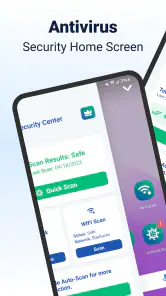
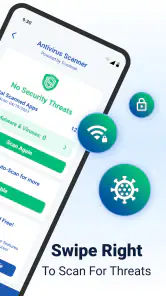
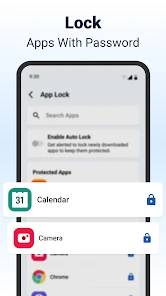
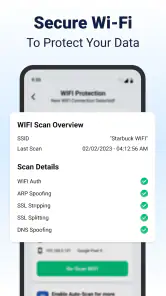
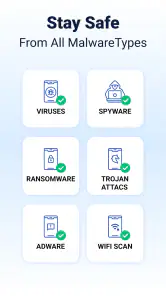
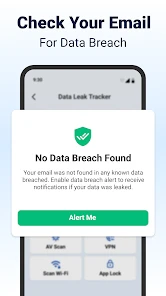
Analysis by Reviewed
Ever wondered if there’s a way to keep your phone safe while jazzing up your home screen with a sleek look? Well, I’ve recently stumbled upon the Shield: Antivirus Home Screen app and, let me tell you, it’s quite the game-changer for anyone looking to combine functionality with style.
Your Phone’s New Best Friend
First things first, let’s talk about what sets the Shield: Antivirus Home Screen apart from the zillion other antivirus apps out there. As someone who’s constantly on the lookout for the latest apps to try, I found its unique approach quite refreshing. Picture this: an antivirus that doesn’t just sit quietly in the background but integrates into your home screen to provide real-time protection and information about your phone’s health. Cool, right?
Features That Pack a Punch
The app is designed with a user-friendly interface, making it easy for tech newbies and pros alike. One of the standout features is its real-time scanning capability which alerts you to any potential threats as they arise. I’ve tested it on a few sketchy downloads, and it flagged them faster than I could say “oops!”
Another nifty feature is the battery monitor. Now, I don’t know about you, but my phone’s battery life is sacred. The app provides comprehensive insights into which apps are draining your battery, and it even offers suggestions on how to extend your battery life. Who knew an antivirus could be this helpful?
Performance Meets Aesthetics
Now, I’m a sucker for anything that looks good, and Shield doesn’t disappoint. The home screen widgets are customizable, allowing you to match them with your phone’s theme. Whether you’re into minimalist designs or something a bit more vibrant, there’s something for everyone.
What’s more, Shield offers real-time notifications on your home screen. So, not only does it keep your phone safe, but it also keeps you informed without having to dig through app menus. It’s like having a personal assistant that’s always on the lookout for your phone’s wellbeing.
Final Thoughts
In a world where our smartphones are almost an extension of ourselves, keeping them secure is a top priority. The Shield: Antivirus Home Screen app brings together security and style in a way that’s both innovative and practical. It’s not just another antivirus; it’s a comprehensive tool that enhances your phone’s functionality while keeping it safe.
So, if you’re in the market for a new antivirus app that does more than just sit in the background, I’d definitely recommend giving Shield a try. It’s an app that truly understands the modern smartphone user’s needs and delivers on its promises without compromising on style or performance.
Pros
- User-friendly interface simplifies use.
- Real-time protection ensures safety.
- Low resource consumption saves battery.
- Frequent updates enhance security.
- Customizable settings for flexibility.
Cons
- Occasional false positives alert.
- Premium features locked behind paywall.
- Ads in free version can be intrusive.
- Limited support for older devices.
- Initial setup can be slightly complex.

- Category
- Personalization
- Version
- 4.0.28











