

Set Battery Charging Animation
- 445.00
- 4.6
- Installs
- 1.00M
- Price
- Free
Screenshots

Analysis by Reviewed
I like phone customizations that change a small, familiar moment without asking me to redesign the whole device. That is the appeal of Set Battery Charging Animation: it gives plugging in a more distinctive visual feel, rather than trying to manage the battery itself. If you enjoy personal touches and often leave your phone where you can see it charging, the idea is easy to understand. If you want a tool that diagnoses battery problems or improves charging, this is not the kind of app I would turn to.
What to expect from a charging animation
The app sits in the personalization space, with a narrow focus on what appears around a charging session. Its basic promise is visual: choose a look, connect the charger, and make that otherwise ordinary moment feel a little more like your own. I see that as a modest benefit rather than a major phone upgrade, which is also why the app is easiest to appreciate when your expectations are modest.
Before choosing an effect, think about where and how you charge. An animation has little value if your phone stays face down, the screen is usually off, or the device is tucked away in a bag. It makes more sense on a desk, bedside table, or stand where you naturally glance at the display. That simple check can save you from spending time personalizing a feature you will rarely see.
Transform Your Charging Routine
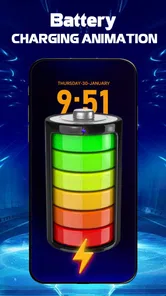
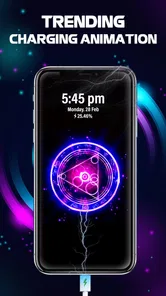
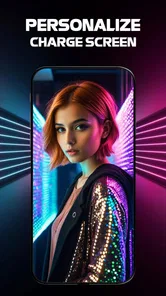
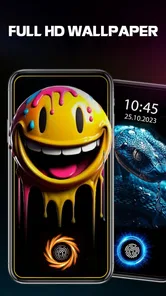
Let's face it, staring at a static battery icon as your phone charges is far from thrilling. The Set Battery Charging Animation app spices things up by offering a wide range of animations to choose from. Whether you're into sleek neon visuals or charming cartoon-style graphics, there's something here to match your vibe. Personally, I found myself leaning towards the colorful geometric animations that made my phone feel like a piece of modern art.
Where Connectivity Enters the Picture
The central idea is visual, not social: the app changes what you see around charging rather than turning charging into a shared activity. That makes it easy to enjoy in a quiet moment at home, but it also means I would not choose it for anyone looking for messaging, cloud syncing, or a connected battery-management dashboard. If an animation or setting takes a moment to appear, I would first check the phone’s connection and reopen the app before assuming the customization itself has failed.
For a practical routine, I would choose an animation while connected, then test it during an ordinary charging session rather than waiting until I need the phone urgently. That small check helps separate a setup issue from the normal interruptions of a busy day. I also prefer to keep the experience simple: one animation I like is more useful than repeatedly browsing options whenever I plug in.
Easy Setup and Customization
Setting up the app is a breeze. Once you've installed it, the user-friendly interface guides you through the process of selecting and applying your desired animation. It's all about personalizing your charging experience, and the app gives you the freedom to switch animations whenever you want. You can even set different animations for different charging levels, which is a neat touch!
More From Our News Desk

 Gmail
GmailGmail in a Busy Inbox: Who Benefits Most?
From first account to crowded workday, Gmail earns its place through dependable search and flexible sorting—but its best fit depends on how much inbox maintenance you can tolerate.

 Prime Video
Switching to Prime Video: What Changes in Your Viewing Routine
Prime Video can make a compelling second home for streaming, but switching means learning a different catalog, rental layer, and route from browsing to playback.

 Universal TV Remote Control
Universal TV Remote Control Works Best as a Reliable Backup
A phone remote earns its place through quick setup and reliable habits. Here is how to get more from Universal TV Remote Control—and where its limits show.

 Weather - By Xiaomi
Weather by Xiaomi Review: Clear at a Glance, Less Clear Up Close
Xiaomi’s weather app makes everyday forecasts quick to scan, but its calm surface can leave useful details and recovery paths harder to find than they should be.

 X
XX Under Pressure: Can It Recover When Posting Goes Wrong?
A resilience-focused review of X, examining setup, mistaken posts, interruptions, weak connections, and the gaps that matter when recovery needs to be dependable.

 Clash of Clans
Clash of Clans Is Won Between the Battles
Its raids are quick; its community is a long-term project of coordination, teaching, rivalry, and shared responsibility—with all the friction that entails.
Latest News



That flexibility is most useful when it solves a small everyday problem. For example, if I charge my phone at my desk and glance at it between tasks, changing the visual cue can make the display feel more personal without requiring me to open a separate utility each time. If you prefer a plain lock screen or want charging to be as unobtrusive as possible, though, a standard battery indicator is the better fit. This is a cosmetic layer, not a replacement for checking whether your phone is actually charging.
Performance and Battery Impact
Now, you might be wondering if adding animations to your charging routine will drain your battery faster. Rest assured, the app is designed to be lightweight and optimized for performance. It doesn't consume a significant amount of battery power, so you can enjoy your animations without worrying about extra battery drain.
My practical advice is to judge the effect in your own routine rather than expecting an animation to improve charging speed or battery health. If the display does not behave as expected, close and reopen the app, check that your chosen customization is still selected, and try again at the next convenient charge. A phone’s charging behavior can depend on the device and its settings, so I would not treat a visual change as proof that a battery problem has been fixed.
Making it fit different charging habits
Consider a typical evening: I plug in my phone beside the bed, check that it is charging, and then leave it alone. An animation can make that brief glance more pleasant, but it should not encourage me to keep waking the screen or checking the battery repeatedly. For this kind of routine, I would choose a look once, confirm that it appears during a normal charge, and then let the phone do its job. The point is a small visual reward, not another reason to monitor the device.
At a shared desk or in a busy household, the same effect can be more noticeable to other people. That may be a plus if you enjoy showing off a custom look, but it can feel distracting if you need a calm workspace or keep your phone in view during meetings. I would test the animation in the place where I actually charge rather than judging it only while browsing. The display context matters more than how appealing a preview seems in isolation.
There is also a useful distinction between seeing an animation and knowing the battery’s exact status. The visual effect can make the charging moment easier to notice, but I would still rely on the phone’s normal battery percentage and charging indicators for practical decisions. If you are about to leave, for example, the percentage is what helps you decide whether to take a power bank or wait a little longer; an attractive animation cannot answer that by itself.
When connection or display behavior gets in the way
Connectivity should not be the reason to rely on this app for urgent battery information. If you are setting it up somewhere with an inconsistent connection, avoid leaving customization until the last moment: choose your preferred appearance when you have time, then check it during a routine charging session. If something seems delayed, reopening the app and checking the selected option is a sensible first step. I would not keep changing several things at once, because that makes it harder to tell what actually fixed the problem.
For travel, a charging animation is best treated as an optional extra. In an airport, car, or other place where you are focused on getting enough charge before moving on, the usual system indicator is more useful because it gives you the information you need at a glance. Once the phone is safely charging and you have a moment to spare, the custom look can add personality. This is a small but important trade-off: decoration is enjoyable when there is time to notice it, while dependable status information matters most when time is tight.
If the animation does not appear, I would work through a simple recovery routine instead of assuming the app or the phone is broken. First confirm that the cable or charger has actually started charging the device. Then reopen the app, make sure the intended appearance remains selected, and try again at a convenient time. If the phone’s own indicator also says it is not charging, the issue is more likely to be with the charging setup or device behavior than with a cosmetic layer. Keeping those checks separate prevents a visual setting from being mistaken for a battery fix.
Who Will Enjoy the Extra Detail
For someone who enjoys tweaking a phone’s appearance, this is a more focused alternative to changing a whole theme or launcher: it adds personality specifically at the moment the charger is connected. I can see it suiting a phone kept on a bedside table or stand, where the animation is visible while the device is charging. It is less compelling for someone who charges out of sight, keeps the screen off, or would rather preserve a minimal interface.
It is a free personalization app from SMI Team, rated for Everyone, and it has an average rating of 4.6 from around 62,000 ratings, with over 1 million installs. The current version is 2.2.3, and the app was released on June 11, 2024. Those figures suggest it has found an audience, but the right test is still whether you enjoy seeing a charging animation on your own phone. If connectivity is unreliable, I would avoid making setup a last-minute task; choose and check the look when you have time, then keep a regular battery indicator as your dependable reference.
Choosing between this and other personalization options
Compared with the default battery display, this app is for mood and appearance, not for more useful battery data. Compared with changing a wallpaper, icon set, or launcher, it is a smaller commitment: the change is tied to charging, so it does not alter the rest of the phone’s look. That narrower scope is appealing if you want one playful detail without rebuilding your home screen. If you want a consistent visual theme across every screen, a broader customization option will make more sense.
I would also separate it from battery utilities. Those are the better choice when your priority is checking battery condition, understanding power use, or investigating an unexpected drain. An animation app can make a charging session more enjoyable, but it should not be treated as a diagnostic or optimization tool. For someone who mainly wants an accurate, quiet indicator, the built-in display is already the more direct solution.
Why You Should Try It
In a world where our smartphones have become extensions of ourselves, it's fun to add a bit of personality to every aspect of their use. The Set Battery Charging Animation app is perfect for those who appreciate the little details and want to make their phone stand out. Plus, it's a great conversation starter when friends notice the cool animations dancing across your screen during a charge.
In my view, its appeal is deliberately narrow: it makes plugging in feel less routine, but it is not a tool I would install to solve charging, connectivity, or battery-health problems. Compared with default system indicators, it offers a more expressive look; compared with broader theme apps, it keeps the focus on one moment. That focus is a strength if you enjoy small visual changes and a limitation if you want deeper phone-wide customization.
If you are deciding whether to try it, ask yourself two practical questions: do you look at your phone while it charges, and do you want that moment to feel more personal? A yes to both makes the app a reasonable fit. If you usually charge overnight with the display out of sight, or you prefer the least distracting interface possible, you are unlikely to get much from it. Either way, the standard battery percentage remains the sensible reference when you need to know how much charge you have.
To sum it up, if you're looking to add a dash of excitement to your daily phone routine, this app is definitely worth checking out. It's simple, fun, and brings a smile to your face every time you plug in your device. So go ahead, give the app a try and transform your charging experience into something extraordinary!
Set Battery Charging Animation Frequently Asked Questions
Who makes Set Battery Charging Animation, and what kind of app is it?
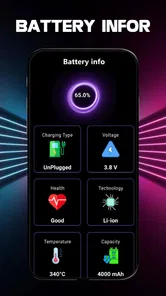
Set Battery Charging Animation is a personalization app from SMI Team. It is aimed at people who want to give the screen a distinct look when their phone is plugged in, rather than change how the device charges. Its central idea is simple: display a charging animation and show the battery percentage, so the charging screen feels more personal at a glance.
How popular is Set Battery Charging Animation?
Set Battery Charging Animation has over 1 million installs and an average rating of 4.6 from around 62,000 ratings. Those figures suggest it has attracted a sizable audience among people looking for a charging-screen customization app. Popularity is useful context, but whether its style and options suit you is best judged by trying the app on your own device.
What should I know about the app before downloading it?
Set Battery Charging Animation is a free personalization app from SMI Team, made for people who want to change the look of their phone while it is charging. Its store description focuses on charging animations and showing the battery percentage. It is rated for Everyone, so its stated age classification is suitable for a general audience.
Will Set Battery Charging Animation work on my phone?
The app is listed for Android devices running Android 7.0 or later, which makes checking your phone’s operating system a useful first step before downloading. The current version is 2.2.3. If your device meets the minimum requirement, you can install the app and explore its charging-animation features on your own phone.
What is Set Battery Charging Animation app and how does it work?
Set Battery Charging Animation is a mobile app designed to enhance your device's charging experience by displaying vibrant and animated battery charging visuals on your screen. Once installed, the app allows you to select from a variety of animations that play while your device is connected to a charger, making the charging process more engaging and visually appealing.
Pros
- Visually appealing charging animations.
- User-friendly interface and easy setup.
- Wide variety of animation choices.
- Low impact on battery performance.
- Customizable animation settings.
Cons
- May not support all device models.
- Some animations require in-app purchases.
- Ads can be intrusive at times.
- Limited free features available.
- Occasional lag on older devices.











