Secure Camera
- 181.00
- 4.3
- Installs
- 5.00M
- Price
- Free

Screenshots
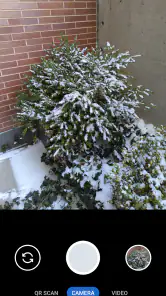
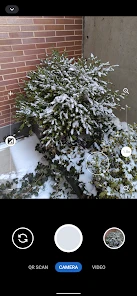
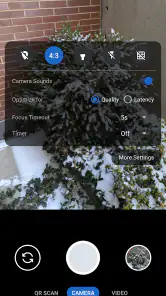
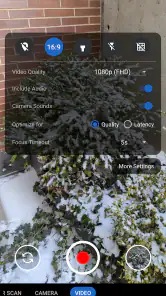
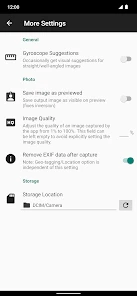
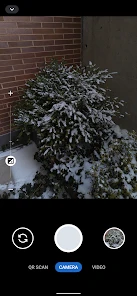
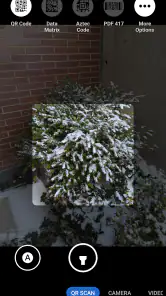
Analysis by Reviewed
Have you ever felt the need for an extra layer of privacy when it comes to your photos and videos? Enter Secure Camera, a nifty little app that promises to keep your captured moments under wraps. I decided to give it a spin and here’s what I discovered.
Capturing Moments with Privacy
Right out of the gate, Secure Camera impressed me with its straightforward setup. The app is designed to function like your standard camera, but with a significant twist – it encrypts your photos and videos as soon as you capture them. This means that even if someone manages to get their hands on your phone, they won't be able to access your encrypted media without the right credentials. How cool is that?
User Interface and Experience
Let’s talk about the user interface for a moment. The app sports a minimalistic design which I found quite refreshing. Everything is laid out intuitively, so you don’t have to fumble around trying to find the settings you need. I especially loved how quick and snappy the app feels; it doesn’t bog down your phone like some other bulky apps out there.
One of the standout features for me is the ability to switch between regular and encrypted modes seamlessly. Whether you’re snapping a quick selfie or recording a special moment, the transition is smooth and hassle-free.
Security Features
Now, onto the app's bread and butter – its security features. Secure Camera employs end-to-end encryption to ensure your files are only accessible to you. Plus, it offers additional security measures such as password protection and biometric authentication. For someone like me who values privacy, these features are a godsend.
I also appreciate the app’s ability to camouflage itself. In stealth mode, it hides its presence on your phone, making it even harder for prying eyes to know what you’re up to. It's like having a secret vault for your media right in your pocket.
Performance and Compatibility
Performance-wise, Secure Camera holds up well. It doesn’t lag or crash, which is crucial for an app that needs to be reliable at all times. It's compatible with both Android and iOS platforms, so whether you’re team Android or an Apple enthusiast, you’re covered.
One thing to keep in mind is the battery usage. While the app is generally efficient, running it in high-security modes can drain your battery faster than usual. So, you might want to keep an eye on your battery levels during extended use.
In conclusion, Secure Camera is a fantastic option for anyone looking to add an extra layer of security to their media files. Its seamless integration and robust security features make it a standout choice in a market saturated with camera apps. Whether you’re paranoid about privacy or just want to keep your photos safe from nosy friends, this app has got you covered. Give it a try and see for yourself!
Pros
- High-resolution photo capture capability.
- User-friendly interface for easy navigation.
- Supports multiple media formats.
- Offers cloud backup for data security.
- Includes a variety of editing tools.
Cons
- Limited free storage space available.
- Some features require in-app purchases.
- Occasional lag on older devices.
- Requires internet for cloud backup.
- Limited manual control over settings.

- Category
- Photography
- Version
- 90











