Screen Recorder+Video Recorder
- 10.55K
- 4.4
- Installs
- 10.00M
- Price
- Free

Screenshots
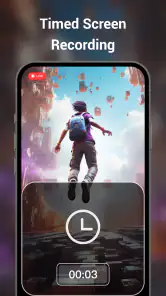
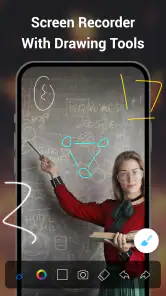
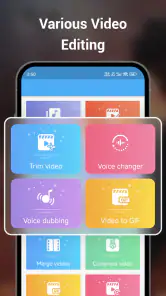
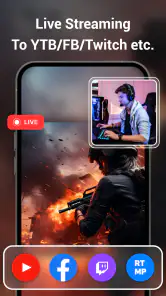
Analysis by Reviewed
I usually reach for a screen recorder when I need to show something that is easier to demonstrate than explain. Screen Recorder+Video Recorder is a free Android app in the video player and editing category, made by Video Screen Recorder, Voice Audio Editor, Cut MP3. Its appeal is having a way to capture phone activity and handle simple edits without turning a quick task into a desktop project. I’d consider it for game clips, short how-to videos, or showing someone exactly where a setting is on my screen.
Who will get the most from it
For a friend who regularly explains phone steps to family, the combination of recording and trimming is more useful than a recorder that only saves raw footage. I’d start recording just before the relevant settings screen, demonstrate the steps, then cut off the dead time at the beginning and end. That small cleanup makes a tutorial easier to follow and avoids sending a long clip when only a few moments matter.
It can also suit casual mobile gamers who want to save a good round or show a tricky passage. The practical trade-off is that a long recording creates a larger video to review and share, so I’d decide beforehand what I want to capture and check the finished clip before sending it. A dedicated editing app may be better if the result needs elaborate pacing, multiple layers, or a polished, multi-part presentation.
Everyday recording choices
For example, if I were helping someone troubleshoot an app, I could record the issue as it happens, stop once the useful steps are shown, and trim away the wait while a page loads. I would keep the narration brief and make sure the screen contains only what I intend to share. A screen capture can reveal messages or account details, so checking the clip before posting is a sensible habit, especially when recording in a hurry.
Before an important capture, I’d also do a short test to check whether the sound I need is present and whether the text remains legible after sharing. This is a useful workflow for any phone recording, but it matters especially when the clip is meant to teach rather than simply entertain. If the video is for a formal presentation, I’d compare the result with a desktop recorder or a more advanced editor, where a larger workspace can make precise narration and finishing easier.
How it fits among recording apps
Many phones already include a built-in screen recorder, which can be the simplest choice for an occasional capture: it avoids installing another app and may be enough when all I need is an untouched clip. I’d choose this app when I want recording and straightforward edits in one place. On the other hand, someone who only records once in a while may find the built-in tool less fussy, while creators who need detailed audio cleanup or complex timelines will likely prefer a specialist editor.
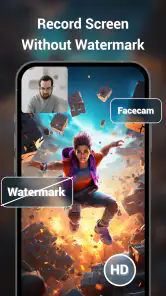
The app’s stated appeal includes no recording time limit and no watermark, which can matter if a clip runs longer than a quick demonstration or is going to be shared as-is. Still, an unrestricted session does not make every long take convenient: storage, time spent reviewing, and the effort of trimming remain practical considerations. I would capture only what I need rather than treating unlimited recording as a reason to leave the recorder running.
More From Our News Desk

Weather by Xiaomi Review: Clear at a Glance, Less Clear Up Close

X Under Pressure: Can It Recover When Posting Goes Wrong?

Clash of Clans Is Won Between the Battles

Android Auto Makes the Case for Quieter Car Software

MobiOffice: Transforming Mobile Productivity with Seamless Integration

EA SPORTS FC™ Mobile Soccer: Redefining Mobile Sports Gaming
Getting Started and Making It Fit Your Routine
First things first, downloading and setting up Screen Recorder+Video Recorder is a breeze. It is an Android app, and the minimum operating-system requirement is Android 6.0. The installation process is straightforward, and before you know it, you’re ready to start recording.
Features that Stand Out
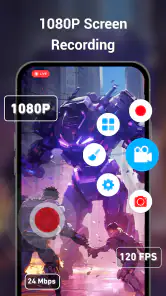
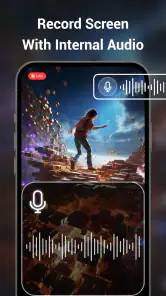
One of the features I found most impressive is the app’s ability to capture high-quality video without any noticeable lag. You can record your screen in up to 1080p resolution, which is perfect for those moments you want to preserve in the best quality possible. Plus, the app supports recording with audio, so if you’re narrating a tutorial or capturing the in-game sound, it’s all included.
Another cool feature is the editing suite that comes built-in. Once you’ve captured your footage, you can trim, cut, and even add music or text overlays directly within the app. It’s like having a mini editing studio right in your pocket!
Using the App Like a Pro
Screen Recorder+Video Recorder is not just about capturing; it’s about doing it with style. The app offers a floating control button that makes starting and stopping recordings incredibly intuitive. You don’t need to juggle between apps or search through menus, which is a lifesaver when you’re in the middle of an intense gaming session.
I also loved the option to adjust the frame rate and bit rate, giving you full control over the quality of your recording. Whether you’re going for a quick capture or a high-quality production, the app has got the flexibility you need.
Sharing and deciding whether it suits you
Once you’ve edited and polished your video, sharing it is just a tap away. The app integrates smoothly with social media platforms, making it super easy to show off your creations to your friends and followers. You can also save the videos directly to your device or upload them to a cloud service for safekeeping.
The current version is 5.2.0.3, and the app has been available since May 16, 2017. That establishes its history and current version, but I wouldn’t infer a particular feature change or improvement from those facts alone. For existing users, the sensible approach is to judge an update by whether recording and editing still fit their routine, then check a short test clip before relying on it for a longer tutorial or game session.
Its audience is broad: it is rated for Everyone, has a 4.4 average from around 450,000 ratings, and has passed 10 million installs. The app is free to install, with optional in-app purchases ranging from $0.99 to $29.99 per item. I’d keep that distinction in mind if I’m choosing it for occasional use: the starting price is free, while paid extras may affect the experience depending on what I choose to use.
A practical workflow for useful clips
For a quick tutorial, I’d plan the route through the phone before pressing record: open the first screen I want to show, know which settings I need to reach, and avoid wandering through unrelated menus. That reduces edits later and makes the final clip easier to follow. The floating control is useful here because I can start and stop without interrupting the demonstration to hunt through the app.
For game footage, I’d make a short capture first rather than beginning with a long session. I can check whether the action stays readable and whether the sound matches what I want to share, then adjust the frame rate or bit rate if needed. Higher capture settings may be attractive for detail, but the practical choice is the one that leaves enough room to keep, review, and send the clip comfortably.
Where I’d draw the line
This is not my first pick for a production that needs carefully mixed sound, detailed transitions, or a fully controlled editing timeline. Nor would I assume every phone will deliver identical capture quality: a screen recorder’s usefulness depends on the device and the material being recorded. If a game stutters during capture or a tutorial’s text looks too small, I’d shorten the session, simplify what is on screen, or use a different workflow rather than expecting editing to fix the source.
I’d also treat audio as something to verify, not take for granted. A quick test recording can reveal whether the clip has the sound or narration I need before I invest time in a longer take. That is particularly useful for demonstrations: if the viewer cannot hear the explanation, a clean screen video may still fail to communicate the steps.
Small checks that prevent frustrating retakes
Before recording a message or tutorial, I’d close anything that might interrupt the screen and take a moment to check what information is visible. The important point is not just privacy: a notification appearing over a step can make the clip confusing, while account names or personal details may be exposed in a recording shared beyond its original audience. Watching the finished video once is a simple quality check, not busywork.
There is also a useful distinction between trimming and full editing. Cutting off a slow start or an accidental pause is exactly the kind of cleanup that makes an all-in-one recorder convenient. If I need to combine several takes, balance narration against music, or make every transition precise, I’d export the useful footage to a specialist editor instead of trying to force a quick-edit tool into a larger production role.
What I’d watch in daily use
For routine captures, I’d make a simple habit of naming or reviewing clips soon after recording, trimming unnecessary sections, and removing takes I no longer need. That keeps a growing collection manageable and makes it easier to find the useful version when I want to share it later. If I plan to upload a clip, I’d watch it once from beginning to end first, checking both the information visible on screen and the sound.
The no-limit approach is helpful when an explanation or game session takes longer than expected, and no watermark makes a clip easier to share without a visible branding mark. Neither benefit removes the ordinary costs of recording: a long take still needs storage, attention, and often editing. I’d treat those claims as convenience features, not as a reason to capture everything indiscriminately.
My overall take is that this is a practical middle ground: more convenient than recording first and opening a separate editor for every small cut, but less suited to demanding video work than a specialist editing setup. It makes sense for casual gamers, people making quick phone tutorials, and anyone who wants a direct way to capture and tidy a screen recording. If I only need a rare, untouched clip, I’d try the phone’s built-in recorder first; if I need fine-grained production control, I’d look elsewhere. For everyday captures, though, the mix of recording controls and basic editing makes it a reasonable app to try.
Screen Recorder+Video Recorder Frequently Asked Questions
Will Screen Recorder+Video Recorder save recordings directly to my device?
Screen Recorder+Video Recorder is built around capturing and editing screen videos, so saving your work for later viewing or sharing is a natural part of using it. Before you begin a long capture, make sure your device has enough free storage, since video files can take up space. You can then use the app’s editing tools to prepare a recording.
Can I use Screen Recorder+Video Recorder to edit a video after recording?
Yes. Screen Recorder+Video Recorder is described as both a screen recorder and a video editor, and its editing tools include trimming, adding text, and including background music. These options can help you clean up a capture or make it easier to follow before sharing. The app may suit users who want recording and basic video preparation in one place.
Is Screen Recorder+Video Recorder suitable for my device?
Screen Recorder+Video Recorder is an app in the Video Players & Editors category, and it requires Android 6.0 or later. Its age rating is Everyone, so it is intended for a broad audience. Before downloading, check that your device meets the minimum Android requirement and has enough available storage for recordings and edited videos.
Can I record videos without a time limit or watermark?
The app is promoted as a popular screen recorder and video editor with no recording time limit and no watermark. That makes it appealing for longer tutorials, gameplay sessions, or other screen captures where an interruption or branded overlay would be unwelcome. You can also use its editing tools to prepare recordings for sharing.
What features does Screen Recorder+Video Recorder offer?
Screen Recorder+Video Recorder provides a comprehensive suite of tools for capturing your screen activities. It offers high-quality video recording, audio capture, and the ability to record from both the front and rear cameras. Additionally, it includes editing tools such as trimming, adding text, and including background music to enhance your videos. This makes it ideal for creating tutorials, gameplays, and presentations.
Pros
- High-quality video recording
- Simple user interface
- No watermark on recordings
- Supports various formats
- Easy sharing options
Cons
- Consumes a lot of battery
- Ads can be intrusive
- Limited editing features
- Requires Android 5.0+
- May lag on older devices
- Category
- Video Players & Editors
- Version
- 5.2.0.3












