Screen Recorder - AX Recorder
- 979.00
- 4.5
- Installs
- 10.00M
- Price
- Free

Screenshots

Analysis by Reviewed
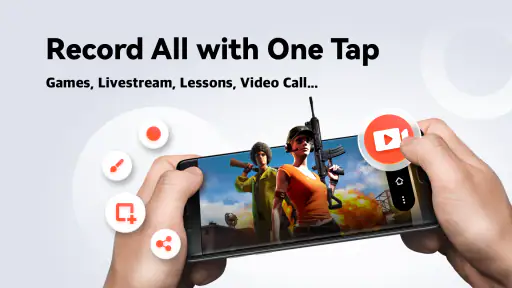
I often reach for a screen recorder when I need to show someone exactly what happened on my phone rather than trying to describe it. A short gameplay moment, a walkthrough of a confusing setting, or a quick demonstration can all be easier to share as video. Screen Recorder - AX Recorder is aimed at that practical job: capturing what is on an Android screen, with audio available when the recording needs explanation. I see it as a useful starting point for people who want to make straightforward screen videos without first learning a complicated editing workflow.
Choosing a recording that has a purpose
Before I press record, I try to decide what the finished clip is for. A game highlight, a help message for a family member, and a tutorial for a wider audience call for different choices. A short clip can be shared as-is, while a lesson may need spoken guidance and a quick trim at the end. Thinking about the viewer first helps keep the recording focused, and it also makes it easier to choose a suitable resolution and bit rate rather than automatically using the highest settings.
This is where a dedicated screen recorder can be more convenient than pointing a second phone at the display. The image stays tied to the phone’s on-screen activity, so menus and taps are easier to follow. AX Recorder is free to download, is listed for everyone, and is developed by Video Recorder & Photo Collage. Its broad appeal is reflected in an average rating of 4.5 from around 93,000 ratings, alongside more than 10 million installs. Those figures suggest a widely used option, but I would still judge it by whether it fits the job I need to do.
Planning a clean capture
A little preparation can save more time than editing later. I close unrelated screens, move to the exact point where the demonstration should begin, and take a moment to check that notifications or private details will not distract from the clip. For a tutorial, I also rehearse the sequence once without recording. That helps me avoid long pauses and makes the final video easier for someone else to follow.
For an everyday example, imagine a relative cannot find a setting that changes how their phone behaves. I can open the relevant menus, record a calm walkthrough, and explain each step aloud. A screen video gives them a visual reference they can pause and replay instead of relying on a string of messages. The same method works for showing a game route or documenting a recurring app problem, though sensitive information should be kept off screen before recording.
Making a useful recording with AX Recorder
When it comes to screen recording apps, the features can make or break the experience. Screen Recorder - AX Recorder offers a robust set of tools that cater to both casual users and professionals. Right off the bat, the app impresses with its user-friendly interface. You don’t need to be tech-savvy to navigate through its features, which is a big plus if you’re new to screen recording.
Easy-to-Use Interface
The interface is designed with simplicity in mind. As soon as you open the app, you’re greeted with a large record button—no fumbling around trying to find where to start. Within a couple of taps, you’re recording your screen, and the best part? There’s no time limit, so you can record long sessions without interruptions.
More From Our News Desk

Weather by Xiaomi Review: Clear at a Glance, Less Clear Up Close

X Under Pressure: Can It Recover When Posting Goes Wrong?

Clash of Clans Is Won Between the Battles

Android Auto Makes the Case for Quieter Car Software

MobiOffice: Transforming Mobile Productivity with Seamless Integration

EA SPORTS FC™ Mobile Soccer: Redefining Mobile Sports Gaming
High-Quality Recordings
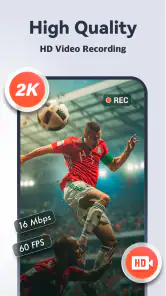
Quality is key, and AX Recorder delivers. You can choose to record in high definition, ensuring that your videos are crisp and clear. Whether you’re capturing gameplay, video calls, or tutorials, the result is a professional-looking video. Plus, there’s an option to record audio simultaneously, which is perfect if you’re providing commentary or instructions.
Editing Tools at Your Fingertips
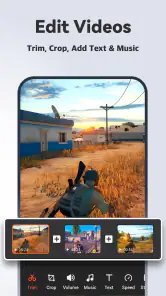
Once you’ve captured your screen, the app doesn’t leave you hanging. It offers a suite of editing tools that let you trim, cut, and merge clips right within the app. This means you can polish your video and make it share-ready without needing any additional software. The transitions are smooth, and with a few tweaks, you can turn a simple screen capture into a mini-production.
Customization Options
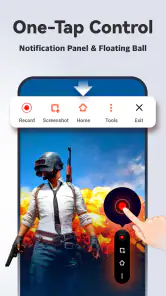
Customization is where AX Recorder truly shines. You can adjust the frame rate, bit rate, and resolution to suit your needs. Whether you’re looking to save space or capture every detail in high definition, the app gives you the flexibility to choose. There’s also a handy floating window feature that lets you control recording without leaving the app you’re using. It’s these little touches that make the user experience seamless.
Getting a take worth sharing
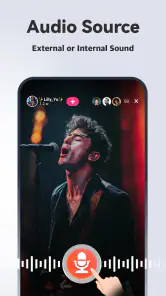
The recorder’s audio option is most useful when narration contributes something specific, such as naming a button before tapping it or explaining why a step matters. For a gameplay clip that should speak for itself, recorded audio may add little; for a support video, it can prevent confusing silent gestures. I would keep spoken instructions short and leave a beat between actions, so a viewer has time to notice what changed on screen.
There is also a practical trade-off between detail and file size. Higher resolution and bit rate can preserve small interface text and fast movement, but they can produce larger files. For a clip that will be watched on a phone, I would favor a sensible balance over maximum settings. If a tiny label must remain legible, a higher-quality capture may be justified; if the video is just a quick message, a more modest setting is likely easier to store and send.
Frame rate is another choice worth matching to the content. Fast gameplay benefits more from smooth motion than a mostly static settings walkthrough does. For a tutorial, clear narration and deliberate pacing can matter more than capturing every animation at the highest possible smoothness. This is a simple way to avoid spending storage on quality the eventual viewer may not notice.
Editing for clarity, not decoration
Trimming is particularly valuable at the beginning and end of a take. I would remove the moment spent finding the right screen and stop shortly after the final instruction, rather than asking viewers to sit through setup and dead air. If several short clips explain one task, merging them can create a more coherent handoff. The useful test is whether each edit makes the sequence easier to understand; extra polish is not automatically an improvement.
For a recurring tutorial, I would record each step as a distinct section only if that makes retakes easier. A mistake near the end of a long demonstration can otherwise force another full take. Shorter pieces can be combined in the app’s editing workflow, but more cuts also mean more chances to create abrupt jumps. I would keep transitions restrained and check that the action still makes sense after trimming.
Editing on the same device is convenient for quick sharing, but it is not the same as a full desktop video editor. The in-app tools suit basic clip cleanup and assembly; a creator who needs detailed sound mixing, captions, layered graphics, or a carefully branded finish should expect to use a more specialized editor. That distinction matters: AX Recorder can take a recording from capture to a presentable clip, but it should not be mistaken for a complete production studio.
From phone capture to a clear handoff
Before sending a video, I would watch it once from beginning to end, preferably with the sound on. That catches a missed tap, an unexplained pause, or narration that is too quiet to be useful. I would also check the opening frame: if it begins on an unrelated screen, even a short clip can feel confusing. A tidy start and finish make a simple screen recording seem much more deliberate.
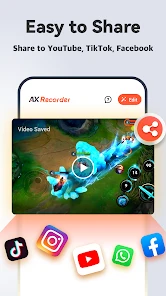
For a quick message, a short capture can be sent directly through whatever sharing method I normally use. For a lesson intended for repeated viewing, it is worth choosing a descriptive file name and keeping the final version separate from rough takes. Those habits are not special features of the recorder, but they make a real difference when several similar clips accumulate on a phone.
Recording a video call deserves more thought than recording a settings menu. Other people may be visible or audible, and the conversation may include private details. I would make sure everyone involved is comfortable with being recorded and avoid capturing confidential material. For troubleshooting, it is often better to reproduce only the relevant screen sequence than to record a long session that includes unrelated personal information.
Where it fits among recording options
Android’s built-in screen recording option is often the quickest choice for a one-off capture, since it avoids installing another app. If the phone’s built-in tool already offers the controls and output I need, there may be little reason to switch. AX Recorder makes more sense when I want a dedicated place to manage capture choices and make basic edits without moving immediately to another application.
At the other end, desktop capture software and full mobile editing suites are better for projects that demand precise sound treatment, extensive overlays, or a polished multi-part presentation. Those tools can offer more control, but they also add setup and learning time. AX Recorder sits in the practical middle: it is for capturing phone activity and making straightforward adjustments, not for replacing every part of a professional editing workflow.
Compared with using a camera to film the phone, direct screen capture is much clearer for menus, text, and touch-driven tasks. A camera can still be preferable when the video needs to show the device itself, a person’s hands, or the surrounding scene. Choosing between them depends on what the viewer needs to see, not on which method sounds more advanced.
Compatibility, cost, and expectations
The app is free, with in-app purchases listed at $14.99 per item. I would treat the free option as a sensible way to see whether the recording and editing workflow suits me, and check any purchase details before paying. It runs on Android 6.0 and later, and its current version is 2.2.2.6. That makes the minimum operating-system requirement worth checking before installing, especially on an older device.
One common question is whether this is a good choice for long sessions. Its recording flow is intended for screen capture, and the original review describes no time limit, but a long video still needs room to be saved and time to review or share. I would test a brief sample first, particularly before recording an important match or lesson, so I know the chosen settings and audio work as expected on my phone.
Another reasonable question is whether it can capture both the screen and an explanation. The app offers simultaneous audio recording, which is helpful when commentary is part of the lesson. For anyone who needs a specific audio setup or advanced sound editing, I would make a short test recording before committing to a full session; a quick playback is the easiest way to catch an unsuitable result early.
AX Recorder is less compelling if I only need a rare, very short capture and my phone’s built-in recorder already handles it. It may also be the wrong fit if my priority is producing a finished social video with elaborate effects, captions, and layered audio. Its strength is a simpler route from what is happening on an Android screen to a clip I can trim and pass along.
Who will get the most from it
I would recommend it most to people who regularly explain phone tasks, capture gameplay moments, or make informal tutorials. Teachers and support-minded users can use a short screen walkthrough to make instructions easier to revisit; casual creators can capture an idea before it disappears. For a professional channel, the app can be one part of the process, but I would plan on a more capable editor if a consistent visual identity or detailed post-production is essential.
The app’s audience is broad: it has an average rating of 4.5 from around 93,000 ratings, and it has passed 10 million installs. It is rated for everyone, but that does not mean every recording is suitable for every viewer. I would still think carefully about what is visible, especially when capturing messages, account screens, or conversations.
Creator verdict
In conclusion, Screen Recorder - AX Recorder is a comprehensive tool that combines ease of use with powerful features. Whether you’re a gamer, a teacher, or someone who loves sharing content, this app is a must-have in your arsenal. It’s rare to find an app that caters to such a wide range of users while maintaining high quality and reliability. So, next time you need to capture your screen, give AX Recorder a try—you won’t be disappointed!
My recommendation is more measured: I would try it when I want a straightforward Android capture with room to adjust quality and tidy clips afterward. The strongest reason to choose it is the practical combination of recording controls and basic editing in one workflow. The main reason to look elsewhere is a need for advanced production, or a phone whose built-in recorder already does everything required. For quick demonstrations and shareable gameplay, that balance makes AX Recorder a useful tool rather than a substitute for a full editing suite.
Screen Recorder - AX Recorder Frequently Asked Questions
Can I use Screen Recorder - AX Recorder to make tutorial videos or app demonstrations?
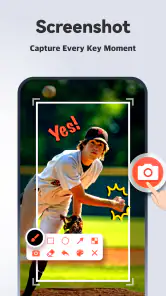
Yes. Capturing on-screen activity makes Screen Recorder - AX Recorder a practical option for recording an app walkthrough, explaining how a feature works, or saving steps for someone else to follow. You can also capture screenshots, which may help when a still image is clearer than a video. Think about what you want viewers to see before recording, especially if notifications or other private information might appear on screen.
Will Screen Recorder - AX Recorder save recordings in HD?
The app is described as recording HD video, including gameplay, and screenshots. That makes it appealing if you want clear captures rather than a basic screen video. The actual result can vary with your device, the content being recorded, and the settings available to you, so it is sensible to make a short test recording first and check that the picture and sound meet your needs.
Is Screen Recorder - AX Recorder suitable for recording mobile games?
Yes. Screen Recorder - AX Recorder is intended for capturing screen activity, including video games, and its description highlights HD game recording without lag. It may be useful for saving gameplay clips or showing someone how a game works. Actual recording quality and smoothness can depend on your Android device and the game you are running.
What is Screen Recorder - AX Recorder and what features does it offer?
Screen Recorder - AX Recorder is a versatile app designed for recording your screen activities on Android devices. It offers features such as high-quality video recording, screen capture, and live streaming capabilities. Users can also edit their recordings with built-in tools, add music, and incorporate text annotations. The app is user-friendly, making it suitable for both novices and experienced users.
Is Screen Recorder - AX Recorder free to use?
Screen Recorder - AX Recorder is free to download and offers in-app purchases, with items priced at $14.99 each. The free version provides essential features like screen recording and basic editing tools. However, the premium version unlocks advanced functionalities such as removing watermarks, accessing higher resolution settings, and more comprehensive editing options. Users can choose the version that best fits their needs.
Pros
- User-friendly interface for easy navigation
- High-quality video recording at 1080p
- Supports recording with audio
- No watermark on recorded videos
- Offers video editing tools
Cons
- Contains in-app ads
- Limited features in free version
- May consume high battery power
- Requires Android 5.0 or higher
- Occasional app crashes reported
- Category
- Video Players & Editors
- Version
- 2.2.2.6












