

SBE Events
- 22.00
- 4.8
- Installs
- 10.00K
- Price
- Free

Screenshots
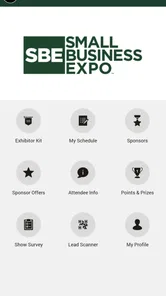
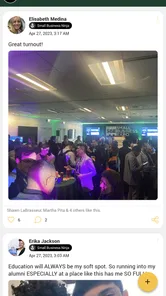
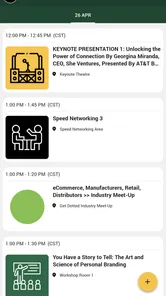
Analysis by Reviewed
Choosing an event app is usually less exciting than choosing the event itself, but it can make a noticeable difference once the day becomes busy. I tested SBE Events as a companion for attending events organized by The Show Producers, and my impression is that it works best as a focused event hub rather than as a general social network or an all-purpose calendar. It brings the useful parts of an event into one place: attendee connection, agenda browsing, and information about the organizer’s events.
That narrow purpose is important. If you are attending one of the events supported by The Show Producers, the app can reduce the need to jump between email messages, printed schedules, browser tabs, and informal group chats. If you are looking for a broad event-discovery service, a ticket marketplace, or a permanent networking platform, you may find its scope too limited. My recommendation depends less on how many features an event app can list and more on whether it helps you make decisions quickly while your attention is elsewhere.
What I looked for when judging the event experience
I started with the practical questions I would ask before installing any event companion. Can I find the schedule without digging through old messages? Can I understand what is happening next? Can I use it to make better use of conversations with other attendees? And does it remain helpful after the initial download, or does it feel like a digital brochure that I open once and forget?
SBE Events is free, which removes the most obvious barrier to trying it. It is listed for everyone and runs on Android devices using version 8.0 or later, so it is accessible to people using older phones as well as newer models. The current release is version 39.4, a detail that suggests the app has continued through multiple iterations rather than remaining a one-time event download.
The app has an average rating of 4.8 from around 250 ratings, with more than twenty written reviews. I would not treat that as a guarantee that every event experience will feel identical, because the value of an event app is strongly tied to the specific event content loaded into it. Still, the response indicates that the basic idea is working for many people who have used it.
My first decision criterion was clarity. Event information is only useful when I can locate it under pressure. A schedule that looks attractive but takes too many taps to interpret is not much help when I am walking between sessions or trying to decide whether a conversation is worth postponing. An event-focused app has an advantage here because it does not need to compete with unrelated notifications, shopping features, or a general social feed.
The second criterion was usefulness before, during, and after attendance. Before an event, I want enough structure to plan my time. During it, I want quick orientation. Afterward, I want to remember who I met and which parts of the agenda mattered. SBE Events is strongest in the first two stages. Its attendee and agenda focus gives it a clear role, although the depth of the experience will naturally depend on how thoroughly each event is set up.
More From Our News Desk

 Gmail
GmailGmail in a Busy Inbox: Who Benefits Most?
From first account to crowded workday, Gmail earns its place through dependable search and flexible sorting—but its best fit depends on how much inbox maintenance you can tolerate.

 Prime Video
Switching to Prime Video: What Changes in Your Viewing Routine
Prime Video can make a compelling second home for streaming, but switching means learning a different catalog, rental layer, and route from browsing to playback.

 Universal TV Remote Control
Universal TV Remote Control Works Best as a Reliable Backup
A phone remote earns its place through quick setup and reliable habits. Here is how to get more from Universal TV Remote Control—and where its limits show.

 Weather - By Xiaomi
Weather by Xiaomi Review: Clear at a Glance, Less Clear Up Close
Xiaomi’s weather app makes everyday forecasts quick to scan, but its calm surface can leave useful details and recovery paths harder to find than they should be.

 X
XX Under Pressure: Can It Recover When Posting Goes Wrong?
A resilience-focused review of X, examining setup, mistaken posts, interruptions, weak connections, and the gaps that matter when recovery needs to be dependable.

 Clash of Clans
Clash of Clans Is Won Between the Battles
Its raids are quick; its community is a long-term project of coordination, teaching, rivalry, and shared responsibility—with all the friction that entails.
Latest News



The third criterion was friction. I considered whether the app would be worthwhile for someone who already receives a schedule by email, uses a phone calendar, or relies on a messaging group. The answer is not automatically yes. The app earns its place when it gathers event-specific information and attendee context in a way those separate tools do not. If the event is small and simple, the usual alternatives may be quicker.
How I would use it before arriving
My most useful workflow would begin before the event day. I would open the agenda, identify the sessions or activities that matter most to me, and note where there are overlaps. Even without turning the app into a complete personal planner, seeing the event structure in one dedicated place helps me distinguish essential appointments from optional ones.
A small but valuable habit is to review the agenda twice: once several days before attending, and again shortly before leaving. The first pass is for priorities; the second is for changes in emphasis. Event plans often become clearer only after I understand the setting, the people I expect to meet, and the amount of time available. Keeping that review inside the event app is more convenient than reconstructing the plan from several messages.
I would also use the attendee area as a preparation tool rather than waiting until a conversation happens by chance. The point is not to contact everyone. It is to identify the people who may be relevant to my goals, then arrive with a reason to speak to them. That makes the networking side more practical and less like collecting names.
One trade-off is that an attendee directory can create false confidence. Seeing people listed does not mean that they will be available, interested in the same topics, or easy to recognize in a crowded venue. I would treat the feature as a way to prepare conversation starters, not as a replacement for real introductions.
A realistic day with the app
Imagine I am attending a professional event and arrive later than planned because of a delayed commute. Instead of opening an email thread, searching a browser, and scrolling through a message group, I would go directly to SBE Events and check the agenda. I could see what is happening now, decide whether the next item is more relevant than the one I missed, and adjust my route through the day.
Later, during a break, I could use the attendee section to remind myself who I wanted to meet. That is a better use of a short break than randomly browsing a social feed. If I have already identified two or three useful contacts, the app helps turn an unstructured interval into a deliberate networking opportunity.
At the end of the day, I would revisit the same information to separate genuinely useful contacts from people I merely encountered. This is one of the less obvious benefits of keeping the agenda and attendee context together: the session or event setting can help me remember why a conversation mattered. A standalone contact list often loses that context.
Where SBE Events is more convenient than usual alternatives
The app’s strongest advantage is concentration. A printed program is easy to glance at, but it cannot connect the schedule with attendee information. An email is familiar, but important details can be buried beneath reminders and unrelated replies. A phone calendar is excellent for fixed appointments, yet it usually lacks the event’s broader structure and the people around it.
General networking platforms offer a larger audience, but that can be a weakness when I need event-specific focus. They bring in notifications, unrelated connections, and ongoing conversations that may distract from the event I am actually attending. SBE Events feels more purposeful because its identity is tied to events from The Show Producers.
It also makes more sense than a generic note-taking app for someone who wants orientation rather than personal documentation. Notes are useful for recording what I learned, but they do not automatically provide the event framework that tells me where a session or contact fits. I would use notes alongside this app, not instead of it, if I needed detailed follow-up records.
The real win is reduced context switching: I can approach the event as one organized experience instead of stitching together several unrelated tools. That matters most when the schedule is full, the venue is unfamiliar, or networking is a central reason for attending.
Where another category of tool may be better
SBE Events is not the right choice for every event. If I mainly need reminders for a few appointments, my phone’s calendar may be simpler. If I am searching for public events in my area, a discovery platform is more suitable because the purpose is finding something to attend rather than navigating an event I have already chosen. If my priority is long-term professional relationship management, a dedicated contact or customer-management tool will offer a more durable workflow.
A printed program may also win in specific situations. It does not depend on a charged phone, and some people find it faster to mark a page than to navigate a screen while moving through a venue. The paper version is less flexible, though, and it cannot provide the same attendee-oriented context. I would see the two as complementary when available rather than treating one as a universal replacement.
Messaging groups can be useful when attendees need live coordination, quick informal questions, or last-minute social plans. Their weakness is organization. Important agenda details can disappear under casual conversation, and a new attendee may struggle to find older information. SBE Events is better for structured reference; a messaging channel may be better for spontaneous coordination.
I would skip the app if the event organizer has not populated it with information I actually need, or if I am attending only briefly and already have a simple, reliable schedule. Installing another app has a cost in attention even when it is free. For a short visit with one appointment, the benefit may not justify changing my routine.
Small workflows that make it more useful
My first tip is to use the agenda as a decision tool, not just a timetable. Before the event, divide items mentally into must-attend, useful if nearby, and easy to skip. That prevents the common mistake of treating every listed activity as equally important. The app gives me the event structure; I still need to apply my own priorities.
My second tip is to connect people with purpose. When I review attendees, I would look for a reason to start a conversation rather than trying to reach the largest number of people. A short list of relevant contacts is easier to act on than an ambitious networking target. This also makes follow-up less awkward because I can remember the context in which we met.
My third tip is to check the app at transition points: before leaving for the venue, after arrival, during the main break, and before heading home. Those moments correspond to real decisions. Checking constantly would add distraction, while checking only once could leave me working from an outdated plan or missing a useful opportunity.
A fourth, more subtle workflow is to use the app as a boundary around the event. I would avoid letting the agenda become an excuse to fill every minute. The app can show what is available, but a worthwhile event also needs unscheduled time for conversations, rest, and unexpected discoveries. A structured tool is most helpful when it supports judgment rather than replacing it.
What the developer’s focus means in practice
The developer is The Show Producers, so the app’s value is closely connected to that event ecosystem. This is both a strength and a limitation. The strength is relevance: people attending those events have a reason to expect event-specific information rather than a generic collection of features. The limitation is that the app is not designed as a universal companion for every conference, festival, or local gathering.
That distinction should guide the download decision. I would not install it simply because I want an event app in general. I would install it when I am attending an event supported by The Show Producers and want a central place for the agenda and attendee experience. In that situation, the focused design is more persuasive than a longer feature list would be.
The app’s release date was May 29, 2021, and its current version is 39.4. I see that history as useful context when judging expectations: this is an established event companion rather than something presented as a brand-new experiment. At the same time, an established app can still feel different from event to event because the information and tools available to attendees depend on how each event is configured.
Cost, switching, and the effort of keeping it
Because SBE Events is free, the main cost is not money. It is the effort of adding one more app to my phone, learning where information lives, and remembering to check it. That effort is small for a multi-day or schedule-heavy event, but it can feel unnecessary for a simple gathering.
The switching cost is also about habits. If I already receive every update by email, I may need a reason to change where I look first. The strongest reason is not novelty; it is having the agenda and attendee context organized around the event itself. Once that organization saves me from searching several sources, the new habit becomes easier to justify.
I would keep my existing calendar for personal appointments rather than trying to make the event app do everything. That division of labor is sensible: the calendar protects my overall day, while SBE Events helps me understand the event’s internal flow. I would also keep brief notes separately if I needed detailed records, because an event companion should not be expected to replace a full knowledge-management system.
For someone concerned about device age, the minimum Android requirement of 8.0 is reasonably accommodating. For iPhone users, the practical decision remains the same: the benefit comes from event participation, not from using the app as a general-purpose service. I would confirm that the relevant event is represented before building my whole plan around it.
Who should choose it
I recommend SBE Events to attendees who want a straightforward event center and who expect to use both the agenda and attendee features. It is especially suitable for people who dislike searching through long email threads, want to prepare for networking, or need to make quick schedule decisions during a busy day.
It is also a good fit for first-time attendees who feel overwhelmed by an unfamiliar event. A dedicated agenda can provide a sense of structure, while the attendee area offers a starting point for deciding whom to approach. I would still encourage first-time users to leave room for informal conversations instead of following the schedule so rigidly that the event feels like a checklist.
I would recommend a different tool to someone whose main goal is discovering unrelated events, managing a large personal calendar, or maintaining professional contacts over many months. Those needs belong to different categories, and a focused event companion should not be judged harshly for refusing to become all of them at once.
My recommendation after using it
SBE Events succeeds because it understands a specific problem: attending an event can involve too much scattered information. By combining event agenda access with attendee-oriented context, it gives The Show Producers’ events a more usable digital companion than a single email or static document can provide.
Its limitations are the natural result of that focus. It is not a public event marketplace, a complete calendar replacement, or a long-term networking database. Its usefulness rises sharply when the event is substantial enough to require planning and falls when the gathering is small enough to manage informally.
My final advice is simple: if you are attending a supported event, install it before the day begins and use it to plan a short list of priorities, not to monitor every possible activity. Review the agenda, identify a few people you genuinely want to meet, and return to the app at sensible transition points. For that scenario, SBE Events is a practical free companion that can make the day easier to navigate without trying to take over the rest of your phone.
SBE Events Frequently Asked Questions
Who develops SBE Events, and what kind of app is it?
SBE Events is an event app developed by The Show Producers. It is intended to help people engage with supported events by bringing event information and attendee-focused features together in one place. If you are deciding whether to install it, the main consideration is whether an event you plan to attend uses SBE Events, since the available information and tools are tied to the event.
What should I check before installing SBE Events on my phone?
Before downloading SBE Events, check that your device runs a compatible operating system and that the event you are attending is supported in the app. It is free to download, and it is rated for everyone. The app is available for Android and iOS, so confirm that you are choosing the version intended for your device and follow your event’s instructions for access.
What is SBE Events used for?
SBE Events is designed to help attendees discover information about events organized by SBE, including schedules, venues, speakers, sessions, and other program details. Depending on the event, the app may also provide announcements, maps, exhibitor or sponsor information, networking tools, and personalized agendas. Its usefulness depends on the specific event content made available by the organizers.
Do I need to register or have an event invitation to use SBE Events?
Some parts of SBE Events may be available without an account, such as general event information, while features like personalized schedules, attendee networking, messaging, or restricted sessions may require registration. Access can also depend on having a valid invitation, ticket, confirmation code, or organization-provided login. Check the event instructions before downloading or signing in.
Does SBE Events work without an internet connection?
SBE Events may allow certain information, such as a downloaded agenda or saved event details, to remain accessible offline. However, an internet connection is generally needed for the first setup, account authentication, live updates, announcements, messaging, and synchronized schedule changes. If you are attending an event with unreliable connectivity, open the app beforehand and save important information when possible.
Pros
- Simple event discovery with schedules
- locations
- and essential details.
- Useful for browsing sessions
- speakers
- exhibitors
- and event activities.
- Event information is conveniently available from a mobile device.
- Can help attendees organize their visit and avoid missing key sessions.
- Official updates may provide timely changes during the event.
Cons
- Content depends heavily on the specific event and organizer.
- Some features may be unavailable before event data is published.
- Schedules can change
- requiring users to check updates regularly.
- The app may feel limited outside supported SBE Events conferences.
- Performance and information quality may vary between different events.











