Roadtrippers - Trip Planner
- 2.98K
- 2.2
- Installs
- 1.00M
- Price
- Free

Screenshots



Analysis by Reviewed
Have you ever dreamed of taking an epic road trip across the country but felt overwhelmed by the planning? Let me introduce you to Roadtrippers - Trip Planner. This nifty app is like having a personal travel guide right in your pocket, and trust me, it’s a game-changer for anyone who loves to hit the open road.
Getting Started with Roadtrippers
First things first, downloading the app is a breeze. Available on both Android and iOS, you can easily find it on the Google Play Store or Apple’s App Store. Once you’ve got it installed, the fun begins. The interface is super intuitive, so even if you’re not the most tech-savvy, you’ll have no trouble navigating through it.
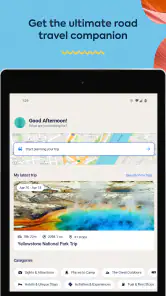
Upon opening the app, you’re greeted with a simple yet inviting dashboard. There’s something about the aesthetic that just screams adventure. The app prompts you to create an account, which is a quick process, and you’re ready to start planning your trip.
Planning Your Route
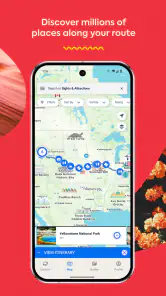
Now, this is where Roadtrippers - Trip Planner really shines. You can start by entering your starting point and destination, and the app will suggest routes for you. But it doesn’t stop there. The real magic happens when you start exploring the features that allow you to discover cool places along the way.
Whether you’re into quirky roadside attractions, breathtaking national parks, or historic sites, the app has you covered. You can add these stops to your route with just a tap, and the app recalculates the travel time and distance for you. It’s like having a virtual co-pilot who knows all the best spots.
The Details Matter
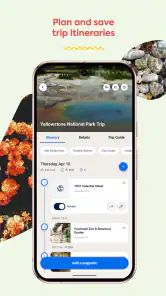
One of the things I love most about Roadtrippers is how detailed it gets. You can dive into user reviews and photos for each stop, which gives you a real feel for what to expect. Plus, there are estimated fuel costs, travel time, and even suggestions for accommodations and dining. It’s all about the details, and this app nails it.
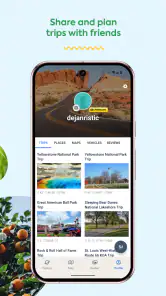
Another neat feature is the ability to collaborate with friends. Planning a group trip? No problem. You can share your itinerary, and everyone can suggest changes or add new stops. It’s a collaborative dream for those planning a family vacation or a getaway with friends.
Saving Your Adventures
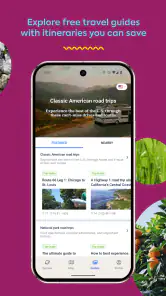
Once you’ve crafted your perfect route, you can save it for later. This means you can plan months in advance or even keep a list of future trips you want to take. The app stores everything in your profile, so it’s easy to access whenever you’re ready to roll.
And if you’re someone who likes to keep memories of your travels, Roadtrippers lets you log your journey. You can add notes, photos, and even share your completed trip with others. It’s like a digital scrapbook of your adventures, and I find it incredibly satisfying to look back on past trips.
Final Thoughts
Overall, Roadtrippers - Trip Planner is a must-have for anyone with a love for the road and a thirst for discovery. It takes the stress out of planning and turns it into a fun, interactive experience. Whether you’re planning a cross-country trek or a weekend getaway, this app has everything you need to make the most of your journey.
So, next time you feel the call of the open road, give Roadtrippers a try. It might just be the perfect companion for your next adventure. Safe travels!
Pros
- User-friendly interface for easy navigation.
- Extensive database of attractions and stops.
- Customizable itineraries for personalized trips.
- Offline access to maps and plans.
- Real-time traffic updates enhance planning.
Cons
- Limited free version features available.
- In-app ads can be intrusive for users.
- Requires internet for real-time updates.
- Subscription needed for premium features.
- Some locations may have outdated info.

- Category
- Travel & Local
- Version
- 2.30.0.5955