Ripl: Social Media Marketing
- 4.66K
- 4.4
- Installs
- 1.00M
- Price
- Free

Screenshots
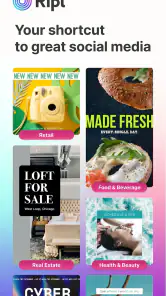
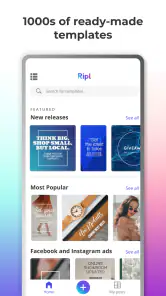
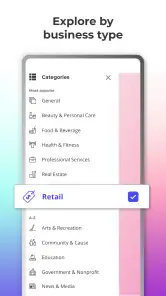
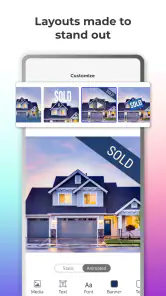
Analysis by Reviewed
When I need to turn a simple idea into something suitable for social media, I am usually not looking for a full design studio. I want a clear layout, a readable message, and a result I can publish without spending an evening adjusting every element. That is the space where Ripl: Social Media Marketing makes sense. It is a free Art & Design app from Ripl Inc. for creating social posts, stories, video ads, flyers, promotional videos, and slideshows.
After using it, I see it less as a replacement for a professional graphics editor and more as a practical shortcut for people who regularly need polished promotional material. Its strength is speed: choose a suitable starting point, adapt the content, and move toward a finished post. That approach is useful for a small business owner, a freelancer, a club organizer, or anyone who wants visual content that looks more intentional than a plain text update.
The app has a 4.4 average from around 14 thousand ratings, with more than a million installs, so it has clearly found an audience beyond occasional experimentation. I would still judge it by your workflow rather than popularity. The important question is not whether it can make attractive content, but whether its guided approach gives you enough control for the kind of content you publish.
What I considered before choosing it
Speed matters more than unlimited control
My first decision criterion was how quickly I could move from a blank idea to a usable visual. Ripl is built for the person who does not want to begin with a completely empty canvas. That is valuable when the message is time-sensitive, such as a weekend promotion, a new appointment opening, a community announcement, or a last-minute reminder.
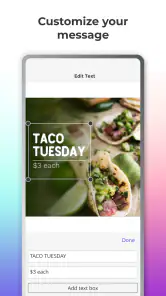
A template-led workflow also reduces a common problem: spending too long making small design decisions that do not improve the message. Instead of wondering which font pairing, spacing, or arrangement looks balanced, I can start with a composition that already has a visual direction. I still need to replace the wording and check the result carefully, but the first draft arrives much sooner.
That convenience comes with a trade-off. A guided design app can make content look consistent, but it may also make different users’ posts feel similar. If your goal is a highly distinctive visual identity, I would treat the available designs as a starting point rather than a final brand system.
Think about the content you publish repeatedly
The app is most useful when your content follows recognizable patterns. A shop may need product announcements, a service provider may need availability updates, and an event organizer may need reminders and recap slides. In those situations, the ability to adapt a prepared design is more useful than having hundreds of advanced editing controls.
More From Our News Desk

Clash of Clans Is Won Between the Battles

Android Auto Makes the Case for Quieter Car Software

MobiOffice: Transforming Mobile Productivity with Seamless Integration

EA SPORTS FC™ Mobile Soccer: Redefining Mobile Sports Gaming

How Microsoft OneDrive Became a Mobile Productivity Giant

How Google Translate Breaks Language Barriers Effortlessly
I recommend deciding in advance which messages you create most often. If you mainly need short promotional visuals, the app’s focus should fit naturally. If you create detailed educational graphics, long-form infographics, or layouts that depend on precise diagrams, you may quickly reach the limits of a simpler mobile workflow.
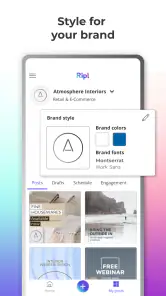
There is also an important difference between making one attractive post and maintaining a recognizable presence. Before editing, I would choose a small set of recurring choices: a preferred tone, a consistent way to write calls to action, and a limited approach to colors and imagery. Even if the app helps with the visual arrangement, that editorial consistency still has to come from me.
Consider the device and your editing habits
Ripl runs on Android devices using version 8.0 or newer, which makes it accessible on a wide range of phones. The current version is 4.0.1004. For me, the more practical consideration is whether I enjoy doing design work on a phone. Mobile editing is convenient when I am away from a desk, but it can feel cramped when I am comparing several text blocks or trying to make fine visual adjustments.
I would use it for quick production and review the final result at full size before publishing. Small text that appears acceptable while editing can become difficult to read once it is surrounded by a busy image or viewed on a smaller screen. This is especially important for promotional content, where a viewer should understand the main point without stopping to decode it.
The Teen content rating is another reason I would see it as a general creative and promotional tool rather than an app aimed specifically at young children. For a business or personal project, that rating is unlikely to be a concern, but families choosing creative software for younger users should make their own suitability decision.
Free access versus paid expansion
The app is free to install, which makes it easy to test without committing money at the start. In-app purchases range from $9.99 to $299.99 per item, so I would pay attention to the upgrade path before building my entire publishing routine around it. The sensible approach is to create a few representative projects first and decide whether the free experience gives you enough value.
That price range also suggests that different users may approach the app very differently. Someone making an occasional announcement may be satisfied without paying. A business producing promotional material frequently may consider an upgrade worthwhile if it removes a recurring obstacle. I would not purchase simply because a design looks attractive; I would first identify whether the paid option solves a problem I actually encounter every week.
Where Ripl wins for everyday publishing
The clearest advantage is the distance between an idea and a presentable result. When I imagine using it for a real task, the workflow feels straightforward: decide what I want to say, select a visual direction, replace the sample content, check readability, and prepare the result for the intended channel. That sequence is easier to repeat than designing every post from the ground up.
It is particularly helpful for people who are good at their work but not confident with visual design. A local tutor, independent hairdresser, fitness instructor, or volunteer group may know exactly what information needs to be shared but lack the time or training to build a polished layout. A template-based app can remove much of the intimidating blank-page feeling.
The range of formats is also useful. A social post, story, flyer, promotional video, and slideshow do not communicate in exactly the same way. Having one app centered on these kinds of promotional outputs can reduce the need to rebuild the same message repeatedly in unrelated tools. I would still rewrite the copy for each format instead of copying one version everywhere.
A practical scenario: preparing a weekend promotion
Imagine I run a small bakery and decide on Friday afternoon to promote a weekend special. I could use Ripl to create a visual announcement, adapt the wording for a story, and prepare a short promotional piece without waiting until I have access to a desktop computer. The useful part is not merely the design; it is the ability to keep the central offer visible while changing the presentation for different placements.
My workflow would begin with the essential information: the product, the date, the action I want people to take, and any condition that could cause confusion. I would keep the main text short, use the image to support the offer rather than compete with it, and watch for details that become hidden when a layout changes shape.
Before publishing, I would ask someone unfamiliar with the promotion to look at the draft for a few seconds and explain what they think it says. If they miss the product or the timing, the design needs simplification. This is one of the less obvious benefits of a fast tool: because producing another version is relatively easy, I am more willing to revise instead of defending a weak first draft.
Use it as a content system, not just a poster maker
A useful advanced habit is to separate the content from the decoration. I would keep a small note containing approved business wording, contact details, recurring calls to action, and the exact spelling of important names. Then I would bring only the relevant pieces into each design. This reduces mistakes when I am working quickly on a phone.
Another good habit is to create variations with different levels of information. One version can focus on the main announcement, while another can include supporting details for people who already know the context. Trying to fit every fact into one visual often produces tiny text and a crowded composition. Ripl can help with the production side, but I still need to decide what the audience must see first.
I would also avoid treating motion as automatically more effective. A promotional video or slideshow can attract attention, but movement should support the message. If the viewer needs to wait through several transitions before seeing the important detail, a simpler static design may communicate better. The choice between a post, story, video ad, flyer, or slideshow should follow the message rather than the novelty of the format.
Where the app may frustrate experienced designers
The same simplicity that helps beginners can feel restrictive to someone who expects exact control. If I need carefully measured spacing, complex layering, detailed image retouching, or a very specific visual identity, I would probably prefer a more advanced design application. Those tools take longer to learn, but they are better suited to work where every element must be placed precisely.
Ripl is also not the ideal answer for a content team that needs a broad production pipeline. A larger organization may require detailed review stages, shared brand rules, or a central library of approved assets. I would not assume that a quick mobile design workflow can replace those processes. It is better suited to an individual or small team that values independence and speed.
There is a creative trade-off too. If I want to experiment freely with unusual compositions, the app’s ready-made direction may influence my choices more than I expect. That is not necessarily bad, but it means the tool can shape the look of the message. For a campaign built around a distinctive art direction, I would begin elsewhere and use Ripl only for simpler supporting content.
How it compares with familiar alternatives
Compared with starting in a general image editor, Ripl feels more focused on promotional communication. A general editor may offer a larger blank canvas and more manual control, but it can require more decisions before anything looks finished. I would choose the general editor when originality and precision are more important than speed.
Compared with a presentation tool, Ripl is a more natural fit for quick social content and promotional formats. Presentation software can be excellent for structured slides, internal explanations, or detailed layouts, but it may feel like extra work when I only need a concise announcement. I would choose the presentation route when the audience needs a sequence of information rather than a compact promotional message.
Compared with hiring a designer, the app is obviously more immediate and accessible, but it cannot replace professional judgment for a major campaign. A designer can develop a visual language around a brand, understand nuanced audience expectations, and refine details that a template cannot anticipate. I would use Ripl for routine content and reserve professional help for work where the first impression carries unusually high stakes.
These comparisons are not about finding one universal winner. They are about matching the tool to the cost of delay, the level of control required, and how often the same kind of content must be produced. Ripl wins when the task is recurring, visual, and time-sensitive without demanding highly specialized design work.
What switching to it really involves
The cost of switching is not just learning where the controls are. It is deciding how much of your existing content process should move into a mobile app. If you already have a carefully organized desktop workflow, changing tools may create duplicate work. You might still need to rewrite old designs, recreate brand elements, or maintain separate versions for different channels.
For someone starting from scratch, the transition is easier. I would begin with a small test: make one post, one story, and one promotional visual for the same message. That reveals whether the app handles your typical wording, whether the designs suit your audience, and whether editing on your phone feels comfortable. It is a better test than making a single attractive sample that does not resemble your real work.
I would also save a simple checklist outside the app. It could include the correct offer, date, contact method, spelling, and final call to action. Fast design tools reduce production friction, but that same speed can make it easier to publish an outdated detail. A checklist protects the part of the workflow that templates cannot manage.
If you later decide to stop using it, the main inconvenience is likely rebuilding your routine elsewhere rather than losing the ability to create a single graphic. For that reason, I would keep original wording and important images in an independent folder. That gives me flexibility if I move between a mobile design app, a desktop editor, or a professional designer.
Who should install it
I would recommend Ripl to a small business owner who creates regular announcements without a dedicated design team. It is also a sensible choice for freelancers, community organizers, teachers preparing visual notices, and creators who need to produce promotional material while away from a computer. The free entry point makes experimentation reasonable, provided the available editing approach matches your expectations.
I would be more cautious if your work depends on exact brand reproduction, unusual layouts, extensive photo manipulation, or complex information design. In those cases, the convenience may not compensate for the control you give up. I would also skip it if you rarely create visual content at all; installing a specialized app for one occasional flyer may add more process than value.
The app’s Teen rating makes it appropriate to consider for general audiences, but I would still supervise younger users according to the context in which they are using it. For business publishing, the more relevant question is whether the person using it can check claims, dates, and contact details before sharing the result.
My recommendation after using the workflow
My recommendation is straightforward: try Ripl if you need frequent, respectable promotional visuals and prefer a guided mobile process over a blank canvas. I like it most as a practical production assistant. It helps turn routine announcements into content that feels prepared rather than improvised, and it can make visual publishing less intimidating for people who do not consider themselves designers.
I would not describe it as a complete replacement for advanced design software. Its value comes from reducing the number of decisions between an idea and a finished social asset, not from giving unlimited creative freedom. The best results come when I bring clear copy, a defined audience, and a willingness to simplify the message.
Ripl Inc. has positioned this app in a useful middle ground: more focused than a general editor, but more approachable than professional design software. With a free price tag, over a million installs, and a Teen rating, it is easy to test responsibly. Just remember that in-app purchases can reach $299.99 per item, so I would evaluate the free workflow against your real needs before paying.
For my own decision, I would keep it for quick campaigns, recurring announcements, and moments when speed matters. When a project needs a unique identity or pixel-level control, I would switch to a more powerful alternative. The right reason to choose it is not that it does everything; it is that it makes everyday promotional design easier to finish.
Ripl: Social Media Marketing Frequently Asked Questions
Can I use Ripl to make content without posting it directly to a social media account?
Yes. Ripl can help you prepare promotional designs that you can save and share yourself, as well as content intended for social platforms. Creating a design first lets you review the wording and visuals before deciding where to use it. That can be handy if you prefer to keep your content in a separate workflow or share it through a channel that is not connected in the app.
What should I prepare before creating my first design in Ripl?
It helps to have the message you want to communicate, suitable photos or other visuals, and any business details you want included. If you are making branded material, having your logo and preferred colors ready can make it easier to keep designs consistent. You can also browse the available layouts first and choose one that fits the purpose of your post or promotion.
Is Ripl suitable for creating both quick posts and larger promotional materials?
Ripl is intended for a variety of promotional formats, including social posts and stories as well as flyers, video ads, promo videos, and slideshows. You can choose a format based on what you want to share, then adapt a template with your own wording and visuals. This variety makes the app useful for preparing different kinds of marketing material in one place.
Does Ripl require design experience to make polished social media content?
No professional design background is needed to get started. Ripl focuses on ready-made layouts that you can adapt with your own wording and visuals, making it easier to create posts, stories, video ads, flyers, promo videos, and slideshows. Taking time to choose suitable images and review the text can help your finished design feel more personal and consistent.
What kinds of content can I create with Ripl?
Ripl is an Art & Design app for creating social posts, stories, video ads, flyers, promo videos, and slideshows. Its templates give you a starting point, which you can customize with your own text, photos, logos, colors, and business details. That range can be useful when you want to prepare different promotional materials without switching between several design tools.
Pros
- Quickly creates branded social posts without advanced design skills.
- Includes templates tailored to common business promotions.
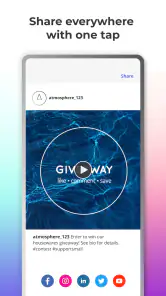
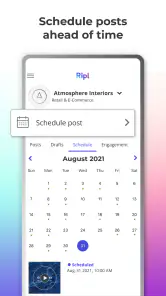
- Supports scheduling content across multiple social networks.
- Offers simple video and slideshow creation tools.
- Helpful for small businesses managing marketing on a limited budget.
Cons
- Many useful templates and features require a paid subscription.
- Free content may include Ripl branding on published posts.
- Customization options are more limited than professional design apps.
- Some users may experience slow rendering for videos or animations.
- Advanced analytics and campaign tools are relatively basic.

- Category
- Art & Design
- Version
- 4.0.1004