Remote Jobs Search - FlexJobs
- 734.00
- 4.1
- Installs
- 500.00K
- Price
- Free

Screenshots
Analysis by Reviewed
Finding a legitimate remote job is harder than simply typing “work from home” into a search box. I have tried Remote Jobs Search - FlexJobs as a practical business app for browsing flexible employment opportunities, and my first impression is that it works best as a focused starting point rather than a complete job-search system. Its purpose is narrow and clear: help people look for remote, flexible, or home-based work while giving them a more organized place to begin.
The app comes from BoldGoogleApps and is free to install. It is rated for Everyone, runs on Android 7.0 and later, and the current version is 2.9. The visible store information also shows a 4.1 average from around 2.4 thousand ratings, with more than 500 thousand installs. Those figures suggest that plenty of people are willing to try it, but they do not remove the need for personal judgment when evaluating an employer or vacancy.
How the app fits into a shared household job search
The most useful way I can imagine using this app at home is on a shared tablet or a family phone when one person is actively searching and another is helping. For example, someone returning to work may browse customer support, writing, scheduling, or administrative opportunities while a partner helps compare hours and location requirements. The app can serve as the place where listings are discovered, while the actual discussion happens outside it.
That distinction matters. A job-search app is not the same thing as a household planning tool. I would not expect it to coordinate calendars, divide applications between family members, or keep everyone’s job-search activity separate automatically. If several people use the same device, I would treat the app as a shared browsing surface and keep personal notes, resumes, passwords, and application records in separate tools or accounts.
A simple routine works better than constantly scrolling. I would set aside a short search session, review a small group of relevant listings, and record the worthwhile ones elsewhere with the job title, employer, work arrangement, and next action. This prevents the common problem of reopening the same listing repeatedly or confusing a promising lead with an application that has actually been submitted.
The app is most valuable when it reduces search clutter, not when it replaces your judgment. Remote work listings can look attractive while hiding important differences in schedule, employment status, location eligibility, and required experience. I would use the app to discover possibilities, then verify the employer and application route before sharing personal information.
Keeping setup boundaries clear
Before using it on a shared device, I would decide whose job search the session is for. That sounds obvious, but it prevents small mistakes: saving a listing for the wrong person, opening a private application page in front of others, or mixing one applicant’s career interests with another’s. A shared device is convenient for browsing, but it is not automatically private.
More From Our News Desk

Weather by Xiaomi Review: Clear at a Glance, Less Clear Up Close

X Under Pressure: Can It Recover When Posting Goes Wrong?

Clash of Clans Is Won Between the Battles

Android Auto Makes the Case for Quieter Car Software

MobiOffice: Transforming Mobile Productivity with Seamless Integration

EA SPORTS FC™ Mobile Soccer: Redefining Mobile Sports Gaming
I would also avoid treating a family member’s search as my own. If one person is looking for evening work and another needs a full-time remote position, their search terms and priorities will be different. Keeping those boundaries clear makes the app more useful because each browsing session has a specific purpose instead of becoming a pile of unrelated vacancies.
For a first-time user, I recommend beginning with a written shortlist of acceptable work conditions before opening the app. Decide whether remote-only work is essential, whether flexible hours are required, which job functions are realistic, and whether the search is limited by location. This small preparation step is more important than trying every possible search phrase because it gives each result a clear pass-or-consider decision.
One practical trade-off is that a specialized search app can feel faster than general web searching, but it may also encourage a narrower view of the market. I would compare worthwhile results with established employer career pages and reputable professional networks. The app can help surface an opportunity, while a second source helps confirm that the role is current and genuinely connected to the stated employer.
Coordinating applications without losing track
When more than one person is involved, coordination becomes the real challenge. I would keep a separate application log with a few plain-language fields: company, role, date reviewed, application status, and follow-up date. This is especially useful when one household member finds listings and another submits applications. The app remains the discovery step, while the log becomes the shared record.
A useful workflow is to place each listing into one of three groups: investigate, apply, or reject. “Investigate” is for roles that look relevant but need employer verification or closer reading. “Apply” is reserved for openings that match the applicant’s conditions and have a trustworthy application path. “Reject” covers jobs with unsuitable hours, unclear requirements, or an arrangement that does not fit the household’s needs.
This three-stage approach is a better use of time than applying to everything that mentions remote work. It also helps two people coordinate without repeatedly debating the same listing. One person can review the role, another can check the employer, and the applicant can make the final decision. That division keeps assistance helpful without allowing someone else to take over the applicant’s account or career choices.
I would be particularly careful with duplicate applications. If a listing appears through more than one search or is discussed by two people using the same device, it is easy to lose track of whether an application was already sent. Recording the application outside the app avoids that confusion. It also makes follow-up more deliberate instead of relying on memory.
Another non-obvious benefit of this workflow is that it exposes patterns in the search. After reviewing several listings, you may notice that the roles you like require a skill you have not highlighted, a schedule you cannot accept, or experience you need to explain more clearly. That insight is more useful than simply collecting a long list of vacancies. I would adjust the resume or search terms only after identifying that pattern.
Trust, age, and responsible use
The Everyone content rating makes the app approachable for a broad audience, but that should not be confused with every job being suitable for every person. Younger users, students, older adults, and people changing careers may all use a job-search tool, yet the employment decisions and safety checks still need adult-level care. I would not encourage a child to handle employer contact, personal documents, or financial information without a responsible adult involved.
Trust is also a two-sided issue. You need to trust the app enough to use it as a search aid, but you should not transfer that trust automatically to every listing. A convincing job title is not proof that the employer is genuine. Before applying, I would inspect the company’s official website, look for a consistent description of the role, and be cautious if the process asks for money, unusual payments, sensitive identity documents too early, or communication through an unrelated personal account.
The app’s free price makes it easy to test without paying at the point of installation. However, in-app purchases are listed at amounts ranging from $23.85 to $71.90 per item. That is the detail I would discuss before letting another household member use it, especially on a shared device with a payment method attached. Free installation does not mean every possible action or upgrade inside the app is free, so I would review any purchase screen carefully and avoid assuming that a payment is necessary to find legitimate work.
This is also where account boundaries matter. I would not let a teenager or another family member use the device under someone else’s identity to submit an application. Personal information should belong to the actual applicant, and resumes should be reviewed before they are sent. The app may help locate a role, but the applicant remains responsible for the accuracy of everything submitted.
Where it is stronger than ordinary job searching
Compared with a general web search, this app gives the search a more direct purpose. Instead of sorting through broad articles, social posts, and unrelated pages, I can begin with the idea of remote or flexible employment. That focus is useful for someone who already knows that a traditional local search is not practical because of caregiving, mobility, transportation, or schedule constraints.
Compared with a broad professional network, it may also feel less distracting. Professional networks are valuable for contacts, company research, and personal branding, but they can mix job listings with news, discussions, and promotional content. A focused app is easier to approach when the immediate goal is simply to find roles worth investigating.
On the other hand, a dedicated search app is not automatically better for every applicant. Someone who already has a strong network in a particular industry may find more value in referrals or direct employer pages. A specialist in a regulated profession may also need a sector-specific board with detailed credentials and licensing information. I would use this app for discovery, then move to the source that best fits the applicant’s field.
The app is also not a substitute for a resume editor, interview practice tool, or application tracker. That separation is not necessarily a flaw; it keeps the purpose understandable. Still, users expecting one complete workspace may find themselves switching between tools. I prefer to know that in advance so the app is judged on its real role rather than on features it was never meant to provide.
Everyday use: a realistic evening search
Imagine a parent with two hours after dinner who needs work that can be performed from home but cannot commit to a rigid commute. I would begin by deciding whether the priority is flexibility, a particular job function, or a minimum schedule. Then I would browse a limited number of relevant results, reject anything that conflicts with those conditions, and place the promising roles in a separate note.
The next evening, I would verify the employers and read the requirements carefully. Only after that would I prepare an application. This slower two-step method may feel less exciting than applying immediately, but it protects time and reduces the chance of sending a generic resume to unsuitable roles. If another adult is helping, they can check the employer while the applicant focuses on the resume and answers.
For a student sharing a phone with a parent, the same method can work with clearer boundaries. The student can browse entry-level possibilities, while the parent helps identify suspicious requests or unrealistic promises. Neither person should assume that remote work means easy work. Many home-based roles still require dependable availability, quiet working conditions, communication skills, and a suitable workspace.
For an older job seeker, the app can be useful if the search is broken into manageable sessions rather than treated as an endless feed. I would enlarge the device text where possible, keep a written record of applications, and avoid rushing through forms. The household’s role should be supportive rather than controlling: help with organization and verification, but let the applicant decide which opportunities match their experience.
Limitations worth considering before relying on it
The biggest limitation is the distance between finding a listing and securing trustworthy employment. The app may make discovery more convenient, but it cannot make a poor-fit role suitable or guarantee that an employer will respond. Users who expect the app to deliver a job with little additional work are likely to be disappointed.
Another friction point is the need for external organization. If you browse frequently without recording decisions, the search can become repetitive. I would not rely on memory, screenshots alone, or a shared browser history. A simple private or household-approved tracking method is essential, particularly when several people use the same device.
The presence of in-app purchase options also means I would pay attention during setup and continued use. Since the app can be installed for free but individual items may cost between $23.85 and $71.90, I would never enter payment details casually or assume that an upgrade is required for a legitimate job application. Anyone managing a shared device should make sure purchases are understood before another user starts browsing.
Finally, the app is not the right choice for someone who wants deep career guidance. It can support the search for remote and flexible work, but it does not replace honest self-assessment, resume tailoring, employer research, or interview preparation. If your main need is networking, portfolio presentation, or professional certification, another service may deserve more attention.
My household verdict
After using it as a focused job-discovery tool, I see Remote Jobs Search - FlexJobs as a sensible option for people who want to start with remote or flexible roles instead of general local vacancies. Its free installation, broad age rating, and focused purpose make it approachable for individual users and for carefully managed shared-device searches.
I would recommend it to a household that can maintain clear boundaries: one person’s search should not be confused with another’s, applications should be tracked outside the app, and every employer should be checked independently. Those habits turn the app from a scrolling exercise into a more disciplined process.
I would skip it as a primary solution if you already have a strong industry network, need highly specialized professional listings, or expect a complete application-management system. I would also avoid paying for anything inside it without first understanding what the purchase provides. Its value is highest when you use it as an organized doorway to possibilities, not as proof that every result is safe or suitable.
Overall, I think BoldGoogleApps has produced a useful starting point for remote-work discovery. The app does not remove the difficult parts of job hunting, but it can make the first stage less scattered. For me, the best approach is simple: search with a specific goal, verify every promising employer, keep household accounts and personal information separate, and let the final employment decision remain with the applicant.
Remote Jobs Search - FlexJobs Frequently Asked Questions
What devices and operating systems can run Remote Jobs Search – FlexJobs?
Remote Jobs Search – FlexJobs is an Android app, and it requires Android 7.0 or later. Before downloading, check that your device meets this requirement and has enough space for the app. The app is listed in the Business category and is intended for people who want to search for remote and flexible work opportunities.
Who develops Remote Jobs Search – FlexJobs, and is it suitable for all ages?
The app is developed by BoldGoogleApps and has an Everyone content rating, making it suitable for a general audience. That rating concerns the app’s content, not whether a particular job is appropriate for every user. As with any job-search service, applicants should evaluate each position and employer carefully and apply only for roles that match their circumstances.
What is Remote Jobs Search – FlexJobs?
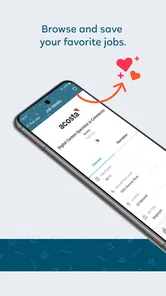
Remote Jobs Search – FlexJobs is a job-search service focused on remote, flexible, freelance, part-time, and hybrid employment opportunities. It helps users browse curated listings, search by role or industry, and review details such as qualifications, schedules, and employer information. The platform is designed for people seeking alternatives to traditional office-based work, including professionals, freelancers, parents, and digital nomads. Its stated aim is to help people find legitimate remote and flexible jobs.
Is Remote Jobs Search – FlexJobs free to use?
The app is free to download, but it also offers in-app purchases priced from around $24 to $72 per item. FlexJobs generally operates through a paid membership model rather than offering unlimited access to every feature for free. Depending on the current plan and promotion, users may be able to explore limited information or use a trial offer before subscribing. Review the purchase details and terms before paying.
Are the jobs on FlexJobs legitimate and verified?
FlexJobs is known for reviewing job listings and screening employers to reduce scams, misleading advertisements, and low-quality opportunities. However, no job platform can guarantee every employer or hiring outcome. Applicants should still research the company, read the complete vacancy description, verify contact details, and never send money or sensitive personal information to an alleged employer during the application process.
Pros
- Hand-screened listings help reduce exposure to misleading job advertisements.
- Advanced filters make it easier to target remote
- hybrid
- or flexible roles.
- Covers many industries
- experience levels
- and employment arrangements.
- Company profiles and job details support more informed applications.
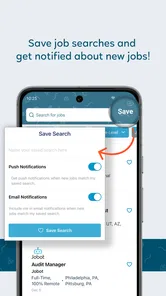
- Useful alerts can notify you when matching opportunities are posted.
Cons
- A paid subscription is required to access the full job-search experience.
- Some listings redirect you to external sites to complete applications.
- The number of opportunities may vary significantly by location and profession.
- Not every remote role offers truly flexible hours or location independence.
- Certain features and listings may feel limited without an active membership.











