Readora
- 1.02K
- 4.2
- Installs
- 100.00K
- Price
- Free
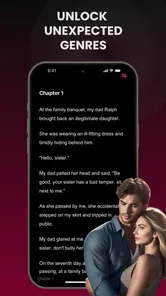
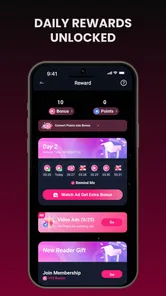
Screenshots


Analysis by Reviewed
Readora is a free reading app in the Books & Reference category, built around one simple promise: helping you sink into stories instead of treating reading like a quick search for information. I spent time with it as the kind of app I would open during a quiet break, before bed, or whenever I wanted something more absorbing than a short article. Its strongest identity is not as a general reference shelf, but as a place for readers who want fiction and serialized storytelling to become part of their daily routine.
That focus matters because reading apps can easily become cluttered. Some are excellent for owning or organizing books, while others are designed for academic lookup, news, or short-form content. Readora sits closer to a story-first reading experience. The developer, HONG KONG LITERARY EXPLORATION TECHNOLOGY LIMITED, presents it with the short store description “Readora” and the more expressive summary “Sink Your Soul into Stories.” In use, I found that the app makes most sense when I approach it as a destination for discovering something to read, not as a replacement for every book tool on my phone.
Readora’s central strength is making story discovery feel like a habit
The capability I kept coming back to was the app’s story-centered reading flow. Rather than opening with the feeling of a digital filing cabinet, Readora encourages me to move from browsing into reading with as little resistance as possible. That sounds modest, but it changes how I use the app. A conventional ebook reader often assumes I already know which book I want. Readora is more useful at the earlier stage, when I know I want a story but have not yet decided which one deserves my attention.
This is particularly helpful for readers who lose momentum when faced with too many choices. I can open the app with only a vague mood in mind—something dramatic, light, mysterious, or easy to continue—and begin exploring instead of spending ten minutes searching elsewhere. The experience is less about building a perfect personal library and more about finding the next story that can carry me through a spare moment.
The practical effect is that Readora turns “I should read more” into a smaller, easier decision: choose a story, start a chapter, and return when I have time. That is the difference between a reading app that looks useful and one that actually earns a place on my home screen. It will not make every reader more disciplined, but it lowers the effort required to begin.
The app has a Teen content rating, so I would still treat the label as a reminder to use personal judgment rather than assuming every story will suit every household. Parents choosing reading material for younger users should look at the individual content and decide whether it matches their expectations. For adult readers and teenagers, the rating gives a broad indication that the catalog is not positioned solely as children’s reading.
What the reading experience feels like day to day
In everyday use, I think of Readora in three stages: finding a story, testing whether it holds my attention, and deciding whether it deserves a return visit. That sequence is more important than any single button. A good reading app should make it easy to sample a premise without forcing me to commit immediately, and it should make continuation feel natural once I have found something promising.
More From Our News Desk

Weather by Xiaomi Review: Clear at a Glance, Less Clear Up Close

X Under Pressure: Can It Recover When Posting Goes Wrong?

Clash of Clans Is Won Between the Battles

Android Auto Makes the Case for Quieter Car Software

MobiOffice: Transforming Mobile Productivity with Seamless Integration

EA SPORTS FC™ Mobile Soccer: Redefining Mobile Sports Gaming
The best way to use it is to avoid treating the first story I open as a permanent choice. I would give a few options a fair start, notice which one makes me want to read another section, and then concentrate on that one rather than endlessly browsing. This is a small but useful workflow because discovery can become its own form of procrastination. Readora is at its most effective when browsing is the doorway to reading, not the entire activity.
I also found that the app suits fragmented schedules. A short session while waiting for an appointment can become a meaningful part of a longer story, and a few minutes before sleep can feel more intentional than scrolling through unrelated feeds. The format is especially appealing to people who like ongoing narratives and want to keep a story close without carrying a physical book everywhere.
That convenience comes with a mental adjustment. Reading on a phone places the story beside notifications, messages, and other distractions. Readora can provide the reading environment, but it cannot remove the habits that pull me away from it. I get the best results when I open the app with a specific intention and silence the interruptions around it. If I keep switching between the story and other apps, the immersive promise becomes much weaker.
A realistic evening with the app
Imagine finishing dinner with half an hour before bed. You do not want a demanding article or a complicated hobby, but you also do not want to lose the evening to endless scrolling. Readora works well in that gap. I would open it, choose a story that matches my mood, read until I reached a natural stopping point, and leave with the sense that the time had gone somewhere rather than disappeared.
The same pattern works during a commute or a lunch break, although phone reading is not ideal in every environment. On a crowded bus, small text, movement, and frequent interruptions can make long sessions tiring. In that situation, Readora is better for a short chapter or a quick return to an ongoing story than for a deep reading marathon. At home, where I can control the surroundings, the app’s story-first design has more room to work.
One non-obvious benefit is psychological: an ongoing story gives a short break a clear beginning and end. Instead of deciding what to do with every spare minute, I can return to a narrative already in progress. That reduces decision fatigue. It also means that the app’s value is not only in the catalog; it is in creating a repeatable transition from idle time to focused reading.
How Readora compares with familiar alternatives
Readora is not the obvious choice for every kind of reader. If I already own a large collection of ebooks and mainly need dependable storage, sorting, typography controls, or cross-device organization, a dedicated ebook platform may be a better fit. Those services are usually built around a personal library and established book ownership. Readora’s appeal is different: it is more compelling when discovery and immersion matter more than managing a carefully built archive.
It also differs from a general web browser. A browser gives me unlimited access to articles, references, and scattered reading material, but it demands more effort to find something worth staying with. Readora narrows the purpose. That narrower purpose can feel refreshing when I want a story rather than a research session. On the other hand, anyone who wants news, manuals, textbooks, or quick factual answers will probably be happier with a browser or a dedicated reference app.
Compared with social reading feeds, Readora may appeal to users who want longer attention rather than a stream of reactions. Social platforms can be better for discussing books with friends or discovering recommendations through conversation. Readora is better suited to the private act of settling into the text itself. I would choose between them based on whether I want community interaction or uninterrupted narrative time.
Its free entry point makes trying the experience straightforward, but the app includes in-app purchases ranging from $19.99 to $199.99 per item. That is a significant range, and it is the main reason I would advise checking the purchase screen carefully before committing to anything. Free installation does not automatically mean that every desirable reading path will remain free. Readers who prefer a clearly defined one-time purchase should compare the overall payment experience with conventional ebook stores before building a routine around it.
The trade-off between immersion and control
Readora’s focused design is both its strength and its limitation. When I want to be guided toward a story, the reduced friction feels helpful. When I want complete control over what I read, how I organize it, and how I move between different sources, the same focus can feel restrictive. A reader who enjoys browsing a personal collection by author, format, publication history, or subject may find a library-centered app more satisfying.
There is also a difference between discovering a story and judging its long-term quality. A smooth presentation can make a premise attractive, but I still need to decide whether the writing, pacing, and subject matter suit me. I would not rely on any recommendation flow blindly. My advice is to treat the first few chapters as a genuine test, then keep only the stories that make you want to return. This prevents the reading list from becoming another crowded queue.
Another trade-off is payment awareness. The range of optional purchases means that budget-conscious readers should establish a personal rule before they begin. For example, I would decide whether I am only exploring free material or whether I am willing to pay for a particular reading experience after trying it. That simple boundary prevents an impulsive purchase from replacing the relaxed feeling the app is supposed to create.
The current version is 5.1.0, and the app supports devices running Android 7.0 or newer. That gives it a broad reach among Android users, including people with older phones who may not want to replace a device just to read. Still, compatibility alone does not guarantee that every phone will feel equally comfortable for long sessions. Screen size, brightness, battery condition, and the user’s tolerance for reading on a mobile display all matter.
Small workflows that make the app more useful
My first tip is to separate exploration from commitment. Use an initial session to look for a story that genuinely catches your attention, then stop browsing once you have found one. This sounds obvious, but it prevents the common trap of collecting possibilities without reading any of them. Readora delivers more value when I judge it by pages read and stories completed, not by how many titles I have glanced at.
My second tip is to match the story length and intensity to the time available. For a short break, I choose something I can enter quickly and leave without feeling lost. For a quiet evening, I am more willing to start a slower or more involved narrative. This approach makes the app feel less frustrating because I am not expecting every session to provide the same depth.
My third tip concerns purchasing. I would explore the free side of the experience first, note what kind of reading keeps me engaged, and only then consider an optional purchase. Because the individual purchase range can reach $199.99, I would never tap through a payment screen casually. The useful question is not “Can I unlock this?” but “Will this change how often I actually read?” If the answer is uncertain, continuing with free discovery is the safer choice.
A fourth insight is to use the app as a transition tool rather than an all-day destination. Opening it at a consistent moment—after work, during a commute, or before sleep—can create a stronger habit than checking it randomly. The story becomes an anchor for that moment. This is especially helpful for people who want to replace some passive scrolling with a more deliberate form of entertainment.
Who will benefit most from Readora?
I would recommend it first to readers who enjoy discovering fiction on their phones, especially those who often have spare minutes but struggle to decide what to read. It is also a good match for people who prefer an ongoing story to isolated articles and who appreciate an app that encourages them to begin without requiring a fully organized library.
Teenagers and adults who want mobile reading can both find a use for it, while families should make individual content choices with the Teen rating in mind. The app is also worth considering for someone returning to reading after a long break. Starting with a story that is easy to access can feel less intimidating than opening a large collection of books and wondering where to begin.
I would be more cautious about recommending it to academic readers, reference-heavy users, or anyone whose main goal is to read books they already own. Students needing searchable textbooks, researchers collecting sources, and readers who care deeply about file ownership may prefer specialized tools. Likewise, if you dislike in-app purchasing or want a completely predictable cost structure, compare alternatives before investing time in the platform.
Its reception gives some useful context: Readora holds a 4.2 average from around 16 thousand ratings, with roughly 1 thousand written reviews and over 100 thousand installs. Those figures suggest that it has attracted a meaningful early audience, but they should not replace personal testing. Reading preferences are unusually individual. A story discovery experience that feels inviting to me may feel too guided to someone who wants complete catalog control.
My final take after using the reading-focused approach
Readora succeeds when I ask it to do one job: help me move from wanting a story to actually reading one. Its strongest contribution is not that it replaces every ebook or reference service, but that it gives casual reading a clear starting point. The app feels most natural in short, repeatable sessions where I can return to a narrative instead of repeatedly deciding how to spend my free time.
I appreciate that it is free to install and available for a wide range of Android devices, but I would keep the in-app purchase range firmly in mind. The payment model makes careful browsing important, particularly for users with strict budgets. I would also avoid expecting it to function like a complete personal library, research tool, or social book club. Those are different needs, and other apps may handle them better.
My recommendation is simple: try Readora if your real problem is finding and returning to stories, not managing books you already own. Give its discovery flow a fair chance, choose one story instead of endlessly sampling, and decide about purchases only after you know the reading habit fits you. For the right reader, that focused path can make a phone feel less like a distraction machine and more like a convenient place to get lost in a story.
Readora Frequently Asked Questions
What does Readora’s Teen content rating mean for families?
Readora is rated Teen, so parents and guardians should consider that rating before letting a younger reader use the app independently. The rating is a useful starting point, but it does not replace checking the kinds of stories and other material a reader may encounter. Families can discuss suitable content and review the app together to decide whether it matches the reader’s age and preferences.
Can I use Readora on both Android and iOS?
Readora is an app in the Books & Reference category, and its availability depends on the store and device you use. Before installing, check the app page for your device to make sure Readora is offered for that platform and that your operating system meets its requirements. This quick check can help avoid downloading an incompatible version or expecting the same availability on different devices.
Who develops Readora, and which devices can install it?
Readora is a Books & Reference app developed by HONG KONG LITERARY EXPLORATION TECHNOLOGY LIMITED. It requires operating system version 7.0 or later, so check your device’s software before downloading. The app’s current version is 5.1.0, and it has been available since March 28, 2025. These details can help you decide whether it fits your device and reading needs.
What is Readora, and what can I use it for?
Readora is a reading-focused application designed to help users discover, organize, and enjoy digital content in one place. Depending on the version available on your device, it may include reading lists, personalized recommendations, bookmarking, progress tracking, and tools for managing saved titles. It is especially useful for readers who want a more organized way to keep up with books or other written content.
Is Readora free to download and use?
Readora can generally be downloaded at no initial cost, but some features or content may require in-app purchases, a subscription, or access through a specific account. Before downloading, check the app store listing for the current pricing structure, trial terms, and available plans. Also review whether subscriptions renew automatically and how cancellation works on Android or iOS. In-app purchases are listed at prices ranging from $19.99 to $199.99 per item, so consider potential costs before making a purchase.
Pros
- Clean interface makes browsing and opening books feel straightforward.
- Personalized reading lists help keep favorite titles organized.
- Useful search tools make it easier to find specific books or authors.
- Reading progress lets you quickly return to where you stopped.
- Suitable for casual reading sessions on phones and tablets.
Cons
- Some titles or features may require a subscription or in-app purchase.
- The available catalog can vary by region and licensing agreements.
- Offline reading options may be limited for certain books or formats.
- Syncing progress may occasionally depend on a stable internet connection.
- Users wanting advanced annotation tools may find the options basic.













