

Raptor Alert
- 89.00
- 3.2
- Installs
- 100.00K
- Price
- Free

Screenshots
Analysis by Reviewed
I see Raptor Alert as a focused school-safety app rather than a general-purpose messaging tool. Its job is to support emergency management for K–12 communities, and that narrow purpose is also its main strength: when a school needs a dedicated channel for urgent communication, a purpose-built app can be easier to recognize and act on than a crowded inbox or a chain of informal messages. My overall view is positive but practical. This is most useful when a school has already adopted Raptor’s emergency communication process; it is much less compelling as a standalone download for someone who is not connected to a participating school.
The app is free, aimed at Everyone, and sits in the Education category. It was developed by Raptor Technologies, LLC, and its current Android release is version 6.1.1, requiring Android 10 or later. Those details matter because emergency tools need to be available on reasonably current phones, but they also mean that people using older devices may need to check compatibility before relying on it. I would not treat installation alone as preparation. The real value comes from being part of the school’s established response workflow.
How Raptor Alert works in a real school setting
The clearest way to understand the app is to imagine a normal school day interrupted by an urgent situation. A parent may be at work, a teacher may be supervising a class, and an administrator may need to communicate quickly with a large group. In that moment, the important question is not whether the app has an attractive interface. It is whether the right people know where to look, recognize the message as legitimate, and understand what action is expected.
That is where a dedicated emergency-management app can have an advantage over ordinary texting. A school can point families and staff toward one recognizable destination instead of asking them to monitor several channels. For a parent, the practical benefit is less about exploring menus and more about building a habit: keep the app installed, allow the relevant notifications, and know how the school expects it to be used before an incident occurs.
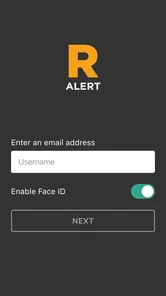
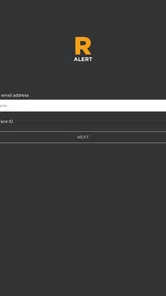
My strongest recommendation is to treat setup as part of the safety process. After installing it, I would confirm that the account or school connection is correct, review the notification behavior, and ask the school what different alerts mean. I would also check that the phone is not silencing notifications through a battery-saving mode or a personal focus setting. These are ordinary phone issues, but they can undermine even a well-designed alert system.
There is an important distinction between receiving an alert and understanding the response plan. Raptor Alert can serve as the communication point, but families still need clear instructions from the school about whether to call the office, wait for another message, avoid approaching the campus, or use a separate reunification process. I would not assume that an alert by itself answers every logistical question. The app works best when the institution explains the surrounding procedure in plain language.
The strongest benefit is clarity under pressure
Emergency communication is a poor place for ambiguity. A message buried among social notifications, promotional emails, and group-chat replies is easy to miss or misinterpret. A dedicated education app gives the school a more defined channel and gives the recipient a clearer reason to pay attention. That does not guarantee perfect communication, but it reduces the mental sorting that people often have to do with ordinary alternatives.
More From Our News Desk

 Instagram
Instagram’s Power Comes From Its Place in Your Phone
A close look at how Instagram turns Meta’s reach, recommendation systems and everyday camera habits into durable platform power—and what that costs users.

 Gmail
GmailGmail in a Busy Inbox: Who Benefits Most?
From first account to crowded workday, Gmail earns its place through dependable search and flexible sorting—but its best fit depends on how much inbox maintenance you can tolerate.

 Prime Video
Switching to Prime Video: What Changes in Your Viewing Routine
Prime Video can make a compelling second home for streaming, but switching means learning a different catalog, rental layer, and route from browsing to playback.

 Universal TV Remote Control
Universal TV Remote Control Works Best as a Reliable Backup
A phone remote earns its place through quick setup and reliable habits. Here is how to get more from Universal TV Remote Control—and where its limits show.

 Weather - By Xiaomi
Weather by Xiaomi Review: Clear at a Glance, Less Clear Up Close
Xiaomi’s weather app makes everyday forecasts quick to scan, but its calm surface can leave useful details and recovery paths harder to find than they should be.

 X
XX Under Pressure: Can It Recover When Posting Goes Wrong?
A resilience-focused review of X, examining setup, mistaken posts, interruptions, weak connections, and the gaps that matter when recovery needs to be dependable.
Latest News



I also appreciate the separation between routine school information and urgent communication. A parent may already receive attendance notes, event reminders, teacher messages, and district announcements elsewhere. Keeping emergency-related communication in its own context can make it easier to identify when something deserves immediate attention. The trade-off is that another app must be installed and maintained, but in this category that extra step can be justified.
The audience size gives the product some credibility as an established option: it has passed one hundred thousand installs and carries an average rating of 3.2 from roughly two hundred ratings. I would read that combination carefully rather than treating it as a glowing endorsement. It suggests real adoption, while the middling rating is a reminder that emergency apps are judged harshly when notifications, access, or account setup do not behave as expected.
The review count, sitting at about ninety, is also small enough that personal experiences can vary widely. A family with a smooth school enrollment process may barely notice the app after setup. Another user may judge it almost entirely by a delayed alert, a confusing sign-in step, or a notification that did not appear as expected. For that reason, I would give more weight to how the local school operates the system than to the average score alone.
Where it fits better than familiar alternatives
Text messages are familiar and usually require no special learning, but they can become fragmented when several school contacts use different numbers or when a message needs to reach a broad community. Email is useful for detailed explanations, yet it is not the channel I would want to depend on for a time-sensitive instruction. A school website can host official information, but families may not refresh it quickly enough during a developing situation.
Raptor Alert occupies a different position. It is not trying to replace every school communication method; its value is in giving emergency management a dedicated home. Compared with a generic messaging app, that focus may make the intended purpose clearer. Compared with a simple SMS system, it may offer a more structured relationship between the school and its community. The downside is that it depends on adoption and familiarity. If only part of the school community uses it, families may still need to watch other channels.
This is also why I would not recommend choosing it as an individual parent without checking the school’s policy. An emergency app cannot create a useful network by itself. If the school does not use Raptor Technologies’ system to communicate with your community, installing the app may not give you meaningful access. In that situation, the school’s official text, email, phone, or website process is the better source to follow.
Everyday preparation matters more than occasional testing
One non-obvious lesson with an app like this is that the best time to discover a notification problem is not during an emergency. I would test my own readiness during a calm week: confirm the app opens correctly, check that the school relationship is still active, and make sure the device’s notification controls have not changed. If the school offers a drill or sends a routine test, I would treat it as a chance to verify the whole chain rather than dismissing it as noise.
A second useful habit is to decide in advance who in the household will monitor alerts. If one parent is usually driving or working in a place with limited phone access, another adult may need to be the primary contact. This is not a feature claim about the app; it is a practical way to prevent duplicated calls and conflicting reactions. The app can deliver information, but families still need a simple plan for interpreting it.
A third trade-off concerns attention. Turning on every possible notification may feel safest, but excessive alerts can lead to fatigue. I would follow the school’s guidance and distinguish urgent communication from ordinary updates where the app allows that distinction. The goal is not to make the phone constantly noisy. The goal is to make a genuine emergency difficult to overlook while preserving enough context to understand what is happening.
The meaningful weakness: dependence on the surrounding institution
The app’s biggest limitation is not necessarily a missing button or an unattractive screen. It is dependence on the school’s implementation. Parents and staff cannot judge the experience only by installing the application. They need the school to connect the right people, maintain accurate contact information, communicate expectations, and use the platform consistently. If those steps are weak, the app can feel unreliable even when the underlying idea is sound.
This dependence also creates a frustrating support boundary for users. When a school connection is incorrect, the first useful conversation may need to be with the school or district rather than with the app itself. A parent who expects a consumer app to work immediately may be confused by that relationship. I would set expectations accordingly: this is an institutional tool, and access is tied to the organization’s process rather than personal curiosity.
The rating reinforces that caution. An average of 3.2 is not a reason to dismiss the app, but it does tell me that the experience is not universally smooth. Emergency tools have little room for uncertainty, so I would be especially attentive to login reliability, notification permissions, and the school’s instructions. I would also keep the school’s alternate contact method available, because redundancy is sensible when the stakes are high.
Another limitation is scope. Raptor Alert is not a substitute for a full family communication plan, a school website, a phone call, or official information from local authorities. It should not be treated as a live news service or as a place to improvise during a crisis. If the situation requires detailed updates, two-way clarification, or information from outside the school, another official channel may be more appropriate.
Who will benefit most from using it
I think the best-fit audience is parents, guardians, teachers, and staff whose K–12 school actively uses Raptor’s emergency-management system. For those users, the app can provide a recognizable place to receive urgent school communication and a reason to establish good notification habits. It is particularly sensible for households with children at a school where emergency instructions have previously been spread across too many disconnected channels.
It may also suit staff members who need to stay aware of school alerts while moving between classrooms or buildings. However, I would not assume that every staff role has the same responsibilities. Teachers should follow the school’s procedures for classroom supervision and reporting rather than relying on a personal interpretation of an app message. The application can support the process, but it does not replace training or the chain of command.
I would tell a prospective user to skip it, or at least delay installation, if their school has not instructed them to use it. The same applies to someone looking for a general emergency-alert service for a city, workplace, or household. This is education-focused and designed around K–12 communication, so a different tool will be more suitable for broader public alerts or private family check-ins.
Device compatibility is another practical filter. Because the current version requires Android 10 or later, people with older Android phones should verify whether their device can run it before making it part of their plan. iPhone users should follow the relevant iOS distribution route provided by their school or institution. In either case, the important point is to confirm access before an alert is needed, not during one.
What I would do immediately after installing
I would connect the app through the school’s official instructions rather than relying on an informal invitation or an old message.
I would check that the correct child, campus, or staff relationship appears in the account, especially if the household has more than one school connection.
I would review phone-level notification settings, including sound, focus modes, and battery restrictions that might delay delivery.
I would ask the school what an emergency alert expects me to do and which channel will carry follow-up information.
I would keep a non-app contact method available so that a technical problem does not leave the household without a way to reach the school.
That checklist reflects my main view of the product: preparation is the feature users create around it. The application can be valuable, but only when the account is correctly connected and the people receiving alerts understand the next step. Spending a few minutes on that groundwork is more useful than simply downloading it and assuming the job is finished.
My final judgement for families and schools
Raptor Alert is worth using when your K–12 school has made it part of its official emergency plan. I like its focused purpose, its separation from everyday school chatter, and the way a dedicated channel can reduce confusion when time matters. The free price and Everyone age rating also make it approachable for a broad school community, while the established install base shows that it is not an obscure experiment.
Still, I would not describe it as a complete safety solution or recommend it blindly. The 3.2 average rating points to a mixed user experience, and the app’s usefulness depends heavily on school administration, correct enrollment, working phone notifications, and clear instructions outside the app. Those are meaningful limitations, not minor details.
My recommendation is therefore specific: install it if your school tells you to, verify the connection, participate in any available test or drill, and learn the response process that surrounds each alert. Choose another option when you need citywide warnings, private family messaging, or a communication channel unrelated to a participating K–12 institution. Used in the right setting, this Education app can be a sensible part of school emergency communication. Used without that institutional connection, it offers far less value than its purpose might suggest.
Raptor Alert Frequently Asked Questions
Is Raptor Alert free to download, and what devices can run it?
Raptor Alert is free to download and is available for Android and iPhone. The app is rated for Everyone, and its current version is 6.1.1. On Android, it requires Android 10 or later. Before installing, check that your phone meets the operating system requirement and has notifications enabled so you can receive alerts from an organization that uses the service.
Who develops Raptor Alert, and how widely is it used?
Raptor Alert is developed by Raptor Technologies, LLC, and is described as an education app for emergency management in K–12 settings. It has over 100,000 installs and an average rating of 3.2 from around 200 ratings, with close to 90 written reviews. Those figures offer a broad snapshot of its reach, but your experience will also depend on how your school or organization has set up the service.
What is Raptor Alert and what can I use it for?
Raptor Alert is a mobile safety and emergency notification application designed to help participating schools, colleges, organizations, or communities communicate important alerts quickly. Depending on the institution using it, the app may provide notifications about emergencies, severe weather, campus closures, security incidents, or other urgent situations. Its usefulness depends on whether your organization has officially adopted the platform and configured the relevant alert channels.
Does Raptor Alert work without joining an organization or school?
You generally need to be connected with a participating organization, school, district, or community before Raptor Alert can deliver meaningful notifications. During setup, the app may ask you to select an institution, create an account, verify contact information, or enable specific alert categories. Installing the app alone does not guarantee that you will receive messages, so confirm that your organization supports Raptor Alert and that your profile is correctly registered.
What permissions does Raptor Alert require on Android or iPhone?
Raptor Alert may request permission to send push notifications, access your approximate location, use mobile data, and operate in the background. Notification access is especially important because emergency messages could be delayed or missed if alerts are disabled. Location access may support location-based warnings, but you should review the permission descriptions and your phone’s privacy settings. You can usually change these permissions later, although restricting them may reduce the app’s effectiveness.
Pros
- Fast alerts can help users react quickly to nearby raptor sightings.
- Useful for birders
- wildlife enthusiasts
- and outdoor explorers.
- Sightings may include valuable location and species information.
- Can support local wildlife awareness and conservation efforts.
- Simple alert-based concept makes the app easy to understand.
Cons
- Coverage may be limited in areas with few participating users.
- Frequent notifications could become distracting during active periods.
- Reported sightings may vary in accuracy or identification quality.
- Some features may depend on location services and mobile data.
- The app’s usefulness can differ greatly by region and local activity.











