Private Maps by MapQuest
- 36.00
- 4.1
- Installs
- 10.00K
- Price
- Free

Screenshots
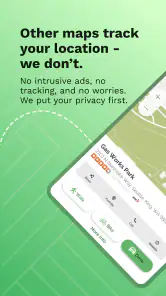
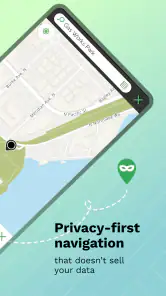
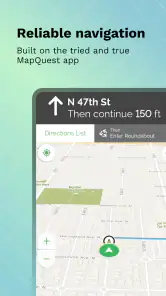
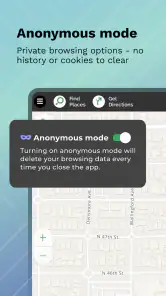
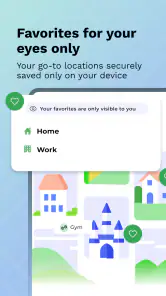
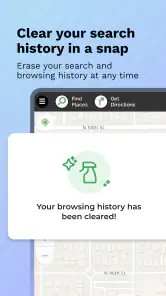
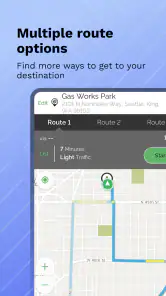
Analysis by Reviewed
Before giving a navigation app a lasting place on my phone, I want to know whether it makes ordinary trips easier without asking me to compromise on privacy. Private Maps by MapQuest puts privacy at the center of its appeal, while aiming to cover familiar mapping needs. That is a useful combination, but the real test is not the first launch: it is whether the app remains convenient after the novelty fades.
The first-week appeal
On a first outing, the appeal is easy to understand: open a map, choose a destination, and get directions without having to learn a complicated interface. As a free maps and navigation app from MapQuest, it suits someone who wants a familiar driving tool with privacy as part of the pitch. The app is rated for Everyone, so its intended audience is broad; whether it fits your habits depends more on your routes and privacy expectations than on your experience with navigation apps.
A useful way to try it is to make a short, familiar trip before relying on it for an unfamiliar drive. You can judge whether its route choices make sense to you, whether the directions are comfortable to follow, and whether the screen feels clear while parked and setting off. For example, if I were heading across town to meet a friend during a busy evening, I’d check the proposed route before leaving and use the traffic view to decide whether it looked sensible. That small trial is more revealing than installing a navigation app right before a long journey.
Why Choose Private Maps?
In today’s tech-savvy world, privacy has become a prime concern. With Private Maps by MapQuest, you get a map service that respects your need for privacy. The app ensures your location data isn’t stored or shared with advertisers, which is a huge advantage for anyone wary of their digital footprint.
User-Friendly Interface
One of the first things I noticed about Private Maps is its straightforward, user-friendly interface. The design is sleek and intuitive, making it easy for anyone to navigate. Whether you’re a tech newbie or a seasoned app user, you’ll find the layout easy to understand. The functionalities are clearly labeled, and the map itself is detailed without being overwhelming.
Features That Stand Out
What sets this app apart from the rest is its focus on privacy alongside its robust features. You still get all the goodies you’d expect from a top-notch map app – real-time traffic updates, turn-by-turn navigation, and even a handy feature that lets you explore local places of interest. However, the standout feature for me is its offline maps. You can download maps and use them without an internet connection, which is perfect for those moments when you find yourself in a reception black spot.
Moreover, the app provides customizable routes. This means you can tailor your journey according to your preference, whether you want the fastest, shortest, or even a scenic route. It’s like having a personal travel assistant in your pocket!
You May Like

Clash of Clans Is Won Between the Battles

Android Auto Makes the Case for Quieter Car Software

MobiOffice: Transforming Mobile Productivity with Seamless Integration

EA SPORTS FC™ Mobile Soccer: Redefining Mobile Sports Gaming

How Microsoft OneDrive Became a Mobile Productivity Giant

How Google Translate Breaks Language Barriers Effortlessly
Making routes practical before you leave
Route options are most useful when I treat them as a planning aid, not an instruction to blindly follow whatever appears first. If I know a main road regularly slows near my destination, I can compare the suggested route with the alternatives while parked and decide which trade-off suits the trip. A shorter route may involve more turns, while a faster one may be less predictable in traffic. Taking a moment to look at the route before driving helps me avoid making a rushed choice at an intersection.
For an unfamiliar appointment, I’d use the map in two stages: first to understand the broad direction of travel, then to check the final approach to the destination. The last few turns are often where a route feels confusing, especially when I’m looking for a particular entrance or parking area. I would not try to resolve that while moving. Checking the map before setting off, and pulling over if I need to reconsider, makes the app more useful and keeps the phone from becoming a distraction.
Performance and Reliability
When it comes to performance, Private Maps doesn’t disappoint. The app runs smoothly without any noticeable lag, and the navigation is spot on. I tested it on a few different routes, and it consistently provided accurate directions. Plus, the real-time traffic updates are a lifesaver during rush hour, allowing me to dodge traffic jams like a pro.
Month-to-month value and maintenance
The lasting question for me is not whether a map is useful on day one, but whether I would keep opening it after the novelty wears off. Navigation is a recurring need, so a dependable route planner can earn a regular place on a phone. Private Maps is free to install, though it also offers in-app purchases priced from $4.99 to $29.99 per item. I’d check what an optional purchase actually adds before paying; the basic appeal is the privacy-focused mapping, not a reason to spend automatically.
For regular use, I’d build a simple routine: check the route while stationary, download an offline map before a trip where coverage may be weak, and review the directions before setting off if the destination is unfamiliar. Offline preparation is most useful when done ahead of time rather than when the signal has already disappeared. It also means you should think about whether the map you need is available and ready before depending on it away from a connection.
The app’s current version is 1.1.26, and it runs on Android 7.0 or later. That makes it an option for some older Android devices, but I would still keep the app updated when updates are available. Navigation depends on current mapping and traffic information, so an app that sits untouched for months is less reassuring than one you routinely check. Private Maps has an average rating of 4.1 from 116 ratings, alongside 36 written reviews and 10K+ installs. Those figures suggest a modest audience rather than the ubiquity of the biggest mapping services, so I’d test it locally instead of assuming it will behave exactly like a familiar alternative.
Keeping the app useful without extra fuss
Maintenance here is less about constant tinkering than remembering to prepare. Before a drive through an area with uncertain reception, I’d download the map while I still have a connection and make sure the destination is clear. That small habit matters more than waiting until the route fails to load. For ordinary city driving, I would not download maps automatically for every trip; I’d reserve that step for travel where losing a connection could complicate the journey.
I’d also avoid treating an offline map as a complete replacement for connected navigation. It can help when signal drops, but live traffic is inherently most useful when the app can receive current information. If I were planning a long drive, I would check the route and traffic before departure and keep a backup plan in mind for a major detour. This is a practical trade-off: offline preparation can improve resilience, but it does not remove the need to think ahead.
Where it fits—and where it may not
Compared with the usual general-purpose map apps, the strongest reason to consider this one is its privacy-first identity, paired with navigation and offline-map use. The trade-off is that people who depend on a long-established mapping habit may prefer the alternatives they already know, especially if those apps better match their daily routines. I wouldn’t switch every household member or make it my only navigation option until I had checked the routes I use most often.
It is a sensible candidate for a privacy-conscious driver who wants one straightforward tool for familiar journeys and occasional trips without a reliable connection. It is less compelling if your main priority is sticking with an existing ecosystem, or if you need a feature you already rely on elsewhere and have not confirmed it works here. On a shared trip, I’d also agree on the destination and route before driving; that reduces fiddling with the phone once underway and gives you a chance to catch an unexpected route choice while parked.
For someone who mostly walks, cycles, or uses public transport, the value depends on whether the app’s navigation suits those journeys as well as driving. I would not assume a driving-focused routine translates perfectly to every kind of trip. If your day depends on live transit changes, detailed walking guidance, or coordination across several transport modes, compare those specific needs against the tools you already use before switching. Private Maps makes more sense when its core mapping and route planning solve the trips you actually take.
Privacy and the habit of checking
Privacy is a meaningful reason to try the app, but I wouldn’t treat a privacy-focused name as a substitute for reading the app’s current privacy details and device settings. If location access matters to you, review the choices presented by your phone and decide what you are comfortable allowing. That is a practical habit with any navigation app, and it helps make the privacy promise part of an informed decision rather than an assumption.
There is also a personal trade-off between privacy and convenience. A person who wants a map to remember frequent destinations or connect tightly with other services may favor an established alternative that fits those habits, even if privacy is not its main selling point. I would decide what matters most before installing: fewer location-related concerns, or the familiarity and connected features of the app already on the phone. That choice is more useful than comparing apps by name alone.
Sources of fatigue after the novelty
A privacy-focused map can feel refreshing at first, but routine use depends on whether it handles the small decisions that happen repeatedly: finding a destination, choosing a route, and understanding the final turns. If any of those steps take more effort than they do in your current app, the privacy benefit may not be enough to keep you switching. I’d give it several ordinary trips, including one route I know well, rather than judge it on a single successful drive.
Another source of fatigue is keeping two navigation apps around without a clear reason to open each one. If I kept Private Maps, I’d make it my default for the routes where its privacy approach and offline preparation are useful, while retaining another map only for a specific need it handles better. If I found myself repeatedly comparing both apps before leaving, that would be a sign the new habit was adding work instead of removing it.
Final Thoughts
Overall, Private Maps by MapQuest is an impressive app that combines the essential features of a mapping service with a commitment to privacy that’s hard to find elsewhere. Whether you’re a privacy-conscious individual or just someone in need of a reliable navigation tool, this app is definitely worth a try. It’s not just about getting you to your destination; it’s about doing so with peace of mind. So why not give it a whirl and see how it transforms your travel experience?
My longer-term verdict is a little more measured: it earns a place if its privacy emphasis and everyday directions match the way you travel, not simply because it is new. Give it a fair test on routes you know, prepare offline maps before you need them, and see whether you naturally reach for it over your usual alternative. If it fits, the habit can make the app worthwhile; if it adds friction or lacks something essential to your routine, choosing a different navigation tool is the sensible call.
Private Maps by MapQuest Frequently Asked Questions
Is Private Maps by MapQuest free to download, and does it include in-app purchases?
Private Maps by MapQuest is free to download, so you can try its private-navigation focus without an upfront purchase. The app also offers in-app purchases, with items ranging from about five to thirty dollars. Check the purchase details in your app store before buying, especially if you plan to use features that may require an additional payment.
What devices and operating systems can run Private Maps by MapQuest?
Private Maps by MapQuest is available for Android and iOS, so it can suit users on either platform. On Android, the minimum supported operating-system version is 7.0. Before downloading, check your device’s current software version and the app’s compatibility details in its store; keeping your operating system up to date can also help with general app compatibility.
What is Private Maps by MapQuest and how does it differ from regular maps?
Private Maps by MapQuest is a specialized version of the traditional MapQuest application designed for users who prioritize privacy and security in their navigation needs. Unlike standard maps, Private Maps offers features that limit data sharing, ensuring user location and search history remain confidential. Ideal for users concerned about data privacy, this app provides a secure way to plan routes and explore areas without compromising personal information.
Does Private Maps by MapQuest offer offline navigation?
Yes, Private Maps by MapQuest provides offline navigation capabilities. Users can download maps for specific regions or routes, allowing them to access navigation features without an internet connection. This is particularly useful for travelers who may experience limited connectivity or prefer to save on data usage while on the go. It's a reliable feature for ensuring continuous guidance in remote areas.
How does Private Maps ensure my data privacy during use?
Private Maps by MapQuest employs advanced encryption and data protection measures to secure user information. The app minimizes data collection and does not share location or search data with third parties. By prioritizing user confidentiality, it provides a safe platform for navigation without the risk of personal information being sold or misused. Users can trust that their privacy is maintained throughout their interaction with the app.
Pros
- User-friendly interface
- Accurate navigation
- Customizable map settings
- Real-time traffic updates
- Offline maps available
Cons
- Limited POI database
- Occasional app crashes
- Some ads in free version
- Limited offline features
- Slow map loading at times

- Category
- Maps & Navigation
- Version
- 1.1.26