PPSS22 Emulator - PS2 Emulator
- 559.00
- 3.4
- Installs
- 1.00M
- Price
- Free

Screenshots
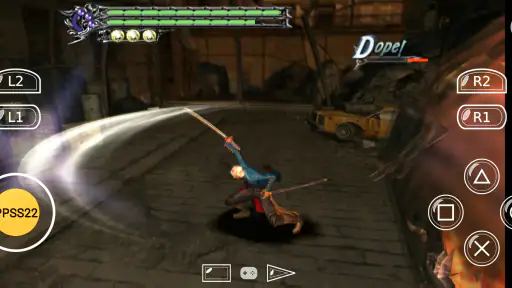
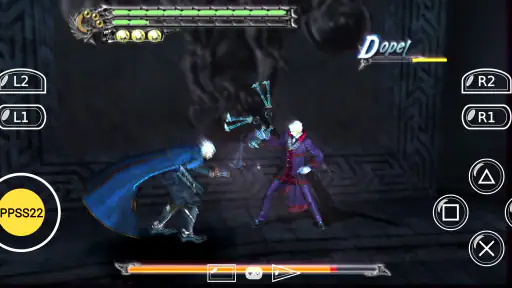
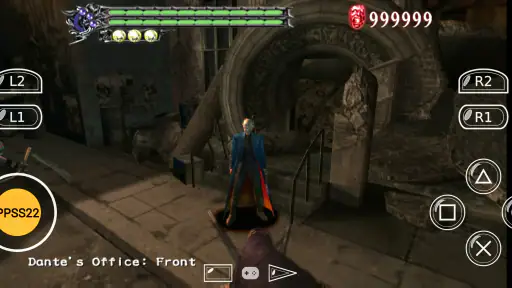
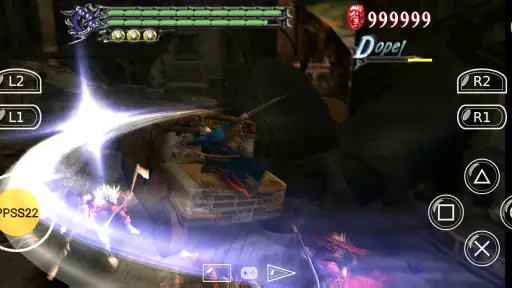
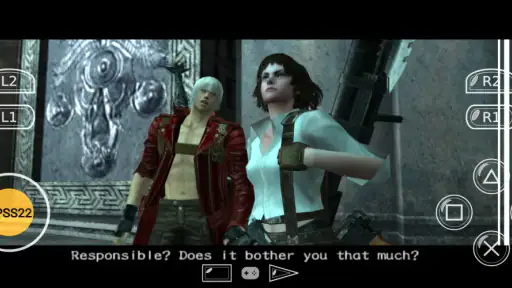
Analysis by Reviewed
On a shared Android phone or tablet, a PS2 emulator can turn a quiet stretch of the day into a quick trip back to an old favorite. I’d treat PPSS22 Emulator as a personal play space rather than a family game library: one person can pick up a game while another uses the same device for something else, but everyone should agree on how the device and game files are managed. That small conversation can prevent lost progress and the familiar “who changed my settings?” moment.
Sharing a device without sharing every decision
For a household, the practical question is less about who likes retro games and more about who controls the Android device. If several people use one tablet, decide whose session is active before changing controls or emulator settings. I’d also avoid treating the app as a shared save manager: state-based saves can be convenient, but they are easy to overwrite if another player starts experimenting. A simple routine—finish a session, save deliberately, then hand over the device—makes shared play less confusing.
A realistic use is a parent keeping the tablet nearby during a wait, then letting an older child play a short session with an external controller. Touch controls are useful when no controller is available, but they take up screen space and may feel less precise. For a game that depends on accurate button timing, a controller is the more comfortable choice; for a brief turn or a quick test, touch controls are easier to carry around. The trade-off is convenience versus control, not a guarantee that every game will feel like it did on a console.
Setup choices that matter later
The low-friction interface is helpful once the app is open, but getting a satisfying experience still involves a few choices. I’d start with one game and the default settings, then change only what feels uncomfortable or slow. Adjusting several options at once makes it harder to tell which change helped, especially on a phone that is already working near its limits. Try the touch layout in a safe, low-pressure part of a game before relying on it in a difficult section.
It is also worth separating “the emulator opens” from “my particular game runs well.” A capable device can still behave differently across titles, and a title that stutters is not necessarily fixed by changing every setting. Keep expectations modest, test in short sessions, and use a controller only if it improves your own comfort. If you are choosing a device mainly for emulation, a more established handheld or console option may be a better fit than expecting an Android app to reproduce every part of a PS2 setup.
Age, trust, and expectations
The app is listed for Everyone, which makes its age label broad, not a personal recommendation for every child or every household. I’d still choose games with the child in mind and supervise shared-device use in the way I would for any gaming app. The emulator itself is a tool; the experience depends on the games someone chooses and on how the device is used. Blue Oliver's is the developer, and the app is free, so trying it does not require a purchase, though the time spent setting up a comfortable routine is still worth considering.
It belongs to the Libraries & Demo area rather than the usual console-game category, so it makes most sense for people who already have a reason to emulate and understand that an emulator is not the same thing as a ready-made collection of games. Compared with a dedicated retro handheld, it saves carrying another device, but the phone’s battery, screen controls, and shared-use habits become part of the experience. Compared with a standard Android game, it asks more of the user before play feels settled. That extra setup is worthwhile for curious PS2 fans, but not for someone who just wants to tap once and immediately start a polished game.
More From Our News Desk

Clash of Clans Is Won Between the Battles

Android Auto Makes the Case for Quieter Car Software

MobiOffice: Transforming Mobile Productivity with Seamless Integration

EA SPORTS FC™ Mobile Soccer: Redefining Mobile Sports Gaming

How Microsoft OneDrive Became a Mobile Productivity Giant

How Google Translate Breaks Language Barriers Effortlessly
Released on July 29, 2023, and now at version 415, it has an average rating of 3.4 from around 23,000 ratings, with over 1 million installs and 559 written reviews. I see that as a reason to approach it with measured expectations rather than assume every device and title will behave identically. It is free and marked for Everyone, but neither fact removes the need to decide whether emulation suits your household, device, and patience.
So, you’re a fan of classic gaming and itching to play some PS2 games on your Android device? Well, let me introduce you to the PPSS22 Emulator. This emulator has been buzzing in the gaming community and for a good reason. Let’s dive into what makes this app a solid choice for PS2 enthusiasts.
Getting Started with PPSS22 Emulator
First off, installing the PPSS22 Emulator is a breeze. Just head over to your go-to app store, download, and you’re set. The user interface is pretty straightforward, which is perfect if you’re like me and not a fan of complicated setups. Once you fire it up, you’ll see that the layout is designed with gamers in mind. Everything is right where you’d expect it to be, making navigation a cinch.
Performance and Compatibility
Okay, let’s talk performance. This emulator does an impressive job of running PS2 games smoothly. I tested it with a few classics, and the gameplay was silky smooth. Of course, the performance can vary depending on your device’s capabilities, but on a decent smartphone, you’re in for a treat. Plus, the compatibility is quite expansive. Most of the popular titles are supported, and the app is constantly being updated to include even more.
Features Worth Mentioning
What sets the PPSS22 Emulator apart are its features. You can save and load your game states, which is a lifesaver for those tough spots in games. The customization options for on-screen controls are a nice touch too. You can adjust them to fit your playing style, making the gaming experience more enjoyable. And if you’re someone who loves tweaking settings, there are plenty of those to mess around with to optimize performance.
Another feature that caught my eye is the support for external controllers. If you’re not a fan of touch controls, just hook up a controller and you’re good to go. This makes the gameplay much more immersive, almost like playing on the original PS2 console.
Where it fits in a household routine
I think this app makes the most sense when one person is willing to be the “device steward”—the person who keeps track of the chosen game, control layout, and save habits. That does not need to become a formal job. It can simply mean agreeing that settings are changed intentionally and that a session ends with a deliberate save rather than handing over the tablet mid-game. This small boundary is especially useful when a device is shared by people with different levels of gaming experience.
For example, an adult could test a game and controller setup at home, then bring the tablet along for a long wait. If the controls feel awkward or the game struggles, that becomes clear before a child is relying on it to pass the time. I would not assume a quick install automatically produces a dependable travel setup; a short trial at home is a better way to check comfort and performance on the actual device.
Practical setup without guesswork
One useful habit is to keep experiments small. Start with the default control placement, try a familiar section, and change one thing at a time. If the screen feels crowded, repositioning the on-screen buttons may help more than immediately reaching for performance settings. If movement feels imprecise, test an external controller before deciding the emulator itself is the problem. Separating these issues makes troubleshooting less frustrating and helps you avoid a pile of changes you cannot easily undo.
Game states are convenient for pausing at an awkward moment, but I would not make them the only way to protect progress. Treat them as a quick checkpoint, not as a shared household archive: a second player can replace a state without realizing it. When several people use the same device, agree on who is playing and which save is the one to continue from. That is a simple workflow, but it is more reliable than expecting everyone to remember what happened in the last session.
Another point worth considering is portability. A phone is easier to bring along than a dedicated retro handheld, but its display and touch surface are also being used for controls. That can make a long session less comfortable, especially in a game that asks for frequent, precise inputs. A controller can improve the feel, though it adds another item to carry and does not guarantee that every title will perform smoothly. For occasional play, using what you already own is appealing; for regular, extended sessions, a purpose-built gaming device may be the more satisfying choice.
Who should try it—and who may prefer something else
I’d recommend giving it a try if you already enjoy PS2 games, are comfortable setting up an emulator, and want to see how a particular title behaves on your Android device. It also suits a curious player who likes adjusting controls and settings until the setup feels right. The free price makes an initial experiment easier, but the app is still best for someone who understands that the emulator is a tool rather than a bundled catalogue of games.
I would steer a person toward a regular Android game if they want instant play with minimal setup, or toward dedicated hardware if they expect a consistent console-like experience across long sessions. Someone who dislikes troubleshooting, has a device that struggles with demanding games, or needs a shared tablet to remain simple for everyone else may find the extra choices more irritating than fun. The right comparison is not just “which emulator has more options?” but “how much setup am I willing to accept for the games I want to play?”
Age, ownership, and trust at home
The Everyone label is useful context, but I would not use it as a substitute for choosing suitable games or setting household expectations. The app’s age category describes the app, while the content and experience depend on the game being used. For a child on a shared device, I’d decide which games are appropriate and make clear that changing emulator settings or overwriting saves can affect someone else’s session. Those are ordinary shared-device boundaries, not a reason to treat the app as a family account system.
Before settling into regular use, it is sensible to check that the Android device is on a supported system version and that there is room for the games and related files you intend to use. The minimum OS is Android 8.0. That helps answer whether an older device is a possible starting point, though it does not predict how well a specific game will run. I would test the actual combination of device, game, and controls rather than relying on the operating-system requirement as a performance promise.
What the ratings suggest
With an average rating of 3.4 from around 23,000 ratings, PPSS22 Emulator has clearly attracted a substantial audience, but the score also encourages a measured approach. Ratings cannot tell me whether a particular game will suit your phone, and a written review may describe a different device or use pattern from yours. The app has over 1 million installs and 559 written reviews, which gives prospective users a broad pool of feedback to consult; I would look for comments about the same kind of device and the specific issue I care about, rather than treating any single opinion as a guarantee.
Its release date is July 29, 2023, and the current version is 415. Blue Oliver's develops it, and it remains free with an Everyone age rating. Those details make it easy to understand what kind of app you are considering, but the practical decision still comes down to whether your device handles the game you want and whether you are comfortable with the setup involved.
My household verdict
For a household that already has an Android device and someone willing to manage the setup, this can be a convenient way to explore PS2 emulation without carrying separate hardware. I like the combination of adjustable touch controls, external-controller support, and game-state saving because each addresses a different everyday need: quick access, more comfortable input, and a way to pause at a useful point. The benefit is real, but it depends on using those tools thoughtfully, especially when more than one person plays.
My recommendation is to begin with one game, test it in a relaxed setting, and settle the household routine before making the app part of a child’s travel entertainment or a shared tablet’s regular rotation. If it behaves well and the controls feel natural, it can be a handy retro option. If you need a ready-to-play collection, predictable performance across many games, or uncomplicated handoffs between users, a standard Android game or dedicated gaming device will likely suit you better. That is the trade-off I would want a friend to understand before deciding whether it belongs on their device.
Final Thoughts
All in all, the PPSS22 Emulator is a fantastic option for anyone wanting to relive those PS2 glory days on Android. It’s user-friendly, packed with features, and offers great performance. Whether you’re a casual gamer or a hardcore PS2 fan, this app is worth checking out. Just remember, the quality of your gaming experience will largely depend on your device, so make sure it’s up to the task. Happy gaming!
PPSS22 Emulator - PS2 Emulator Frequently Asked Questions
Is PPSS22 Emulator available for iOS?
PPSS22 Emulator is presented as an Android app, so it is intended for Android devices rather than iPhones or iPads. If you are using an Apple device, check the app’s platform availability before looking for a download, since an Android app cannot be installed directly on iOS. For Android, the app requires version 8.0 or later.
Who develops PPSS22 Emulator, and what kind of app is it?
PPSS22 Emulator is developed by Blue Oliver's and is categorized as a library and demo app. Its short description is simply “PPSS22 Emulator,” while its summary says it is available on Android. These details help set expectations: it is an emulator app for Android, not a collection of PS2 games bundled with the download.
Is PPSS22 Emulator compatible with my Android device?
PPSS22 Emulator is an Android app, and it requires Android 8.0 or later. Whether games run smoothly also depends on your device’s performance, so check that your phone or tablet meets the app’s operating-system requirement before downloading. The app is free and is listed for users of all ages; as with other emulators, gameplay performance can vary from one device to another.
What is PPSS22 Emulator and how does it work?
PPSS22 Emulator is a powerful PlayStation 2 emulator designed for Android devices. It allows users to play their favorite PS2 games on their smartphones or tablets. The emulator works by mimicking the PS2 console's hardware and software environment, enabling users to load PS2 game files and experience gameplay similar to the original console. The app requires a high-performance device to run games smoothly.
Is PPSS22 Emulator free to use or does it require a purchase?
PPSS22 Emulator is available for free with basic features. However, to unlock advanced features, such as faster emulation speed, enhanced graphics, and ad-free experience, users may need to make an in-app purchase. The premium version provides a more seamless gaming experience, making it worthwhile for avid gamers looking to relive their favorite PS2 titles.
Pros
- High compatibility with PS2 games.
- Smooth gameplay with minimal lag.
- User-friendly interface for ease of use.
- Customizable control settings.
- Free to download and use.
Cons
- Requires high-end device for best performance.
- Some games may not run perfectly.
- Occasional in-app ads.
- Limited online multiplayer support.
- Large file size may require ample storage.
- Category
- Libraries & Demo
- Version
- 415










