Poseit
- 624.00
- 3.9
- Installs
- 1.00M
- Price
- Free

Screenshots
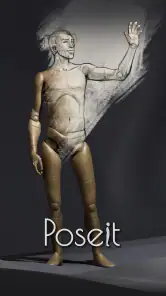
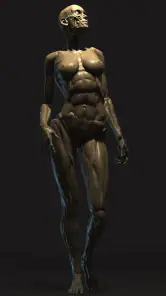
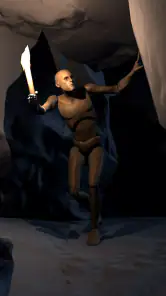
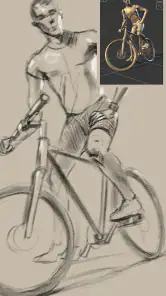
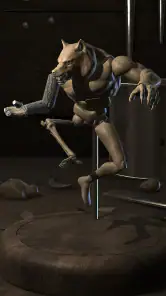
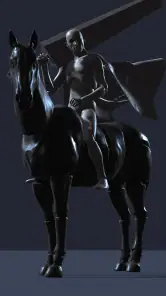
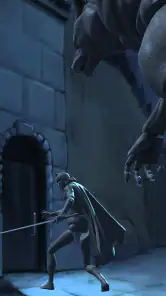
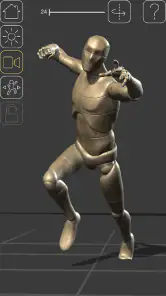
Analysis by Reviewed
When I first use a digital figure reference, I tend to get stuck not on the drawing itself but on deciding what to pose and how to view it. Poseit is useful precisely at that early stage: it gives me a manipulable mannequin to work from, so I can test a gesture before committing pencil or brush to paper. It is best treated as a reference aid, not a lesson that will teach anatomy by itself.
Where the workflow can snag
The freedom to adjust a figure is helpful, but it can also turn into a small trap: I can keep tweaking a pose instead of drawing. I get more value by choosing one clear goal first, such as checking a foreshortened arm or the balance of a standing figure, then settling on a view and moving on to the sketch. A mannequin can clarify the broad arrangement of limbs, but I still need to interpret the forms rather than trace every joint as finished anatomy.
For a quick everyday example, I might have ten minutes during a break and want to sketch a character leaning over a desk. I can set up a pose, look at the figure from an angle that makes the torso and arms easier to read, and make a few rough gesture lines. Saving a pose is useful if I want to return to that composition later, but I would still note what I was trying to study; otherwise, a saved reference can become just another item I forget to revisit.
Getting a useful start
Poseit is a free Art & Design app from 1ManBand. It has a 3.9 average from around 8,200 ratings, more than 1 million installs, and an Everyone age rating. The current version is 2.2.1, with Android 6.0 as its minimum requirement; optional in-app purchases range from $0.99 to $7.99 per item. It was released on June 18, 2020, and has also collected 624 written reviews. I’d check the device’s available storage and operating-system compatibility before installing, then open the app and try a simple pose before planning a detailed study. If the first attempt feels awkward, narrowing the task to one body part or one camera angle makes the controls easier to learn.
Compared with drawing directly from photographs, a 3D mannequin gives me more control over the pose and viewpoint; compared with a live model, it is available without arranging a session. That convenience has a trade-off: a constructed figure is not a substitute for the variety, weight, and subtle movement of a real person. I use it to solve a specific visual question, then bring my own observation and style back into the drawing.
Exploring the Artistry
Let’s dive right in. What Poseit does is pretty cool—it offers a virtual mannequin that you can pose in any way you like. Whether you’re sketching out a superhero flying through the sky or just trying to nail down a tricky hand position, this app has got your back. The interface is sleek and intuitive, making it a breeze to navigate even if you’re not the most tech-savvy person around. I found myself spending hours experimenting with different poses and angles, and I didn’t even realize how much time had flown by!
Features That Make a Difference
One of the standout features of Poseit is its customizability. You can adjust the proportions of your mannequin to better match the figure you’re aiming to draw. Plus, the app allows you to change the lighting and perspective, which is a game-changer when trying to understand how shadows and highlights work in different scenarios. I must say, I was genuinely impressed with how realistic the lighting effects were.
More From Our News Desk

Weather by Xiaomi Review: Clear at a Glance, Less Clear Up Close

X Under Pressure: Can It Recover When Posting Goes Wrong?

Clash of Clans Is Won Between the Battles

Android Auto Makes the Case for Quieter Car Software

MobiOffice: Transforming Mobile Productivity with Seamless Integration

EA SPORTS FC™ Mobile Soccer: Redefining Mobile Sports Gaming
Another neat feature is the save option, which lets you save your favorite poses so you can return to them later. This is particularly handy if you’re working on a long-term project or if you’re like me and get easily distracted by new ideas popping into your head.
Why Poseit Stands Out
What really sets Poseit apart is its accessibility. For someone who doesn’t have access to a studio or live models, this app is a fantastic substitute. It’s like having a personal studio in your pocket, always ready whenever inspiration strikes. I love how Poseit bridges the gap between traditional art techniques and modern technology.
I also appreciate the community aspect of the app. Users can share their poses and drawings, providing a platform for artists to connect, inspire, and learn from one another. It’s not just an app; it’s a community for creatives.
Keeping expectations grounded
There are limits to what I would ask from a mannequin reference. A posed figure helps me think through silhouette, balance, and the direction of light, but it can encourage stiff results if I copy its joints mechanically. I get a more convincing sketch by exaggerating the action line and checking whether the pose communicates the intended movement before refining details. For hands and other small forms, I treat the reference as a starting point and draw from my own observation too.
If the app seems unresponsive or a pose is not behaving as I expect, I would first simplify the setup: return to a basic position, make one adjustment at a time, and check whether the device is running smoothly. Closing and reopening an app can sometimes clear a temporary interface hiccup, while restarting the device is a reasonable general check if other apps are also sluggish. Those steps are not a substitute for learning the controls; they simply help separate a temporary device issue from a confusing pose workflow.
It is also worth asking whether the problem is really the tool. If a drawing feels flat, the cause may be a weak gesture, unclear overlap, or a camera angle that hides the action rather than an app malfunction. I would rotate the figure to a clearer view, compare the silhouette against the intended action, and make a quick thumbnail before spending time polishing. When I need expressive anatomy, natural fabric folds, or a specific real-world person, photo references or a live model are usually better choices.
All in all, if you’re an artist looking to enhance your figure drawing skills or just someone who enjoys sketching for fun, I’d highly recommend giving Poseit a shot. It’s an engaging, user-friendly tool that offers endless possibilities for creativity. So, why not unleash your inner artist and see where your imagination can take you?
Who will get the most from it
I’d recommend this to beginners who want a less intimidating way to study poses, and to experienced illustrators who need a quick block-in reference while working on characters or storyboards. It is less suitable if you want guided anatomy instruction, a finished illustration tool, or the unpredictable details that come from observing a person directly. The useful question is not whether a mannequin can replace those options, but whether it can remove one obstacle from the drawing in front of you.
My practical tip is to save only poses that answer a clear question: a difficult reach, an unusual viewpoint, or a silhouette you may reuse in a project. That keeps saved references purposeful rather than turning them into a collection with no drawing attached. The app is free to start, while in-app purchases are available; I would try the basic workflow first and decide whether any paid option matters to my own routine rather than assuming I need it.
Poseit Frequently Asked Questions
Is Poseit free to download, and are there optional purchases?
Poseit is free to download, so you can try its digital mannequin for human-figure drawing without paying upfront. In-app purchases are available for $0.99 to $7.99 per item. Check the purchase options in the app before buying so you can decide whether any paid extras suit the way you want to use Poseit.
What age rating does Poseit have?
Poseit has an Everyone content rating, making it suitable for a broad audience. Its focus is on helping users work with human figures for art and design, so it may be useful for learners as well as practicing artists. As with any app, parents can review its features and purchase options with younger users before installation.
What is Poseit and what can I use it for?
Poseit is a versatile app designed for artists, illustrators, and designers to create and visualize human poses. It provides a comprehensive library of 3D human models that users can manipulate to experiment with different poses, angles, and lighting. This app is particularly useful for digital artists who need reference tools to enhance their illustrations and animations.
Is Poseit suitable for beginners in digital art?
Yes, Poseit is beginner-friendly and offers an intuitive interface that makes it accessible for artists at all skill levels. Its user-friendly design allows newcomers to easily navigate and experiment with pose creation, while also providing advanced features for more experienced users. The app is a great learning tool for anyone starting out in digital art.
What devices are compatible with Poseit?
Poseit is available for both Android and iOS devices, making it accessible to a wide range of users. It runs smoothly on most modern smartphones and tablets, ensuring that users can take advantage of its features without any significant performance issues. Users should check the app store for their device-specific requirements to ensure compatibility.
Pros
- Intuitive user interface for seamless navigation
- Wide variety of poses for diverse needs
- High-quality 3D models enhance realism
- Customizable features for personalized use
- Regular updates with new content
Cons
- Initial learning curve for new users
- Requires internet connection for full access
- Limited free features
- premium needed
- Occasional app crashes reported
- Ads may disrupt user experience
- Category
- Art & Design
- Version
- 2.2.1











