Popl: AI Lead Capture
- 1.24K
- 4.8
- Installs
- 500.00K
- Price
- Free

Screenshots
Analysis by Reviewed
I’d approach Popl as a practical tool for the moments when meeting someone is only the first step; remembering who they were and following up is the harder part. It sits in the business-app space, where a digital card alone can feel like a small upgrade, but lead capture can make the exchange more useful. Popl: AI Lead Capture is free to download, while some in-app purchases range from $2.99 to $144.99 per item, so I’d check what is included before relying on paid capabilities for a work process.
Where it fits in a working day
The app makes the most sense for people who regularly meet prospective customers, partners, or colleagues in person: sales staff at events, independent consultants, recruiters, and small business owners. If you mostly share details with the same handful of coworkers, your phone’s contacts app may be enough. Popl is more relevant when a quick exchange needs to become an organized lead you can act on later.
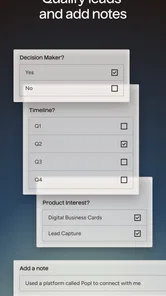
Picture a busy conference: you speak with several people between sessions, share your professional details, and make a note of what each person wanted to discuss. The value is not simply avoiding paper. It is reducing the gap between that conversation and a useful follow-up. I’d still add a short, specific note while the person is fresh in my mind; a name in a list is much less helpful a week later if I can’t remember the context.
Choosing the right capture habit
One useful workflow is to treat each exchange as a two-part task: share your details, then record why the connection matters. That small pause helps separate a promising lead from a pleasant conversation and gives a later message a natural starting point. I would not assume that automatic capture can replace the judgment involved in qualifying a contact. The app can help with organization, but deciding who deserves a prompt follow-up remains your job.
There is also a social trade-off to consider. A tap-based exchange can be quicker than finding a card, but not every person will be ready to use the same method. I’d keep a simple fallback, such as being prepared to share your details another way, rather than letting the exchange stall. Digital sharing works best when it feels like an invitation, not a requirement.
How it compares with familiar alternatives
Compared with paper business cards, a digital profile is easier to keep current and avoids carrying a stack to every event. Compared with manually typing every new contact into a phone, a lead-focused workflow can make later sorting and follow-up feel more intentional. A basic contact manager may be a better fit if you only need names and numbers, while a spreadsheet can suit someone who wants complete control over a small list and does not need event-oriented sharing.
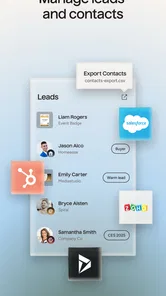
For teams already working in a customer relationship management system, the important question is whether the app’s workflow fits the way leads are handled there. Popl’s connection with Salesforce and HubSpot may help, but I’d test the handoff with a few real contacts before making it central to a team process. That check can reveal whether the fields and follow-up steps match your existing routine, rather than leaving you to clean up duplicate or incomplete records later.
More From Our News Desk

Weather by Xiaomi Review: Clear at a Glance, Less Clear Up Close

X Under Pressure: Can It Recover When Posting Goes Wrong?

Clash of Clans Is Won Between the Battles

Android Auto Makes the Case for Quieter Car Software

MobiOffice: Transforming Mobile Productivity with Seamless Integration

EA SPORTS FC™ Mobile Soccer: Redefining Mobile Sports Gaming
Getting Started with Popl
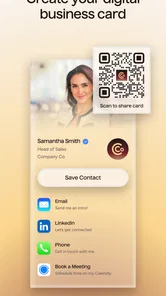
First things first, downloading and setting up Popl: AI Lead Capture is smooth sailing. Available on both Android and iOS, it takes no time at all to get it up and running. The app is designed with a user-friendly interface that even my tech-challenged friends could navigate. Once installed, you’ll be prompted to create your digital business card. It’s a straightforward process where you can input your contact details, social media handles, and website links. Think of it as your professional profile on steroids.
Features That Stand Out
Now, let’s dive into what makes Popl truly shine. One of the standout features is its ability to share your digital card with just a tap. Yes, you heard that right. No more fumbling around with physical cards. Just hold your phone near someone else's device, and voila, your details are instantly shared. This nifty feature is not only a conversation starter but also a time-saver.
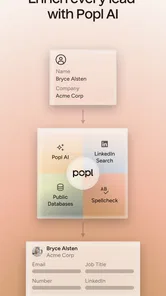
Another cool aspect is the AI-driven lead capture. The app automatically logs the contacts you meet, making it ridiculously easy to follow up later. I can’t stress enough how handy this feature is, especially for someone like me who tends to forget names right after introductions.
Making a card useful, not just polished
When I set up any digital business card, I think about what I want a new contact to do next, not only how the profile looks. A concise role description and the details most relevant to the people I meet can make a shared card easier to act on. I’d avoid treating it as a miniature résumé: too many links and social accounts can distract from the reason we connected. For a consultant, that might mean making the service and a practical way to continue the conversation easy to spot; for a recruiter, the useful emphasis could be a professional profile and a direct contact route.
It is also worth checking the card from the recipient’s perspective before using it at an event. Make sure the information is current and that the links you choose lead where you expect. This small rehearsal catches awkward details before they are shared repeatedly. I would refresh the profile whenever my role or preferred contact method changes, since the convenience of a digital card depends on it being accurate at the moment someone uses it.
Integrations and Customization
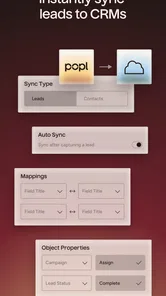
Popl doesn’t just stop at exchanging contacts. It integrates seamlessly with popular CRM platforms like Salesforce and HubSpot, making it effortless to keep your database updated. For those who love a bit of personalization, the app offers plenty of customization options. You can tweak your digital card’s appearance to match your brand’s aesthetics, ensuring you leave a lasting impression.
For a solo user, the CRM connection may be less important than a consistent personal follow-up routine. For a team, it deserves more careful testing: use a small batch of genuine but low-stakes contacts, then review where each record lands and whether the information is usable. A polished card can improve the first exchange, but it does not guarantee a clean handoff into a sales process. I would settle the team’s naming and follow-up habits first, then see whether the integration supports them without extra cleanup.
User Experience and Design
Let’s talk about the overall user experience. The design is clean and minimalistic, which I absolutely love. It’s intuitive, and everything is where you’d expect it to be. The developers have clearly paid attention to detail, ensuring that the app runs smoothly without any hiccups. I encountered zero bugs during my time using it, which is always a win in my book.
Popl is developed by Popl Co, and its current version is 8.3.2. It has a 4.8 average from around 16,000 ratings, with more than 500,000 installs. That level of adoption suggests it has found an audience among people who want a more deliberate way to exchange professional details, though popularity alone cannot tell you whether it suits your own workflow.
Networking Made Easy
With Popl, networking feels less like a chore and more like a fun activity. The app not only simplifies the process of exchanging information but also keeps everything organized. I found myself engaging more at events, knowing that all my contacts were being neatly logged and ready for follow-up. The AI aspect really takes it up a notch by suggesting the best times to reconnect, ensuring you stay on top of your networking game.
And let’s be honest, in a digital age, having a digital business card just makes sense. It’s environmentally friendly, cost-effective, and ensures you never miss a networking opportunity.
Turning event contacts into next steps
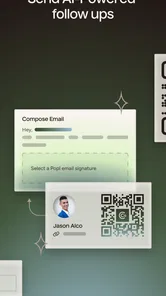
The useful test comes after the event, when you have to decide what to do with each connection. I’d review captured leads while the conversations are still easy to recall, sort out which ones call for a personal message, and use the notes I made to make that message specific. A quick “good to meet you” is easy to send, but a reminder of the topic we discussed gives the other person a reason to respond. This is where a lead-capture tool can earn its place over a digital card that only shares details.
There is a trade-off between speed and careful review. Capturing people quickly can help when a room is busy, but treating every exchange as an equally valuable lead creates noise. I would reserve a short block after a conference or meeting to check the list instead of waiting until the next outreach deadline. If the list is long, prioritizing by the promise made in the conversation is more useful than simply contacting people in the order they were added.
What to keep in mind as it evolves
The release history starts on April 8, 2020, and the current version gives a useful point of reference for anyone evaluating the app today. That confirms a product with a continuing version line, but it does not by itself tell me which specific changes arrived over time. Existing users should judge an update by whether it improves the parts they actually use: sharing, organizing leads, and moving relevant contacts into their follow-up routine.
I’d also keep expectations for AI grounded. Automated lead capture can reduce repetitive work, but it is not a substitute for checking that a contact is useful and that the next step is appropriate. Before using the app for a high-volume event, try your own complete routine: create the card, share it, review how a new connection is represented, and test the CRM handoff if that matters to you. That is a more dependable test than assuming every stage will match your preferred process.
For someone already using Popl, I would not change a reliable routine just because a newer version is available. Check the current setup after updating, especially if sharing and CRM handoff are central to work, and confirm that your profile still reflects the details you intend to distribute. A version number tells you which release you are using; your own trial is what shows whether the everyday workflow has improved for you.
Questions worth settling before an event
Can a person who does not use the same app still receive your details? The practical approach is to test the exchange beforehand and keep a fallback method ready, since a networking moment should not depend on another person adopting your preferred tool. Does the app replace a CRM? I would treat it as a way to support capture and exchange, not assume it replaces the system a team uses to manage prospects. And should every new contact be followed up? No: a quick review and a little judgment help keep outreach relevant rather than turning a useful list into a queue of generic messages.
Users deciding whether to pay should also distinguish between trying the free download and committing to a work-wide process. Since in-app purchase options vary in price, I’d check the specific capability and terms that matter to my intended use before budgeting for a team. If the main need is sharing a basic profile, a simpler card or contact tool may be enough; if the aim is to turn event conversations into organized follow-up, it is worth testing whether Popl’s particular workflow saves effort rather than merely adding another place to check.
Who should take a closer look
If you attend events often and currently leave with a pocketful of cards you later struggle to sort, Popl is worth trying. It is also a reasonable option if presenting a polished digital profile matters to your work. The app is rated Teen, a detail worth bearing in mind when considering who may use it, especially in a shared or workplace setting.
I’d skip it if you rarely network face to face, prefer not to maintain a digital profile, or simply want a basic address book. I’d also be cautious about building a team process around it before checking the purchase options and testing the way it fits your existing CRM habits. The free download makes it accessible to explore, but the range of in-app purchases means the cost of a fuller setup could matter to some users.
Final Thoughts
So, is Popl: AI Lead Capture worth it? Absolutely. Whether you’re a seasoned professional or just starting out, this app is a must-have tool in your networking arsenal. It’s efficient, innovative, and just plain cool. I’ve personally found it to be a game-changer, and I’m sure you will too. So next time you’re heading to a networking event, make sure you’ve got Popl installed. Trust me, you won’t regret it.
My more measured recommendation is to try it when you have a real reason to collect and revisit new contacts, rather than installing it just because digital cards sound convenient. If its capture and follow-up flow fits the way you already work, it can make event connections easier to manage. If not, a simple contact app or paper card may be the more comfortable choice.
Popl: AI Lead Capture Frequently Asked Questions
Can I use Popl: AI Lead Capture to share my own business card with new contacts?
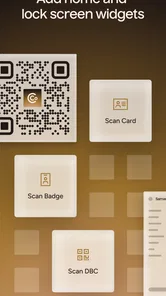
Popl is focused on lead scanning and business cards, making it relevant for people who want a digital way to exchange professional contact information. The app’s emphasis on collecting and organizing leads may fit networking at events or meetings. Before relying on it for a particular way of sharing a card, check the features available in the app and consider whether they suit your routine.
What devices and operating systems can run Popl: AI Lead Capture?
Popl: AI Lead Capture requires an operating system version 7.0 or later. Check your device’s system version before downloading so you can confirm it meets that requirement. The app’s current version is 8.3.2, and keeping your device’s software up to date can help you use the available app features smoothly.
Is Popl: AI Lead Capture free to download, and what might cost extra?
Popl: AI Lead Capture is free to download, so you can try the app without paying upfront. It also offers in-app purchases, with items ranging from around $2.99 to $144.99. Since the app has both free and premium options, check the features and purchase details shown in the app before choosing an upgrade that fits your needs.
Who is Popl: AI Lead Capture designed for?
Popl: AI Lead Capture is a business app aimed at people who need to collect and manage contacts, such as professionals meeting potential clients at events. Its lead-scanning and business-card focus may suit users who want a digital way to handle new connections and follow up. It is rated for Teen audiences, so keep that age guidance in mind before downloading.
What is Popl: AI Lead Capture, and how does it work?
Popl: AI Lead Capture is an innovative app designed to streamline the process of capturing and managing leads using AI technology. It allows users to quickly gather contact information through QR codes or NFC technology. The app then organizes this data, making it easy to follow up and engage with potential clients.
Pros
- Easy-to-use interface for quick setup
- Integrates with multiple CRM platforms
- Real-time analytics for lead tracking
- Customizable digital business cards
- Efficiently captures leads from events
Cons
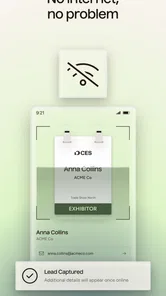
- Limited offline functionality
- Requires a stable internet connection
- Some features are premium-only
- Occasional sync delays reported
- Customer support availability varies











