

Pok Pok | Montessori Preschool
- 383.00
- 4.7
- Installs
- 100.00K
- Price
- Free

Screenshots

Analysis by Reviewed
I came away from Pok Pok | Montessori Preschool with the impression that its biggest strength is not excitement in the usual app-store sense. It is the calmer feeling it gives a child while still offering things to explore. This is an educational app for children from two to eight, made by Pok Pok, and it takes a very different route from flashcards, reward charts, and noisy lesson apps. Instead of pushing a child through a fixed sequence, it gives them a collection of open-ended learning activities and lets curiosity decide what happens next.
That approach will not suit every family. Some children want clear goals, visible progress, and an obvious answer to every question. Others become more focused when nobody is asking them to hurry. I found this app most convincing for quiet play before dinner, a short activity during travel, or a screen-time option that parents can sit beside without constantly managing the next tap. It is free to start, carries an Everyone age rating, and has reached over one hundred thousand installs. Its average rating is 4.7 from around 6.9 thousand ratings, which matches the generally positive impression I had, though a high rating does not remove the need to check whether its gentle style fits your child.
Where families are most likely to get stuck
The first point of friction is expectation. The name suggests preschool learning, but this is not a digital workbook that tells a child, “Now count five objects” or “Choose the correct letter.” The activities are intentionally less prescriptive. A child may spend time arranging, drawing, experimenting, observing, or repeating a simple action without producing a score. That can look like aimless tapping if an adult expects a conventional lesson, even when the child is quietly practicing attention, cause and effect, coordination, or early problem-solving.
I would explain the app to a young child as a place to discover things rather than a place to complete levels. That small change in language matters. If I ask a child to finish an activity, I may turn an inviting experience into a task. If I invite them to show me what they found, I am more likely to see how they are thinking. This is one of the less obvious benefits of the design: the adult can use the child’s actions as a starting point for conversation instead of checking whether an exercise was marked correct.
Another common sticking point is age range. A two-year-old and an eight-year-old do not approach the same activity in the same way. Younger children may need an adult nearby to demonstrate a gesture or explain what can be moved. Older children may quickly understand the basic interaction and then need a personal challenge, such as creating a pattern, telling a story about what they made, or explaining why a result changed. The app can support both ages, but it does not automatically adjust the parent’s involvement perfectly for every child.
There is also a practical subscription-related decision. The app itself is free, while in-app purchases range from $3.99 to $89.99 per item. I would not hand a device to a child and assume every payment choice is self-explanatory. Before a child begins exploring, I would check what access is available and make sure the purchasing process is controlled by the adult using the device. This is less about the learning content and more about preventing an avoidable surprise when a child is tapping independently.
What to check before handing over the device
My first setup check would be the operating system. The current version is 49.4.0 and requires Android 8.1 or later. If the app refuses to install or behaves strangely on an older device, the problem may simply be compatibility rather than the content itself. I would also update the device before troubleshooting anything more complicated, especially if other apps have recently shown installation or performance problems.
More From Our News Desk

 Instagram
Instagram’s Power Comes From Its Place in Your Phone
A close look at how Instagram turns Meta’s reach, recommendation systems and everyday camera habits into durable platform power—and what that costs users.

 Gmail
GmailGmail in a Busy Inbox: Who Benefits Most?
From first account to crowded workday, Gmail earns its place through dependable search and flexible sorting—but its best fit depends on how much inbox maintenance you can tolerate.

 Prime Video
Switching to Prime Video: What Changes in Your Viewing Routine
Prime Video can make a compelling second home for streaming, but switching means learning a different catalog, rental layer, and route from browsing to playback.

 Universal TV Remote Control
Universal TV Remote Control Works Best as a Reliable Backup
A phone remote earns its place through quick setup and reliable habits. Here is how to get more from Universal TV Remote Control—and where its limits show.

 Weather - By Xiaomi
Weather by Xiaomi Review: Clear at a Glance, Less Clear Up Close
Xiaomi’s weather app makes everyday forecasts quick to scan, but its calm surface can leave useful details and recovery paths harder to find than they should be.

 X
XX Under Pressure: Can It Recover When Posting Goes Wrong?
A resilience-focused review of X, examining setup, mistaken posts, interruptions, weak connections, and the gaps that matter when recovery needs to be dependable.
Latest News



Next, I would open the app myself and try the first few interactions. This takes only a moment, but it answers useful questions: Is the child likely to understand what can be touched? Do the controls feel comfortable on the particular screen? Is the text large enough for the intended user? Does the device respond smoothly? A parent who performs this small preview can avoid mistaking unfamiliarity for a malfunction.
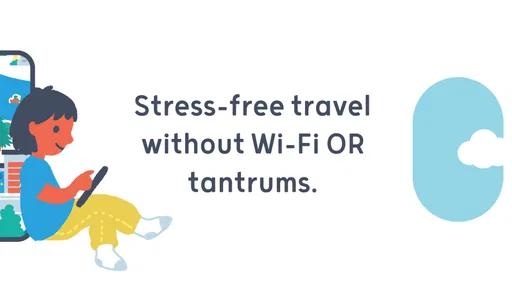
The travel promise is especially useful, but I would still prepare before leaving home. The store summary presents the app as usable without Wi-Fi, so I would launch it while connected, allow any necessary content to become available, and then test the experience with the connection disabled. That is a much safer routine than discovering in a car, airplane, or waiting room that the device is not ready. It also gives me time to choose activities that match the child’s mood rather than searching under pressure.
Sound is another easy detail to overlook. If the child is using the app in a quiet room, on public transport, or beside a sleeping sibling, I would test the device volume and decide whether headphones are appropriate. A child-friendly activity can become frustrating if audio is too quiet to understand or too loud for the setting. I would also check screen brightness and battery level before a journey. These are basic checks, but they often explain a poor first impression more accurately than the app does.
Because the app is designed for independent discovery, I would create a simple boundary before use: where the device may be used, how long the first session will last, and what the child should do if something feels confusing. I would avoid presenting the app as a reward that must be earned through perfect behavior. Its value is stronger when it becomes one option among drawing, building, reading, and physical play rather than the most powerful bargaining tool in the house.
A better first session than “just try it”
For a first session, I would sit beside the child for a few minutes without taking control. I would watch which objects attract attention and only explain something when the child looks stuck. This reveals whether the problem is understanding, motor control, or simply a lack of interest in that particular activity. If the child moves on quickly, I would not assume failure. Open-ended play often begins with sampling before a child settles into a longer experiment.
A useful technique is to ask descriptive questions instead of testing questions. “What changed when you moved that?” is better here than “What is the right answer?” It encourages the child to notice patterns and explain choices. With an older preschooler, I might suggest making a repeating arrangement or inventing a story around a scene. With a younger child, I might name colors, shapes, sounds, or actions while allowing the child to remain in control.
This is also where I would judge whether the app is too quiet for the child. Some children thrive when there is no pressure; others need a more explicit invitation. If the child keeps wandering without engaging, I would try one guided prompt and then stop if interest does not appear. Repeatedly forcing the same activity is unlikely to create the calm learning experience the app is designed to provide.
Recovering when a session goes wrong
When an activity appears frozen, I would first wait briefly and avoid tapping repeatedly. Young children often touch several parts of the screen while waiting, which can make it harder to tell whether the app or the device is responding. I would remove the child’s hand, try one deliberate interaction, and observe whether the screen reacts. If the whole device is slow, I would close other open apps and restart the device before blaming this one.
If only one activity seems unresponsive, I would leave it and try another part of the app. That simple comparison helps separate a local problem from a wider device issue. I would also check whether the screen is clean and whether a thick case or screen protector is interfering with edge gestures. Small children often press with a fingertip, palm, or several fingers at once, so an interaction that works for an adult may not work consistently for them.
For installation trouble, I would return to the basic sequence: confirm that the device meets the Android requirement, check available storage, verify the connection, and restart the device. I would not immediately uninstall everything or repeatedly press the install button. If the app is already present but will not open, I would update the operating system if possible and close background apps. These steps are deliberately ordinary because they solve more everyday problems than complicated guesses about the content.
Offline use deserves its own recovery plan. If the app worked at home but not during travel, I would reconnect to Wi-Fi, open it, and let the device remain on the app for a little while before disconnecting again. I would then test airplane mode or another no-connection state while still at home. If the child needs the app during a journey, I would not wait until departure to discover that the device has not prepared the content it needs.
Payment confusion should be handled calmly and by the adult account holder. Since the app is free but includes purchases, I would check the platform’s purchase controls and review what is available before allowing unsupervised exploration. I would not ask a child to solve a payment prompt or use an adult account as though it were part of the game. Keeping the learning session and the purchase decision separate makes the experience clearer for everyone.
One practical recovery trick is to change the goal rather than repeat the failed attempt. If a child cannot manipulate something comfortably, I might invite them to describe what they see, choose a different activity, or watch me perform one action and then return control. This avoids turning a small technical or motor difficulty into a judgment about ability. The app’s open-ended character makes that flexibility possible, and it is a stronger use of the design than insisting on one particular path.
When the app is not the cause
Sometimes the problem is timing. A child who is hungry, overtired, overstimulated, or waiting for a sibling may reject even a well-designed activity. I have found it useful to treat refusal as information rather than a technical review of the app. If the same child enjoys it after breakfast but pushes it away at the end of a long day, the schedule is probably the more important variable.
The device itself can also create friction. A small phone screen may make detailed exploration uncomfortable, while an older tablet may respond slowly or have limited battery life. A child may appear unable to follow an instruction when the real issue is that touch input is inconsistent. I would test the device with another familiar app and check whether taps, sound, and rotation work normally. If several apps show the same behavior, changing this app may not solve anything.
Adult expectations are another hidden cause. Because the activities do not resemble a formal preschool worksheet, a parent may conclude that learning is not happening. I would look for quieter signs: Does the child return to an idea? Do they remember what happened earlier? Can they explain a choice? Do they become more deliberate with arranging or moving objects? Those observations are more useful than measuring the session by how many screens were visited.
This is where the app compares favorably with some usual alternatives, but not all. Compared with drill-based alphabet, number, or phonics apps, it offers less direct repetition and less visible progress. If your priority is practicing a particular school skill in a structured order, a dedicated lesson app may be the better tool. Compared with passive video, however, this app gives the child more control and more opportunity to manipulate what is on screen. Compared with unrestricted games, its calmer pace may make it easier to discuss what the child is doing.
That comparison also shows its limit. It is not a replacement for books, blocks, sensory play, outdoor movement, or a teacher who can respond to a child in real time. A child who needs explicit language support, a predictable therapeutic routine, or a clearly measured curriculum may need something more specialized. I would use this app as one flexible part of a child’s environment, not as proof that screen time has become educational simply because the activities are gentle.
A realistic everyday routine
Imagine a family waiting for a delayed appointment. The child has already looked at books, the room is crowded, and the parent wants something quieter than a competitive game. Before leaving home, the parent has opened the app while connected, tested it offline, charged the tablet, and chosen a comfortable volume. At the appointment, the child explores independently for a few minutes. When attention drifts, the parent asks what changed in the activity rather than demanding another level. The child may then return to the same idea, switch activities, or stop. All three outcomes are reasonable.
In that situation, the app works because the preparation removes unnecessary friction and the adult does not turn it into a performance. The no-Wi-Fi capability is valuable precisely when it has been checked in advance. The open-ended format is valuable because the parent can shorten the session without leaving the child halfway through a competitive challenge. These are practical strengths that are easy to miss if the app is judged only by screenshots or a short store description.
At home, I would use a different routine. I might offer it after a child has had physical play, sit nearby for the first few minutes, and then ask them to show me one discovery at the end. With siblings, I would consider whether they can share the device comfortably; if not, taking turns may be less frustrating than expecting cooperative play on one screen. The app can encourage conversation, but it does not automatically solve arguments over control.
Who should choose it, and who should look elsewhere?
I would recommend it to parents who want a low-pressure educational option for children between two and eight, especially families that value curiosity over scores. It is a strong candidate for travel preparation, quiet waiting periods, and short parent-and-child conversations. It may also suit adults who are tired of apps that constantly interrupt play with badges, timers, or demands to continue.
I would be more cautious if your child needs a very clear sequence, frequent rewards, or direct practice in one narrow subject. I would also look elsewhere if you want a detailed progress report that shows exactly which skills were mastered. The app’s strength is freedom, and freedom naturally provides less formal measurement. That is not a defect for every family, but it is a meaningful trade-off.
Parents should also consider how much guidance they are willing to provide at the beginning. The app can support independent exploration, but “independent” does not always mean “immediately obvious.” A toddler may need help with the first gesture, and an older child may need a creative prompt to move beyond surface-level tapping. If you need a completely hands-off babysitting solution, I would not choose it for that reason alone.
The developer is Pok Pok, and the app’s current version is 49.4.0. It was released on October 16, 2024, and supports Android 8.1 and later. Those details matter when deciding whether an older family device can handle it, but the more important decision is still philosophical: do you want an app that directs learning, or one that gives a child room to construct their own play?
In my experience, Pok Pok | Montessori Preschool is at its best when I treat it as a calm invitation rather than a digital curriculum. I would prepare the device, test offline access before travel, keep adult purchasing decisions separate, and give the child time to explore without demanding a result. I would also accept that some sessions will be short and that another activity may be a better choice on a tired day.
My practical verdict is positive, with clear boundaries. The free entry point makes it easy to investigate, the Everyone rating keeps its audience broad, and the strong 4.7 average suggests that many families appreciate its approach. Its in-app purchases, ranging from $3.99 to $89.99 per item, deserve attention during setup. Choose it for thoughtful, open-ended screen time and gentle parent-child interaction; skip it if you need formal lessons, measurable progression, or a guaranteed solution to every moment of boredom. Used on those terms, Pok Pok | Montessori Preschool feels less like another game demanding attention and more like a small digital space where a child can notice, try, and return to ideas at their own pace.
Pok Pok | Montessori Preschool Frequently Asked Questions
Can Pok Pok be used without Wi-Fi while traveling?
Yes. Pok Pok is designed to work without Wi-Fi, which can make it useful for car trips, flights, or places with unreliable connectivity. An internet connection may be needed when you first install or update the app, or to download content. Before heading out, open the app and check that the activities your child wants to use load while the device is offline.
Which devices and operating systems support Pok Pok?
Pok Pok is available for mobile devices, and its minimum operating-system requirement is version 8.1. Before downloading, check your device’s operating system and available storage, and make sure you are using the appropriate app store for your device. Keeping the operating system up to date can also help with compatibility and performance, especially if you encounter trouble installing or opening the app.
What is Pok Pok, and what age group is it designed for?
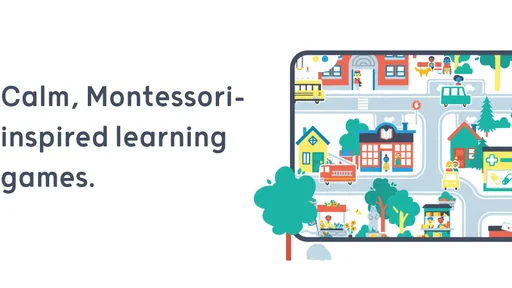
Pok Pok is a calm, open-ended digital playroom designed mainly for preschool children, generally around ages two to eight. Instead of traditional levels, scores, or fast-paced challenges, it offers interactive Montessori-inspired activities that encourage creativity, exploration, problem-solving, and independent play. Parents should still check the current age recommendation in their region, since suitability can vary depending on a child’s development and comfort with tablet use.
What kinds of activities are included in Pok Pok?
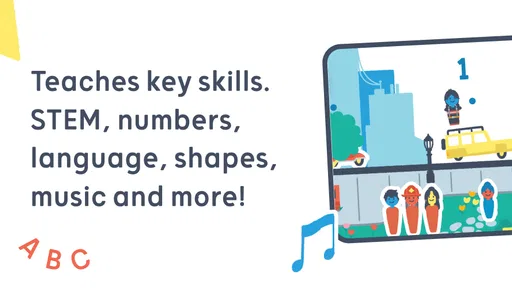
The app includes a collection of digital toys and creative activities rather than conventional games with fixed objectives. Children can experiment with drawing, music, building, pretend play, patterns, everyday concepts, and other open-ended scenes. The activities are designed to be explored at the child’s own pace, with no pressure to complete tasks or win. This makes Pok Pok particularly suitable for quiet, imaginative play sessions.
Does Pok Pok require an internet connection to work?
Pok Pok may require an internet connection when the app is first installed, activated, updated, or when new content needs to be downloaded. After the relevant content is available on the device, many activities can typically be used offline, which is useful during travel or in places with unreliable connectivity. Before leaving home, parents should open the app and confirm that the desired play areas load correctly without an active connection.
Pros
- Calm
- ad-free design avoids overstimulation and distracting rewards.
- Activities work well for independent play with minimal adult guidance.
- Open-ended play encourages creativity rather than fixed right-or-wrong answers.
- Regular content updates help keep the library fresh for returning children.
- Child-friendly navigation makes it easy for young users to explore safely.
Cons
- Requires a paid subscription after the trial period ends.
- Some activities may feel too simple for older preschoolers.
- Offline access can be limited for families traveling without reliable internet.
- Parents may want more progress tracking and learning reports.
- The app is best suited to tablets and may feel cramped on smaller phones.











