

PILOTLOG - CrewLounge AERO
- 32.00
- 3.9
- Installs
- 10.00K
- Price
- Free

Screenshots
Analysis by Reviewed
I look at a pilot logbook app differently from an ordinary travel app. It is not enough for it to look tidy or open quickly; it has to fit the way a pilot actually records flights, checks history, and prepares for the next stage of a career. After spending time with PILOTLOG - CrewLounge AERO, I found it most interesting as a focused electronic logbook for pilots who want their records in one place rather than scattered across paper pages, spreadsheets, and memory.
The app is free to install, belongs to the Travel & Local category, and is developed by Aviovision. Its public average is 3.9 from around 642 ratings, with over 10K installs. That tells me it has a real user base, but it also suggests a more specialized audience than a mass-market travel planner. This is an app aimed at people who understand why a dependable flight record matters.
What I would judge before moving a logbook into an app
My first decision criterion is not the number of screens or how polished the interface feels. It is whether the workflow encourages accurate entries. A pilot logbook has to handle the difference between a quick note made after a short flight and a carefully maintained record used for applications, renewals, personal planning, or a future move to another operator. PILOTLOG makes sense when the central need is structured flight recording rather than general trip organization.
The second criterion is control. I want to know whether I can enter information consistently, find an old flight without digging through a stack of pages, and review totals without doing manual calculations. Even when I am only recording a routine sector, the value of an electronic logbook appears later, when I need to understand my experience by aircraft, role, route, or period. That long-term view is more useful than a simple diary.
I also consider how much effort it takes to switch. A new logbook is not just another app to try for a weekend. If I already have years of paper or spreadsheet records, the real question is whether I can transfer them carefully and then keep the new system updated. Any pilot considering this app should think about that transition before deleting or abandoning an existing record.
Finally, I would judge the app against the alternatives a pilot is likely to use. The usual choices are a paper logbook, a spreadsheet, a broad aviation tool, or another dedicated electronic logbook. Each option solves a different problem. Paper gives a familiar physical record, spreadsheets offer flexibility, and specialized apps can reduce repetitive work. The right choice depends on whether convenience, customization, portability, or a disciplined aviation workflow matters most to you.
Why a dedicated logbook is different from a spreadsheet
A spreadsheet looks attractive because it can be shaped around almost anything. I can add columns, create formulas, and build personal summaries. The problem is that flexibility also creates responsibility. I have to decide how to label every field, keep formulas correct, maintain consistent abbreviations, and prevent small changes from damaging the overall record. Over time, a spreadsheet can become a personal system that only its creator understands.
More From Our News Desk

 Weather - By Xiaomi
Weather by Xiaomi Review: Clear at a Glance, Less Clear Up Close
Xiaomi’s weather app makes everyday forecasts quick to scan, but its calm surface can leave useful details and recovery paths harder to find than they should be.

 X
XX Under Pressure: Can It Recover When Posting Goes Wrong?
A resilience-focused review of X, examining setup, mistaken posts, interruptions, weak connections, and the gaps that matter when recovery needs to be dependable.

 Clash of Clans
Clash of Clans Is Won Between the Battles
Its raids are quick; its community is a long-term project of coordination, teaching, rivalry, and shared responsibility—with all the friction that entails.

 Android Auto
Android Auto Makes the Case for Quieter Car Software
The car interface is no longer judged by how much it can do, but by how quietly it helps. Android Auto shows what drivers now expect—and what still gets in the way.

 MobiOffice: Word, Sheets, PDF
MobiOffice: Transforming Mobile Productivity with Seamless Integration
MobiOffice: Word, Sheets, PDF is redefining mobile productivity with a surprising blend of functionality and innovation.

 EA SPORTS FC Soccer Mobile 26
EA SPORTS FC™ Mobile Soccer: Redefining Mobile Sports Gaming
Dive into EA SPORTS FC™ Mobile Soccer, where immersive gameplay and strategic depth transform mobile sports gaming.
Latest News



PILOTLOG has a clearer purpose. Instead of starting with a blank grid, I begin with a pilot-focused structure. That matters after a busy day, when I want to record a flight without designing the record as I go. The trade-off is that a dedicated app may feel less open-ended than a spreadsheet. If your work depends on unusual fields or a very personal reporting layout, the spreadsheet may still be the better tool.
Paper has a different advantage: it is visible, tangible, and independent of a phone. Some pilots enjoy the habit of writing entries by hand, and a physical logbook can feel reassuring. I would not dismiss that preference. However, paper becomes slower when I need to search for a particular aircraft, review a long period, or calculate totals. An electronic logbook earns its place by making those later tasks less painful.
Where PILOTLOG is strongest in everyday pilot use
The strongest part of the experience is its focus. PILOTLOG is not trying to be a broad travel companion that happens to contain a logbook. Its identity is built around the pilot record, and that narrow purpose makes the app easier to evaluate. If your main goal is to maintain an electronic flight history, the app feels more relevant than a generic notes tool or a spreadsheet template downloaded from somewhere else.
I particularly like the idea of entering a flight while the details are still fresh and then relying on the electronic record later. Imagine finishing a sequence of flights, arriving home tired, and wanting to capture the important information before the day blurs together. A dedicated logbook gives that task a defined destination. Instead of opening a notes app and wondering how to format the entry, I can work inside a system designed for this specific kind of record.
That workflow also encourages consistency. The less I improvise the structure of every entry, the easier it becomes to compare flights later. This is one of the less obvious benefits of a specialized logbook: it can improve the quality of the habit, not just store the result. The app is most valuable when I use it regularly, rather than treating it as a rescue project after months of neglected records.
Useful ways to make the record work harder
One practical approach is to treat each entry as part of a future search, not merely as a form to complete. Before settling into a routine, I would decide on consistent naming for aircraft, locations, and remarks. Even a strong logbook becomes harder to use when the same item is entered in several slightly different ways. Consistency makes later review more meaningful and reduces the temptation to correct a large batch of records all at once.
A second useful habit is to review the logbook at regular intervals instead of waiting until an application, check, or administrative deadline appears. A short review after a group of flights can reveal missing information while it is still easy to remember. It also turns the app into a planning aid: I can see where my recent experience is concentrated and where my flying history is becoming outdated or uneven.
A third insight is to separate the initial migration from normal daily use. If you have a large paper archive, trying to transfer everything in one exhausting session is likely to create mistakes. I would begin with a carefully checked section, establish a repeatable entry method, and then continue in manageable batches. The goal is not simply to have old records inside the app; it is to trust them when you later depend on the totals.
This is also where a dedicated app can beat a personal spreadsheet. A spreadsheet may let me import a large amount of information quickly, but quick import is not the same as reliable migration. PILOTLOG is better suited to a deliberate process in which I verify the structure of the record as I build it. For an active pilot, that discipline is more valuable than a fast but messy conversion.
Who will get the most from it
I would recommend trying PILOTLOG first to student pilots, private pilots, instructors, and working crew members who want to replace a paper logbook with a more searchable electronic record. It is also a sensible candidate for someone who has outgrown a simple notes app but does not want to build and maintain a spreadsheet system from scratch.
It may be especially helpful for pilots who move between different kinds of flying and want one central history. A pilot balancing training, personal flights, and professional work can easily lose track of where a detail was recorded. Keeping everything in a dedicated logbook reduces that fragmentation. The benefit is not only convenience; it is a clearer picture of the experience accumulated over time.
The app is rated for Everyone, which makes it broadly accessible from an age-classification perspective, but that should not be confused with being designed for every traveler. A passenger looking for itineraries, maps, hotel information, or sightseeing ideas will not find the core value here. This is a pilot record tool, and its usefulness depends on having flights to document.
Where the experience may require patience
The average rating of 3.9 indicates that the app is useful to many people but not universally effortless. I think that is understandable for a specialized logbook. Aviation records contain more detail than a casual diary, and any app built around them can feel demanding when I am entering information for the first time or trying to adapt an old record to a new structure.
The main friction is likely to come from the discipline required. An electronic logbook does not remove the need for careful data entry. If I rush through an entry after a long day, the app cannot know whether a value is correct. This is an important distinction: automation can reduce repetitive work, but it does not replace the pilot’s responsibility to maintain an accurate record.
I would also avoid assuming that a digital logbook automatically makes a paper backup unnecessary. For records that matter professionally, I prefer a cautious approach. I would keep my existing material safe during migration and periodically check important totals. That is not a criticism unique to PILOTLOG; it is simply sensible whenever a long personal record moves into a new digital system.
When another option may fit better
A paper logbook may still be the better choice if writing by hand is central to your routine, if you fly infrequently, or if you want a record that remains separate from your phone. Paper is also easier to understand at a glance when the physical layout already matches your established habits. The cost is slower searching and more manual calculation, so the decision comes down to which inconvenience you prefer.
A spreadsheet may suit pilots who need unusual custom fields, complex personal reports, or direct control over every calculation. It can be a powerful option for someone comfortable with formulas and data cleanup. I would choose it over PILOTLOG when customization is more important than a ready-made aviation workflow. I would choose PILOTLOG when I want to spend my time recording flights rather than maintaining the machinery behind the record.
Another dedicated aviation logbook may be preferable if its workflow matches a particular training organization, fleet, or reporting requirement more closely. I would compare the actual entry process rather than choosing based only on screenshots. Ask yourself how quickly you can record a normal flight, how easy it is to correct a mistake, and whether you can understand your history months later. Those practical questions matter more than a long feature list.
I would also skip this app if you are looking for a general travel organizer. Its Travel & Local classification may sound broad, but the product’s purpose is much narrower. A traveler who needs bookings, destination planning, or navigation should use a tool built for those tasks. PILOTLOG is a specialist instrument, and its specialization is precisely why it is useful to pilots.
What the price means in practice
The app itself is free, which lowers the barrier to testing the workflow before committing to a full migration. That is important because a logbook is personal: an interface that feels natural to one pilot may feel awkward to another. I would install it, enter a small representative set of flights, and see whether the process feels reliable before investing serious time in older records.
There are in-app purchases listed at around $75 to $85 per item. That changes the decision from “free or paid” to “is the deeper version worth it for my use?” I would not pay simply because the app is aviation-focused. I would consider the purchase only after confirming that the app fits my record-keeping habits and that I will use it regularly enough for the convenience to justify the expense.
This is where the cost of switching becomes more important than the download price. Time spent checking old entries, learning a new workflow, and maintaining two systems temporarily is part of the real investment. If your current spreadsheet works well and you rarely need to search it, staying put may be rational. If you repeatedly lose time calculating totals or locating past flights, a dedicated system can repay that effort through regular use.
The current version is 6.1 and the app supports Android 5.0 or later. That broad compatibility is helpful if you use an older Android phone, although I would still test it on the device I actually carry during flying. A logbook should be convenient in the moments when I need it, not merely compatible in theory.
A realistic switching plan
If I were moving from paper or a spreadsheet, I would first preserve the original record and create a small test group covering different types of flights. I would include ordinary entries, older entries, and any kind of flight that uses the fields I care about most. That test exposes workflow problems early, before I have spent hours transferring everything.
Next, I would record new flights in the app while continuing to keep the old system available for reference. This overlap is useful because it lets me compare totals and discover misunderstandings in the new process. Once I trust the routine, I would migrate older records in stages and mark each completed section so I know exactly what has been checked.
My final step would be to create a personal review habit. After entering a group of flights, I would scan for inconsistent names, missing remarks, and unexpected totals. This is a small effort compared with reconstructing a history later. It also makes the app more valuable because the record remains useful instead of becoming another neglected archive.
My recommendation for pilots deciding today
I see PILOTLOG as a good fit for a pilot who wants a focused electronic logbook and is willing to maintain it carefully. Its strongest argument is not a flashy extra; it is the combination of a specialized purpose, a structured workflow, and the convenience of having a searchable flight history on an Android device. For someone leaving paper behind, that can be a meaningful improvement.
I would recommend starting with a small test rather than transferring an entire career record immediately. Enter enough varied flights to judge the rhythm, check how comfortable you are reviewing the information, and decide whether the app handles the categories that matter to you. If the workflow feels natural, the free entry point makes it reasonable to continue exploring before considering the in-app purchase.
I would be more cautious if your records require extensive customization, if you strongly prefer handwriting, or if you already have a carefully maintained spreadsheet that answers all your needs. In those cases, switching may create more work than value. The app is not automatically better simply because it is dedicated; it is better when its structure matches your flying life.
For me, the deciding question is simple: do you want to maintain a pilot logbook, or do you want to design your own record system? If you want the former, PILOTLOG - CrewLounge AERO deserves a serious trial. It is not a replacement for careful judgment, backup habits, or accurate entry, but it can turn a repetitive administrative task into a more organized part of flying. That makes it a practical choice for pilots who value a consistent record and are prepared to use it regularly.
PILOTLOG - CrewLounge AERO Frequently Asked Questions
Who is PILOTLOG - CrewLounge AERO designed for?
PILOTLOG - CrewLounge AERO is aimed at pilots and aviation professionals who want to keep flight records in a digital format. It may suit people who are building flying experience, maintaining an ongoing professional logbook, or organizing records they would otherwise keep on paper or in spreadsheets. The app is listed in the Travel & Local category and is developed by Aviovision.
What is PILOTLOG - CrewLounge AERO used for?
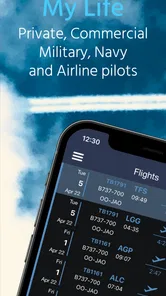
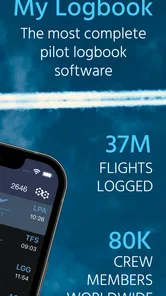
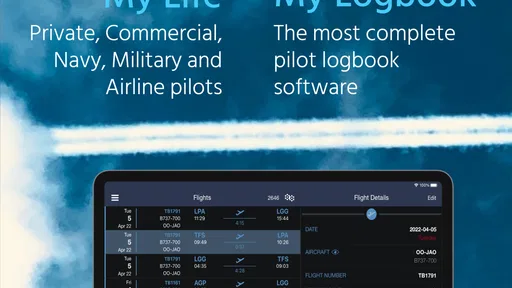
PILOTLOG - CrewLounge AERO is a digital flight-logbook app designed for pilots and other aviation professionals. It helps you record flight details, track hours, manage aircraft and routes, organize crew information, and review your flying history. It is particularly useful for keeping a structured personal logbook instead of relying on handwritten records or scattered spreadsheets.
Can PILOTLOG - CrewLounge AERO replace a paper logbook?
For many pilots, the app can serve as a practical electronic alternative to a traditional paper logbook, provided that its use meets the requirements of the relevant aviation authority, airline, employer, or training organization. Before relying on it as your official record, check local regulations and company policies. Maintaining regular backups and verifying entries is also important, especially when the logbook is needed for license applications or employment.
What flight information can I record in the app?
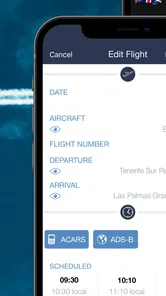
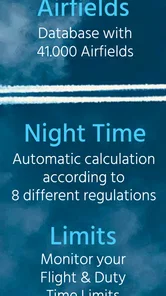
The app is built to store a broad range of flight-log information, including dates, aircraft registrations, aircraft types, departure and arrival airports, flight times, pilot roles, night or instrument time, simulator sessions, and other operational details. The exact fields available may depend on the app version and your configuration. Its structured format makes it easier to calculate totals and review experience across different categories.
Does PILOTLOG - CrewLounge AERO work offline?
A flight-logbook app is most useful when entries can be prepared immediately after a flight, even without a reliable internet connection. PILOTLOG - CrewLounge AERO is intended for use in aviation environments where connectivity may be limited, although online access can be required for synchronization, account services, updates, or connected features. It is recommended to confirm that your data has synchronized successfully whenever an internet connection becomes available.
Pros
- Detailed flight logs with crew
- aircraft
- route
- and duty information.
- Useful statistics help track flight hours
- sectors
- and personal activity.
- Supports offline data entry when internet access is unavailable.
- Designed specifically for airline and professional aviation workflows.
- Sync options help keep records available across supported devices.
Cons
- Many advanced features require a paid subscription or in-app purchase.
- The interface can feel dense and less approachable for casual users.
- Initial setup may take time due to extensive aviation-related fields.
- Some functions depend on accurate airline and airport database information.
- Not very useful for travelers who only want a simple personal trip log.











