Picify: AI Art Editor
- 19.00
- 4.2
- Installs
- 1.00M
- Price
- Free

Screenshots




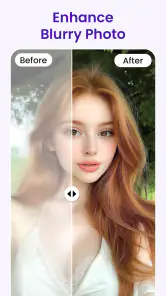

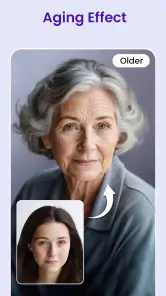

Analysis by Reviewed
I use Picify: AI Art Editor most effectively when I treat it as a quick creative detour rather than a replacement for a full photo-editing setup. It is a free art and design app from BHO SOFTWARE CO., LTD, and its appeal is simple: start with an ordinary picture, try an artistic treatment, and decide whether the result feels worth keeping. The app has a 4.2 average from around 5,900 ratings, and more than a million installs, so it has clearly found an audience among people who want a low-friction way to experiment.
From a snapshot to a finished image
My baseline workflow is to choose a photo with a clear subject, try a few transformations, and compare the results before settling on one. A picture with a recognizable face, object, or silhouette gives me a better chance of judging whether the artistic effect is helping or simply obscuring the original. For example, when I want to make a casual coffee photo more playful for a social post, I keep the composition uncomplicated and focus on whether the treatment preserves the cup and its surroundings.
That small choice matters: a busy image can turn into visual noise once an expressive style is applied. I also keep an untouched copy of a photo when I care about the original, so experimenting does not become a commitment to one look. This is a useful habit with any creative editor, especially when I am making several versions for different uses.
Easy-to-Use Interface
Right off the bat, the first thing you'll notice about Picify: AI Art Editor is its user-friendly interface. Whether you're a seasoned artist or someone who's just beginning their journey in digital art, navigating through the app is a breeze. Everything is laid out in a way that makes sense, so you won't find yourself lost in a sea of unnecessary options. It's as if the app anticipates your needs before you even realize them.
For a repeatable routine, I recommend judging each result at the size where it will actually be seen. A thumbnail can make a dramatic effect look appealing, while a larger view may reveal that important details have become hard to read. I also compare a subtle treatment with a stronger one rather than assuming the most noticeable option is automatically the best. That makes it easier to keep a profile picture, invitation image, or small post recognizable.
AI-Powered Art Transformations
What sets Picify apart from other photo editing apps is its powerful AI technology. This isn't just a basic filter app; it's a full-fledged art editor that uses artificial intelligence to understand the nuances of your photos and applies artistic styles accordingly. From Van Gogh-inspired swirls to Picasso-like abstractions, the app offers a wide range of styles that can be applied with just a tap. It's almost magical how a simple photo of your morning coffee can become a work of art worthy of a gallery display.
In practice, I would use this kind of transformation for a quick visual concept, a personal greeting, or a fresh take on a favorite snapshot—not for work that needs precise retouching or faithful color reproduction. Compared with a conventional editor, the attraction here is the chance to change the overall artistic feel without manually rebuilding the image. A traditional photo app is still the better choice when I need careful exposure correction, exact color control, or a predictable edit that preserves every detail.
More From Our News Desk

Clash of Clans Is Won Between the Battles

Android Auto Makes the Case for Quieter Car Software

MobiOffice: Transforming Mobile Productivity with Seamless Integration

EA SPORTS FC™ Mobile Soccer: Redefining Mobile Sports Gaming

How Microsoft OneDrive Became a Mobile Productivity Giant

How Google Translate Breaks Language Barriers Effortlessly
Customization and Creativity
While the AI does a fantastic job, Picify also allows for a level of customization that lets you make each piece truly your own. You can adjust the intensity of the effects, tweak colors, and even mix different styles to create something unique. This level of control ensures that your creative voice isn't lost, and that each piece is a reflection of your artistic vision.
My practical tip is to change one aspect at a time. If I alter intensity and color together, it becomes harder to tell which choice improved the image. I start with the effect, settle its strength, then make color adjustments only if the result needs them. This restrained approach is especially useful when the subject matters more than the novelty of the treatment. It also helps avoid a common trade-off with AI art: a striking finish can come at the cost of subtle details in faces, textures, or lettering.
Settings and everyday habits
Before settling into a routine, I check the available adjustment controls on the image I am editing instead of assuming every picture will respond equally well. The useful setting is the one that solves a visible problem: easing an overly strong look, for instance, or bringing the colors closer to the mood I want. I avoid changing several controls just because they are available. A consistent starting point makes it easier to compare images later, while a final small adjustment keeps each photo from feeling processed in exactly the same way.
For a busy day, the app suits a quick sequence: choose one photo, test a couple of looks, refine the promising result, and save or share only after checking that it still reads clearly at a glance. That is more dependable than applying a dramatic style to a whole batch without reviewing each image. Picify is best for casual creators who enjoy visual experimentation and want an approachable art-making tool; people who need layers, precise masking, or detailed professional retouching will likely be happier with a more comprehensive editor.
A practical choice for everyday creative projects
One useful way to judge whether Picify belongs in your routine is to start with a specific small task rather than browsing styles without a goal. I might choose a pet portrait for a birthday message, or a travel snapshot that I want to make more personal before sharing with a friend. In either case, I decide what must remain recognizable first: the animal’s expression, the landmark, or the mood of the scene. That gives me a clear test for whether a transformation works instead of mistaking novelty for quality.
For a realistic everyday example, imagine I have a photo from lunch that I want to send in a group chat. I would keep the original, select the image with the clearest subject, try a restrained treatment, and inspect the result at the size it will appear on a phone screen. If the food or faces become difficult to identify, I would back away from that look rather than spending time trying to rescue it. That quick decision-making is where a lightweight creative app can be more enjoyable than opening a feature-heavy editor.
Picify is particularly appealing if you like making one-off images and are happy to judge each result by eye. It can help a casual creator find a fresh direction for a familiar photograph without needing to understand layers or build an effect manually. It is less suitable for a small business that needs a tightly controlled visual identity across many product images, or for a designer who must deliver exact colors and clean edges. In those cases, a conventional editor with dependable manual controls is the safer main tool, even if it takes longer to learn.
How I would build a repeatable editing routine
When I want several images to feel related, I avoid forcing identical settings onto every source photo. Instead, I begin with a similar visual intention, then adjust each image according to its subject and lighting. A portrait may need a gentler treatment to keep facial features clear, while a simple still life can often handle a bolder look. This distinction helps create a coherent set without making every image feel like a duplicate.
Another useful habit is to pause before sharing and ask whether the edit still communicates the reason I chose the photo. That check catches a common mistake: an effect can become the main attraction even when the image was meant to celebrate a person, place, or moment. I also avoid making a final decision from a tiny preview alone. A quick look at the full image can expose softened details or awkward changes that are easy to overlook when swiping through options.
If I am making a greeting or a small social graphic, I leave room for any text I plan to add elsewhere and avoid relying on the AI treatment to preserve lettering already in the picture. Stylized processing can make fine details less dependable, so a clean source image is usually a better starting point than one crowded with signs, labels, or small words. This is not a reason to avoid experimenting; it is a way to choose the right source and reduce avoidable disappointment.
Sharing, cost, and practical limits
Once you've created your masterpiece, Picify makes it easy to share your work with the world. With direct sharing options to social media platforms like Instagram and Facebook, your friends and followers can marvel at your creations in real-time. Plus, the app has a built-in community feature where you can connect with other users, share tips, and get inspired by their work.
Picify is free to download and rated Everyone, which makes it easy to try without paying up front. It does offer in-app purchases, ranging from $0.99 to $44.99 per item, so I would explore the free experience first and consider a purchase only if the available options match how often I plan to use it. The app is on version 1.0.54 and requires Android 6.0 or later. It was released on March 6, 2025, and has 19 written reviews, a much smaller pool than its rating count; I would treat the overall score as a useful signal, not a guarantee that every style will suit my photos.
One limitation worth keeping in mind is that an artistic transformation is not the same as a careful correction. If a source image is poorly lit, blurry, or crowded, a new style may make it more expressive but will not necessarily make the underlying photo clearer. I would also choose another tool when I need dependable fine control or a consistent visual system across a large set of images. For a single personal image or a quick creative experiment, though, that trade-off is often perfectly reasonable.
Who will get the most from it
Picify makes the most sense for someone who wants to explore art-like treatments without first learning a complex editing workflow. It is also handy when I want to turn a familiar photo into a small gift or a more distinctive social image. Someone who mainly wants straightforward cropping and exposure fixes may find a conventional photo editor more direct, while an experienced designer may prefer software with deeper manual controls. The choice comes down to whether quick stylistic exploration matters more than exactness.
In conclusion, Picify: AI Art Editor is more than just an app; it's a gateway to expressing your creativity in ways you never thought possible. Whether you're looking to enhance your social media presence or simply explore a new hobby, Picify offers the tools and inspiration you need to bring your artistic visions to life. So go ahead, unleash your inner artist and let Picify turn your photos into captivating works of art.
Picify: AI Art Editor Frequently Asked Questions
What is Picify: AI Art Editor and what can it do?
Picify: AI Art Editor is an innovative application that leverages artificial intelligence to transform your photos into stunning works of art. It offers a variety of artistic filters and effects that can convert ordinary images into digital masterpieces. Users can experiment with different styles, adjust the intensity of effects, and save their creations easily. It's perfect for both casual users looking to enhance their photos and artists aiming to explore digital art.
Is Picify: AI Art Editor free to use, or does it require a subscription?
Picify: AI Art Editor offers a free version with basic features, allowing users to access a limited range of filters and tools. However, for those seeking a more comprehensive experience, a premium subscription is available. The premium version unlocks additional filters, advanced editing tools, and removes ads, providing a more seamless and enriched user experience.
On which devices is Picify: AI Art Editor available?
Picify: AI Art Editor is available for both Android and iOS devices. Users can download the app from Google Play Store for Android devices and from the Apple App Store for iOS devices. The app is optimized for smartphones and tablets, ensuring a smooth performance across different screen sizes and operating systems.
Does Picify: AI Art Editor require an internet connection to function?
While Picify: AI Art Editor can be used offline for basic editing, an internet connection is necessary to fully utilize its AI-powered features. Online connectivity allows the app to access its complete library of artistic filters and to apply AI enhancements, ensuring users have access to the latest styles and updates.
How does Picify: AI Art Editor ensure user privacy and data security?
Picify: AI Art Editor prioritizes user privacy and data security. The app complies with industry standards for data protection, ensuring that user data is encrypted and not shared with third parties without consent. Additionally, users have control over their data, with options to manage or delete personal information as needed, providing peace of mind while using the app.
Pros
- Intuitive UI for easy navigation.
- Advanced AI tools for editing.
- Regular updates improve features.
- Wide range of artistic filters.
- Seamless social media sharing.
Cons
- Requires stable internet connection.
- Premium features are paid.
- Can lag with large files.
- Limited free version tools.
- Occasional ad interruptions.

- Category
- Art & Design
- Version
- 1.0.54











