PhotoPills
- 504.00
- 4.7
- Installs
- 100.00K
- Price
- $10.99

Screenshots



Analysis by Reviewed
Have you ever found yourself standing in a breathtaking location, camera in hand, but unsure of how to capture the perfect shot? Enter PhotoPills, the ultimate photography planning app that’s here to save the day. Whether you're a seasoned photographer or a budding enthusiast, this app promises to transform your photo-planning game.
Discover the Magic of PhotoPills
As a photography lover, I can personally attest to the wonders of PhotoPills. This app is like having a personal photography assistant right in your pocket. It’s packed with features that help you plan your shots down to the finest details, ensuring you never miss that magical moment.
One of the standout features is the ability to plan your photos around the golden hour. If you’re not familiar, the golden hour is that magical time just after sunrise or before sunset where the lighting is simply divine. PhotoPills helps you pinpoint these moments, making sure your photos bask in that perfect glow.
Features That Make PhotoPills Shine
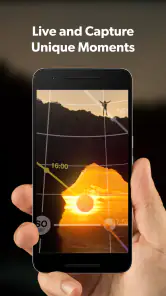
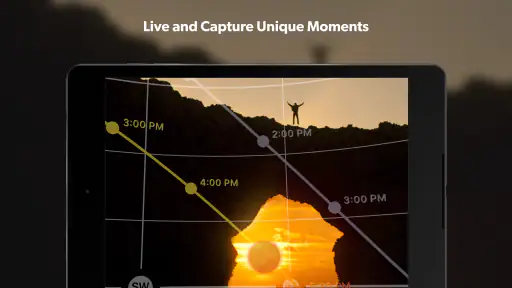
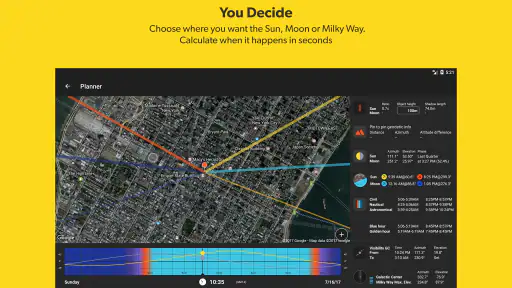
What truly sets PhotoPills apart are its comprehensive tools. The app includes a Sun and Moon tracker, which is perfect for those picturesque sunrise or moonlit shots. Imagine planning a shoot with the full moon perfectly aligned with your subject – pure magic!
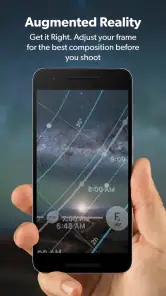
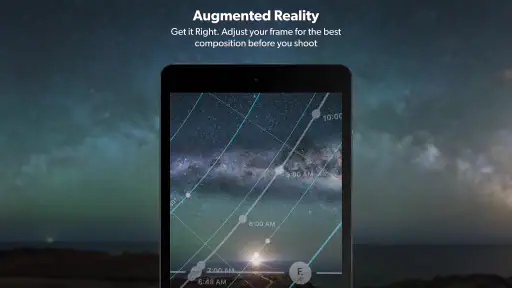
But it doesn’t stop there. The app also offers a depth of field (DoF) calculator, which is incredibly handy for achieving that dreamy background blur. And for the adventurous souls, the augmented reality feature lets you visualize celestial events right from your phone. It’s like having the universe at your fingertips!
For those venturing into night photography, PhotoPills includes a star trails tool that helps you capture the mesmerizing movement of stars across the night sky. It’s these little details that make the app a must-have for photographers looking to elevate their craft.
Why You’ll Love It
Aside from its robust features, what I love most about PhotoPills is its user-friendly interface. The app guides you through each tool with ease, making it accessible even for beginners. Plus, the community behind the app is fantastic. There’s a wealth of tutorials and resources available, so you’re never alone in your photography journey.
Another point worth mentioning is that the app is constantly updated, ensuring it stays on the cutting edge of photography technology. The developers clearly have a passion for photography, and it shows in every aspect of the app.
In conclusion, if you’re serious about enhancing your photography skills, investing in PhotoPills is a no-brainer. It’s more than just an app; it’s a comprehensive photography toolkit that will inspire you to capture the world in ways you never imagined.
Pros
- User-friendly interface
- Comprehensive photo planning tools
- Supports AR for planning
- Detailed tutorials available
- Cross-platform syncing
Cons
- Steep learning curve
- Limited free features
- Battery consumption high
- Occasional crashes
- Requires internet for some features

- Category
- Photography
- Version
- 1.8.18











