Philips HomeRun Robot App
- 4.00
- 4.4
- Installs
- 100.00K
- Price
- Free
Screenshots
Analysis by Reviewed
Have you ever wished your home could magically clean itself while you kick back and relax? Well, the Philips HomeRun Robot App might just be the closest thing to that dream. Let me walk you through my experience with this nifty little app that turns your smart home into a haven of automated cleaning.
Setting Up Your Cleaning Buddy
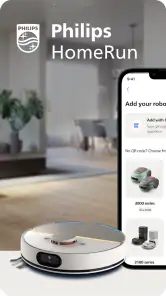
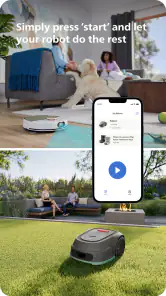
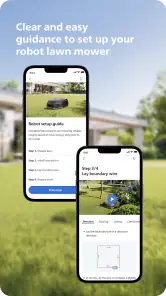
The first thing that struck me about the Philips HomeRun Robot App was how easy it is to set up. Once you've downloaded the app, it guides you through a simple step-by-step process to connect your Philips robot vacuum to your home Wi-Fi. Before you know it, you're ready to unleash your mechanical cleaning buddy on the unsuspecting dust bunnies lurking in your home.
Features That Make Life Easier
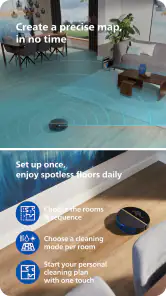
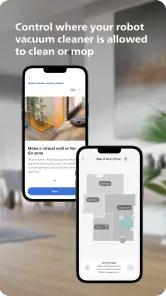
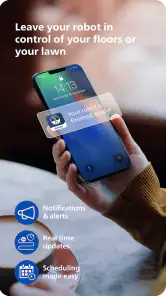
This app is packed with features that make managing your robot vacuum a breeze. You can schedule cleaning sessions, select specific areas for the vacuum to focus on, and even monitor its progress in real-time. One of my favorite features is the ability to create virtual boundaries. Got a room you don't want the vacuum to enter? Just draw a line on the app map, and voilà, problem solved!
Another feature worth mentioning is the app's integration with smart home systems like Alexa and Google Assistant. Imagine just saying, "Alexa, start cleaning," and watching your vacuum spring to life. It's like living in the future!
Performance and Reliability
Performance-wise, the app rarely falters. Commands are executed promptly, and the real-time tracking is surprisingly accurate. I did encounter a minor hiccup once where the app temporarily lost connection with the vacuum, but a quick reboot did the trick. It's reassuring to know that even when technology has a moment, there's usually a simple fix.
What really stands out is the app's ability to adapt to different home layouts. Whether you have a cozy apartment or a sprawling house, the app maps out the area efficiently, ensuring no corner is left uncleaned.
Final Thoughts
All in all, the Philips HomeRun Robot App is a game-changer for anyone looking to simplify their cleaning routine. It’s convenient, user-friendly, and packed with smart features that make home maintenance a lot less daunting. While no technology is without its quirks, this app does a fantastic job of minimizing them.
If you're someone who values a clean home but would rather not spend your free time vacuuming, this app is definitely worth a try. It’s like having a little helper that works tirelessly so you don’t have to. Who wouldn’t want that?
Pros
- User-friendly interface with easy navigation.
- Integrates well with Philips smart devices.
- Provides real-time cleaning updates.
- Customizable cleaning schedules.
- Voice control through smart assistants.
Cons
- Limited compatibility with non-Philips devices.
- Occasional connectivity issues.
- Requires stable internet connection.
- Limited offline functionality.
- Subscription needed for advanced features.

- Category
- House & Home
- Version
- 1.4.1