Persona Wallet
- 30.00
- 3.1
- Installs
- 100.00K
- Price
- Free

Screenshots
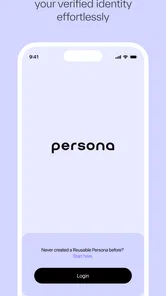
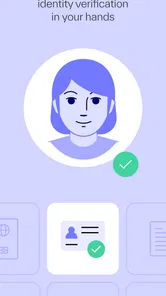
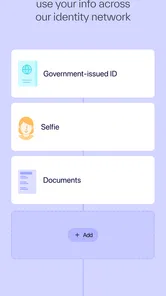
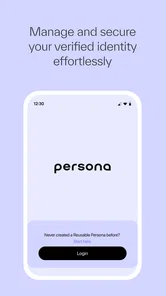
Analysis by Reviewed
Identity apps ask for a different kind of trust than ordinary business tools. I can forgive a rough screen in a note-taking app, but I am much more careful when an app is designed to verify, manage, and store identity information. That is the lens I used with Persona Wallet: not just whether it opens quickly, but whether its purpose is clear, whether the user can understand each decision, and whether it feels appropriate for sensitive moments.
Persona Wallet is a free business app from Persona Identities. It is available for users aged Everyone, supports Android 9 and later, and its current release is version 1.25.0. The app has passed the early adoption stage with over 100 thousand installs, although its average rating sits at 3.1 from around 266 ratings. That combination tells me to approach it with interest rather than automatic confidence: enough people have tried it to make it relevant, but the public response is mixed enough that your own experience and comfort level matter.
What Persona Wallet is really useful for
The simplest way to understand the app is as a place for identity-related information rather than a general-purpose wallet for cards, tickets, or payments. Its job is connected to verifying and managing identity details, so the value appears when a service asks you to establish who you are and you want that process organized in one place.
I would not install it casually just because the word “wallet” sounds convenient. The better reason is a specific identity workflow: an organization directs you toward Persona Wallet, or you need a dedicated way to handle identity information instead of repeatedly searching through email, camera photos, cloud folders, and browser tabs. In that situation, a focused app can reduce the confusion that comes from keeping sensitive documents scattered across unrelated tools.
The distinction is important. A normal password manager is built around login credentials. A cloud drive is built around files. A phone gallery is built around pictures. Persona Wallet belongs to a more sensitive category, where the information may be used as part of a verification process. That means convenience is only half of the evaluation. The other half is whether you understand what you are being asked to do at each stage.
In everyday use, I would expect the app to matter most when a verification request arrives at an inconvenient time. Imagine receiving a request while away from home, needing to identify yourself before continuing with a business service, and having to decide whether to use a document image already saved on your phone or begin again. A dedicated identity app can make that moment less improvised. It can also make it more serious, because placing identity information in one app creates a single place that deserves careful attention.
That is why I see Persona Wallet as a task-specific tool rather than an app I would open every day. If you rarely complete identity checks, it may not add enough value to justify another app. If you regularly deal with services that use Persona’s identity flow, the focused approach makes more sense.
More From Our News Desk

Weather by Xiaomi Review: Clear at a Glance, Less Clear Up Close

X Under Pressure: Can It Recover When Posting Goes Wrong?

Clash of Clans Is Won Between the Battles

Android Auto Makes the Case for Quieter Car Software

MobiOffice: Transforming Mobile Productivity with Seamless Integration

EA SPORTS FC™ Mobile Soccer: Redefining Mobile Sports Gaming
Trust begins with the visible choices
With an identity app, I pay close attention to the moments before I confirm anything. Does the screen explain what is being requested? Is the next action obvious? Can I stop and review rather than tapping through a sequence automatically? These details are more meaningful to me than polished visual design because they affect whether I remain in control of a sensitive process.
Persona Wallet’s stated purpose gives the interface a clear direction: identity information is meant to be verified, managed, and stored. That clarity is useful, but it should not replace reading the prompts. A user should still pause before submitting a document, approving a verification step, or accepting an identity request. The safest habit is to treat every confirmation as a deliberate decision, not as a routine “continue” button.
I also recommend checking the surrounding context before starting. If a request arrives through an unfamiliar message, open the service through a route you already trust instead of assuming that every invitation is genuine. The app can be part of a legitimate verification process, but an identity tool cannot make an untrusted request trustworthy by itself. This is one of the most important practical limits of any wallet-style identity product.
Another useful habit is to keep the phone itself protected. A wallet that stores or manages identity information deserves a strong device lock and sensible notification settings. I would avoid beginning a verification process on a shared phone, and I would be careful about leaving sensitive screens visible in public. These are not dramatic technical tricks; they are simple ways to reduce accidental exposure while using the app for its intended purpose.
How I would approach the first verification
My advice is to start with time to spare. Identity checks are a poor task to begin five minutes before a deadline because lighting, document condition, camera focus, and account details can all become distractions. Set aside a quiet moment, clean the camera lens, and have the relevant document available without switching repeatedly between several apps.
I would also read the request from the organization carefully before opening the wallet. Note what service is asking for verification and why you are completing it. That small preparation creates a useful reference point if the flow later asks for information that seems unrelated or unclear. If the request does not match what you expected, I would stop rather than trying to force the process through.
After completing a verification, I would review what remains visible in the app and what action is available next. The important question is not only “did it work?” but also “what can I now manage?” A clear result, an understandable status, and an obvious way to return later are more valuable than a fast completion that leaves you unsure about what happened.
This is also where the app’s version matters in practical terms. Persona Wallet is currently at version 1.25.0, so I would keep it updated through the normal app-store process, especially before an important verification. Updates can affect compatibility and the way screens behave, and using an older build during a time-sensitive identity check is an avoidable source of friction.
Where sensitive decisions deserve extra attention
The most sensitive moment is the submission itself. Before confirming, I would check that the document or identity detail shown on screen belongs to the correct person, is readable, and is being sent to the service I intended to use. A mistake here is more consequential than entering the wrong search term, so slowing down is worthwhile.
The next sensitive moment is account access. If Persona Wallet is connected to an account or identity profile, the recovery and sign-in path deserve the same care as the initial verification. I would use an email address or account route that I can reliably access, avoid sharing sign-in codes, and treat unexpected requests for credentials as suspicious. The app’s usefulness depends partly on whether I can return to it safely when needed.
A third moment is device sharing. Families sometimes share tablets or phones, and business devices may be used by several people. I would not assume that a general device profile is suitable for identity information. If another person can unlock the device or inspect notifications, that changes the privacy situation even if the app itself is working as designed.
I would also think about screenshots and backups. If an identity screen is visible, capturing it for convenience can create an extra copy outside the intended workflow. The same applies to saving images in a gallery or sending them through ordinary messaging. My rule would be simple: use the dedicated flow where possible, and avoid creating duplicates unless there is a clear reason.
These precautions are not a criticism of Persona Wallet alone. They are the trade-off created by the category. A specialized identity app can make verification more orderly, but the information it handles is more valuable and more sensitive than the content managed by many ordinary business apps.
Comparing it with familiar alternatives
Compared with a cloud drive, Persona Wallet should be easier to associate with an identity task, while a drive is more flexible for storing many kinds of files. A drive may be better when you need broad document organization, collaboration, or long-term access to ordinary paperwork. It is not automatically the better choice for a verification workflow, because a folder of images does not tell you which file is current or why it is being requested.
Compared with a password manager, the difference is even clearer. A password manager is ideal for credentials and secure sign-in routines; it is not a substitute for an identity-focused process. I would use each tool for its intended job rather than treating every secure-looking container as interchangeable.
Compared with keeping identity documents only in the phone gallery, Persona Wallet offers a more purposeful home for the task. The gallery is convenient, but it mixes sensitive images with screenshots, travel photos, and other content. That makes accidental sharing or simply losing track of the correct document easier. The trade-off is that a dedicated app becomes another account and another place to maintain.
There is also a practical comparison with completing verification entirely in a browser. A browser can be preferable when you need a one-time check and do not want a separate app. Persona Wallet is more appealing when the same identity relationship is likely to return, or when a service specifically directs you to use it. If the app adds an extra step without making your particular workflow clearer, the browser route may be less burdensome.
Who will benefit, and who should skip it
I think Persona Wallet is best suited to people who have a clear reason to manage identity information through Persona Identities. It can be a sensible choice when you want a dedicated place for verification-related tasks, prefer not to keep document images mixed with personal photos, or need to revisit an identity workflow rather than complete it once and forget it.
It is less convincing for someone who has no current identity request and is simply collecting apps “just in case.” The free price removes a financial barrier, but it does not remove the responsibility of maintaining another sensitive account or deciding when information should be shared. If you only need to prove your identity once through a service that already offers a straightforward browser process, installing a wallet may feel like unnecessary overhead.
I would also be cautious if your phone is old, shared, frequently unlocked by others, or short on reliable access. The app supports Android 9 and later, which covers a broad range of devices, but operating-system compatibility is not the same as a comfortable security setup. A supported phone can still be a poor environment for identity information if its lock screen, notifications, or user access are not under your control.
For users who want extensive file-management features, Persona Wallet is probably not the right replacement for a document manager. For users who want a general financial wallet, it is also the wrong category entirely. Its usefulness depends on having an identity-specific need, not on the broad meaning of the word “wallet.”
What the public reception suggests
The app’s 3.1 average from around 266 ratings is a reason to keep expectations measured. I would not interpret that number as proof that the app is unsuitable, but I would take it as a reminder to test the exact workflow you need before relying on it for an urgent deadline. A verification app can feel excellent when the request is clear and the account is ready, yet frustrating when a user encounters an unclear prompt or an unexpected access problem.
Its install base of over 100 thousand shows that Persona Wallet is not an obscure experiment with no practical audience. Still, adoption alone does not answer the questions that matter most for an identity tool: whether the request is understandable, whether the user can stop before sharing, and whether returning later feels manageable. Those are the checks I would make personally rather than assuming popularity settles the issue.
The Everyone age classification is useful for general availability, but it should not be read as a statement that every identity situation is equally suitable for every person. An age label describes content suitability, while identity decisions involve personal responsibility, account ownership, and the context of the organization making the request. I would still make sure the person using the app understands what is being submitted and why.
My cautious verdict
After looking at Persona Wallet as an identity tool rather than a generic business download, I see a focused app with a legitimate place in a specific workflow. Its strongest argument is organization: it gives identity verification and management their own destination instead of leaving the user to improvise with a gallery, cloud folder, or browser session.
My recommendation is conditional. If a trusted service asks you to use Persona Wallet, and you are comfortable reviewing each request before confirming it, the app is worth considering. Keep your device protected, begin important checks early, avoid unnecessary copies of sensitive material, and review the result after submission. Those habits make the experience safer and more predictable.
If you do not have a concrete identity-related need, I would skip installing it for now. The free price and broad Android support are convenient, but they are not reasons by themselves to place sensitive information in another app. The right choice is the one that leaves you understanding what you shared, with whom, and what control you still have afterward.
Overall, I would describe Persona Wallet as useful but deserving of deliberate use. It is not a replacement for every secure storage tool, nor does its existence remove the need to verify the organization behind a request. For the right user and the right identity workflow, its focused purpose can be genuinely helpful. For everyone else, waiting until there is a clear reason may be the more sensible decision.
Persona Wallet Frequently Asked Questions
Is Persona Wallet free to download, and which devices can run it?
Persona Wallet is a free Business app from Persona Identities, intended for users who want to securely verify, manage, and store identity information. It is rated for Everyone and requires Android 9 or later on Android devices. Before installing, make sure your device meets that requirement and use the official app store so you get the legitimate version.
What is Persona Wallet and what can I use it for?
Persona Wallet is a digital wallet designed to help users manage selected financial assets and wallet-related services from a mobile device. Depending on the supported region and version, it may allow you to view balances, send or receive assets, review transaction activity, and manage account settings. Before downloading, check the official listing to confirm which currencies, networks, and features are currently available in your country.
Is Persona Wallet safe to use?
Persona Wallet may include standard security measures such as account authentication, device protection, encrypted connections, and recovery or verification procedures. However, no digital wallet is completely risk-free. You should download it only from an official store, keep the app updated, use a strong unique password, enable every available security option, and never share recovery phrases, verification codes, or private credentials with anyone.
Does Persona Wallet charge fees for transactions or other services?
Fees can vary according to the service you use, the asset or network involved, and your location. Some actions may be free, while transfers can include network fees, processing charges, exchange spreads, or other costs displayed before confirmation. Review the final transaction screen carefully, because blockchain or payment-network fees may change and are not always controlled directly by Persona Wallet.
Can I recover my Persona Wallet account if I lose my phone?
Account recovery depends on how Persona Wallet manages user access and whether your wallet is custodial or self-custodial. If the app provides a recovery phrase, backup method, or verified account recovery process, complete it securely before you need it. Losing access information can permanently affect access to funds, so never store recovery details in public notes, screenshots, or messages.
Pros
- Simple interface makes checking balances and transactions quick.
- Supports convenient digital access to selected Persona financial services.
- Useful notifications can help users monitor account activity.
- Reduces the need for paper records and in-person account management.
- Available on mobile
- making wallet information accessible while traveling.
Cons
- Features may depend on your location and the Persona services you use.
- Requires a compatible device and a stable internet connection.
- Some users may find identity verification steps time-consuming.
- Mobile wallet access can be inconvenient if your phone is lost or unavailable.
- Privacy-conscious users may have concerns about storing financial data digitally.











