

Parking Kitty
- 1.88K
- 4.6
- Installs
- 500.00K
- Price
- Free

Screenshots
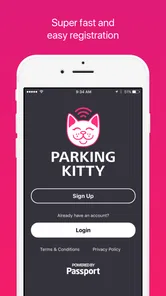
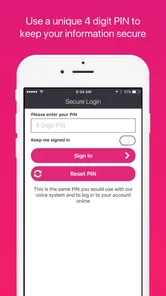
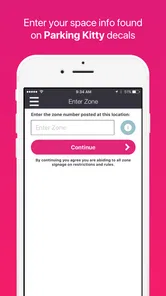
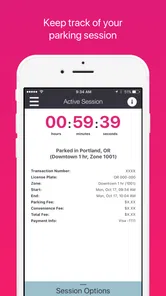
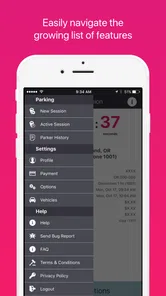
Analysis by Reviewed
Finding a parking space is only half the problem in Portland. The other half is paying without walking back to the car, guessing how long the visit will take, or returning to discover that the parking session ended earlier than expected. I tested Parking Kitty as a practical travel and local app, and my impression is that it is most useful when you already know you will be parking in Portland and want to handle the payment from your phone instead of relying on a meter.
The app is developed by the City of Portland, Oregon, and its purpose is refreshingly narrow: making city parking easier to manage. That focus is its biggest strength. It is not trying to replace a map, plan an entire trip, or become a general travel companion. It is a tool for the moment when you have arrived, parked, and need a straightforward way to pay for the space.
It is free to download and carries an Everyone age rating, so there is no purchase decision before trying it. That matters here because the value is not about buying a premium bundle or unlocking extra travel content. The real question is whether the convenience of app-based parking is worth adding another step to your routine. For many Portland drivers, I think it is. For someone who rarely parks in the city or prefers cash and physical meters, the answer is less certain.
How Parking Kitty fits into a real Portland parking routine
I look at a Portland parking routine as a sequence: find a legal space, verify its rules, then pay without letting the task interrupt the reason for the trip. This section focuses on where Parking Kitty fits in that sequence and why I would prepare the app before arriving, rather than learning it at the curb. The next section turns to what its current version and history can—and cannot—tell us about its evolution.
The useful part happens after you arrive
The most important thing to understand is that this is a parking-payment companion, not a full navigation service. I would not open it expecting broad sightseeing suggestions, traffic planning, or a detailed guide to Portland neighborhoods. Its role begins when the car is already parked and the next task is dealing with the parking session.
That makes the app especially relevant for short errands, appointments, restaurant visits, and trips where the end time is difficult to predict. A physical meter forces me to make a decision at the curb. If I stay longer than expected, I may need to return to the vehicle. With a phone-based system, the practical advantage is being able to manage the session while I am away from the car, subject to the rules of the specific parking area.
A realistic example is an appointment that should take an hour but might run longer. I can park, use the app rather than searching for coins, and keep the session in mind while inside. If the appointment finishes early, I am not committed to leaving the car parked simply because I paid at a machine. If it takes longer, the app is more convenient than physically returning to the curb. That flexibility is the feature I notice most in everyday use.
More From Our News Desk

 Weather - By Xiaomi
Weather by Xiaomi Review: Clear at a Glance, Less Clear Up Close
Xiaomi’s weather app makes everyday forecasts quick to scan, but its calm surface can leave useful details and recovery paths harder to find than they should be.

 X
XX Under Pressure: Can It Recover When Posting Goes Wrong?
A resilience-focused review of X, examining setup, mistaken posts, interruptions, weak connections, and the gaps that matter when recovery needs to be dependable.

 Clash of Clans
Clash of Clans Is Won Between the Battles
Its raids are quick; its community is a long-term project of coordination, teaching, rivalry, and shared responsibility—with all the friction that entails.

 Android Auto
Android Auto Makes the Case for Quieter Car Software
The car interface is no longer judged by how much it can do, but by how quietly it helps. Android Auto shows what drivers now expect—and what still gets in the way.

 MobiOffice: Word, Sheets, PDF
MobiOffice: Transforming Mobile Productivity with Seamless Integration
MobiOffice: Word, Sheets, PDF is redefining mobile productivity with a surprising blend of functionality and innovation.

 EA SPORTS FC Soccer Mobile 26
EA SPORTS FC™ Mobile Soccer: Redefining Mobile Sports Gaming
Dive into EA SPORTS FC™ Mobile Soccer, where immersive gameplay and strategic depth transform mobile sports gaming.
Latest News



Why the city-specific focus matters
Because the developer is the City of Portland, Oregon, the app feels more relevant to Portland parking than a generic payment utility would. A city-specific app can be easier to understand when the driver is dealing with local parking areas, signs, and payment expectations. I still pay close attention to the street signage, though. The app does not remove the need to confirm that I am parked legally, in the right zone, and within the allowed time.
This is an important distinction. A parking app can help with payment, but it should not be treated as permission to park anywhere. I would check the sign before opening the phone, especially on an unfamiliar block. The app is most useful when it complements the information at the curb rather than replacing it.
What the current app profile tells me
Parking Kitty has been available since May 17, 2017, and the current version is 1.0.4. Its minimum operating-system requirement is Android 4.4, which makes it accessible to many older Android phones. That is helpful for people who keep a reliable older device in the car, although compatibility alone does not guarantee the smoothest experience on every handset.
The app has built a substantial audience, with more than 500,000 installs. Its average rating is 4.6 from roughly 5,800 ratings, while about 1,900 written reviews provide additional user feedback. Those figures do not prove that every parking session will be effortless, but they do suggest that the basic idea has worked for a large number of drivers.
I also like that the app is free to access. There is no upfront price to weigh against the occasional parking trip. That does not mean parking itself becomes free; the parking charge still depends on the space and the applicable local rules. The free app simply removes the cost of obtaining the payment tool, which makes experimenting with it relatively low-risk.
The small workflow details that make a difference
My first practical tip is to prepare before standing beside the car in a busy street. Installing the app, signing in if required, and becoming familiar with the basic flow while at home is much less stressful than doing everything with traffic behind me and a limited amount of time at the curb. A parking app is most valuable when it shortens the curbside task rather than becoming another thing to troubleshoot there.
My second tip is to treat the location and zone information as something to verify carefully. On a block with several nearby spaces, it is easy to assume that the closest visible option is the correct one. I would compare the app’s parking selection with the sign beside the vehicle before confirming payment. A wrong zone can turn a convenient digital payment into a very avoidable problem.
My third tip is to use the app as a reminder system, not as an excuse to forget the session entirely. If I am meeting someone downtown, I would still note when the parking period is due to end. Phone notifications and app controls can help, but I would not depend on them blindly. Battery level, connectivity, notification settings, and the phone’s background restrictions can all affect how confidently I can rely on a mobile workflow.
Where it beats the usual alternatives
The obvious alternative is paying at a physical meter. That method remains perfectly reasonable when the meter is nearby, working, and I know exactly how long I will stay. It also avoids the need to use a phone. For a quick stop with a predictable duration, the physical option can be faster than opening an app, especially if I have not used the app recently.
Parking Kitty becomes more attractive when the visit is uncertain or when walking back to the car would be inconvenient. A phone-based session can reduce the need to carry coins and can make the payment process fit better around an appointment or meal. Compared with a general parking app that covers many cities, a Portland-focused tool may also feel less cluttered for someone whose parking needs are concentrated locally.
On the other hand, a general travel app can be better for someone who wants one place for directions, reservations, transit information, and parking discovery. Parking Kitty is not a substitute for those broader tools. I see it as a specialist utility: less ambitious than a full travel platform, but potentially more useful at the exact moment of paying for a Portland parking space.
What I would want new users to know before depending on it
The first question many people have is whether downloading the app means parking is free. It does not. The app itself is free, while the parking transaction remains governed by the local space and its posted requirements. I would think of it as a payment method, not a parking discount.
The next question is whether it replaces reading street signs. It does not, and I would never use it that way. Signs remain the safest reference for restrictions, time limits, and whether a particular space is available for the kind of parking I need. The app helps with the transaction after I have made the legal parking decision.
Another practical concern is whether it is suitable for every phone. The stated minimum of Android 4.4 is reassuring for older Android users, but people on very old or heavily restricted devices should still test the app before an important appointment. I would not make my first attempt five minutes before a meeting if a working meter or another accepted payment option is available nearby.
Some readers will also wonder whether the app is worthwhile for visitors. My answer is: sometimes. If I am spending several days in Portland and expect to park more than once, learning one local parking tool can be worthwhile. If I am visiting only briefly and plan to use a hotel garage, private lot, transit, or a single physical meter, the setup may not repay the effort.
The tradeoffs I noticed
The main tradeoff is convenience versus dependence on the phone. A meter is visible and self-contained. The app depends on a charged device and a usable connection at the time I need it. That does not make the app a poor choice, but it means I should keep a backup plan for a critical appointment or an unusually busy day.
There is also a mental tradeoff. Digital payment feels quick once familiar, yet the first few uses require attention: selecting the correct parking area, checking the duration, and confirming that the session is active. A person who dislikes entering details on a phone may find the physical meter more comfortable. The app saves effort mainly after the workflow has become familiar.
Privacy and account comfort can matter too. Some drivers prefer not to connect routine parking activity with a mobile account or payment method. I would not recommend the app to someone whose strongest preference is to keep parking entirely offline. The fact that it is free to download does not remove those personal considerations.
Another limitation is that a focused parking app cannot solve every part of an urban driving problem. It will not guarantee an open space, make a crowded street easier to navigate, or tell me whether a destination has a better garage. If finding a place to park is the difficult part of the trip, I may still need a map, a garage service, or local knowledge. Parking Kitty is strongest once the parking decision has already been made.
Who gets the most value from it
I think the best match is a Portland resident who parks in city spaces regularly and wants a repeatable way to handle payment. The free access makes it easy to try, and repeated use is where the convenience compounds. After the initial setup, the app can become part of the normal arrival routine rather than something I have to research each time.
It is also a good fit for workers with changing schedules. Someone who cannot predict whether a meeting will take thirty minutes or two hours may appreciate the ability to manage parking without interrupting the meeting to walk back outside. Parents handling errands, people attending appointments, and visitors moving between several downtown stops can all benefit from that flexibility.
The app is less compelling for drivers who almost always use private garages, paid lots with their own systems, or public transportation. It is also not my first recommendation for someone who parks only once, has no interest in setting up a mobile payment routine, or has a phone that is unreliable. In those cases, a meter, garage payment terminal, or transit option may be simpler.
For iPhone and Android users, the key decision is not the platform label but the parking habit. If Portland parking is a recurring part of the week, I would try it. If Portland is a one-off stop and the existing payment method is already convenient, I would not install another app automatically.
My final recommendation
Parking Kitty delivers clear value because it is free to access and addresses a specific annoyance: paying for Portland parking without being tied to the meter. I appreciate that it does not pretend to be an all-purpose travel service. Its usefulness comes from making one narrow task easier, especially when the length of a visit is uncertain.
My recommendation is positive for regular Portland parkers and visitors who expect several city parking sessions. I would install it before the trip, learn the basic process at home, and still read every sign at the curb. That combination gives the app a fair chance to save time without turning it into the only source of parking information.
I would skip it when I rarely park in Portland, strongly prefer cash or physical meters, or need a broader navigation and travel-planning tool. In those situations, the app may add setup without solving the problem I actually have. For everyone else, the strongest reason to use Parking Kitty is not the download itself, but the flexibility it gives after the car is already parked. That is a modest benefit, but in a city parking routine, it is a genuinely practical one.
Parking Kitty Frequently Asked Questions
Does Parking Kitty work on my phone?
Parking Kitty is designed for Android and iOS devices, and the Android version requires Android 4.4 or later. Before downloading, check that your phone meets the operating-system requirement and that you can access the app store for your device. The app is free to download, though parking charges and any applicable transaction fees are separate from the download.
Who makes Parking Kitty, and is it free to download?
Parking Kitty is developed by the City of Portland, Oregon, and is categorized as a Travel & Local app. It is free to download and is rated for Everyone, making it suitable for a broad audience. The app’s main purpose is to help drivers manage parking in supported locations, but the cost of a parking session depends on the local parking rules and charges.
What is Parking Kitty and how does it work?
Parking Kitty is a mobile parking app that allows drivers to pay for parking from an Android or iOS device. After creating an account, you can enter the relevant zone or scan available signage, choose how long you want to park, and complete payment in the app. In supported areas, the app also lets you extend your session remotely, helping you avoid returning to a parking meter.
Where can I use Parking Kitty?
Parking Kitty is available only in participating cities, campuses, and parking facilities, so coverage depends on your location. Before relying on it, check the app’s map or look for Parking Kitty signs and zone numbers near your parking space. The same application may work across multiple supported locations, but parking rules, rates, maximum durations, and enforcement policies can differ from one area to another.
What payment methods does Parking Kitty accept?
Parking Kitty generally allows users to pay through payment cards or other methods offered in the app, depending on the region and current provider support. You normally add a payment method to your account before starting a parking session. It is worth checking the final amount, service fees, and saved card details carefully, particularly if you are parking in a city with different pricing rules or transaction charges.
Pros
- Quickly pay for parking from your phone.
- Extends parking sessions remotely when available.
- Stores vehicle and payment details for faster checkout.
- Shows parking zones and rates in supported locations.
- Sends reminders before your parking time expires.
Cons
- Coverage is limited to participating cities and parking areas.
- Location and zone detection can occasionally be inaccurate.
- Service fees may increase the total parking cost.
- Requires mobile data or Wi-Fi to start a parking session.
- Some users report delays with notifications or session updates.











