OsmAnd — Maps & GPS Offline
- 3.09K
- 4.5
- Installs
- 10.00M
- Price
- Free

Screenshots
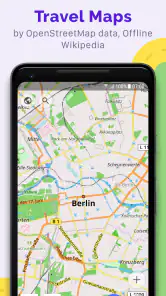
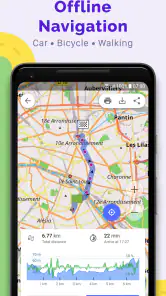
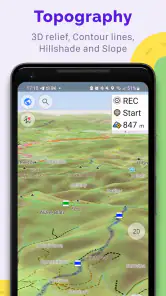
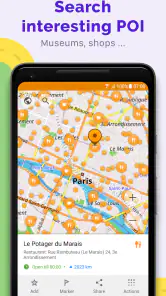
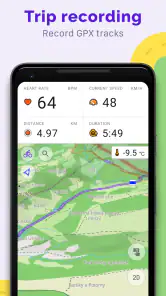
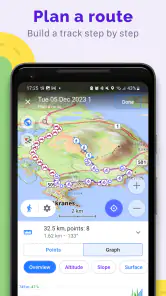
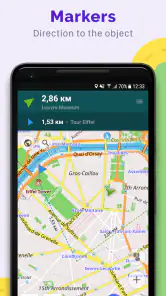
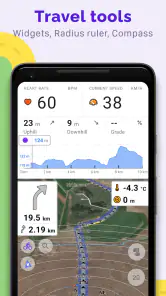
Analysis by Reviewed
When I travel somewhere unfamiliar, I want a map that stays useful after my signal disappears. OsmAnd — Maps & GPS Offline is built around that need: I can prepare maps in advance and use them for navigation without depending on mobile data. That makes it a practical option for a countryside walk, a trip abroad, or a route through parts of town where reception is unreliable.
Why offline maps change the journey
The main advantage is not simply having a map on screen; it is being able to plan for the stretches where a connection is a poor assumption. I would download the area before setting off, then check that the map is available while I still have reliable internet. Offline navigation can save data and reduce the worry of losing access mid-route, though it does ask me to think ahead rather than search for everything spontaneously.
Making a downloaded map useful
In practice, I would choose the map area around my destination and likely detours, not just the exact point where I plan to arrive. For a hike, that means including the trailhead and nearby paths; for a city break, it means covering the station, accommodation, and places I may visit on foot. This small bit of preparation is more useful than discovering too late that the route I need falls outside the saved area.
OsmAnd is a Travel & Local app from OsmAnd, and its appeal is especially clear when routes involve more than driving. The maps can include hiking trails and public transport routes, so I can use the same app to orient myself on a walk and then find my way back through town. I would still check important journey details before leaving, particularly if a route depends on current conditions or a connection between services.
A flexible view for different trips
The map display can be adjusted to bring details such as bike paths, pedestrian routes, or ski slopes into focus. I find that more useful than trying to read every available detail at once: a cyclist can prioritize suitable paths, while someone walking can make pedestrian routes easier to spot. It is worth spending a little time setting up a view before a trip, because changing the map while moving can be distracting.
That flexibility also creates a trade-off. A map with more visible detail may help with route choices, but it can take longer to understand at a glance than a simpler, familiar navigation screen. If I mostly want the quickest turn-by-turn drive across town, a conventional map app may feel more immediate. OsmAnd makes more sense when I value offline access and route context enough to accept a little preparation.
Where it earns a place on my phone
Picture arriving in a new city after a long journey, with no dependable connection and a walk from the station to your lodging. If I had downloaded the area in advance, I could consult the map without trying to load it over a weak signal. The same habit helps on a weekend hike: saving the surrounding area before leaving home gives me a reference for nearby trails and possible changes of plan. I would keep my phone charged and avoid treating any navigation app as a substitute for sensible preparation outdoors.
More From Our News Desk

Weather by Xiaomi Review: Clear at a Glance, Less Clear Up Close

X Under Pressure: Can It Recover When Posting Goes Wrong?

Clash of Clans Is Won Between the Battles

Android Auto Makes the Case for Quieter Car Software

MobiOffice: Transforming Mobile Productivity with Seamless Integration

EA SPORTS FC™ Mobile Soccer: Redefining Mobile Sports Gaming
When I do have internet access, I can update maps and other data. That gives me a straightforward routine: prepare before travel, use the saved map when connectivity is absent, and refresh it when convenient. Offline use is not a promise that every detail will reflect a sudden change, so for time-sensitive travel I would confirm key information while online rather than assume a downloaded map replaces live checks.
Planning for routes that do not go to plan
One useful habit is to think about the return journey before beginning the outward one. On a walk, I would save enough surrounding map to see nearby paths and possible ways back, rather than downloading only the line I expect to follow. That does not mean I should improvise blindly; it gives me a better visual reference if I decide to turn around early or take a different street to reach a bus stop. The practical benefit is having context, not just a destination marker.
For a mixed day, I would also separate map preparation from route decisions. I can save an area that covers several places and then decide where to go once I arrive, instead of trying to download a new map at each stop. This is especially helpful when a trip includes both a town center and a walk on its edge. The trade-off is that I need to be deliberate about coverage and storage rather than assume every place I might wander will already be available.
When a simpler map app is the better fit
OsmAnd’s offline focus is valuable, but it is not automatically the best choice for every journey. If I am driving across a familiar city and mainly want live traffic, quick searches, and a route with minimal setup, a mainstream navigation app may be a smoother first choice. Those apps often put current conditions and familiar place search front and center. I would use OsmAnd when saved map access and the ability to inspect route context matter more than having the most immediate live-oriented experience.
There is also a difference between being able to consult an offline map and having every travel decision handled for me. A downloaded map is a dependable reference for orientation, but changing service schedules, closures, and other time-sensitive details deserve a check while I am online. I find it best to treat the app as a capable map and navigation companion, then use current sources for details that can change quickly.
A small test before a bigger trip
Before relying on it for a holiday or a long walk, I would try OsmAnd on a familiar local route. Download the area while connected, open it again with connectivity unavailable, and make sure the places and paths you care about are visible. This simple rehearsal helps answer the question that matters most: whether the map you prepared is actually the one you can use when you need it. It also gives you time to get comfortable with the display without the pressure of finding your way somewhere new.
I would pay attention to how much map detail feels useful on my own screen. A cyclist may want bike paths to stand out, while someone walking through a city might prefer pedestrian routes. If the screen feels busy, changing the map view before setting off is better than fiddling with it while crossing a road or following a trail. That is a modest bit of planning, but it makes a detailed map much easier to use safely.
Who will get the most from it
I would recommend OsmAnd to walkers, cyclists, and travelers who like to plan a route and want map access beyond a dependable data connection. It is less appealing if I rarely leave familiar, well-connected areas or want an app that requires almost no setup. The free app has a 4.5 average from around 229,000 ratings and over 10 million installs; its Everyone age rating also makes it broadly accessible. The current version is 5.2.13, and in-app purchases range from about $1.63 to $39.99 per item, so I would check what is included before paying for anything.
For quick, familiar city directions, I may reach for a mainstream navigation alternative that feels simpler and emphasizes live information. For a trip where the connection itself is uncertain, I prefer OsmAnd’s map-first approach. It has been available since August 16, 2010, and supports devices running Android 7.0 or later. My advice is to try it on a short outing first: download the area, inspect the map at home, and see whether its level of detail suits the way you travel.
What to consider before depending on offline navigation
A common question is whether downloading a map means I can stop thinking about connectivity altogether. For the map itself, it means I can refer to saved coverage without mobile data; it does not remove the value of checking current details before leaving. I would plan around the places I expect to visit, confirm any time-sensitive connections while online, and keep a separate backup plan for an important trip. That balance lets offline access do its job without asking it to solve problems it was not designed to solve.
Another practical consideration is whether the app suits the way you make decisions. If you like seeing the surrounding network of trails and streets and are willing to prepare, its detail can be an advantage. If you prefer to type a destination and follow the simplest possible screen with no map setup, the extra planning may feel like friction. Neither style is wrong; the better choice depends on whether you value preparation and map context more than instant convenience.
I would also resist downloading only the exact destination area. A route can begin outside the place you intend to explore, and a change of plan may take you beyond a tight boundary. Saving the approach and nearby alternatives gives the map room to remain useful if the day unfolds differently. This is particularly worthwhile for a station-to-hotel walk followed by an unplanned visit elsewhere, or a hike where the starting point and nearby paths matter as much as the main route.
My take after using it
One of the coolest things about OsmAnd — Maps & GPS Offline is that it works without an internet connection. Yep, you heard it right! You can download maps for almost any place in the world and use them offline. This is super handy, especially when you're traveling abroad and want to save on data costs. Plus, the app provides detailed maps with all the info you might need, from hiking trails to public transport routes. It’s like having a personal tour guide in your pocket!
User-Friendly Interface
Now, let’s talk about the interface. Navigating through the app is pretty straightforward. The design is clean, and you won’t find yourself drowning in a sea of unnecessary icons. Everything is where you expect it to be, and that’s a big win in my book. I was able to figure out how to use its features without any hiccups, which is always a plus.
Customization Galore
If you're like me and love tweaking things to your liking, you're going to enjoy the customization options in OsmAnd. You can tailor map displays to highlight specific details like bike paths, pedestrian routes, or even ski slopes. This makes it super flexible depending on what you’re up to. Whether you’re biking through the countryside or navigating an urban jungle, you can set it up just the way you want it.
Real-Time Updates and Alerts
Even though the app is designed for offline use, it doesn’t mean you’re stuck with outdated info. When you do have internet access, OsmAnd updates its maps and other data, so you’re always in the loop. I also appreciate the real-time alerts for things like speed limits and traffic warnings. It’s like having a co-driver who’s always looking out for you.
Conclusion
In a nutshell, if you're looking for a reliable navigation app that won’t leave you stranded without a signal, OsmAnd — Maps & GPS Offline is definitely worth checking out. It’s packed with features, yet easy to use, and the offline capability is a game-changer. So, next time you're planning an adventure, make sure to have this app on your phone. Trust me, you won't regret it!
OsmAnd — Maps & GPS Offline Frequently Asked Questions
Can I use OsmAnd when I do not have mobile data or Wi-Fi?
Yes. OsmAnd is designed to support navigation with maps saved on your device, so you can use downloaded map areas when mobile data or Wi-Fi is unavailable. This can be useful on hikes, while traveling abroad, or anywhere coverage is unreliable. Plan ahead by downloading the regions you need while you still have a connection.
Does OsmAnd work on my Android device?
OsmAnd supports Android devices running Android 7.0 or later, so check your device’s operating system before downloading. The app is also available for iOS, making it an option for people using either mobile platform. As with any navigation app, allow enough storage for the app and any maps you want to keep available offline.
Can I plan or follow a route with OsmAnd?
OsmAnd is built for map-based navigation, and its offline maps can help you follow a planned journey when you are away from a connection. The app is also suited to outdoor route use, including hiking and cycling. Before setting out, prepare the map areas you need and check that your route is covered so you can refer to it offline.
Is OsmAnd free to download, and are there optional purchases?
OsmAnd is free to download, so you can try its navigation and map features without paying upfront. The app also offers in-app purchases, giving users the option to access paid items. If you prefer to keep costs under control, check the available purchase options in the app before buying anything; the basic download and optional purchases are separate considerations.
What is OsmAnd and how does it work offline?
OsmAnd is a navigation app that provides maps and GPS functionalities without requiring an internet connection. It works offline by allowing users to download maps of specific regions or countries onto their device. This enables you to access detailed maps and navigate your surroundings even in areas with no cellular coverage or when traveling abroad without incurring roaming charges.
Pros
- Completely offline maps available.
- Customizable map viewing options.
- Regular updates with new features.
- Accurate routing for various transport.
- Detailed hiking and cycling maps.
Cons
- Complex interface for new users.
- Large app size requires storage.
- Some features need purchase.
- Occasional GPS signal issues.
- Limited real-time traffic data.
- Category
- Travel & Local
- Version
- 5.2.13