Onn Smart TV Remote
- 270.00
- 4.5
- Installs
- 100.00K
- Price
- Free
Screenshots
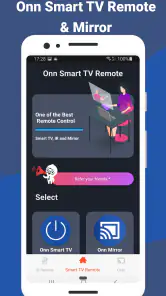
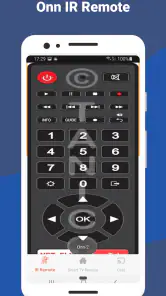
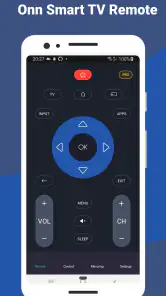
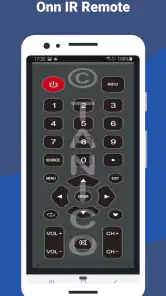
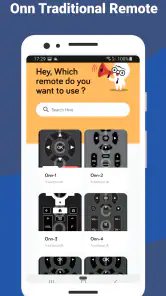
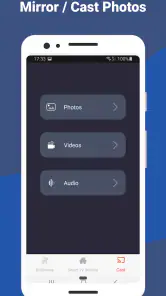
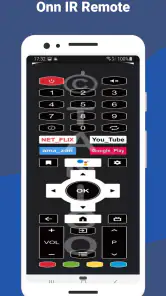
Analysis by Reviewed
Let me tell you about a nifty little app that's become quite the lifesaver in my daily routine: the Onn Smart TV Remote. If you've ever found yourself in one of those classic "where did the remote go?" situations, this app is going to be your new best friend. It's like having a backup plan right in your pocket, and trust me, it's more reliable than my memory when it comes to where I left the actual remote!
Getting Started
First things first, setting up the Onn Smart TV Remote app is a breeze. You just download it from your app store, and it's ready to roll. All you need is to ensure your smartphone and smart TV are connected to the same Wi-Fi network. Once that's done, just launch the app, and it automatically detects your TV. No need for any complicated pairing or setup. I was pleasantly surprised by how intuitive it all was.
Features Galore
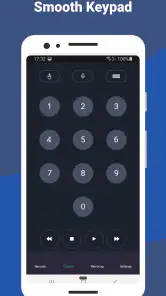
This app isn't just about basic controls; it comes packed with features that make the whole TV watching experience so much smoother. You've got the standard fare like volume and channel controls, but there's more. For instance, the app includes a keyboard feature, making it a cinch to type in those annoying search fields instead of clicking around on a virtual keyboard with your remote. It makes logging into apps or searching for that one specific show so much easier.
One feature that I find incredibly handy is the voice control. Sometimes, you're just too comfy on the couch to bother with typing, and that's where this shines. You can just speak into your phone, and the app does the rest. It's like having your own personal assistant for your TV. Pretty cool, right?
User Experience
The app's interface is straightforward and user-friendly. It doesn’t overwhelm you with too many options, which is great because who needs more complexity in their life? I found everything to be where I expected it, and the response time between the app and the TV is impressively fast. It’s almost like using the actual remote, minus the stress of losing it.
Another aspect I appreciate is the customization options. You can adjust the layout of the controls to suit your preferences, which is a nice touch. Whether you’re a minimalist or someone who wants all the controls upfront, it caters to both.
Onn Smart TV Remote certainly lives up to its name by making the TV watching experience convenient and, dare I say, a bit futuristic. It's a small app that delivers a big punch of functionality right when you need it. So, if you're like me and constantly misplacing your remote, or if you're just looking for a more seamless way to interact with your TV, give this app a try. You might just find yourself wondering how you ever lived without it.
Pros
- Easy setup process.
- User-friendly interface.
- Supports voice commands.
- Multiple device compatibility.
- Customizable remote layout.
Cons
- Limited free features.
- Occasional connectivity issues.
- Ads in free version.
- Requires stable internet.
- No offline functionality.
- Category
- House & Home
- Version
- 1.0.12