

Novelpia - Unlimited Webnovels
- 28.00
- 2.1
- Installs
- 10.00K
- Price
- Free

Screenshots
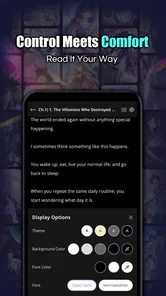
Analysis by Reviewed
I approached Novelpia - Unlimited Webnovels as a reading app rather than as a general-purpose reference library, and that distinction matters. It belongs to the Books & Reference category, but its appeal is much closer to carrying a large stream of web fiction in your pocket. The store summary, “Awaken Your Fantasy,” points toward escapist reading, while the short description simply identifies it as Novelpia. In practice, I found the most useful question was not whether it replaces every reading app, but whether its particular style of serialized fiction fits the way you and the people around you read.
The app is free to install, with optional purchases listed from $6.99 to $129.99 per item. That makes the first step easy, especially if you want to browse before committing money. At the same time, shared-device users should treat the purchase side as a separate household concern. A free download does not automatically mean that every part of the reading experience will remain cost-free, so I would establish expectations before letting another family member use the same phone or tablet.
How Novelpia works in a shared reading routine
I find Novelpia easiest to fit into a shared routine when everyone treats it as one reader’s personal reading space, rather than a household bookshelf. A simple handoff note with the story and stopping point can prevent lost time and accidental spoilers, while a quick agreement about purchases keeps browsing relaxed. That makes the next question less about sharing the device and more about choosing a sensible first session.
A practical scenario for couples, siblings, and family tablets
Imagine a household tablet used in the evening. One person wants a quick fantasy chapter after dinner, another prefers to continue a different web novel before bed, and a younger reader occasionally reaches for the same device. Novelpia can fit that arrangement as a casual reading destination, but it should not be treated like a neutral bookshelf that everyone can use without coordination. The reading history, choices, and spending decisions belong to the person using the account, not automatically to the whole household.
My first recommendation is simple: decide who the primary reader is before exploring deeply. If one person is likely to use the app most often, that reader should manage the account and purchases. Other household members can then ask before using it, rather than changing the reading position or selecting paid content by accident. This is especially useful on a shared tablet, where a child may assume that every visible chapter is available in the same way as a free library book.
For a couple sharing one device, the issue is less about ownership and more about continuity. If both readers open the same app under one account, it becomes harder to remember which story belongs to whom. A practical workaround is to agree on a simple routine: finish a session by noting the title and chapter in a household message or on a shared note, then leave the app at the relevant page. That is not an app feature; it is a small habit that prevents the next reader from having to reconstruct someone else’s place.
Families who already use separate phones have an easier time keeping reading habits apart. The app is more naturally suited to personal use than to a communal library model. I would not choose it as the main reading tool for a household that expects multiple people to maintain independent shelves, preferences, or progress on one login. A conventional ebook service with clearly separated profiles may be more comfortable in that situation.
More From Our News Desk

 Gmail
GmailGmail in a Busy Inbox: Who Benefits Most?
From first account to crowded workday, Gmail earns its place through dependable search and flexible sorting—but its best fit depends on how much inbox maintenance you can tolerate.

 Prime Video
Switching to Prime Video: What Changes in Your Viewing Routine
Prime Video can make a compelling second home for streaming, but switching means learning a different catalog, rental layer, and route from browsing to playback.

 Universal TV Remote Control
Universal TV Remote Control Works Best as a Reliable Backup
A phone remote earns its place through quick setup and reliable habits. Here is how to get more from Universal TV Remote Control—and where its limits show.

 Weather - By Xiaomi
Weather by Xiaomi Review: Clear at a Glance, Less Clear Up Close
Xiaomi’s weather app makes everyday forecasts quick to scan, but its calm surface can leave useful details and recovery paths harder to find than they should be.

 X
XX Under Pressure: Can It Recover When Posting Goes Wrong?
A resilience-focused review of X, examining setup, mistaken posts, interruptions, weak connections, and the gaps that matter when recovery needs to be dependable.

 Clash of Clans
Clash of Clans Is Won Between the Battles
Its raids are quick; its community is a long-term project of coordination, teaching, rivalry, and shared responsibility—with all the friction that entails.
Latest News



What to settle before handing over the device
Before sharing Novelpia, I would agree on four boundaries: whose account is active, whether purchases require permission, which kinds of stories are suitable for the intended reader, and whether anyone may change account settings. These decisions are more valuable than a vague instruction to “be careful,” because web fiction can invite long browsing sessions and rapid exploration from one story to the next.
The app is marked for Everyone, which makes it approachable from an age-label perspective. I would still avoid treating that label as a complete substitute for parental judgement. An age classification does not tell me whether every individual story will match a particular child’s maturity, family standards, or reading level. If a younger person is using a shared device, an adult should browse with them initially and decide what is appropriate title by title.
That approach also helps with language and reading comfort. A child who can navigate the interface may still find serialized web fiction difficult because of vocabulary, pacing, or themes. An adult reader may enjoy discovering unfamiliar genres, while a younger reader may need a narrower starting point. I would begin with a short, supervised session rather than leaving the entire catalog open and expecting the reader to make all the distinctions alone.
The current version is 1.0.19, and the minimum operating system is Android 8.0. For a household, that means compatibility should be checked on the older device that might be used for reading, not only on the newest phone. If the shared tablet is several years old, install the app there first and test basic navigation before planning a family reading routine around it. A reading app is only useful when the device can open it reliably and the text remains comfortable to read.
Keeping accounts and spending separate
The purchase range deserves attention in a shared environment. Optional items can cost from $6.99 up to $129.99, so I would never leave purchasing decisions to chance on a communal device. The safest household practice is to make one adult responsible for transactions and require a quick conversation before anything paid is selected. Even when everyone has good intentions, a large on-screen button or an unfamiliar payment step can create confusion.
I also recommend separating “I want to read this” from “I want to buy this.” A reader can save a title mentally, write it down, or discuss it with the account owner before spending. That pause is particularly useful for younger users, who may not understand that virtual reading access or other digital items can have real financial consequences. Novelpia’s free entry point makes browsing inviting, but the optional purchase model means household rules still matter.
For adults sharing an account, transparency is equally important. One person should not assume that a purchase made for their reading is automatically a household expense. If the device belongs to the family, keep a basic record of who approved each transaction. It may sound overly formal for a reading app, but it avoids an awkward argument later and makes the free-versus-paid boundary clear to everyone.
Coordinating reading without turning it into a chore
Novelpia works best in a household when coordination stays lightweight. I would not create a complicated tracking spreadsheet for casual reading. A shared message with the title, the last chapter, and whether the story is worth continuing is enough for most families. This also creates a useful recommendation trail: one person can point another toward a story without taking over their account or opening pages on their behalf.
For a shared tablet, a short handoff routine helps. Before closing the app, the current reader can say, “I am done for now,” return to a neutral browsing point, and mention whether the next person should avoid changing anything. If the app resumes the previous reading position, this habit prevents accidental spoilers. If it opens somewhere else, the same note still saves time.
A second useful habit is setting a session boundary rather than a story boundary. Serialized fiction encourages “one more chapter,” which can stretch a quick break into a much longer visit. In a household, agree that the device is available for a particular period, then hand it over even if a chapter ends on a cliffhanger. This is not a limitation unique to Novelpia; it is a realistic response to the rhythm of web novels, where stopping points are not always convenient.
I also found that recommendations should be personal, not universal. A story that suits an adult fantasy reader may not suit a sibling who prefers short, simple plots. Instead of telling everyone to read the same thing, share why a title worked for you: the pacing, the setting, or the type of conflict. That gives another reader enough context to decide without making the app feel like a compulsory family activity.
Age, trust, and the difference between access and suitability
The Everyone rating is reassuring for general accessibility, but I would still use active supervision for children. The important distinction is between being allowed to launch the app and being ready to choose freely from a broad web-fiction catalog. A child may be able to read independently while still needing help understanding which stories are suitable, how to handle unfamiliar material, and when to stop browsing.
On a family device, I would introduce the app alongside a conversation about trust. Explain that the reader should ask before making purchases, should not alter another person’s account activity, and should say when a story feels uncomfortable. Those rules are more practical than assuming the age label will solve every content question. They also work for teenagers and adults who are sharing a payment method.
Parents should pay attention to behavior rather than only to the app itself. If a child becomes frustrated by long serials, loses sleep chasing chapters, or repeatedly asks for paid items, Novelpia may not be the right unsupervised choice at that moment. The problem would not necessarily be the writing app; it would be a mismatch between open-ended reading and the household’s current boundaries.
For adults, the trust question is different. Some readers want private leisure and may dislike another person browsing their history or interrupting their session. If privacy matters, a shared account is a poor arrangement even if the device is convenient. Use separate personal devices or choose a reading service designed around distinct profiles. Novelpia is easier to recommend when the household understands that shared hardware does not automatically create shared reading space.
Where it fits beside ordinary reading alternatives
Compared with a standard ebook reader, Novelpia feels more discovery-driven and serial in spirit. A traditional ebook app is usually better when I want to buy or borrow a complete book, keep a stable personal library, and read without coordinating access with anyone else. Novelpia is more appealing when I want to explore ongoing web fiction and move between imaginative stories without treating each one as a finished, standalone volume.
Compared with a general library app, it also serves a different purpose. Library borrowing is attractive for readers who want predictable access to established books through a public collection. Novelpia is a better match for someone drawn to the flow of web novels and willing to spend time finding a personal reading lane. If your main goal is school reference material, nonfiction research, or a quiet archive of owned ebooks, this app is unlikely to be the strongest first choice.
There is also a trade-off against free reading websites or browser-based fiction communities. A dedicated app can make reading feel more focused than switching between browser tabs, but it may also encourage deeper engagement with one platform’s catalog and purchase system. I would choose Novelpia for convenience and fiction discovery, not because it replaces every way of reading online.
What the early numbers suggest about expectations
Novelpia has passed 10K+ installs, but its average rating is 2.1 from around 314 ratings, with 28 written reviews. I would interpret that combination cautiously. It shows that people are trying the app, yet the overall reception is clearly mixed rather than an automatic recommendation. A reader who depends on polished, predictable software should take that signal seriously and test the experience before building a household routine around it.
The developer is 주식회사 메타크래프트, and the app was released on Jul 31, 2025. Because it is a relatively recent release, I would keep expectations practical: install it, explore the reading flow, and decide whether it behaves well on the specific device you plan to share. The version number and release timing are useful context, but they do not guarantee that every family’s experience will be smooth.
The low average rating does not prove that the app is unusable. Ratings can reflect different expectations, devices, and reading preferences. Still, I would not dismiss the signal, especially for a shared household where friction affects several people at once. If the primary reader is patient and genuinely interested in Novelpia’s web-fiction focus, trying it costs nothing at the download stage. If the household needs a dependable, mature reading system with minimal negotiation, a better-established alternative may be wiser.
Small habits that make the app easier to live with
My first practical tip is to treat the initial session as an evaluation, not a commitment. Browse enough to understand whether the catalog and reading style appeal to the intended user, then close the app and ask whether it fits the household’s schedule. This prevents the excitement of a new story from deciding a long-term device arrangement.
Second, keep the primary reader’s expectations realistic about serialized fiction. A story may be enjoyable precisely because it unfolds gradually, but that also means a reader may need patience and a reliable way to remember where they stopped. On a shared device, a brief handoff note is more useful than assuming the app alone will preserve everyone’s mental context.
Third, make purchases an adult conversation even when the reader is an adult. The wide purchase range means “free app” and “free experience” are not interchangeable phrases. Agreeing on who pays, what requires approval, and how purchases are discussed removes much of the tension from shared use.
Finally, do not force a family member to use it simply because one person enjoys it. Novelpia’s strongest appeal is personal: the right reader can settle into web fiction and return regularly, while someone seeking reference books, completed novels, or a tightly controlled children’s library may feel out of place. A household works better when each person gets the reading tool that matches their purpose.
My household verdict
Novelpia - Unlimited Webnovels is worth trying for an individual reader who enjoys web fiction, wants a free starting point, and is comfortable judging the app on their own device. I like its clear identity as a fiction-focused reading destination, and the optional purchase model gives curious readers a low-risk way to begin browsing. The app is also easy to discuss with a family because its strengths and limits are visible: it is a personal entertainment reader, not a complete shared-library system.
For households, my recommendation is conditional. Use one clearly designated account holder, agree on spending boundaries, supervise younger readers despite the Everyone label, and keep handoffs simple on shared hardware. Those steps address the real friction points without making casual reading feel bureaucratic.
I would skip it if you need separate family profiles, a dependable reference collection, a finished-book-first experience, or a reading environment that children can explore without adult judgement. I would also be cautious if a low average rating makes you unwilling to test a recently released app yourself. For the right adult reader, however, Novelpia can be an enjoyable doorway into serialized fantasy and other web novels. My final view is to try it personally first, then decide whether it belongs on a shared device or should remain a private reading app.
Novelpia - Unlimited Webnovels Frequently Asked Questions
What devices and operating systems can run Novelpia - Unlimited Webnovels?
Novelpia - Unlimited Webnovels is a mobile reading app for Android and iOS. The Android version requires Android 8.0 or later, so check your device’s operating-system version before downloading. The app is listed as free to install, although some content or features may involve in-app purchases. The developer is 주식회사 메타크래프트.
What is Novelpia - Unlimited Webnovels?
Novelpia - Unlimited Webnovels is a reading platform focused on serialized online fiction, including novels from independent and emerging writers. After exploring the app, readers can browse different genres, open story descriptions, and follow ongoing series from a mobile device. The catalog, language availability, and exact selection may vary by region, so users should check the current app listing before downloading.
Is Novelpia - Unlimited Webnovels free to use?
The app may allow users to download it and access some content without an upfront payment, but availability can depend on the title, account type, region, and current service policy. Certain novels or reading features may require coins, subscriptions, or other in-app purchases. Before committing money, review the pricing information, renewal terms, and payment options shown inside the app or on its official store page. The app is free to download, with in-app purchases ranging from $6.99 to $129.99 per item.
What kind of novels can I read on Novelpia?
Novelpia generally offers serialized web fiction across popular categories such as romance, fantasy, action, drama, science fiction, and other genre-based stories. The experience is designed for readers who enjoy discovering ongoing works and following frequent updates rather than only reading completed books. Because the catalog changes over time, users should check available titles and content ratings for their country before installing.
Does Novelpia support offline reading or reading in multiple languages?
Offline reading and language support can differ according to the app version, account settings, title, and location. Some content may be available only in its original language, while translations may not exist for every novel. If offline access is important, inspect the download or saved-reading options after signing in and confirm whether the specific stories you want to read support that feature.
Pros
- Large library of Korean webnovels across multiple genres
- New chapters and serialized stories are added regularly
- Personalized recommendations help discover similar novels
- Bookmarking makes it easy to continue reading later
- Supports immersive reading with a clean
- mobile-friendly layout
Cons
- Much of the catalog may be unavailable in languages other than Korean
- Some novels require coins or a paid membership to access chapters
- Frequent updates can make popular series difficult to catch up on
- Content quality and editing can vary between different authors
- Offline reading options may be limited for certain titles or plans











