NIV Bible
- 571.00
- 4.9
- Installs
- 500.00K
- Price
- Free

Screenshots


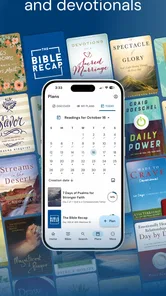

Analysis by Reviewed
When a Bible app feels awkward, the difficulty is often less about the text than about getting from a plan or reminder to the passage you meant to read. I find NIV Bible most useful when I decide what I want to do before opening it: read a chapter, listen during a walk, or spend a few minutes with a devotional. That simple choice helps keep its several reading options from feeling like a pile of separate tools.
Where the routine can snag
Audio is convenient, but listening and studying are different activities. If I want to pause over wording, compare a passage with notes, or jot down a question, reading is the better fit; audio works best when my hands and eyes are occupied. Search is useful when I remember a phrase or topic, though a broad search can return more than the one passage I had in mind. I get better results by narrowing my wording and then checking the surrounding verses instead of treating a single result as the whole point.
Reading plans and daily devotionals can help create a rhythm, but they also ask for a little follow-through. If I miss a day, I would rather resume with the next reading than turn the app into a guilt-inducing checklist. The practical value is in returning to the text, not keeping a perfect streak.
A few checks before settling in
For a smoother start, I would first choose whether I plan to read or listen, then adjust the display so a longer session feels comfortable. Larger text can make reading easier, but it may mean more scrolling; a smaller setting fits more on screen but is not automatically better for tired eyes. Dark theme can be pleasant in a dim room, while a brighter setting may be easier to use in daylight.
If offline reading matters, download the books you expect to need while you have a connection and check that they open before heading out. That is a more reliable habit than discovering mid-trip that the passage you wanted is not ready. I would also test audio with a short section before relying on it for a longer listening session, especially if I need to know whether that style of listening suits me.
Interface and Usability
First off, let me just say that the NIV Bible app sports a clean and intuitive interface. Navigating through the chapters and verses feels like a breeze. You know how some apps just make you want to pull your hair out with their complicated navigation? Well, this is not one of those, thankfully! The developers have clearly put a lot of thought into making the user experience as smooth as possible. Everything is laid out neatly, which really helps when you're trying to find specific passages quickly.
Features that Stand Out
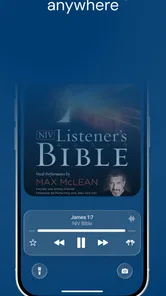
One of the standout features for me is the audio Bible. Sometimes, after a long day, I just want to relax and listen rather than read. The app provides a soothing voice that reads out the chapters, making it easy to follow along. It's like having a personal narrator for your spiritual journey. There's also the handy search feature which lets you find specific verses or keywords without any hassle. Just type in what you're looking for, and voilà, there it is!
More From Our News Desk

Weather by Xiaomi Review: Clear at a Glance, Less Clear Up Close

X Under Pressure: Can It Recover When Posting Goes Wrong?

Clash of Clans Is Won Between the Battles

Android Auto Makes the Case for Quieter Car Software

MobiOffice: Transforming Mobile Productivity with Seamless Integration

EA SPORTS FC™ Mobile Soccer: Redefining Mobile Sports Gaming
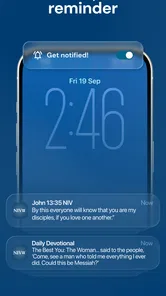
Another feature worth mentioning is the daily devotionals. If you’re like me and love starting your day with some inspiration, these devotionals are a great way to begin. They're short, insightful, and perfectly tailored to fit into a busy schedule.
Customization Options
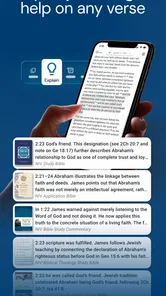
The app also offers plenty of customization options. You can adjust the font size, change the theme from light to dark, and even highlight passages you find particularly meaningful. I found this especially useful during group studies when I needed to quickly reference specific sections.
Staying Connected
In today’s digital age, sharing is caring, right? The app makes it super easy to share verses and passages with friends and family through social media or messaging platforms. It’s a great way to stay connected and share insights with your community, no matter where you are.
Oh, and did I mention the offline access? Yes, you can download entire books to read without an internet connection. This is perfect for those moments when you’re traveling or just want to disconnect for a while.
Making it fit real life
A realistic routine might be to read a short passage over breakfast, save a thought by highlighting it, then return to the same chapter later for a slower read. On a commute, audio can make that time feel purposeful; at a study group, text and highlights are easier to work with than trying to rewind a narration. I would use the app’s options selectively rather than trying to read, listen, search, and share every day.
Compared with a basic e-book reader, this app is more focused on Bible reading habits, with devotionals, plans, audio, and prayer-oriented use gathered around the NIV. A general Bible app may suit someone who wants to switch among translations, while a paper Bible is better for readers who want no screen or device involved. The NIV Bible makes most sense if this translation is the one you want to return to.
Who will get the most from it
I’d recommend it to someone who wants a convenient NIV text alongside ways to build a daily practice, particularly if listening and reading both appeal. Tecarta, Inc. is the developer, and the app is free to install, with in-app purchases ranging from $0.99 to $299.99 per item, so I’d check purchase details before choosing anything paid. Its 4.8 average from around 9,700 ratings and 100,000+ installs suggest that it has found an audience, but those figures don’t tell you whether its reading style fits your needs.
The app is rated for Everyone, was released on July 11, 2024, and its current version is 10.2.164, with Android 8.0 as the minimum operating system. If it seems slow or a download does not open, I’d first check the connection, available device storage, and whether the app is up to date, then reopen it and try the passage again. If the same problem persists, it may be worth checking device-level settings or contacting support rather than repeatedly reinstalling and risking losing a comfortable routine.
One caveat is that an app can make reading accessible without making every feature equally useful to every reader. If you prefer a quiet, distraction-free printed page, or need an approach centered on a different translation, another option may be a better match. And while downloads help with offline reading, it is wise to prepare before travel rather than assume every part of the experience will work without a connection.
Making a routine that lasts
One practical way to keep the different tools from competing is to give each a clear job. I would use a reading plan to decide what comes next, the daily devotional when I want a shorter reflection, and search only when I have a specific passage or phrase to locate. That avoids opening the app with no purpose and then bouncing between sections. For a new reader, choosing one small, repeatable starting point is often more useful than trying every option on the first day.
For example, on a busy morning I might read the day’s passage before breakfast, highlight one line that I want to revisit, and leave a question in my own notes outside the app if I need more room to think. Later, I can return to the highlighted text rather than trying to remember where I stopped. On a walk, audio is a separate choice, not a substitute for that slower reading. This division makes the features feel complementary without requiring a long session.
Choosing between digital and print
The main trade-off against a printed Bible is convenience. A phone can keep the NIV, an audio option, and reading habits together, which is useful when carrying a book is impractical or when a spare few minutes appear unexpectedly. But a screen also brings notifications and other distractions. I would silence interruptions or set the phone aside between readings if I wanted the session to feel more focused.
Against a general-purpose Bible app, the appeal here is a more direct NIV-centered experience rather than making translation comparison the main reason to open it. That can be an advantage if the NIV is already the version you prefer; it is a limitation if you regularly compare wording across translations or want a broader reference workflow. A dedicated e-reader may be calmer for long stretches of reading, but it will not necessarily bring together the same devotional, plan, and audio approach.
When the app may not be the problem
If a passage or audio section will not load, I would avoid assuming immediately that the app itself is broken. A weak connection can interrupt streaming or downloads, while low available storage can get in the way of preparing books for offline use. I would check those basics, reopen the app, and try a different passage before changing several settings at once. Testing one short audio section is also a sensible way to distinguish a playback issue from a general connection problem.
If the app opens but the reading feels uncomfortable, the fix may be simpler than reinstalling: adjust the text size or theme, then read a few paragraphs before deciding whether the change helps. If navigation feels confusing, return to the book and chapter you meant to read rather than trying to retrace several actions at once. These small checks preserve a routine and make it easier to tell whether the friction comes from the interface, the device, or the way you are using it.
Who should look elsewhere
I would skip this choice if the NIV is not the translation I want to use, if I need a screen-free reading experience, or if I expect a Bible app to function mainly as a study workspace for extensive notes and cross-translation comparison. The app’s everyday strengths are easier access to NIV reading and a mix of devotional, plan, and listening habits; those priorities will not suit everyone. Before buying anything inside the app, I would also check the individual purchase details, since the app’s free starting point does not mean every optional item has the same cost.
For families or groups, the Everyone rating makes the age classification straightforward, but it does not replace deciding how each person will use a phone or shared device. I would open the app with a new reader and show them how to find a passage and adjust the display instead of expecting the range of options to explain itself. The simplest path is often the best one: find a book, read a manageable section, and only then explore plans or audio if those meet a real need.
A practical verdict
My recommendation is strongest for readers who already want the NIV and value having more than one way to engage with it. The combination can make a short devotional moment, a commute, and a group discussion easier to fit around ordinary life, as long as I choose the appropriate mode for each situation. It is less compelling for someone who mainly wants a plain text reader or needs a different translation at the center of their routine.
Overall, the NIV Bible app is a fantastic tool for anyone looking to deepen their understanding of the Bible. Whether you're a seasoned reader or just starting out, this app has something to offer. With its user-friendly interface, robust features, and thoughtful design, it's no wonder so many people are turning to it as their go-to Bible app. Give it a try, and you might just find it becoming a staple on your home screen!
NIV Bible Frequently Asked Questions
Who develops the NIV Bible app, and what age group is it intended for?
The NIV Bible app is developed by Tecarta, Inc. and is intended for everyone. Its Books & Reference focus makes it suitable for readers who want a Bible on a mobile device, whether they are exploring scripture for the first time or returning to familiar passages. Before downloading, consider whether you are comfortable reading on your phone or tablet and using an app as part of your regular study routine.
What is the NIV Bible app, and what features does it offer?
The NIV Bible app is a digital version of the New International Version of the Bible, providing users with easy access to scriptures. It includes features such as the ability to bookmark verses, create notes, highlight text, and share passages. The app also offers a daily devotional and reading plan to help users engage with the Bible regularly. Its listed tools also include audio, prayer, and daily verse content, making it useful for different ways of spending time with scripture.
Is the NIV Bible app free to use, or are there any in-app purchases?
The NIV Bible app is free to download, and its description highlights Bible reading alongside daily verse, devotional, reading-plan, audio, and prayer features. In-app purchases are available, with individual items ranging from under a dollar to higher-priced options. Check the purchase details shown in the app before buying anything, especially if you are downloading it for a child or sharing a device.
Can I use the NIV Bible app offline, or does it require an internet connection?
The NIV Bible app supports offline reading, allowing users to access the Bible without an internet connection once the initial download is complete. However, certain features, such as downloading new content, accessing daily devotionals, or using cloud-based functionalities, may require an internet connection. Users should ensure they have downloaded all necessary content for offline use.
How does the NIV Bible app support different languages and translations?
While the NIV Bible app primarily offers the New International Version in English, it may also support various translations and languages based on user preferences. Users can usually select their desired translation from a list of available options within the app. It is important to note that availability of translations may vary, and some additional translations might be accessible through in-app purchases.
Pros
- Easy to navigate interface
- Offline access available
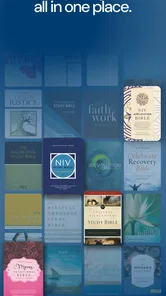
- Multiple translations included
- Daily devotionals feature
- Bookmark and highlight options
Cons
- Ads can be intrusive
- Limited audio versions
- No cross-device sync
- Lacks advanced study tools
- Frequent pop-up notifications













