

National Parks: Passport Guide
- 38.00
- 3.9
- Installs
- 10.00K
- Price
- Free

Screenshots
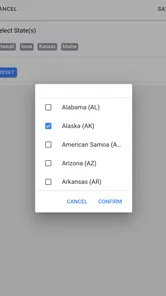
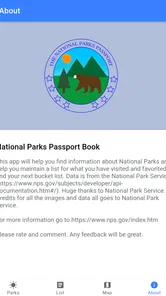
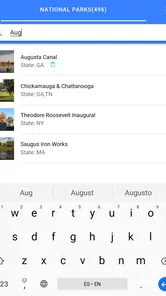
Analysis by Reviewed
I downloaded National Parks: Passport Guide expecting a simple checklist, but I found a more useful travel companion: part trip planner, part visit journal, and part reference shelf for people who like turning national-park travel into an ongoing project. It is a free travel and local app from Code200, aimed at anyone who wants to keep park visits together instead of scattering plans across browser tabs, notes, and screenshots.
My first impression was that the app’s appeal depends on how you travel. If you enjoy choosing the next destination, recording where you have been, and checking practical information before leaving, it gives a trip a sense of continuity. If you only need directions to one trailhead today, a map app will usually get you there faster. That distinction matters because the strongest part of this app is not one spectacular feature; it is the way it can become a personal record over time.
It is free to install, rated for Everyone, and available on Android devices running at least Android 6.0. The current version is 1.32.0, and the app has passed the ten-thousand-install mark with a 3.9 average from around sixty-six ratings. Those figures suggest a modest but real user base rather than a huge mainstream travel platform. I would approach it as a focused niche tool, not as a replacement for every travel service on my phone.
Why the first week feels rewarding
During the first few days, the most enjoyable activity is building a personal park list. I can browse destinations, read the available information, and mark places that belong to future plans or past trips. That simple act changes the app from a directory into something personal. A blank travel app can feel like homework, but a passport-style layout gives me an immediate reason to explore it: I want to see which places I have already visited and which ones might make sense next.
The digital passport idea works especially well for travelers who enjoy collecting experiences without needing a competitive game layer. I do not need points, badges, or a social feed to get value from checking off a park. The satisfaction comes from seeing a travel history take shape. For a family, that can become a shared conversation starter; for a solo traveler, it can serve as a compact memory aid when planning the next season.
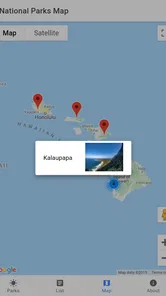
One practical use case is a long weekend that starts with several vague ideas. Instead of searching the web for “national parks near me” and opening many unrelated pages, I can use the app to compare candidate destinations at the planning stage, then narrow the list before moving to detailed route research. I would still verify driving conditions, closures, permits, weather, and trail status elsewhere, but the app helps me decide which parks deserve that deeper research.
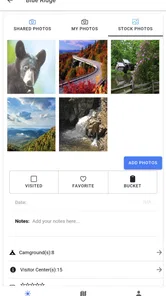
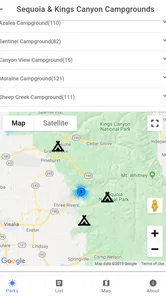
The campsite information is another reason the first-week experience feels more useful than a plain checklist. Camping decisions often shape the entire trip: distance from the entrance, available nights, and whether a park fits my equipment and schedule. Having campsite-related information in the same travel context reduces the mental jump between “I want to visit this park” and “Could I realistically stay there?” I would treat it as an early planning aid rather than the final authority for availability.
More From Our News Desk

 Weather - By Xiaomi
Weather by Xiaomi Review: Clear at a Glance, Less Clear Up Close
Xiaomi’s weather app makes everyday forecasts quick to scan, but its calm surface can leave useful details and recovery paths harder to find than they should be.

 X
XX Under Pressure: Can It Recover When Posting Goes Wrong?
A resilience-focused review of X, examining setup, mistaken posts, interruptions, weak connections, and the gaps that matter when recovery needs to be dependable.

 Clash of Clans
Clash of Clans Is Won Between the Battles
Its raids are quick; its community is a long-term project of coordination, teaching, rivalry, and shared responsibility—with all the friction that entails.

 Android Auto
Android Auto Makes the Case for Quieter Car Software
The car interface is no longer judged by how much it can do, but by how quietly it helps. Android Auto shows what drivers now expect—and what still gets in the way.

 MobiOffice: Word, Sheets, PDF
MobiOffice: Transforming Mobile Productivity with Seamless Integration
MobiOffice: Word, Sheets, PDF is redefining mobile productivity with a surprising blend of functionality and innovation.

 EA SPORTS FC Soccer Mobile 26
EA SPORTS FC™ Mobile Soccer: Redefining Mobile Sports Gaming
Dive into EA SPORTS FC™ Mobile Soccer, where immersive gameplay and strategic depth transform mobile sports gaming.
Latest News



That distinction is one of my most important tips. I would use the app before booking, not instead of booking. A campsite reference can help me identify promising options, but actual reservations, operating conditions, and last-minute changes deserve confirmation through official channels. This workflow saves time without creating the false confidence that one mobile guide can replace every current source.
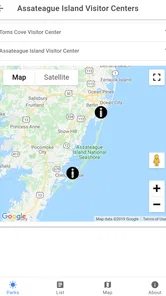
The app also makes sense for someone preparing a multi-stop road trip. I can use the passport as the broad itinerary layer, then rely on a dedicated navigation app for turn-by-turn driving and a park’s official resources for rules and alerts. Keeping those roles separate is more efficient than forcing one app to handle navigation, reservations, safety, and personal memories all at once.
What I would do before leaving home
My preferred routine is to open the app several days before a trip, review the parks along the route, and mark the places that fit the available time. I then make a short list rather than trying to visit everything nearby. This is a small but valuable discipline: the passport encourages collecting, while a realistic itinerary prevents the collection mindset from turning a relaxing trip into a race.
I would also use the app to prepare conversation points for travel companions. A quick review of park information can help a group decide whether the trip should focus on camping, scenic stops, or simply adding one more destination to a longer route. That is a less obvious strength. The app is not only for solo record keeping; it can make the early discussion more concrete when different people have different expectations.
On the other hand, I would not install it expecting a complete offline expedition tool, a dedicated hiking navigator, or an emergency resource. Its value is organizational and informational. Anyone who needs precise trail navigation, live road updates, or highly detailed backcountry planning should pair it with more specialized tools.
What remains useful after the novelty fades
The real test for a passport app comes after the first enthusiastic browsing session. Once I have looked through the parks and recorded a few visits, does it still earn space on the phone? In my experience, the answer depends on whether I travel to national parks repeatedly. For an occasional visitor with one trip every few years, the app may become dormant. For a regular road-tripper, it has a better chance of becoming a lightweight travel habit.
Month to month, the strongest recurring value is the combination of planning and memory. I can return before a new trip, review places I had saved mentally, and use my visit history to avoid repeating the same research from scratch. The app gives continuity to travel that would otherwise live in old emails, photo folders, and vague recollections.
There is also a useful difference between a list of bookmarks and a passport. Bookmarks tell me what I once found interesting. A passport-style record tells me how my own travel is developing. That makes it easier to notice patterns: perhaps I keep postponing parks that require camping, or perhaps I have visited many destinations in one region while overlooking another. The insight is not a sophisticated recommendation engine; it comes from seeing my choices gathered in one place.
For families, a monthly check-in could be enough. Before school holidays, parents can review possible destinations, discuss which parks have already been visited, and turn the next trip into a shared decision. The app’s Everyone content rating also makes it suitable for a broad household audience, though adults should still handle the safety and logistics decisions that come with outdoor travel.
For a frequent traveler, I would create a simple three-stage workflow. First, use the app to discover and shortlist parks. Second, use official park resources to confirm current conditions and reservations. Third, return to the app after the trip to keep the passport current. This is more sustainable than opening it only when boredom strikes, and it recognizes the app’s best role: a durable overview rather than a complete travel command center.
Its recurring value is also helped by the low financial barrier. There is no upfront purchase price, so keeping it installed costs little in practical terms. The app does include in-app purchases ranging from about two dollars to seven dollars per item. That means I would explore the free experience first and only pay when I clearly understand what extra value an item adds to my own travel routine.
I would not judge those purchases in isolation from my habits. Someone planning several park trips may find an optional upgrade worthwhile if it improves the specific workflow they use often. Someone who takes one national-park trip and rarely returns to the app should be cautious about paying for features they will not revisit. The free entry point makes testing easier, but it does not automatically make every purchase good value.
How it compares with the usual travel alternatives
Compared with a general map application, this guide is more focused on the park-collection experience and less useful for live navigation. Maps are better for traffic, route changes, business searches, and precise driving directions. This app is better for maintaining a national-park-centered list and connecting destination research with a personal visit record.
Compared with official park websites, it is more convenient as a personal overview, but official sources remain the safer choice for current operational decisions. Park websites and official notices are where I would verify closures, regulations, reservations, weather concerns, and other details that can change. The guide reduces the amount of early browsing; it should not replace responsible confirmation.
Compared with a notes app, it offers a more purpose-built structure. Notes are flexible, but they require me to design my own system and remember how I organized it. The passport concept gives me a ready-made reason to return. That advantage is modest until I have several trips recorded, then it becomes much more noticeable.
Compared with a dedicated hiking app, it is broader and less specialized. A hiking app may be the better choice for trail maps, elevation planning, route recording, or navigation in the field. I would use this guide to decide where to go and a hiking-focused tool to manage the details of a particular walk.
Where maintenance becomes a burden
The maintenance burden is not technical complexity so much as personal discipline. A passport is only useful if I remember to update it after visits and keep my planning list honest. If I mark every destination impulsively, the list becomes noisy. If I never record completed trips, the memory feature loses its point. The app asks for a small recurring habit, and not everyone wants another one.
My practical solution would be to review the list at the end of each trip, while the details are still fresh. I would remove unrealistic candidates, record the visit, and leave only a manageable number of future ideas. This takes less effort than rebuilding a travel plan from scratch, but it is still effort. People who dislike checklists may find the passport format more demanding than helpful.
Another maintenance issue is information freshness. Travel conditions change, and a guide can become less useful if I assume that an in-app detail is automatically current. I would make official verification part of the routine every time a trip becomes definite. That extra step is not a flaw unique to this app, but it is an important trade-off when using any centralized travel reference.
There is also a device and platform consideration. The listed minimum of Android 6.0 makes the app accessible to many older Android phones, but the experience will naturally depend on the device being used. I would keep the phone charged, prepare essential information before leaving, and avoid treating the app as the only thing I need in a remote area. A digital passport is convenient; it is not a substitute for sensible preparation.
The developer, Code200, has kept the product focused around national-park travel rather than turning it into a general social network or an overloaded booking platform. I appreciate that focus because it makes the purpose clear. At the same time, a focused app has a narrower reason to remain open between trips. Its long-term success depends on whether the passport and planning cycle are meaningful to me, not on how many minutes I spend browsing each day.
What can cause fatigue over time
The first source of fatigue is repetition. Browsing a large set of destinations can be exciting once, but it may feel less rewarding after I have already reviewed the parks that interest me. Without an upcoming trip, I may not have a strong reason to return. This is why I see the app as seasonal or trip-driven rather than something I would open daily.
The second is the gap between inspiration and execution. The app can make a park look like a promising addition to a route, but the real trip may involve long drives, limited lodging, changing weather, or complicated timing. If I use the passport as a wish list without checking those constraints, enthusiasm can turn into an overcrowded itinerary. The best experience comes from pairing inspiration with realistic planning.
A third source of friction is dividing attention between several tools. I may use this app for the park overview, a map for directions, an official source for current conditions, and a booking service for a campsite. That arrangement is sensible, but it means the guide is one part of a system rather than the entire system. Travelers who want a single app to handle every step may find that less convenient.
The in-app purchase model can also create hesitation. Because the app is free, I can start without committing money, which is good. But once I see optional items, I need to decide whether they add lasting value or merely make the first session feel richer. My advice is to wait until after planning one real trip. A purchase is easier to judge when I know whether the app has become part of my routine.
The 3.9 average rating reflects a mixed but reasonably positive reception rather than universal approval. I would read that as a reminder to keep expectations proportional. This is a specialized travel companion with a clear purpose, not a flawless all-in-one platform. Its usefulness will vary sharply between a dedicated national-park traveler and someone who rarely visits outdoor destinations.
Who should keep it installed
I would recommend it to people who visit national parks more than once, enjoy maintaining a travel record, or plan road trips around several outdoor destinations. It is also a good fit for families and friends who like choosing future trips together, because the passport format turns a vague collection of ideas into something visible and discussable.
I would be more cautious for travelers whose main need is navigation, detailed trail planning, reservations, or live safety information. Those users will get more dependable day-to-day value from specialized tools and official sources. The app can still help with the initial destination shortlist, but it should not be the center of their field workflow.
I would also skip it if the idea of tracking visits feels like administrative work. The passport is the heart of the experience, so someone who does not care about recording travel may see only a limited benefit from the planning and information sections. In that case, a map app and a browser may be simpler.
My long-term verdict
After the novelty fades, National Parks: Passport Guide earns lasting space for the right kind of traveler, but not because it replaces every other travel app. Its durable value comes from giving national-park trips a memory and a structure. I like being able to move from “where could I go?” to “where have I been?” without maintaining a homemade spreadsheet or relying on scattered notes.
My recommendation is to treat it as a planning-and-recording layer. Use it to shortlist destinations, think through campsite possibilities, and maintain a personal passport. Then confirm important details through official resources and use dedicated navigation or hiking tools when the trip requires them. That division of labor keeps the app useful without asking it to do jobs it was not designed to handle.
The free price makes trying it straightforward, while the optional purchases mean I would delay spending until the app proves that it fits my routine. With its Everyone rating, accessible Android requirement, and focused travel purpose, it is easy to introduce to a household or a regular road-trip group. The main question is not whether it can be opened once and enjoyed; it can. The question is whether I will return after each trip and keep the record alive.
For me, the answer is yes when national parks are a recurring part of my travel plans. The app becomes a quiet archive and a useful starting point for the next adventure. For an occasional visitor, it may be more temporary: install it before the trip, use the planning tools, and decide afterward whether the passport deserves continued attention. The lasting value is in the habit, not the novelty.
National Parks: Passport Guide Frequently Asked Questions
What devices and operating systems can run National Parks: Passport Guide?
National Parks: Passport Guide is available for Android devices running Android 6.0 or later. Before installing, check that your device has enough available storage and that its operating system is compatible. The app is a travel and local guide from Code200, so it may suit travelers who want park information and trip-planning tools on a phone while exploring.
Who is the app intended for, and is it suitable for all ages?
The app is aimed at people interested in visiting national parks, planning trips, and keeping a record of their travels. Its content rating is Everyone, so it is classified as suitable for a broad audience. Families can use it as a travel reference, while outdoor enthusiasts may appreciate having park details and passport-style visit tracking in one place.
What is National Parks: Passport Guide?
National Parks: Passport Guide is a travel companion designed to help you explore and keep track of national parks. It typically provides park information, location details, planning resources, and a way to record visits or collect digital passport-style stamps. It is useful for travelers who want to organize future trips, learn about parks before arriving, and maintain a personal record of their outdoor adventures.
Does National Parks: Passport Guide work offline?
Offline availability can vary by feature and app version. Basic saved information may remain accessible without an internet connection, but maps, updated park details, directions, weather information, and other online services may require mobile data or Wi-Fi. Before visiting a remote park, it is advisable to open the relevant pages in advance, save essential details, and download any available offline content.
Can I use the app to plan a national park visit?
Yes, the app is intended to support trip planning by helping users discover parks and review practical information before traveling. Depending on the available features, you may find park descriptions, attractions, visitor details, locations, and checklists or notes for organizing a visit. However, it should complement official National Park Service resources, especially for current closures, permits, reservations, safety alerts, and road conditions.
Pros
- Covers many U.S. national parks in one convenient guide.
- Useful park details help with trip planning and preparation.
- Passport-style tracking makes visiting parks more engaging.
- Can help travelers discover lesser-known parks and attractions.
- Compact reference is easier to use than carrying printed guides.
Cons
- Coverage may be less useful for parks outside the United States.
- Some information may become outdated as park conditions change.
- Detailed trip planning may require separate maps or navigation apps.
- Content quality can vary between different parks and entries.
- Offline access may be limited when traveling without mobile service.











