MyChoice Benefits
- 1.11K
- 4.7
- Installs
- 500.00K
- Price
- Free

Screenshots
Analysis by Reviewed
Benefits are easy to put off until an enrollment deadline is close, especially when plan choices and unfamiliar terms are scattered across emails and documents. MyChoice Benefits is meant to bring that work onto a phone. I’d treat it as a practical companion for checking the benefits your employer makes available, rather than a replacement for understanding the details of each plan.
Quick checks, not a reason to rush
For a simple question—what options can I review, or where should I look before making a choice?—a mobile benefits app can save the trouble of finding a computer and digging through old messages. The useful speed here is convenience, not a promise that every page or action will feel instant. Your experience will depend on your connection and on what your employer has made available to you.
MyChoice Benefits is a free business app from Businessolver, intended for eligible users. It has a 4.8 average from around seven thousand ratings, and more than five hundred thousand installs. Those figures suggest many people use it, but they don’t tell me whether it suits a particular employer’s benefits setup. Access is the first practical question: if your workplace doesn’t use the service or you aren’t eligible, the app won’t be useful as a general benefits browser.
Where it helps during a busy week
A realistic use is checking benefits during a lunch break before enrollment closes. I’d use that moment to review the options, note any unfamiliar terms, and save the final decision for when I can compare the details carefully. If a screen or explanation leaves a question unanswered, confirming it with the employer’s benefits contact is wiser than guessing. The app can help organize the review; it shouldn’t make a consequential choice on your behalf.
That distinction matters most for complicated decisions. A phone is handy for a quick reference, but comparing coverage details or weighing household needs can be easier on a larger screen, with plan documents open beside the app. I’d also avoid treating an educational explanation as a substitute for the official terms. The helpful workflow is to use the app to find and understand your options, then verify important specifics before enrolling.
Getting to Know MyChoice Benefits
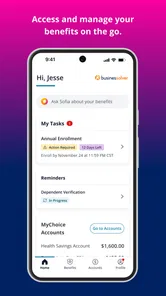
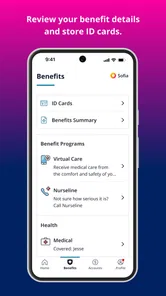
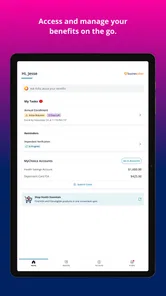
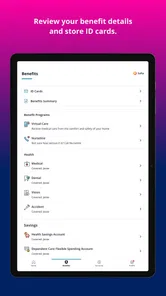
First things first, MyChoice Benefits is designed to streamline the way you interact with your employee benefits. The app brings all your options into one organized place. Whether it’s health insurance, retirement plans, or other perks your company offers, this app acts as your personal benefits concierge.
User-Friendly Interface
Let’s talk about the user experience. The app has a neat and intuitive interface. Navigating through your benefits options is as simple as swiping through your photo gallery. The designers clearly put a lot of thought into making sure even the least tech-savvy among us can easily find their way around.
More From Our News Desk

Weather by Xiaomi Review: Clear at a Glance, Less Clear Up Close

X Under Pressure: Can It Recover When Posting Goes Wrong?

Clash of Clans Is Won Between the Battles

Android Auto Makes the Case for Quieter Car Software

MobiOffice: Transforming Mobile Productivity with Seamless Integration

EA SPORTS FC™ Mobile Soccer: Redefining Mobile Sports Gaming
Features that Stand Out
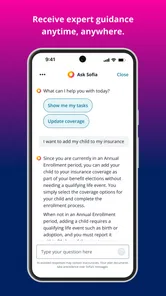
One feature that I found particularly handy is the comparison tool. It allows you to lay out different plans side by side, helping you make informed decisions without the headache of cross-referencing multiple documents. Another neat feature is the ability to access educational resources directly within the app. So if you’re like me and sometimes need a refresher on what a 401(k) entails, you’re covered.
Making comparisons more useful
Side-by-side plan comparisons are most valuable when you decide what matters before opening them. I’d jot down a short checklist—such as which costs or coverage details I need to understand—then use the comparison to focus on those points instead of trying to absorb every line at once. If a term still feels vague, the in-app learning material can be a starting point, while official plan documents remain the place to confirm exact conditions.
Compared with the usual alternatives of searching through workplace emails, PDFs, or a benefits portal on a computer, a phone app is better suited to quick revisits and keeping the enrollment task in one place. It is less ideal for detailed reading or for someone who wants independent plan recommendations. I’d skip it if I’m not an eligible user, or if I need a broad marketplace for benefits unrelated to my employer.
Using it when plans get complicated
One useful way to keep a comparison manageable is to separate “what I need to learn” from “what I need to decide.” For example, I’d first identify the parts of a plan I don’t understand, look those terms up in the app’s educational material, and only then compare the choices. That reduces the temptation to pick the option that looks familiar simply because it is easiest to read on a small screen.
For a household decision, I’d also make a private list of the questions that depend on personal circumstances, rather than expecting the app to resolve them. The app can help me inspect the available choices, but a question about how a particular situation is handled belongs with the official plan information or the employer’s benefits contact. This is a practical boundary, not a flaw: a benefits tool can organize information without knowing every detail of an employee’s life.
Security and Support
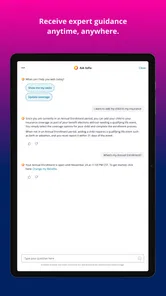
Now, security is always a concern when dealing with personal information, and MyChoice Benefits doesn’t skimp on this front. The app uses robust encryption to ensure your data is safe. Plus, if you ever run into a snag, their customer support is just a tap away, ready to assist you with any queries.
Stability, access, and device fit
For occasional checks, I’d expect the app to be a lighter task than keeping several benefit documents and browser tabs open, though that doesn’t guarantee a particular battery or data impact. The current version is 3.5.2, and the app requires operating system version 10 or later. Those requirements are worth checking before downloading, especially if you rely on an older phone. It is rated for everyone, but its practical audience is still eligible employees managing workplace benefits.
Speed matters most when I’m trying to find one detail between other tasks, but I wouldn’t plan an enrollment around the assumption that every step will be quick. A poor connection, an account issue, or a page that takes time to load can turn a short check into an interruption. I’d open the app with enough time to review the relevant information, rather than waiting until the final moments of a deadline.
It also helps to think about the device as a viewing tool, not just a place to tap through screens. A phone is convenient for checking a term or returning to a comparison, while a larger display is more comfortable if I’m reading lengthy plan documents or keeping several details in view. That split workflow is often more reliable than forcing every part of a complex decision onto a small screen.
If a page does not load or an account-related step gets in the way, I’d first check the connection and try again before making a time-sensitive enrollment decision. Keep a note of the question or plan detail you need to resolve, then contact the appropriate support channel rather than assuming a partial screen tells the whole story. That simple backup makes a mobile workflow less stressful when a decision matters.
Planning for interruptions
I’d use a small continuity habit whenever I’m reviewing benefits on the go: write down the plan names and the specific points I still need to verify, without relying on memory after closing the app. If I have to switch devices or pause for a meeting, that note gives me a clear place to resume. It also helps me avoid treating a quick glance at one screen as a finished comparison.
Before starting an important review, I’d make sure I can sign in and reach the relevant information while I still have time to ask for help if something blocks access. This is especially sensible if I’m using a device I don’t check often or if I’m opening the app after a long gap. The goal is not to create extra work; it is to catch an access problem early enough that it does not dictate a rushed choice.
Who will get the most from it?
I’d recommend it to eligible employees who want a convenient place to review benefit choices, revisit educational material, or compare plans without reopening a pile of files. It’s especially handy for a quick check away from a desk. Someone who prefers printed documents, needs extensive side-by-side reading, or wants advice tailored to personal circumstances may be better served by official plan materials and a conversation with their benefits team.
It is also a sensible fit for someone who already knows the broad questions they want answered and simply needs a more convenient way to revisit work benefits. The app is less compelling for people who rarely use a phone for administrative tasks, who are not eligible through their workplace, or who expect a general financial adviser. The right choice depends on the job: for locating and comparing employer-provided options, a dedicated benefits app can be easier than a scattered inbox; for independent advice, it is not a substitute.
My performance verdict
My overall impression is that this is best judged as a focused access tool, not as a demanding all-purpose app. Its value is being able to return to benefits information when a computer is not nearby, while its limits show up when a decision requires prolonged reading, personal advice, or certainty about details that should be checked in official materials. I’d keep the app as one part of the decision process and use the employer’s documents or support for anything consequential that remains unclear.
Overall, if you’re looking to take control of your benefits with a tool that’s both powerful and easy to use, MyChoice Benefits might just be your new best friend. It’s like having a benefits expert in your pocket, ready to guide you through the maze of options with ease and confidence.
MyChoice Benefits Frequently Asked Questions
Who is MyChoice Benefits intended for, and can anyone create an account?
MyChoice Benefits is intended for eligible users who need convenient access to benefits and enrollment information. It is a business app developed by Businessolver, and access depends on eligibility through an organization that uses the service. If you are unsure whether you can sign in, check with your employer or benefits administrator before downloading.
What devices can run MyChoice Benefits?
MyChoice Benefits is available for Android and iOS devices. The current version is 3.5.2, and the minimum operating system requirement is version 10. Before installing, check your device’s operating system version and make sure there is enough available storage. Using a supported, up-to-date device can help the app run as intended.
What is MyChoice Benefits app used for?
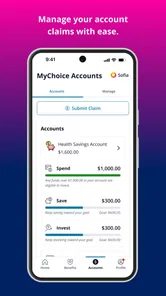
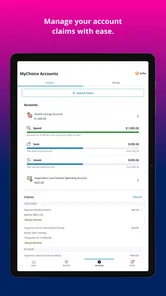
The MyChoice Benefits app is designed to help users manage their employee benefits effectively. It offers a centralized platform where users can access information about their health, dental, and vision insurance, retirement plans, and other employee perks. The app aims to simplify the process of understanding and utilizing company-provided benefits, making it easier for employees to make informed decisions.
Is MyChoice Benefits app free to download and use?
Yes, the MyChoice Benefits app is free to download on both Android and iOS platforms. However, access to its features requires an employer subscription. Employees need to be part of a company that offers MyChoice Benefits as part of their employee package to fully utilize the app's functionalities.
Can I access MyChoice Benefits app without an internet connection?
While some basic features of the MyChoice Benefits app may be available offline, such as viewing previously downloaded documents, most functionalities require an internet connection. This includes accessing real-time data and updates about your benefits, making it essential to have internet access for a full app experience.
Pros
- User-friendly interface
- Comprehensive benefit options
- Secure data handling
- Personalized recommendations
- 24/7 customer support
Cons
- Limited availability by region
- Occasional app crashes
- Frequent login issues
- Complex navigation for new users
- Limited offline access











