

My CityPASS
- 242.00
- 4.9
- Installs
- 500.00K
- Price
- Free

Screenshots
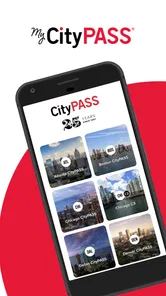
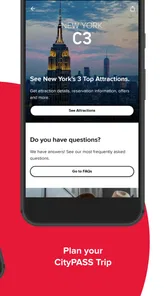
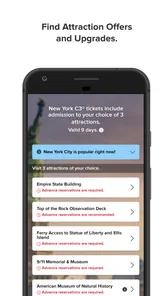
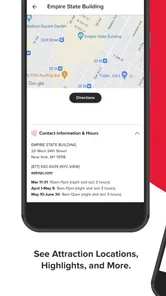
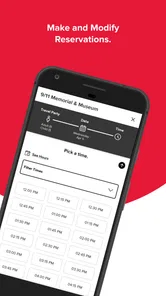
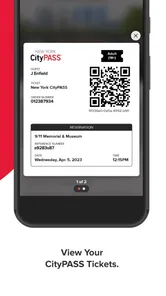
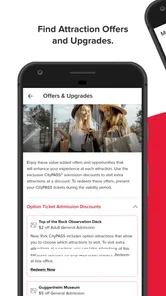
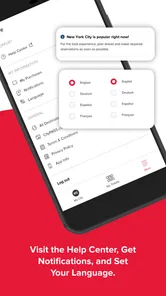
Analysis by Reviewed
Planning a city break usually begins with a slightly messy problem: several attractions, different opening details, separate tickets, and a group of people who all want to know what happens next. I tested My CityPASS from that starting point, and my overall impression is that it is most useful when your trip already includes attractions covered by CityPASS. Instead of treating it as a general sightseeing guide, I see it as a practical companion for organizing those visits and keeping the admission process in one place.
My CityPASS is a free Travel & Local app from CityPASS for everyone, with a current version of 1.13.13 and support for Android 7.0 or later. It has built a strong public reputation, with a 4.9 average from around 13 thousand ratings, and more than 500 thousand installs. Those figures do not replace personal testing, but they do match my experience of an app that feels focused rather than overloaded with unrelated travel tools.
From a loose sightseeing idea to an organized visit plan
I find that the easiest way to make a city break feel manageable is to decide what the pass needs to help with before mapping out every hour. In this section, I’ll look at how a handful of intended visits can become a practical outline, while keeping enough room for the detours and pauses that make a trip enjoyable.
The starting condition: too many attraction details to track
The most realistic use case is a short trip where I have already decided to visit several major attractions but do not want to manage every admission detail separately. In that situation, the first useful question is not “What can I do in this city?” but “Which CityPASS visits am I planning, and how will I use them during the trip?” My CityPASS works best after that decision has been made.
I would not open it expecting a complete replacement for a map, a local transit app, restaurant recommendations, or a broad city guide. Its role is narrower and more valuable because of that narrowness. It helps me focus on the attraction visits themselves, rather than filling the screen with places I have no intention of visiting.
That distinction matters for families and small groups. A general travel app can produce a long list of possibilities, but a pass-focused app gives the trip a more concrete shape. I can think in terms of the attractions included in my plan, the order in which I want to visit them, and the practical handoff from planning to entry.
For a solo traveler, this can make a busy day easier to reason about. For a family, it can reduce the number of conversations that begin with “Where is the ticket?” or “Did we already arrange that?” The benefit is not dramatic automation; it is having a dedicated place for the pass-related part of the journey.
More From Our News Desk

 Weather - By Xiaomi
Weather by Xiaomi Review: Clear at a Glance, Less Clear Up Close
Xiaomi’s weather app makes everyday forecasts quick to scan, but its calm surface can leave useful details and recovery paths harder to find than they should be.

 X
XX Under Pressure: Can It Recover When Posting Goes Wrong?
A resilience-focused review of X, examining setup, mistaken posts, interruptions, weak connections, and the gaps that matter when recovery needs to be dependable.

 Clash of Clans
Clash of Clans Is Won Between the Battles
Its raids are quick; its community is a long-term project of coordination, teaching, rivalry, and shared responsibility—with all the friction that entails.

 Android Auto
Android Auto Makes the Case for Quieter Car Software
The car interface is no longer judged by how much it can do, but by how quietly it helps. Android Auto shows what drivers now expect—and what still gets in the way.

 MobiOffice: Word, Sheets, PDF
MobiOffice: Transforming Mobile Productivity with Seamless Integration
MobiOffice: Word, Sheets, PDF is redefining mobile productivity with a surprising blend of functionality and innovation.

 EA SPORTS FC Soccer Mobile 26
EA SPORTS FC™ Mobile Soccer: Redefining Mobile Sports Gaming
Dive into EA SPORTS FC™ Mobile Soccer, where immersive gameplay and strategic depth transform mobile sports gaming.
Latest News



Step one: deciding whether the app belongs in your trip
Before relying on My CityPASS, I would first compare its attraction coverage with the places I genuinely want to see. This is the most important decision in the entire workflow. If my itinerary is built around included attractions, the app has a clear purpose. If my plans revolve around neighborhood walks, independent museums, local events, or attractions outside the CityPASS system, it will not suddenly turn into a universal sightseeing planner.
This is also where I would compare it with the usual alternatives. A city tourism website may be better for discovering a wide range of activities. A notes app may be enough for someone who only needs to write down a few booking references. A digital wallet can be convenient for storing tickets that support it. My CityPASS is preferable when the trip depends on the CityPASS structure itself, because a generic tool will not organize that context for me.
My advice is to make the attraction decision before trying to build a detailed daily schedule. That avoids a common planning mistake: arranging a day around a pass and only later realizing that the selected attractions are too far apart, have different timing requirements, or do not fit the group’s energy. The app can support the pass workflow, but it cannot remove the need for sensible travel planning.
Step two: setting up the pass-related information
Once I know that CityPASS fits the trip, I use My CityPASS as the central point for the visits rather than scattering information across email, screenshots, and paper notes. The practical advantage is the handoff between preparation and use. I can prepare before leaving, then return to the same app when the day becomes busy.
That handoff is especially helpful when more than one person is involved. One person may do the research, another may carry the phone, and a third may be the one asking what comes next. A dedicated pass app gives the group a shared reference point, even if it does not replace communication about meeting places or transport.
I found it useful to separate two kinds of information in my mind. The app is for the CityPASS side of the visit; my map or transit tool is for getting there; and my calendar or notes are better for reservations, meal plans, and personal reminders when those are needed. Trying to force every travel task into My CityPASS would make the workflow less clear, not more.
A less obvious tip is to check the app before the day begins, not only at the entrance. That lets me notice whether I have a clear plan for the first attraction and whether I need another tool for directions or timing. It also avoids the awkward situation of discovering at the gate that the person holding the phone has low battery or that the group has not agreed on the next stop.
Step three: turning the pass into a day-by-day plan
The app’s value becomes more apparent when I stop treating the pass as one large purchase and start treating it as a sequence of visits. I can think about which attraction deserves the freshest energy, which one fits naturally after lunch, and where the group may need a slower period between stops.
This is a useful trade-off. A pass can encourage people to chase maximum value by packing in too many attractions. My CityPASS can help keep those visits visible, but it cannot judge whether the schedule is enjoyable for a tired child, an older traveler, or someone who prefers a relaxed pace. I would rather use it to create a realistic outline than to turn the trip into a checklist competition.
For example, imagine a family arriving in a city for a long weekend. The parent who planned the trip can use the app to keep the pass visits together, while another adult checks a map for travel time and finds a nearby lunch option. After the first attraction, the group returns to My CityPASS to confirm the next pass-related step instead of searching through messages. The outcome is not that every part of the day is automated; it is that the admission workflow has a stable home.
That separation between attraction planning and city navigation is one of the most important practical insights. People often expect a travel app to solve the whole trip, but a focused app can be better when it handles one responsibility cleanly. I would use My CityPASS for the pass, a map for movement, and a calendar for fixed commitments.
The handoff at the attraction entrance
The real test of a pass app happens when planning ends and admission begins. At that point, I do not want to reread the entire itinerary. I want to reach the relevant visit quickly, understand what I need to present or follow, and keep the line moving. My CityPASS is designed around that transition, which is more useful than simply displaying promotional information about attractions.
Still, I would prepare for the handoff rather than assuming technology will always be frictionless. I keep the phone charged, make sure the right person in the group knows where the pass information is, and avoid relying on a last-second mobile connection if I can prepare earlier. These are simple habits, but they matter more at a crowded entrance than they do at home.
Another practical tip is to decide in advance who is responsible for the phone. Passing one device among several people can create confusion, especially when a group is moving through a queue. One person can manage the app while another handles bags, children, or directions. That small division of responsibility makes the app feel more useful because the digital handoff matches the real-world handoff.
I also would not assume that the app replaces every attraction-specific instruction. Individual venues may have their own entrance arrangements, timing expectations, or operational details. My CityPASS can be the starting point for the pass visit, but I still pay attention to what the attraction staff and the app itself require at that moment.
After the first visit: tracking progress without overplanning
After using the pass for one attraction, the app becomes a reference for what remains. This is where it can reduce mental clutter. Instead of remembering every completed and upcoming visit from memory, I can return to the pass workflow and decide what makes sense next.
The best approach is flexible. Weather, tiredness, unexpected delays, and changes in opening arrangements can all affect a sightseeing day. I would use the app to maintain visibility over the available visits, but I would not let it dictate the entire trip. A good travel plan has room to change without making the traveler feel that the pass has been wasted.
This is also where the app compares favorably with paper tickets or a collection of screenshots. Paper can be dependable, but it is easy to misplace and harder to update mentally. Screenshots are quick, yet they often lose context: I may have the admission image but not remember which visit it belongs to or what I intended to do afterward. My CityPASS keeps the pass-centered workflow more coherent.
On the other hand, a notes app can be faster for a very simple trip. If I only have one attraction and one confirmation, I may not need a dedicated application. The stronger case for My CityPASS appears when several visits are connected by the same pass and I want one place to return to throughout the trip.
Where the flow breaks: limits I would plan around
The first limitation is scope. My CityPASS is not the right choice for someone looking for broad destination discovery, detailed neighborhood recommendations, or a complete transport planner. Its focus on attraction visits is a strength for CityPASS users, but it also means that travelers outside that ecosystem may find little reason to keep it installed.
The second limitation is that organization does not equal optimization. The app can help me manage the pass workflow, but it cannot know whether my hotel is close enough to make a particular sequence comfortable, whether traffic will disrupt the plan, or whether my family will still want another attraction after a long morning. I still need judgment and, in many cases, a separate map.
The third point is group coordination. A pass app can hold the central information, but it does not automatically solve disagreements about pace, meeting places, or last-minute changes. For a large group, I would share the plan verbally or in a group chat as well. The app should be the source for the pass details, not the only communication channel.
There is also a difference between a planned visit and a guaranteed smooth visit. Entrance procedures can involve real-world queues, staff instructions, device issues, or venue-specific conditions. I would leave enough flexibility in the schedule so that one delay does not make the rest of the day feel like a failure.
Who will get the most from it?
I recommend My CityPASS most strongly to travelers who have already chosen several CityPASS attractions and want a dedicated way to manage those visits. It is particularly suitable for short city breaks, families coordinating a shared itinerary, and visitors who prefer a focused tool over a large travel platform.
It is also a sensible choice for someone who dislikes carrying printed documents or searching through old messages while standing in an entrance line. The free price removes the need to make a separate app purchase decision, and the everyone age rating makes it easy to include in a household travel setup.
I would be more cautious about recommending it to a traveler who has not decided on any CityPASS attraction, someone whose itinerary is mostly independent local experiences, or a person who wants one app to handle maps, restaurants, public transport, bookings, and discovery. In those cases, a general travel platform may be a better primary tool, with My CityPASS added only if the pass becomes part of the plan.
My final outcome after following the workflow
My CityPASS succeeds because it gives one part of a complicated trip a clear home. Starting with a loose attraction plan, I can move into pass preparation, organize visits, hand the information over at the entrance, and return to the app as the day continues. The result is less about flashy travel inspiration and more about reducing the small bits of uncertainty that surround admission.
I would not use it as my only travel app, and I would not let it dictate an overpacked itinerary. Used alongside a map and ordinary common sense, though, it makes the CityPASS portion of a city visit easier to manage. CityPASS has kept the experience focused on the practical journey from planned attraction to completed visit, and that focus is exactly why I would recommend it to the right traveler.
My honest recommendation: install My CityPASS when your trip is built around CityPASS attractions and you want a dedicated pass companion. Skip it as a general city guide, but keep it in your toolkit when the admission workflow is the part most likely to become confusing.
My CityPASS Frequently Asked Questions
Can I use My CityPASS to plan attraction visits before buying a pass?
My CityPASS is intended to help with planning attraction visits, so it can be useful while you are organizing a trip. What you can access before purchasing may differ from the information available after adding an eligible CityPASS product. Review the attractions and package details for your destination as you plan, and remember that using the app to manage admission requires an eligible pass.
Do I need an account to use My CityPASS?
The app may ask you to sign in or add a pass to review and manage pass information. Having your purchase confirmation handy can help when setting things up. Once you have access to your pass, explore the app before your first attraction visit so you know where to find admission details and any instructions relevant to your plans.
Can I share a CityPASS or its admission details with other travelers?
My CityPASS is designed to keep pass and attraction information together, which can help when coordinating a group visit. How a pass can be shared or used for multiple travelers depends on the CityPASS product and its rules. Check the package details and follow any instructions in the app so each person has the admission information needed for the attractions on your itinerary.
Is My CityPASS free to download, and do I need to buy a pass to use it?
My CityPASS is free to download, but using the app to manage admission depends on having an eligible CityPASS product. The app is designed to help you plan attraction visits and access pass information; downloading it does not itself provide admission. If you are still deciding whether to purchase, check the available package details and terms for your destination before making a choice.
Which phones can run My CityPASS?
My CityPASS is available for Android devices that run Android 7.0 or later. Before downloading, check your phone’s operating-system version and make sure you have enough room for the app. Keeping your device’s software reasonably current can also help with compatibility and security, and installing the latest available app version may give you access to current features and fixes.
Pros
- One pass can cover several attractions
- simplifying trip planning.
- Mobile ticket access reduces the need to carry printed vouchers.
- Attraction choices can suit families
- couples
- and solo travelers.
- Potential savings increase when visiting most included attractions.
- Pass details and attraction information are available in one place.
Cons
- Savings may be limited if you cannot visit enough attractions.
- Some attractions may require advance reservations or timed entry.
- Validity periods can be restrictive for short or unpredictable trips.
- Attraction availability and included venues may change by destination.
- Refund rules may be limited after the pass has been activated.











