Music Video Editor - inMelo
- 1.13K
- 4.9
- Installs
- 10.00M
- Price
- Free

Screenshots
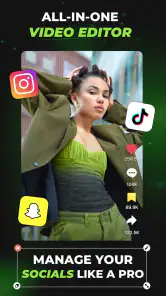

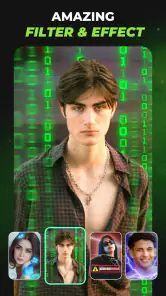
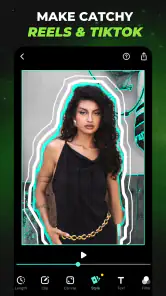
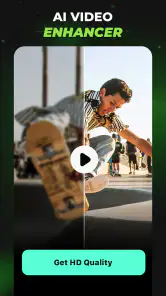
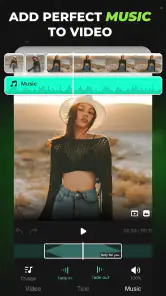
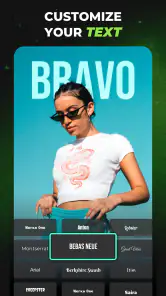

Analysis by Reviewed
When I try a phone video editor, I pay attention not only to the effects but to the small decisions that can interrupt a quick project: choosing the right clips, finding a suitable template, and keeping the result focused. Music Video Editor - inMelo is aimed at turning photos and footage into music-led edits, so it makes most sense when I want a polished short video without building every cut from scratch.
Where a quick edit can get stuck
The first choice is often the hardest: a phone gallery may contain several near-identical takes, screenshots, and clips that do not belong in the same story. I get a better result by deciding on a simple theme before opening the editor, then selecting only material that supports it. That keeps a template from having to carry unrelated images and makes the finished video feel intentional.
Templates are useful starting points, not a substitute for choosing well. The app offers more than a thousand video templates, but a design that suits a birthday recap may feel too busy for a quiet travel montage. I would preview a few options before committing, and avoid forcing every available slot to be filled if doing so makes the sequence less clear.
Small checks before editing
Before I begin, I check that the clips and photos I want are easy to find on the phone and that I have a clear idea of the intended length and mood. If I am making a video for a particular social post, I also think about where it will be watched: a fast sequence can work on a small screen, while text or details may need more breathing room.
The app is free to download and is rated for Everyone. It is a video player and editing app from Music Video Editor with Effects & Slideshow, currently at version 1.431.140, with Android 8.0 or later required. Optional in-app purchases range from $0.69 to $49.99 per item, so I would check the purchase screen carefully before choosing anything paid. Its 4.9 average from around 125,000 ratings and over 10 million installs suggest that many people use it, though popularity alone cannot tell me whether its style suits my projects.
Getting a project back on track
If a first draft feels off, I do not keep adding effects to fix it. I go back to the clip order, remove anything that does not support the main idea, and then reconsider the music and transitions together. That simple reset is often more useful than polishing a sequence whose basic rhythm is not working.
For a dependable result, I also keep the original photos and clips untouched until I have checked the finished video. That gives me a straightforward fallback if I change my mind about the order or want to make a different version. The app has been available since March 11, 2022, and its 1.1 thousand reviews provide another sign of an established audience, but my own test still comes down to whether the editing flow feels comfortable.
More From Our News Desk

Weather by Xiaomi Review: Clear at a Glance, Less Clear Up Close

X Under Pressure: Can It Recover When Posting Goes Wrong?

Clash of Clans Is Won Between the Battles

Android Auto Makes the Case for Quieter Car Software

MobiOffice: Transforming Mobile Productivity with Seamless Integration

EA SPORTS FC™ Mobile Soccer: Redefining Mobile Sports Gaming
Transform Your Clips with Ease
Once I downloaded Music Video Editor - inMelo, I was blown away by how user-friendly it was. Seriously, you don't need to be a tech wizard to create something awesome. The interface is super intuitive, guiding you through each step like a friendly tour guide. You just select your clips, pick a tune from their vast library, and voilà, you're on your way to creating your masterpiece.
Features that Make You Go "Wow!"
Let's talk features. First up, the editing tools are top-notch. You get a range of effects and transitions that can make your video pop. I particularly loved the slow-motion effect; it added so much drama to my clips! And the music library? It's like having Spotify built into your editing app. From pop to classical, there's something for everyone.
What really stood out for me was the app's ability to sync the beat of the music perfectly with the transitions. It's like magic! I just sat back and watched as my video came to life, perfectly in tune with the beat. Plus, sharing my creations on social media was a breeze. With just a few taps, my video was out there for all my friends to see and, hopefully, be impressed!
Making the edit fit the occasion
A useful way to judge a template is to match its pace to the material rather than choosing the most eye-catching preview. For a school event or a family gathering, I would group similar moments together—arrival, activities, then a final group shot—so the edit has a beginning and a natural ending. For a food clip or a small craft project, I would keep the sequence tighter and let one clear action carry the story. These choices make a music-led edit feel personal even when the visual framework comes from a template.
I would also decide whether the finished video is mainly for watching with sound or for quick viewing on mute. If the music carries the mood, the sequence should still make sense visually without relying on every transition to explain what is happening. When a clip contains speech that matters, I would be cautious about letting a strong music choice dominate it; a montage tool is most comfortable when music is the point, not when spoken audio needs careful balancing.
Comparing it with other editing approaches
For a quick, music-driven montage, I prefer inMelo's template-led approach to starting with a blank timeline in a more manual editor: it can reduce fiddly decisions and help a casual project come together faster. The trade-off is control. If I need precise timing for every cut, layered audio, or a carefully shaped narrative, a traditional timeline editor is the better fit. A basic photo slideshow can be simpler still, but it may offer less room to give clips a coordinated rhythm.
Compared with assembling a post directly inside a social platform, an editor like this is useful when I want to shape the sequence before deciding where to share it. That separation encourages me to review the video as a whole instead of making choices while posting. On the other hand, if I only need to trim one clip or add a simple caption for a single platform, that platform’s built-in tools may be quicker. I would choose inMelo when the combination of several photos or clips, music, and a consistent visual style is the actual job.
When the app may not be the cause
If an edit does not look as expected, I first check the source material and the choices I made: a dark or shaky clip will still look dark or shaky after adding music, and a transition cannot make unrelated shots feel connected. I also review the selected order and preview the whole sequence before sharing. When a video behaves differently after export or sharing, checking it in the destination app as well as in the editor helps separate an editing choice from a playback or posting issue.
There are a few practical checks I use before blaming the editor. I make sure I am looking at the intended version of the project, that the chosen media is the material I meant to include, and that I have watched the complete preview rather than judging one transition in isolation. If a result seems to stall or display unexpectedly, I close out of the task and try the basic action again, then compare the preview with the saved or shared copy. I avoid repeatedly changing several things at once: changing one choice at a time makes it easier to see what actually helped.
Why This App Stands Out
There are plenty of editing apps out there, but what sets Music Video Editor - inMelo apart is its simplicity and efficiency. You don't get bogged down with unnecessary features that you’ll never use. Everything is streamlined, ensuring you spend more time creating and less time figuring out how to use the app.
That streamlined style is also a trade-off. If I enjoy building an edit precisely, a template may feel like it is making creative decisions for me rather than saving effort. I would not choose this as my main tool for a project where exact shot durations, a detailed voiceover, or a carefully controlled sequence are central. Its strongest use is narrower and more practical: helping ordinary phone footage become a coherent, music-led piece without a long manual edit.
A realistic everyday project
Imagine I have a few minutes between getting home and sending relatives a recap of a weekend outing. I would select a small set of varied moments—not every shot—then preview templates that suit the outing’s mood. After the first pass, I would check that the opening establishes the place, that the middle does not repeat the same view, and that the last image feels like a deliberate finish. If the rhythm is too hectic, removing a clip is often better than adding another effect. This is the kind of quick, bounded task where a template can save time without pretending to replace a more involved edit.
For a recurring need, such as making short recaps after outings, I would keep a simple personal routine: sort the best material first, choose a different visual treatment when the subject changes, and watch the final sequence once without stopping. That last uninterrupted preview catches awkward jumps that are easy to miss while editing. I would also keep the original media until I know I am happy with the result, especially if I might want a calmer or shorter alternative later.
Who will enjoy this workflow
I would recommend it to someone who wants a quick social montage, a photo-and-music keepsake, or an easy way to give a set of phone clips a consistent look. It is less suitable for a creator who needs detailed control over multiple tracks or exact cut points, or for anyone who prefers editing every element by hand. In those cases, a conventional timeline editor is worth the extra setup.
It can also suit someone who finds a blank editing screen intimidating but is willing to make a few choices about sequence and mood. The templates give that person a starting structure, while selecting and removing media still leaves room for judgement. I would steer away from it if I needed a dependable, repeatable production workflow with exact settings across many projects, or if the main task were cleaning up dialogue and mixing several sound sources. A more manual editor gives clearer control for those jobs.
Free to start, with a reason to check purchases
The free download makes it easy to test the basic workflow on a low-stakes project, but I would not assume that every option I see is included at no cost. In-app purchases are available, and the range runs from $0.69 to $49.99 per item. Before confirming a purchase, I would read the prompt and make sure I understand what it applies to. That is especially sensible if I am only trying the app once or making a casual clip; I can first see whether the free experience is enough for the result I want.
For everyday setup, I would also check that the phone meets the Android 8.0 minimum and that the photos or clips I plan to use are available in the gallery. If the editor does not show the material I expected, I would first check the gallery itself and whether the correct items are on the device, rather than immediately rebuilding the project. Keeping a small test edit separate from an important family or event video is a low-effort way to learn the flow before relying on it.
Final Thoughts
So, if you’re looking to unleash your inner director without the hassle of complex software, give Music Video Editor - inMelo a try. It’s fun, it's easy, and it turns your everyday clips into something extraordinary. Plus, it’s a great way to impress your friends with your newfound editing skills. Trust me, once you start, you won’t want to stop!
My practical verdict is that I reach for it when speed and a music-led look matter more than frame-by-frame control. The developer, Music Video Editor with Effects & Slideshow, has built an approachable option in the crowded video-editing field, and the app’s 4.9 average reflects strong user enthusiasm. I would still treat that as context rather than a promise: try a short project first, see whether the templates fit your taste, and choose a more hands-on editor if your work calls for exact, repeatable edits.
One last decision before you install
The app is for Everyone, and its broad audience makes sense for casual personal edits, but that does not mean every editing style will suit every person. I would install it if I wanted a quick way to turn selected phone media into a finished-looking music montage and was comfortable letting a template guide some of the pacing. If I wanted a simple trim, a text-heavy explainer, careful audio work, or full control over every cut, I would start elsewhere. The right choice depends less on the number of effects available than on how much control the project needs.
Overall, I see inMelo as a useful shortcut with a clear purpose rather than a replacement for every video editor. Its value is in reducing the distance between a handful of photos or clips and a shareable sequence. A little preparation—choosing a theme, narrowing the media, checking the purchase prompt, and watching the finished edit through—does more for the result than piling on effects. If that matches the kind of videos I make, it is an approachable option to try.
Music Video Editor - inMelo Frequently Asked Questions
Can I use Music Video Editor - inMelo on my device?
The app is listed for Android devices running version 8.0 or later. Checking your device’s operating system before downloading can help avoid installation problems. Music Video Editor - inMelo is a video editing app for making music-led clips and photo montages, so it may be worth considering if those are the projects you want to create.
Who makes Music Video Editor - inMelo, and what kind of app is it?
Music Video Editor - inMelo is developed by Music Video Editor with Effects & Slideshow and belongs to the video players and editors category. Its focus is creating videos with photos and music, including template-based clips. That makes it more suited to assembling and styling visual content than to simply playing videos.
Is Music Video Editor - inMelo suitable for all ages?
The app has an Everyone content rating, so it is marked as suitable for a general audience. It is a creative video editor intended for making clips with photos, music, and templates. Parents and other users should still consider their own preferences when choosing apps, particularly when deciding what editing tools and content are appropriate for someone using a shared device.
Can I make a video from photos with Music Video Editor - inMelo?
Yes. Music Video Editor - inMelo is designed for making videos with photos and music, so it can suit users who want to turn a set of pictures into a polished visual montage. Its templates offer a starting point for arranging the look and rhythm of a video, while the editing tools let you add personal touches. It is a practical option for creating a shareable photo-based video without starting from a blank timeline.
What features does Music Video Editor - inMelo offer?
Music Video Editor - inMelo provides a comprehensive suite of tools for creating and editing music videos. Users can access a variety of filters, effects, and transitions to enhance their videos. Additionally, the app allows users to add music tracks, adjust video speed, and utilize a range of editing tools to ensure a professional finish. The intuitive interface makes it accessible for both beginners and experienced editors.
Pros
- User-friendly interface for beginners
- Wide range of editing tools available
- Supports various video formats
- High-quality video export options
- Regular updates with new features
Cons
- Limited free version features
- Occasional app crashes reported
- Requires high device storage
- Watermark on free version exports
- Ads present in the free version
- Category
- Video Players & Editors
- Version
- 1.431.140












