Muha Members
- 124.00
- 4.4
- Installs
- 100.00K
- Price
- Free

Screenshots
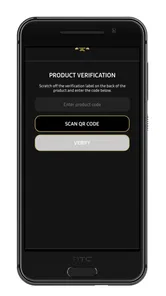
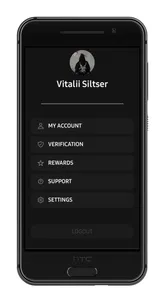
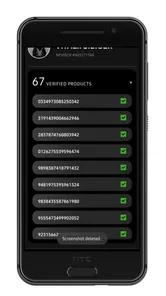
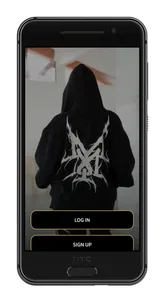
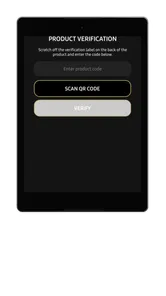
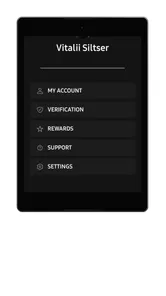
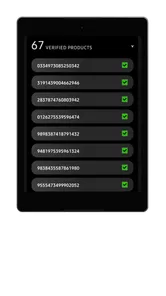
Analysis by Reviewed
Buying a product that needs verification can create an awkward pause: the packaging looks right, the code is printed where you expect it, but you still have no quick way to know whether it is genuine. That is the recurring problem Muha Members is designed to address. It is a free business app from MMembers Dev that uses product-code scanning to check authenticity in seconds, giving me a practical step between looking at a package and trusting it.
My first impression is that its value comes from focus rather than a long list of unrelated tools. This is not a general shopping app, inventory suite, or document scanner. Its purpose is narrower: scan a product code with Muha Members and use the result to support a purchase or handling decision. That makes it easier to understand, but it also means the app is most useful when the item in front of me belongs to the verification system it supports.
The app sits in the business category, although I can imagine individual buyers using it just as often as small sellers or staff members. It has reached over one hundred thousand installs and holds a 4.4 average from roughly two hundred fifty ratings, with more than one hundred reviews. Those figures suggest that the idea is resonating with a meaningful group of users, while still leaving room for me to judge it by the everyday experience rather than popularity alone.
Why a quick authenticity check matters
The usual alternatives are surprisingly weak. I can inspect a logo, compare colors with an older package, search for a product photo, or ask the seller for reassurance. All of those methods depend heavily on visual judgment or trust. A copied label can look convincing, and a search result may show what legitimate packaging looks like without telling me whether the specific item in my hand is authentic.
Muha Members changes that routine by putting the code at the center of the check. Instead of treating the package as something I must interpret manually, I use the identifying mark as the starting point. That is a better workflow when I am standing at a counter, checking stock, or deciding whether to open a purchase. The real benefit is not the scan itself; it is shortening the distance between doubt and an informed decision.
There is also a useful distinction between checking an item once and building a habit around verification. A single scan can help with an uncertain purchase, but repeated checks are more valuable for people who receive products from different sources. A small retailer, reseller, or employee handling deliveries can make the scan part of intake instead of waiting until a customer raises a concern.
I would not treat a successful scan as a substitute for every other sensible check. Packaging condition, seller reputation, product details, and the context of the purchase still matter. The app is strongest as a fast evidence-gathering tool, not as a reason to ignore obvious warning signs. If a package is damaged, a code is unreadable, or the result does not fit what I am seeing, I would pause rather than force the transaction through.
More From Our News Desk

Weather by Xiaomi Review: Clear at a Glance, Less Clear Up Close

X Under Pressure: Can It Recover When Posting Goes Wrong?

Clash of Clans Is Won Between the Battles

Android Auto Makes the Case for Quieter Car Software

MobiOffice: Transforming Mobile Productivity with Seamless Integration

EA SPORTS FC™ Mobile Soccer: Redefining Mobile Sports Gaming
Getting to the first useful check
The first setup is refreshingly easy to understand. I install the app, open it, and move toward the scanning function rather than configuring a complicated business profile. For a utility like this, that matters. The moment I need to verify something is usually the moment I want the fewest decisions between opening the app and pointing the phone at the code.
Good scanning technique makes a noticeable difference. I hold the phone steady, keep the entire code inside the camera view, and give the app enough light to distinguish the printed marks. A glossy wrapper can reflect overhead lighting, so tilting the package slightly is more useful than repeatedly moving the phone closer. If the code is on a curved surface, I try to keep the phone square to the section I am scanning.
That small change in approach is one of the less obvious ways to reduce friction. People often blame a scanner when the real problem is glare, distance, or a partially hidden code. I also avoid covering the code with my fingers and make sure the camera is not trying to read several nearby marks at once. These habits make the process feel more dependable without turning it into a technical task.
Muha Members is free, which removes the most obvious barrier to trying it. Its content rating is Everyone, so it is presented as a broadly accessible utility rather than something restricted to a narrow age group. It runs on Android starting with version 7.0, and the current version is 2.0.3. That combination makes it approachable for people using older compatible phones, although the actual comfort of scanning will still depend on the phone’s camera and general condition.
I also appreciate that the app’s role is easy to explain to another person. If I were helping a colleague, I would not need to give them a long tour of menus. I would say: open it, place the product code in view, and read the result before deciding what to do next. That clarity is especially useful in a shop or warehouse, where a tool has to be understood quickly by someone who did not install it personally.
Where it fits into an ordinary day
Imagine I am buying a packaged item from a seller I have not used before. The product looks familiar, but the price or source makes me hesitate. Rather than taking a photograph and searching through images, I open Muha Members and scan the code while I am still there. If the result supports the product’s authenticity, I have one more reason to continue. If something feels inconsistent, I can ask questions before paying instead of discovering the concern at home.
That scenario shows why speed matters more than elaborate reporting. I do not necessarily need a long explanation every time I check a product. I need a clear enough outcome to decide whether to proceed, investigate further, or leave the item alone. The app’s narrow purpose helps it fit into that moment without making me turn a simple purchase into a research project.
A second use case is receiving stock for a small business. I can scan items as they arrive, especially when a delivery comes from a new supplier or contains products that will later be sold to customers. The useful insight here is to check at intake, not after the products have been mixed into existing shelves. Early verification keeps a questionable item physically separate and makes it easier to connect the concern with the delivery that brought it in.
For that workflow, I would use a simple manual routine alongside the app: scan the product, place items that need attention in a separate area, and record the supplier or delivery details elsewhere if the business needs a formal trail. Muha Members can make the authenticity check quicker, but I would not assume that a scan alone replaces inventory records or supplier management. That is an important trade-off for professional users.
A third scenario involves helping someone less comfortable with technology. Because the task is concrete, I can do the scan for a family member or coworker and explain the result in plain language. The app may be more useful here than asking that person to compare packaging online. It turns a vague suspicion into a shared check, although I would still avoid presenting the result as permission to ignore other concerns about the purchase.
What the app removes from the process
The biggest friction removed is visual guesswork. Counterfeit packaging is often designed to survive a quick glance, and ordinary buyers are not expected to know every printing detail. Using a product code gives me a more consistent starting point than asking whether the label “looks genuine.” That is particularly helpful when I am checking several similar items and do not want to rely on memory.
It also removes unnecessary switching between apps. Without a dedicated scanner, I might open the camera, take a picture, search the web, compare results, and still be unsure whether I checked the exact product. Muha Members gives that task a defined home. The time saved may be modest for one item, but the difference becomes more meaningful when a business checks products repeatedly.
Another practical advantage is timing. Verification works best before I commit money, accept stock, or hand an item to someone else. A tool that is ready at that point is more valuable than a detailed method I will postpone. I find this to be the app’s strongest design idea: it encourages checking at the moment when the result can still change what I do.
There is a subtle workflow improvement for busy users too. I would not scan every product automatically just to create activity. Instead, I would use a risk-based routine: check unfamiliar suppliers, unusually cheap offers, altered-looking packaging, and items whose code is difficult to read. That keeps the app from becoming a repetitive chore while preserving its value where uncertainty is highest.
The developer, MMembers Dev, has kept the product identity closely tied to its intended verification task. That focus is useful, but it also sets expectations. I would not download this expecting invoicing, stock forecasting, customer relationship management, or a broad business dashboard. Its business usefulness comes from one small part of the operating process, and it should be judged on how well that part fits the user’s needs.
Where I would be cautious
The first limitation is obvious but important: a scanner cannot help much when the code is damaged, obscured, badly printed, or positioned where the camera cannot see it properly. In those cases, repeated attempts can become frustrating. Better lighting and a steadier angle may solve the problem, but there will be situations where the physical package prevents a quick result.
The second limitation is scope. The store summary describes product-code scanning for authenticity, so I would not expect the app to independently establish every aspect of a product’s quality, safety, condition, or legal status. A positive verification result should be understood in that context. If I am evaluating a high-value purchase or a supplier relationship, I would combine the scan with documentation and normal commercial checks.
There is also a difference between personal use and organized business use. For one shopper, a fast check may be all that is needed. For a shop receiving many cartons, the business may still need a separate record of what was scanned, when it arrived, and what happened to exceptions. Muha Members can support that process by reducing the checking step, but I would not mistake it for a complete audit system.
People who rarely buy products requiring authenticity checks may find the app unnecessary. If my purchases come from highly trusted channels and I never handle stock, opening a dedicated scanner may add more steps than it saves. In that case, ordinary caution and the seller’s established process may be enough. The app makes more sense when uncertainty is recurring rather than occasional.
I would also choose a different kind of tool if my main goal were cataloging products, tracking quantities, or managing sales. A barcode inventory application would be better for those jobs because its records and workflows are built around stock movement. Muha Members is the better choice when the central question is whether a coded product should be trusted, not how many units remain on a shelf.
Who should use it, and who should skip it
I recommend Muha Members to shoppers who regularly encounter products from unfamiliar sources, small businesses that want a quick intake check, and staff members who need a simple verification routine without learning a large system. It is also a sensible companion for anyone who has been relying on package inspection alone and wants a faster, more consistent first step.
I would skip it if I am looking for a full business management platform, a permanent product database, or a replacement for supplier records. I would also skip it if my phone is incompatible with its Android requirement or if my typical purchases never involve product-code verification. A focused app is only useful when its focus matches the problem I actually have.
For readers wondering whether it costs anything to try, the app is free. That makes experimentation straightforward: use it on a few relevant products, see whether the scan fits naturally into the buying or receiving routine, and keep it only if it reduces hesitation rather than creating another task. The low entry barrier is one of its practical strengths.
My overall view is positive, with a clear boundary around what I expect from it. Muha Members does not need to be a large platform to be useful. By putting authenticity checking into a quick product-code scan, it addresses a recurring moment of uncertainty and helps me act before a questionable item moves further through a purchase or stock process.
Its best quality is the time and mental effort it can remove when I need a fast answer. Its main weakness is that the answer depends on a readable code and should not be treated as the only evidence in a serious decision. If that trade-off fits your situation, this is a practical free utility worth trying. I would keep it ready for unfamiliar purchases and incoming stock, while using broader business tools whenever the job extends beyond verification.
Released on August 19, 2025, the app is still a relatively focused addition to the business-tool space, but its current version, 2.0.3, gives it a straightforward starting point for this job. After using it as a targeted check rather than an all-purpose solution, I would recommend Muha Members to anyone who wants less guesswork around coded products and understands that a quick scan is one useful layer of verification, not the whole decision.
Muha Members Frequently Asked Questions
Does Muha Members scan product codes, and what does the scan tell me?
Muha Members is an app for scanning product codes to verify authenticity in seconds. This makes it relevant if you want to check a product during a purchase or after receiving it. The app’s central purpose is code-based verification, so have the product code available and follow the in-app scanning steps. Treat the result as one part of your decision when assessing a product.
What is Muha Members, and what can users do with it?
Muha Members appears to be a membership-focused platform designed to give registered users access to a private community, member information, or exclusive services. Depending on the version and organization behind it, the app may include account management, announcements, member-only content, event details, communication tools, or benefits. Review the official description carefully because available features can vary by region and membership type.
Do I need an invitation or an existing membership to use Muha Members?
In most cases, an app built around members requires an account connected to an organization, club, service, or private community. You may need an invitation, membership number, approved registration, or login credentials before you can use the main features. Installing the application alone may not provide access. If registration is available, check the eligibility requirements and use only the official sign-up process.
Is Muha Members free to download and use?
The application may be free to download, but that does not necessarily mean every service inside it is free. Some features could depend on a paid membership, subscription, event fee, or purchases handled by the associated organization. Before signing up or entering payment details, check the app-store listing, membership terms, renewal conditions, and any additional charges that may apply to your account.
What personal information does Muha Members require?
A membership application may request information such as your name, email address, phone number, membership details, profile information, or location-related data. The exact permissions depend on the version installed and the services enabled by its operator. Before accepting access, read the privacy policy and review permissions in your device settings. Avoid providing sensitive information unless the request is clearly necessary and comes from a trusted source.
Pros
- Simple member-focused design makes key information easy to find.
- Useful for staying connected with the Muha community and activities.
- Convenient access to member updates from a mobile device.
- Lightweight experience that should work well on compatible phones.
- Can reduce the need to rely on separate communication channels.
Cons
- Most features may be limited unless you have an active membership.
- Content usefulness depends on how frequently the organization updates it.
- Some sections may require account details or additional verification.
- The app may offer little value to non-members or casual visitors.
- Support and feature availability can vary by region or organization.











