Moon Phase Calendar
- 8.71K
- 4.8
- Installs
- 1.00M
- Price
- Free
Screenshots
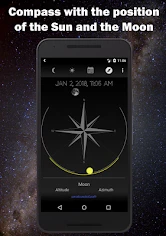
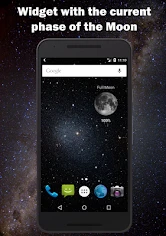
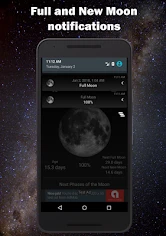
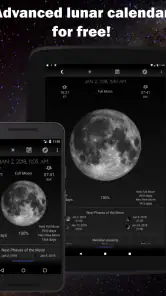
Analysis by Reviewed
When I want to plan around the moon, I prefer having the lunar calendar close at hand rather than trying to piece together dates from a general forecast. Moon Phase Calendar is a weather app from probadoSoft focused on that one subject: following the Moon’s changing phases and checking useful timing information. It is free, rated for Everyone, and has a 4.8 average from around 60,000 ratings, which suggests that many users find its focused approach worthwhile.
Checking the sky while you’re out
The practical value becomes clear when a plan depends on the Moon rather than the weather. Say I’m considering an evening walk or hoping to photograph a moonrise: I can check the lunar calendar before leaving, then use the phase and rise or set information to decide whether the timing suits me. That is more useful than relying on a generic weather app, which may tell me about clouds but not give lunar phases the same attention.
The app is also a natural fit for people who enjoy keeping a simple record of the lunar cycle, or who like knowing why the Moon looks different from one night to the next. I would recommend it to casual sky-watchers and photographers who want lunar dates within easy reach. If your main need is cloud cover, rain, wind, or a broad forecast, though, a conventional weather service is still the better tool; this app complements that information rather than replacing it.
A useful way to decide whether it belongs on your phone is to think about how often lunar timing changes what you do. If you check the Moon only after noticing it in the sky, a general calendar may be enough. If you like choosing an evening in advance, the dedicated view and reminders can make the lunar cycle easier to follow without turning it into a research project.
There is also a difference between knowing a phase and knowing what the sky will look like from your spot. The calendar helps answer the first question, but buildings, hills, local light and clouds can change the second. I would use it to pick a promising date, then make the final call with a weather forecast and a quick look at the horizon.
Getting to Know the Moon
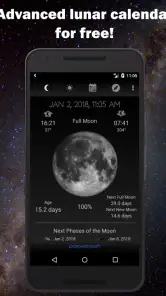
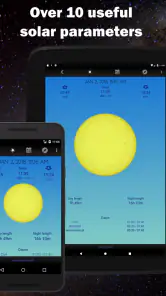
The first thing you'll notice when you open the Moon Phase Calendar is its visually pleasing layout. The app greets you with a stunning lunar image, and it just gets better from there. Navigating through the app is smooth and intuitive, with everything you need just a few taps away. The main screen shows you the current phase of the moon, and you can swipe through to see future phases. It’s like having a telescope in your pocket!
That forward-looking calendar is most useful when I treat it as a planning aid rather than a live sky report. For example, I might scan upcoming dates while arranging a weekend walk, mark the phase that interests me, and then return closer to the day to decide whether conditions still make the outing worthwhile. This two-step habit avoids expecting a lunar calendar to settle decisions that depend on local weather or the view from a particular place.
More From Our News Desk

Clash of Clans Is Won Between the Battles

Android Auto Makes the Case for Quieter Car Software

MobiOffice: Transforming Mobile Productivity with Seamless Integration

EA SPORTS FC™ Mobile Soccer: Redefining Mobile Sports Gaming

How Microsoft OneDrive Became a Mobile Productivity Giant

How Google Translate Breaks Language Barriers Effortlessly
Features That Shine
This app isn’t just about looking at pretty pictures of the moon. It comes packed with features that are both fun and informative. Want to know when the next blue moon is? Or maybe you're curious about the exact time the moon will be full next month? This app has got you covered. It provides detailed information on all phases of the moon, including new moon, first quarter, full moon, and last quarter, along with specific rise and set times.
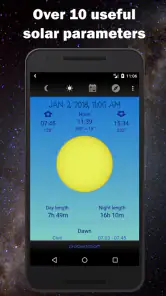
Rise and set times can help turn a date into a practical plan. If I want to see the Moon near the horizon, for instance, I can use the timing as a starting point and arrive early enough to find a clear viewing spot. The trade-off is that a time alone cannot tell me whether the horizon is unobstructed, so I still need to choose a location with care. This is a small but important distinction: the app can help me narrow down when to look, not guarantee what I will see.
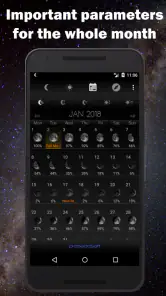
For a beginner, the sequence of phases is a handy way to build a mental picture of the month. Rather than memorizing names, I can move through dates and connect each stage with the changing appearance of the Moon. A parent or teacher could use that simple date-and-phase pairing to start a conversation about the night sky, while someone who already follows astronomy may appreciate the quicker reference. It is best seen as an accessible companion, not a substitute for a detailed astronomy guide.
One of my favorite features is the notification system. You can set alerts for specific moon phases so you never miss a celestial event. It’s perfect for photographers looking to capture the moon in all its glory or for those who just want to sit back and marvel at the night sky.
Making reminders useful, not noisy
I’d treat phase notifications as planning prompts, not a guarantee of a good viewing night. A full-moon alert can remind me to check local conditions and choose a spot, but clouds and nearby buildings still decide what I can actually see. A useful habit is to set reminders only for the phases I care about, then check the calendar a little ahead of a planned outing. That keeps the alerts meaningful instead of turning every lunar change into background noise.
For a photographer, the calendar can help narrow down when to prepare, while a separate forecast and a quick look at the horizon help settle the final decision. For someone learning the cycle, swiping through future phases is an easy way to connect a date with the Moon’s appearance. The trade-off is that a focused lunar tool is not a complete observing planner: I would pair it with other resources when I need a broader picture of sky conditions or an observing target beyond the Moon.
There is a practical notification choice here: an alert is valuable when it leads to an action, such as checking a location or making time for a walk. If every phase matters to you, broader reminders may suit your routine; if you mainly care about a full Moon or a particular outing, keeping alerts selective makes them easier to notice. I would also check that notifications are enabled on the phone if an expected prompt does not appear, rather than assuming the calendar itself has stopped working.
Astronomy Enthusiasts Rejoice!
For the astronomy buffs out there, this app is a treasure trove of information. It includes a detailed calendar that marks not only the phases but also other astronomical events like meteor showers and eclipses. You can even track the moon’s position in the sky relative to the stars and planets. It’s a great tool for planning your stargazing sessions and learning more about our universe.
That wider set of sky references makes the app more appealing than a simple phase picture, but I would still keep expectations focused on practical orientation. Someone planning a full observing session may need a dedicated sky map or a broader astronomy resource to explore objects and conditions in depth. The calendar is more convenient when the Moon is the anchor of the plan; another tool is better when the aim is to navigate a large portion of the night sky.
Moreover, the app’s developers have ensured that the information is accurate and up-to-date, which is crucial for those who rely on precise data for their astronomical observations.
Connectivity and everyday reliability
The app’s summary describes it as usable offline, which is appealing when I’m away from reliable reception. I’d still make a habit of opening it before heading out, especially if I’m depending on a reminder or checking details for a particular date. That small check is sensible for any planning app: it lets me confirm what I need while I have a connection and avoids making a remote location part of the test.
This matters in ordinary mobile situations, not just remote ones. On a commute, I might check a future phase while I have a moment, then rely on the reminder later rather than reopening the app repeatedly. At a campsite or on a quiet walking route, I would look up the date and timing before setting off. The benefit is less dependence on a last-minute search; the trade-off is that I still need another source for changing weather and local visibility.
If something doesn’t appear as expected, I’d first reopen the calendar and check the date and location context I’m using, then revisit it before relying on the information for a time-sensitive plan. For a casual look at the phase, that is a low-stakes inconvenience; for a photography session, I’d cross-check the timing with another source and check the weather separately. This is also a good way to use the app without assuming that its lunar information answers every question about visibility.
A sensible recovery routine is to avoid making an important outing depend on a single notification. I can check the relevant date in advance, keep the phase in mind, and return to the calendar if a reminder is missed or the plan changes. If the app behaves unexpectedly, checking that the phone’s date is correct and reopening the app are straightforward first steps. For anything requiring exact coordination, confirming the timing with another reliable reference is a reasonable precaution rather than a criticism of a focused lunar calendar.
For people mindful of mobile data, a lunar calendar is naturally a lighter kind of companion than a service built around continually changing weather maps or video. The offline capability is a useful fit for checking information away from reception, but I would still make the key check before leaving and avoid assuming that every other planning need is covered. Keeping a forecast app for clouds and rain alongside this one also means I can open each tool only for the question it answers best.
With a current version of 1.59 and support for Android 6.0 or later, it is accessible to many Android users. It has passed one million installs and has around 8,700 written reviews. Those figures give a sense of its established audience, but the more important question is whether you want a dedicated lunar calendar: if you only check the Moon once in a while, a general-purpose calendar may be enough; if you like phase reminders and quick lunar reference, a separate app is easier to keep focused.
As a free app rated for Everyone, it is easy to consider for household use or for a curious beginner, without needing to treat it as specialist equipment. I would skip it if I wanted a replacement for a full weather service, an advanced observing planner, or a tool that makes the decision about visibility for me. Its strongest role is narrower and clearer: keeping lunar dates, phases and reminders together so that I can plan around the Moon and then check the conditions that the calendar cannot settle.
Final Thoughts
In conclusion, the Moon Phase Calendar app is a must-have for anyone interested in astronomy or simply fascinated by the moon. It’s easy to use, aesthetically pleasing, and packed with features that make understanding the lunar cycle not only informative but also enjoyable. Whether you're a seasoned astronomer or someone who just loves to look up at the night sky, this app is sure to enhance your celestial experience. So, go ahead, download it, and let the moonlight guide you!
My more measured recommendation is to think of it as a focused helper rather than an all-in-one sky service. I find the combination of a forward calendar, phase alerts and lunar timing most valuable when I have a specific date or observation in mind. If that describes your habits, it is an easy app to keep around; if not, a general calendar and weather forecast may already cover your needs. For a dedicated look at the lunar cycle, though, this is a pleasantly direct option.
Moon Phase Calendar Frequently Asked Questions
Is Moon Phase Calendar available for both Android and iOS?
Moon Phase Calendar is an Android app developed by probadoSoft. It requires Android 6.0 or later, so check your device’s operating system before downloading. The app focuses on lunar information, with an advanced calendar, notifications, a widget, and offline use. Its store description is simply “Moon Phase,” reflecting its straightforward focus.
Is Moon Phase Calendar suitable for beginners who only want a simple lunar overview?
Yes. Moon Phase Calendar is a weather app centered on the Moon, and its purpose is to make lunar information easy to consult. The calendar format offers a straightforward way to check the current phase and follow changes over time, while the moon’s appearance and visibility details provide more context for anyone curious about what they may see in the sky.
What is the purpose of the Moon Phase Calendar app?
The Moon Phase Calendar app is designed to provide users with detailed information about the current moon phase, including its appearance, visibility, and the times for moonrise and moonset. It can be particularly useful for those interested in astrology, gardening by the moon, fishing, or simply keeping track of celestial events. The app offers a user-friendly interface to easily access lunar data.
Can I use the Moon Phase Calendar app offline?
Yes, the Moon Phase Calendar app can be used offline. Once the relevant data is downloaded, users can access moon phase information without an internet connection. However, features that require real-time updates, such as notifications for upcoming lunar events or location-based adjustments, may not function offline and will require an internet connection to update. Its offline availability makes it convenient to check lunar information when you do not have a connection.
Does Moon Phase Calendar offer notifications or a home-screen widget?
Yes. Moon Phase Calendar is described as an advanced lunar calendar with notifications and a widget, so it can help you keep track of lunar information without opening the app every time. These options are useful if you want reminders or a quick reference from your device’s home screen. The app can also be used offline for lunar information, which suits users who want a convenient reference while away from a connection.
Pros
- Accurate moon phase tracking.
- Customizable notifications.
- User-friendly interface.
- Supports multiple languages.
- Detailed lunar information.
Cons
- Ads in free version.
- Limited features without premium.
- Interface can lag occasionally.
- No offline mode.
- Requires frequent updates.
- Category
- Weather
- Version
- 1.59











