Mobile Connect to TV USB HDMI
- 109.00
- 3.2
- Installs
- 100.00K
- Price
- Free
Screenshots
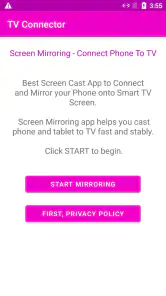
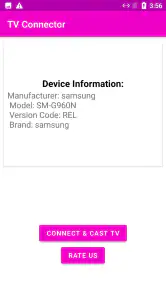
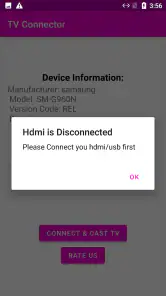
Analysis by Reviewed
If you’ve ever found yourself squinting at your phone screen, trying to enjoy your favorite movie or perhaps giving a presentation on-the-go, then you might have thought, "There must be a better way!" Well, let me introduce you to the lifesaver known as Mobile Connect to TV USB HDMI. This nifty app is here to save your eyes and make your life a whole lot easier.
Connecting Made Simple
Let's dive right into the magic of it. With Mobile Connect to TV USB HDMI, hooking up your phone to your TV is as easy as pie. Forget about the tangled mess of wires or complicated tech jargon. This app guides you through every step with simple instructions. All you need is a compatible USB HDMI cable and you're good to go! It's like having your personal tech assistant, minus the hefty consultation fees!
Seamless Streaming Experience
Once you’ve got everything connected, the real fun begins. Streaming from your phone to the TV is not only smooth but also surprisingly fast. Whether you’re binge-watching the latest series or sharing vacation videos with family, the app ensures there’s minimal lag and high-quality video output. It’s like having a mini-cinema right in your living room!
Why It Stands Out
You might be wondering, "What makes this app different from the rest?" Well, apart from its user-friendly interface, the app supports a wide range of video formats and resolutions. This means you don’t have to worry about compatibility issues. Plus, it’s designed to consume less battery power, so your phone doesn’t run out of juice halfway through the finale of your favorite show. Trust me, that’s a real game-changer!
Perfect for On-the-Go Entertainment
One of the coolest features of Mobile Connect to TV USB HDMI is its portability. Whether you’re at a friend’s house, a hotel, or even at a business meeting, you can easily set everything up without a fuss. It’s perfect for travelers who want to catch up on their shows or need to deliver a presentation without the hassle of carrying bulky equipment.
All in all, if you’re looking for a simple and effective way to connect your mobile device to a TV, this app is a must-have. It takes the stress out of sharing content and turns your mobile viewing experience into something truly enjoyable. So, next time you’re planning a movie night or presenting your latest work project, remember there’s an app that’s got your back!
More From Our News Desk

Clash of Clans Is Won Between the Battles

Android Auto Makes the Case for Quieter Car Software

MobiOffice: Transforming Mobile Productivity with Seamless Integration

EA SPORTS FC™ Mobile Soccer: Redefining Mobile Sports Gaming

How Microsoft OneDrive Became a Mobile Productivity Giant

How Google Translate Breaks Language Barriers Effortlessly
Mobile Connect to TV USB HDMI Frequently Asked Questions
What is Mobile Connect to TV USB HDMI and how does it work?
Mobile Connect to TV USB HDMI is an application designed to facilitate the connection between your mobile device and your TV, using a USB or HDMI port. This app allows you to mirror your phone's screen onto your TV, enabling you to enjoy videos, games, and other media on a larger screen. Users need to ensure that their mobile device and TV are compatible with the app for optimal performance.
Is Mobile Connect to TV USB HDMI compatible with all mobile devices and TVs?
While Mobile Connect to TV USB HDMI aims to support a wide range of devices, it is essential to check compatibility before downloading. The app generally supports most Android and iOS devices; however, older models or certain brands may face issues. Similarly, not all TVs may support USB or HDMI connections, so it's advisable to verify your TV's compatibility with the app's requirements.
What are the main features of Mobile Connect to TV USB HDMI?
Mobile Connect to TV USB HDMI offers several features designed to enhance your viewing experience. These include screen mirroring, high-quality video and audio transmission, and user-friendly interface. Additionally, it supports various media formats, allowing you to play videos, music, and photos directly from your mobile device to your TV. The app also provides options for customizing the display settings to suit your preferences.
Are there any subscription fees or in-app purchases with Mobile Connect to TV USB HDMI?
Mobile Connect to TV USB HDMI is typically available as a free download, but it may offer in-app purchases to enhance functionality or remove ads. Users should review the app's pricing details on the download page to understand any potential costs. Subscriptions, if available, usually provide additional features or premium services that may enhance the user experience.
How can I troubleshoot connection issues with Mobile Connect to TV USB HDMI?
If you encounter connection issues with Mobile Connect to TV USB HDMI, there are several steps to try. First, ensure that all cables are securely connected and that your devices are compatible. Restarting both your mobile device and TV can resolve minor glitches. Additionally, checking for updates for the app and your device's operating system can help. If problems persist, consulting the app's support page or contacting customer service may provide further assistance.
Pros
- Seamless connection between devices.
- Supports high-definition streaming.
- Compatible with multiple devices.
- Easy setup process.
- Affordable pricing.
Cons
- Limited to USB-C ports.
- May require additional adapters.
- Not all apps are supported.
- Occasional lag in video streaming.
- Requires stable internet connection.
- Category
- Libraries & Demo
- Version
- is1.0










